Since these features are actively marketed and advertised, the company has a responsibility to ensure they function as expected and meet a standard level of support. When I worked as a Senior Product Manager, my goal was never to dictate a rigid development path but rather to define a user experience where features worked reliably and without crashes. There are always multiple ways to achieve this, and I valued developers’ creativity in finding the best solutions.
In some cases, we integrated open-source components, but our customers still expected the product to function as advertised. If an issue arose due to an underlying dependency—such as a compatibility problem with an external operating system—we couldn’t simply redirect customers elsewhere. For example, if our software ran on Windows and encountered a bug that required a Microsoft fix, we were still responsible for providing a solution because our product had already been sold and licensed to customers. It wouldn’t be reasonable to expect users to take that issue up with Microsoft directly.
Ultimately, customers buy a product based on how it is presented to them, and they expect it to work accordingly. The focus should always be on delivering a stable and seamless experience while allowing flexibility for advanced users who want to customize their setup.
Had this issue on the marble for a family member; adguard crashes the device, even with small lists. Tried to smaller file, etc and no dice. Ended up setting it up on a orange pi zero 3 4gb.
This should not be the solution. What makes it so hard for gl-inet to implement the RAM-limit / higher RAM parameter, clickable in the gl-inet GUI to prevent this and make it robust?
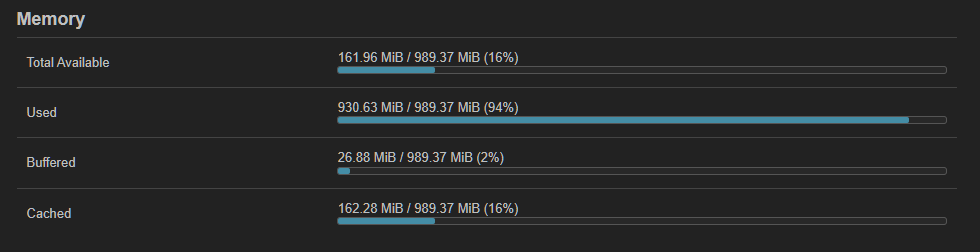
Apparently many people have this issue, if they search for the issue they find out of RAM info while having plenty of remaining g-inet router RAM. Maybe assuming its a gl-inet issue, as seen in above comments. Adguard is a GREAT integrated feature of gl-inet Routers, please make it robust
I can confirm that on Flint with beta 4.8.3 clean flush and trying to install zram swap, it crushed my router. I tried a few times and it is always like that. It is easy to replicate so try it out guys.
Flint is good router and is lacking memory when instaling AdGuard, which is great package. So that swap would be usefull.
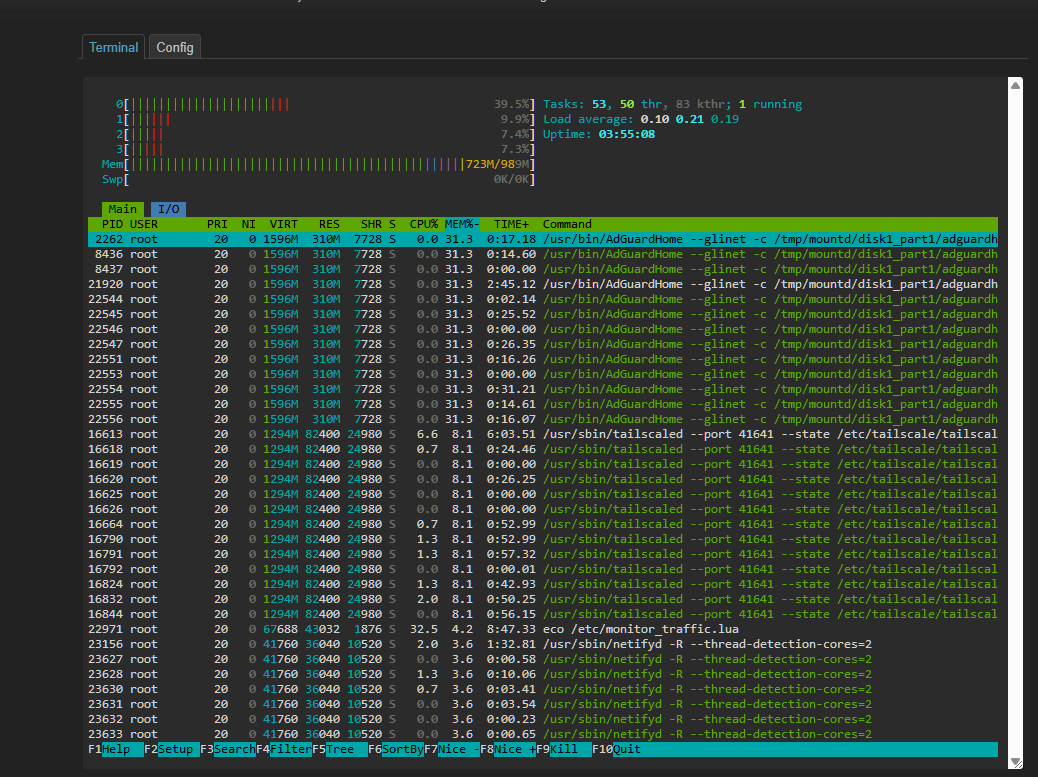
Oh and I tried only install Tailscale and before install I got 60% used ram, after that 84%, so no space for anything more nearly. If Flint has such a limited memory, managing it properly is crucial. So zswap would be great if not crushing wifi and router.
if you have query/stats logging enabled and it the working directory is somewhere in ram this behavior is expected, both of those things rapidly consume space
I have adguards workingdir configured to run off a usb stick I have not seen any memory consumption issues so far
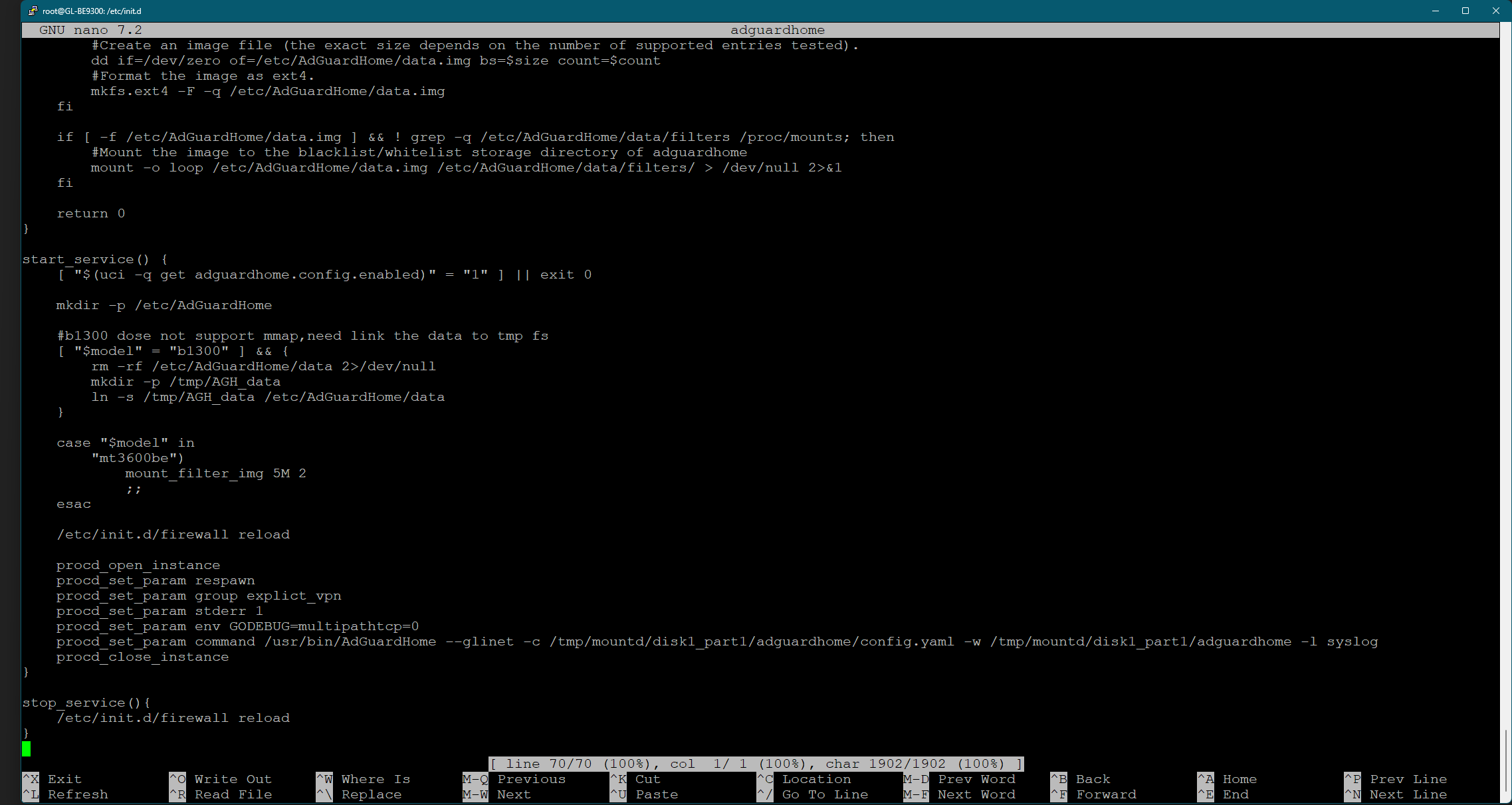
it would be nice if @glinet would put a option in the gui to allow the user to set this from there, it would be as simple as gui option tha sed’s in the desired path in the initd then restores it on firmware upgrade altho I guess you could make that a cron script
I had an USB Stick (formated as EXT3) and I noticed the system load was always above 0.3 even with no internet traffic and all cores at 5~10%. Was normal to see the system load above 1
With the logs on ram, the system load stays flat at 0.0 with peaks at 0.2
Exactly. Have to love the ignorant people that come here (thinking) they know it all. And correct on if you bundle it you are responsible for testing and or safeguards
May you can help me? I exposed already the data to my external USB Stick, works fine, but i see the Router consume so much memory. Any idea why? And what to do? Because sometimes the Flint 2 no more respond and i have to start Adguard new, to get it working. I see than the memory of Flint2 was Full.