Do you know this is the official forum from GL-iNet?
Asking for support for a CLONE is a bit weird.
Please, support original products, not clones
Do you know this is the official forum from GL-iNet?
Asking for support for a CLONE is a bit weird.
Please, support original products, not clones
I'm planning to switch to vanilla openwrt, is this really working?
Yes, I have vanilla OpenWrt 24.10.1
stopping the fan works
You can write a script to monitor the temperature and turn on the fan (or maybe there are some ready-made packages for this, I haven't looked)
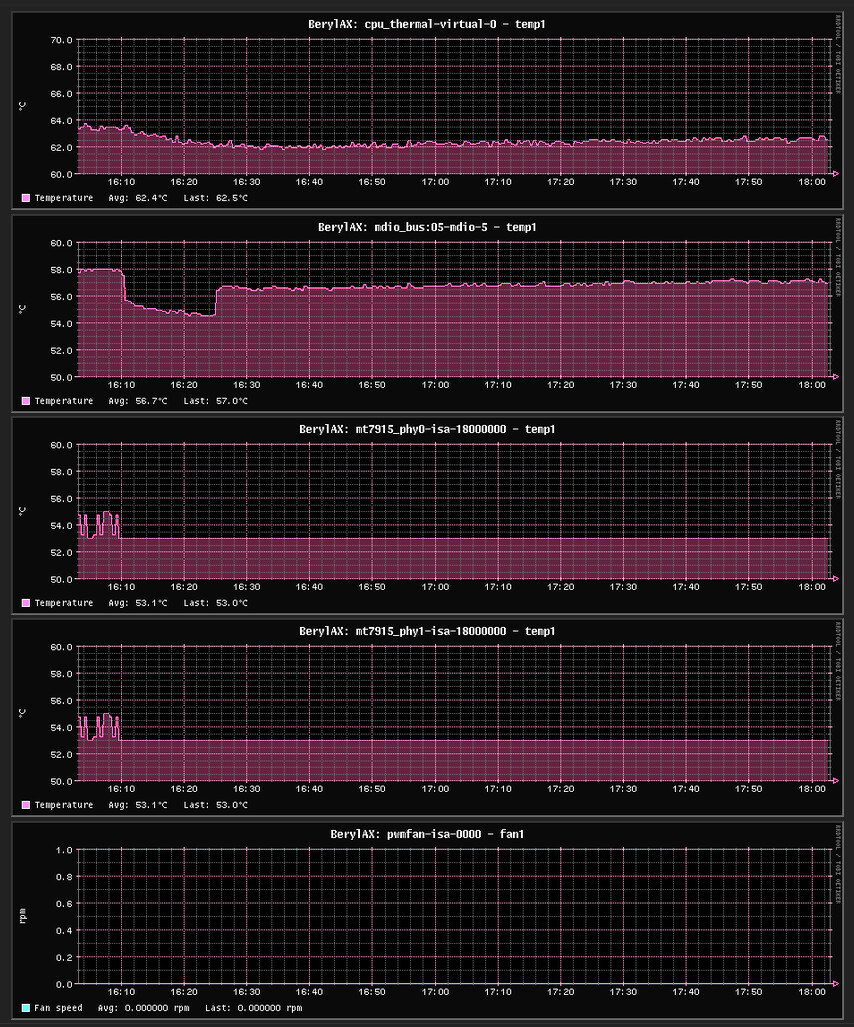
With the fan stopped, my temperature is now low
If necessary, I turn on the fan (I had to do it a couple of times)
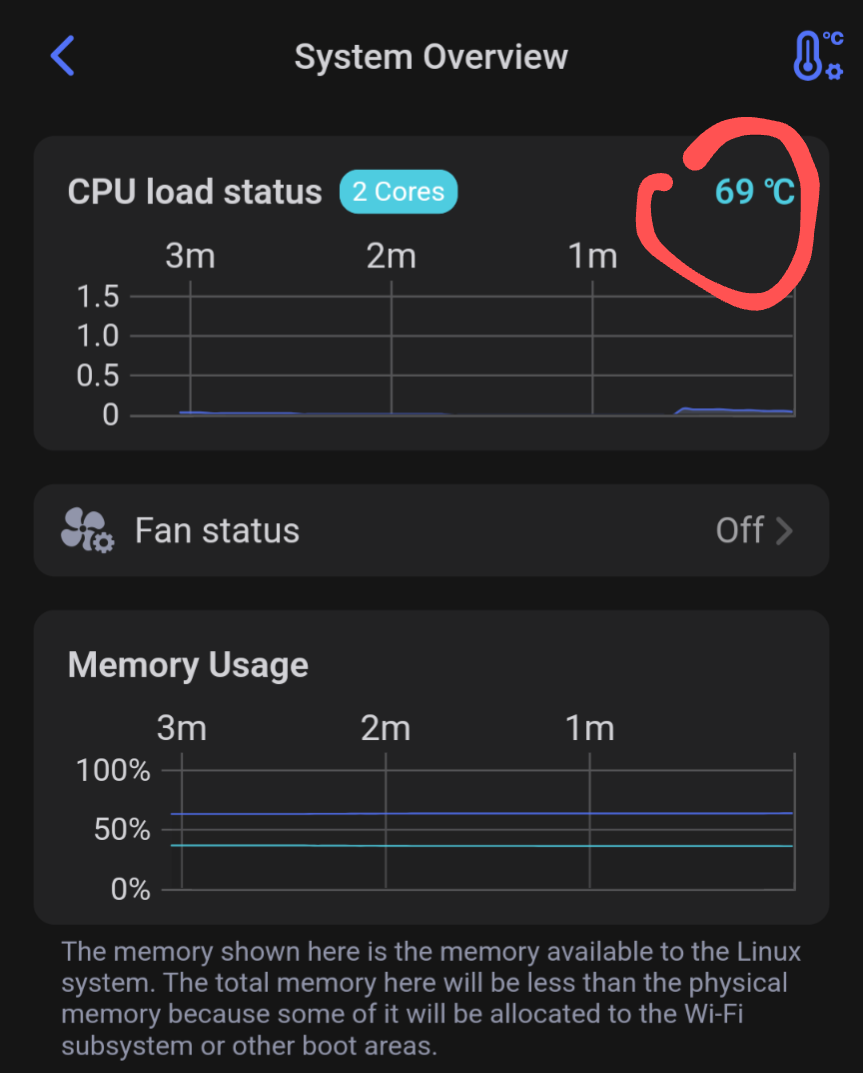
What is the temperature?
Good day. Has anyone found a way to set this permanently? I know there’s an option to set the temps within the UI, though 70C is a tad higher for my taste, and would much rather set it lower, but the UI settings don’t go below that.
Where do I change the settings manually? Much appreciated.
It's perfectly safe. Don't worry.
Reducing the trigger temperature will cause the fan to run much more, and it will fail sooner because its lifespan isn't that long.
Thing is, as some other users have reported, when it reaches a certain temperature, the fans don’t automatically kick in (have tested it), and that causes the router to get a bit hot, which in turn, makes the net sluggish for some reason (guessing performance issues here due to heat). Wished GL would revise it’s temp threshold and allow for much more cooler temps in their GUI settings.
When I set it to 70⁰C, the fan starts when it reaches 70°C
Mine is working like this.
UPDATED New Universal version should work on other routers with kernel thermal; framework compatible fans UNTESTED
please provide feedback if it does
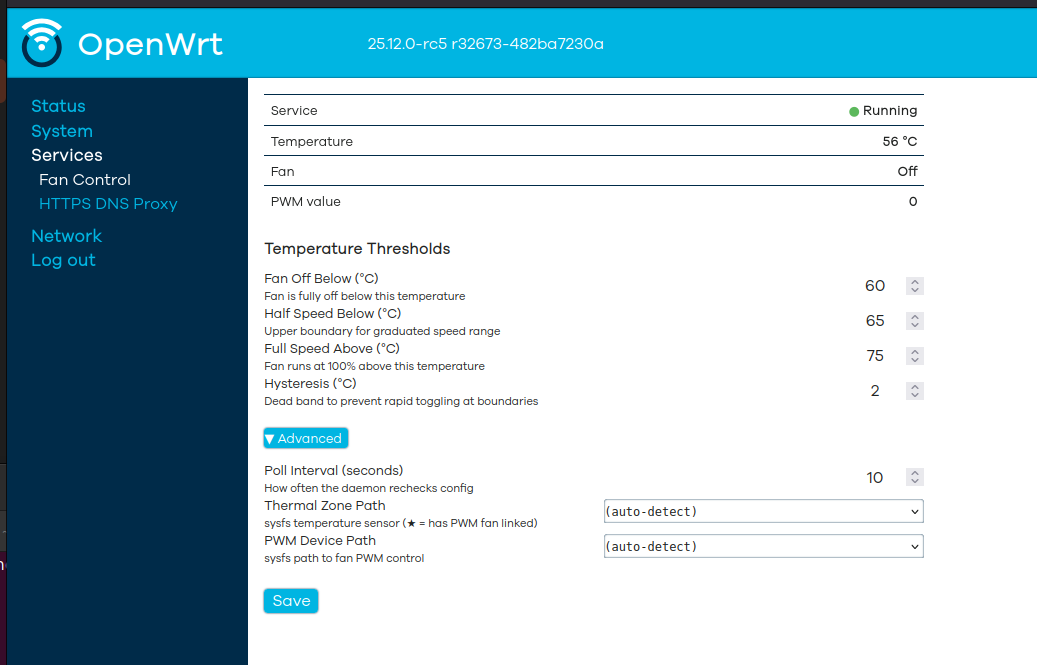
Made a nice Gui fan control Ipk and Apk for Vanilla Openwrt 24.10 and 25 as I wanted one to control the fan on my Beryl AX (GL-MT3000) to make it as simple as possible on vanilla openwrt
An OpenWrt package that provides automatic PWM fan control via the Linux kernel thermal framework, with a LuCI web interface for configuration.
Works with the kernel thermal framework by configuring trip points — no driver conflicts
LuCI web interface under Services → Fan Control
Live status: service state, CPU temperature, fan speed, PWM value (auto-refreshes every 10s)
Configurable temperature thresholds with graduated 5-step fan curve
Auto-detects thermal zone and PWM device — works out of the box on most devices
Collapsible Advanced settings for sysfs path overrides and poll interval
Settings persist across reboots
go to github page for latest version
https://github.com/bigmalloy/luci-app-fancontrol