Hi Team,
Running 4.8.1 on my Slate 7. With HA disabled it plods along nicely at a CPU load of 0.08 or so connecting via repeater and as a client via WireGuard. Slightly lower load without WireGuard. With HA “enabled”, the router sits at a CPU load up to 1.50. Literally the opposite of what it’s supposed to do. Something isn’t right. I’ve left it disabled for now.
You should re-title this thread with '[Bug?] Slate 7's hardware acceleration increases CPU load'. That should get more 'eyes' on it.
1 Like
There seems to be a certain probability of reproduction.
I discovered it in Marble before, but it did not actually affect the system performance, and the VPN, Wireless, WAN, etc. speed is normal.
HA enabled and WG VPN client enabled, load ave normal
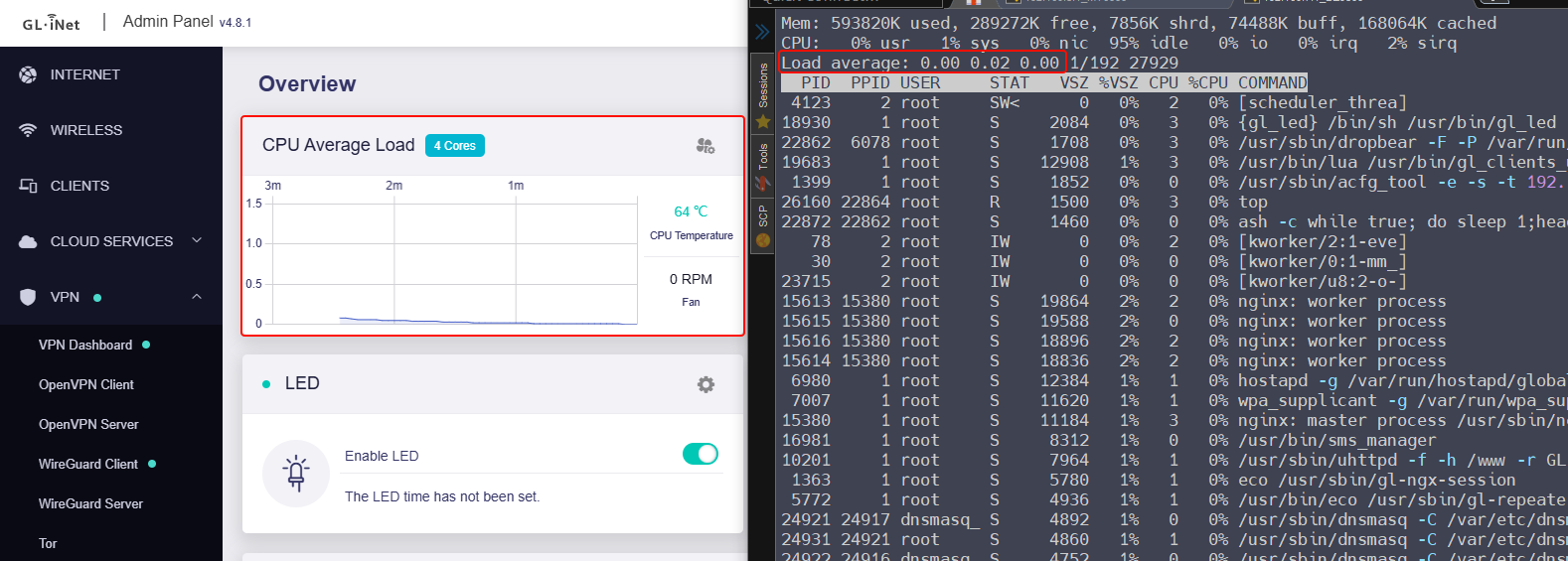
1 Like
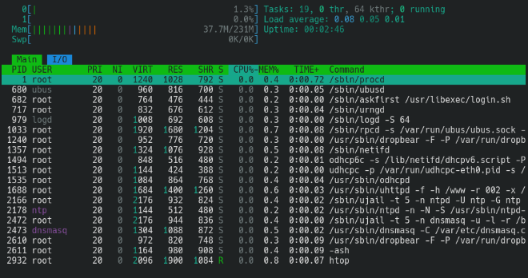
More than probable on my device. 5-10x more cpu load with it enabled rather than disabled. That’s for sure not operating correctly, it’s supposed to take load off the cpu not add load.
Pull a backup. Downgrade to the previous stable. Don't keep settings until you're ready to restore the tarball:
Yep, I think htop is better than top, but my devices are often used for testing (the firmware will be brand-new installed multiple times), so there is no htop. It is indeed better and recommended to use htop for own devices 
1 Like
Yeah, I know; I'm just yanking yer chain. 
Let me bump this thread, bought the same Slate 7 for my holiday in France and got the same problem with stable high cpu usage after a couple of minutes when Network Acceleration (not Hardware Acceleration) is enabled.
Since disabling Network Acceleration completely the cpu is mostly idle as it should.
Can anyone confirm this as a bug?
Thanks!
Hello,
Don't worry about CPU usage.
You can SSH to router and execute top to check the actual CPU resource status.