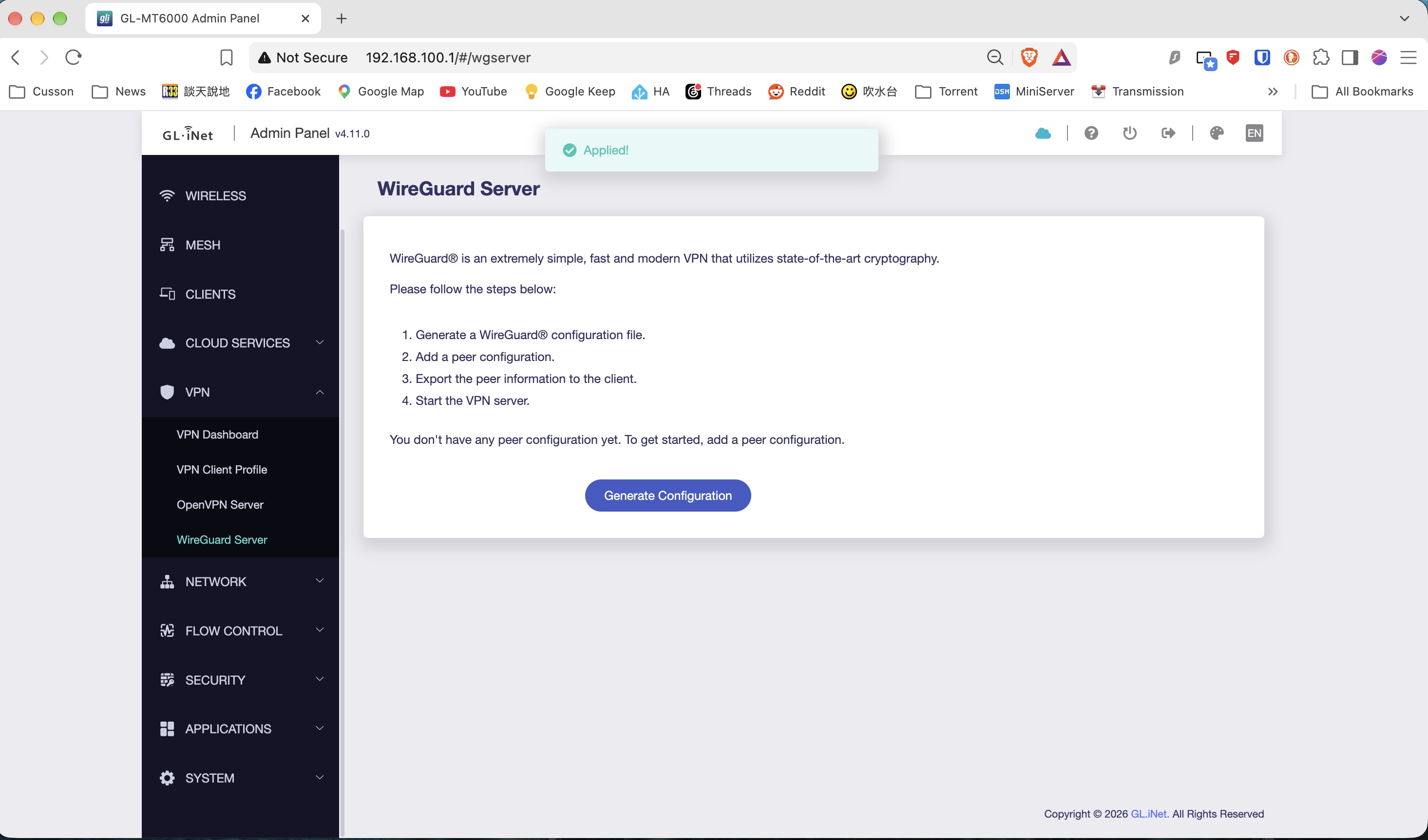
Hi, please try the following steps and check whether you can proceed with the WireGuard server setup.
- Use a different browser or an incognito/private window to access the router’s admin panel, then try generating the WireGuard server configuration again.
- If the issue persists, restart the router and try again.
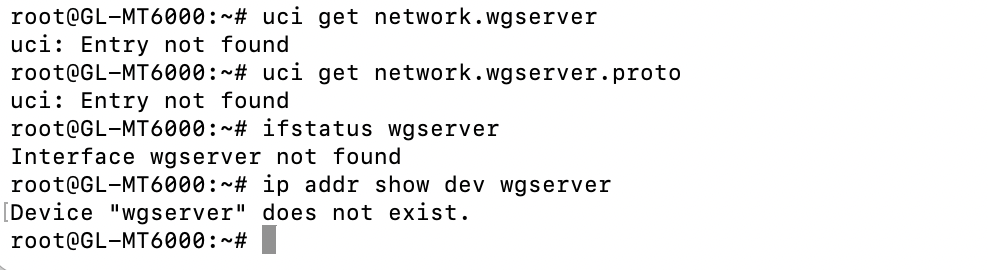
If the issue continues after both steps, could you please SSH into the router and run the following commands after clicking “Generate Configuration”:
uci get network.wgserver
uci get network.wgserver.proto
ifstatus wgserver
ip addr show dev wgserver
Please share the output with us. Thank you for your help.
Hi,
The results suggest that the WireGuard server interface may not have been created successfully.
Could you please follow this guide to share your router with our technical support team via GoodCloud so we can investigate?
Once shared, please send us the device’s MAC address and a temporary router admin password via private message.