Hmm... I've been busy developing the camera recently and haven't had time to browse the forums. Sorry about that.
I was able to downgrade to this version and this works with Supermicro server, thank you so much!
Would you still like to access my Comet to gather more info so this working setup can be implemented into current firmware build?
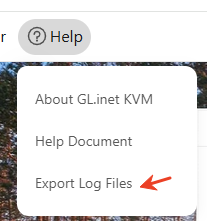
Please give me an email address to send it to.
I'm sorry for the late reply. I just realized today that your email was marked as spam...
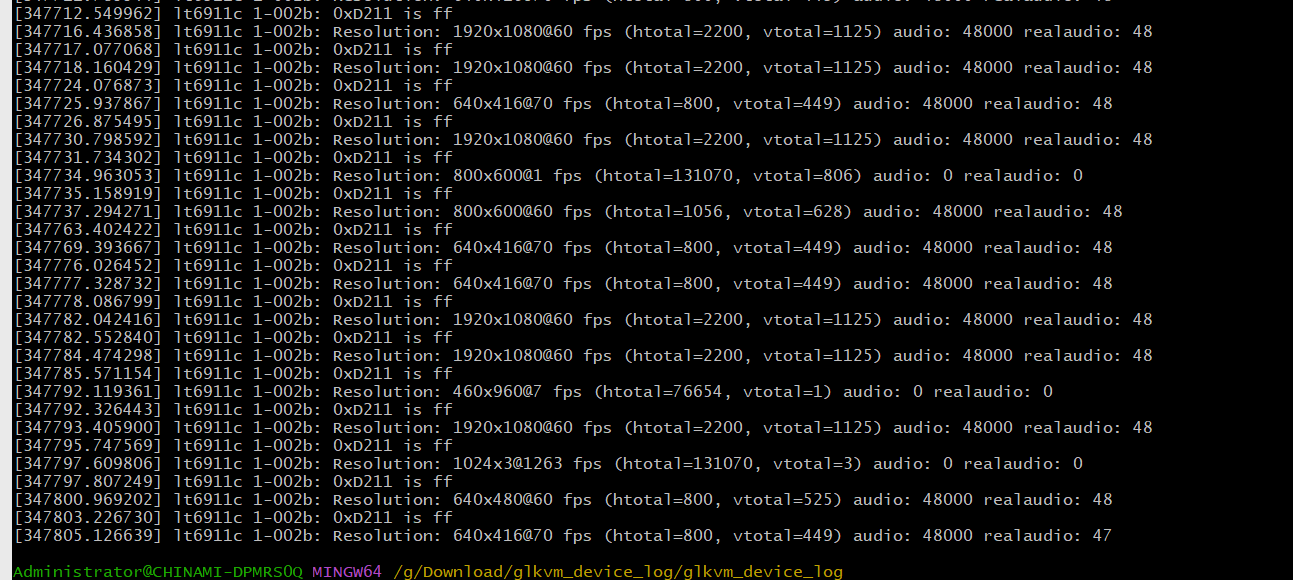
I'm not sure if it's because you tried on two different computers, but sometimes it correctly recognizes the 1080P resolution, while other times it only detects a 640x416@70 frame rate, which is not supported by Comet.
What do you mean it’s not supported? I have it working now with a firmware you supplied so what’s the problem adding this functionality (whatever it is you did in this firmware) to the official firmware as you mentioned in other post???
Hello @minmie I am seeing a similar issue. I will email you my logs now. In relevant part, however, these dmesg logs are repeating over and over every few seconds. Thank you!
[ 512.644659] lt6911c 1-002b: Resolution: 1920x1200@60 fps (htotal=2080, vtotal=1235) audio: 0 realaudio: 0
[ 512.862445] RKMODULE_GET_HDR_CFG
[ 512.862677] rkisp rkisp-vir0: can not get first iq setting in stream on
[ 512.863947] rockchip-mipi-dphy-rx ff4b0000.csi-dphy: stream on:1
[ 512.863982] rockchip-mipi-dphy-rx: data_rate_mbps 1000
[ 512.873468] rkisp0: MIPI error: packet: 0x00000001
[ 512.873854] rkisp0: MIPI error: packet: 0x00000010
[ 528.822093] lt6911c 1-002b: 0xD211 is ff
[ 530.129821] rkisp0: rkisp_stream_stop id:0 timeout
[ 530.129909] rockchip-mipi-dphy-rx ff4b0000.csi-dphy: stream on:0
I replied to you in the email. Has the issue been resolved?
Hello Team,
I’m having the same issue. I’m using a VGA to HDMI Adaptor. I can only see BIOS and after that No HDMI signal detected.
I’m seeing the following messages in logs:
Oct 31 09:13:29 glkvm user.info kernel: [1169828.671895] lt6911c 1-002b: Resolution: 640x416@70 fps (htotal=800, vtotal=449) audio: 48000 realaudio: 48
Oct 31 09:13:29 glkvm user.err kernel: [1169828.671960] lt6911c 1-002b: lt6911c_rcv_supported_res: unsupported resolution 640x416@70
Oct 31 09:13:29 glkvm user.err kernel: [1169828.671979] m00_f_lt6911c 1-002b: lt6911c_get_timing: rcv err res, return no signal!
Thanks
The log shows an abnormal hdmi signal.
May I know which resolution your controlled device use?
Could you please try with the EDID below. Copy them into the costumized EDID.
800x600@60fps:
00 ff ff ff ff ff ff 00 0d 12 11 75 70 03 00 00
05 17 01 04 95 2b 1d 78 e2 80 42 ac 51 30 b4 25
10 50 53 00 00 00 01 01 01 01 01 01 01 01 01 01
01 01 01 01 01 01 f1 0e 20 e0 30 58 18 20 20 50
34 00 07 44 21 00 00 1c 00 00 00 00 00 00 00 00
00 00 00 00 00 00 00 00 00 00 00 00 00 fd 00 38
4c 1e 53 11 00 0a 20 20 20 20 20 20 00 00 00 fc
00 43 48 37 35 31 31 42 0a 20 20 20 20 20 00 12
Hi Kyrie,
Thanks for your answer. It is 640 x 416 70Hz. I’m using the following adapter https://www.amazon.sa/dp/B07121Y1Z3?ref=ppx_yo2ov_dt_b_fed_asin_title&th=1 to convert the VGA port on my older server to HDMI. This is the output I get when I hook the HDMI cable to a monitor.
Thanks
Omar
Our product cannot support 70HZ which will cause a display issue.
Could you please try with the EDID below?
640x416@60hz
00 ff ff ff ff ff ff 00 05 e3 77 25 24 00 00 00

01 1e 01 04 a5 37 1f 78 3a 44 55 a9 55 4d 9d 26

0f 50 54 21 08 00 d1 c0 b3 00 95 00 81 80 81 40

81 c0 01 01 01 01 1b 08 80 a0 20 a0 13 10 30 20

3a 00 29 37 21 00 00 1e 00 00 00 fd 00 32 4c 1e

63 1e 00 0a 20 20 20 20 20 20 00 00 00 fc 00 47

4c 4b 56 4d 0a 20 20 20 20 20 20 20 00 00 00 ff

00 41 48 4c 4c 31 39 41 30 30 30 30 33 36 01 9b

02 03 1e f1 4b 01 03 05 14 04 13 1f 12 02 11 90

23 09 07 07 83 01 00 00 65 03 0c 00 10 00 02 3a

80 18 71 38 2d 40 58 2c 45 00 29 37 21 00 00 1e

01 1d 00 72 51 d0 1e 20 6e 28 55 00 29 37 21 00

00 1e 8c 0a d0 8a 20 e0 2d 10 10 3e 96 00 29 37

21 00 00 18 8c 0a d0 90 20 40 31 20 0c 40 55 00

29 37 21 00 00 18 f0 3c 00 d0 51 a0 35 50 60 88

3a 00 29 37 21 00 00 1c 00 00 00 00 00 00 00 d0
Hi Kyrie,
It’s not working. Do you have any other device that supports 70Hz refresh rate?
Thanks
Omar
Sorry, 70 Hz is not support in our products. The supported maximum is 60Hz.
Could you please export the log to us when using this customized EDID.
It does work in my device (RM1 and RM10).
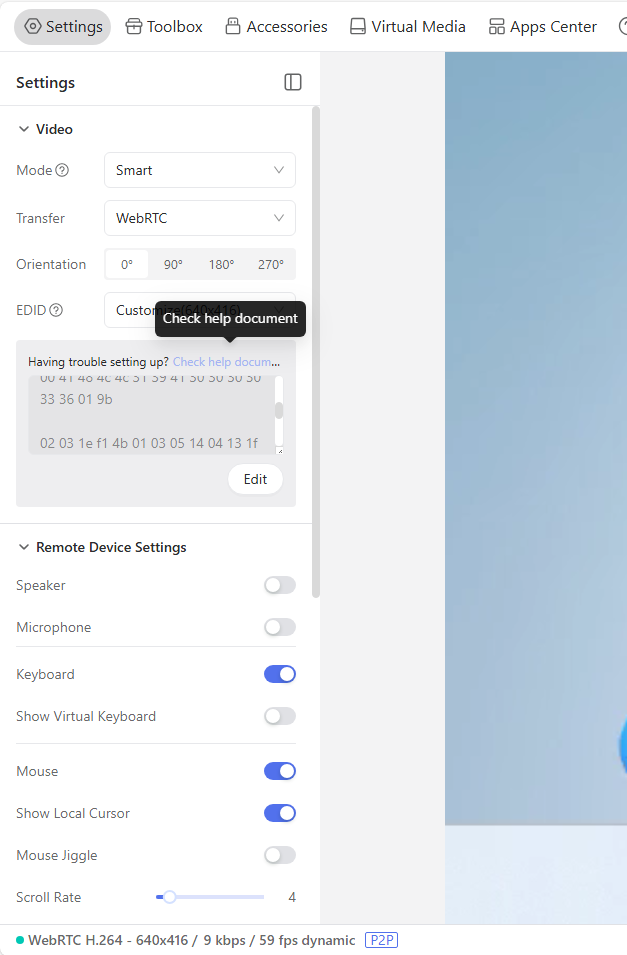
Hi Kyrie, Thanks for this. Where can I upload/send the logs to?
You can send me via PM or send to haoyu.zheng@gl-inet.com

Thank you Kyrie. I don’t have the option to PM so I sent it to the email address.
Thanks again!
Hi, I replied you via email, please check.