I doubt that the regular view will stop the dhcpd service, tbh.
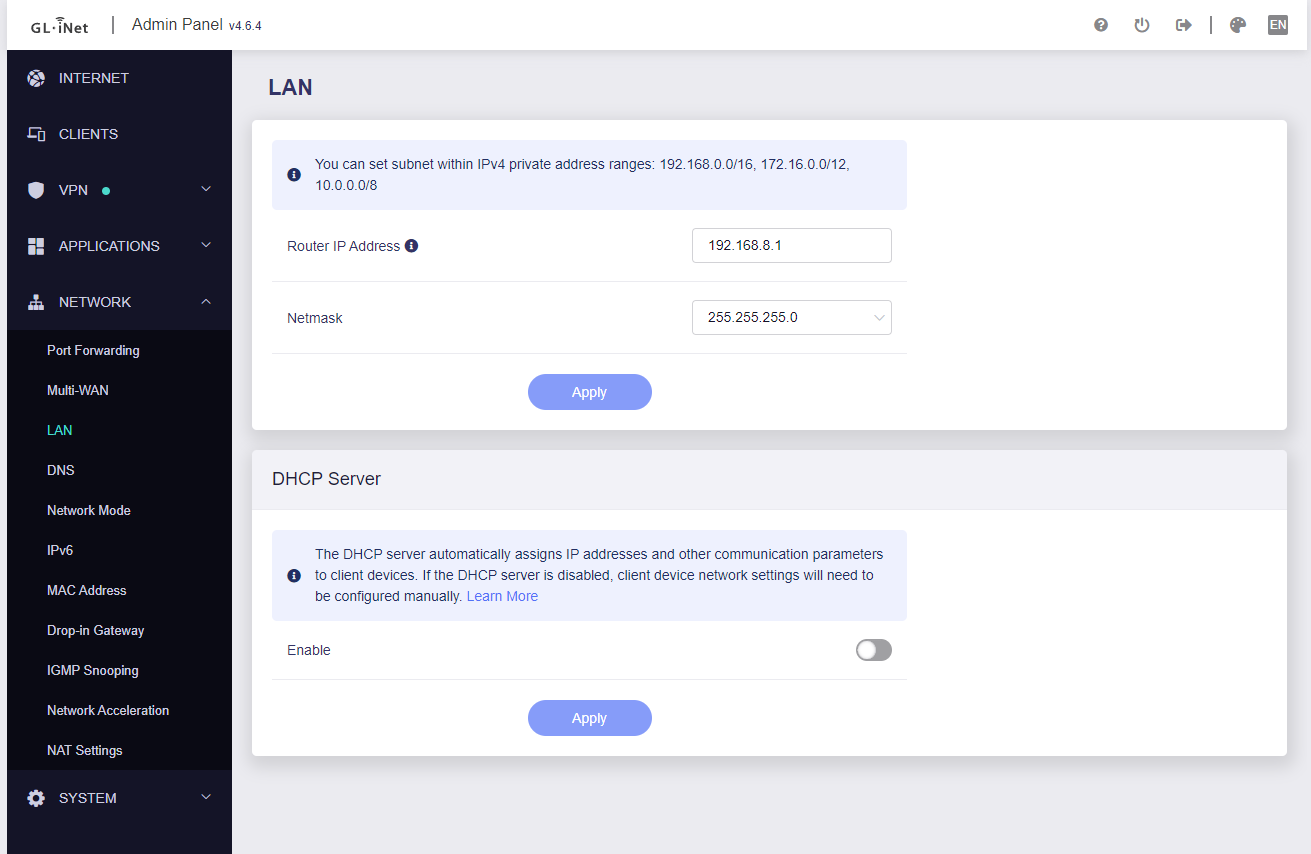
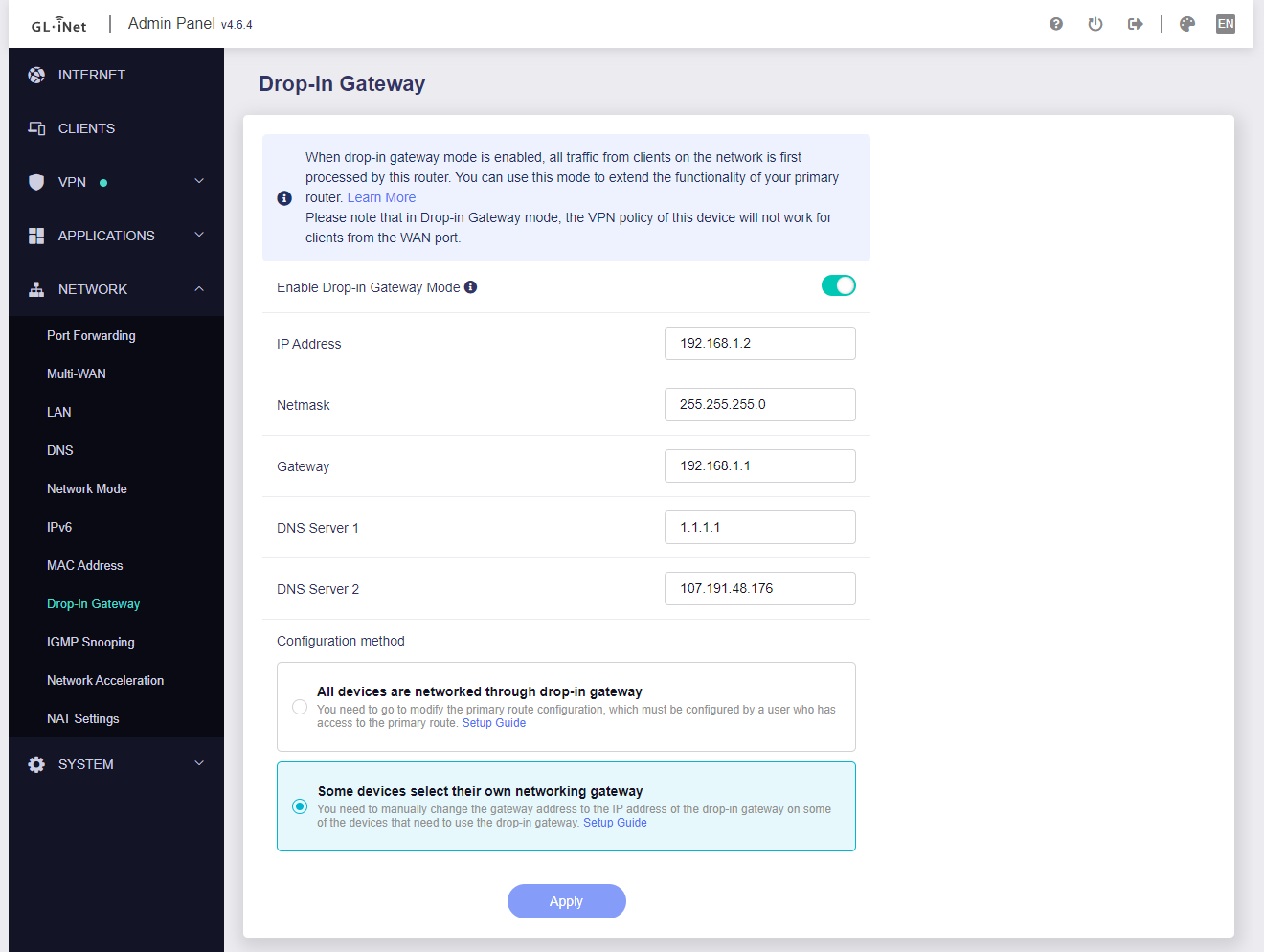
Here are screenshots of the two pages I am referring to. I have also had a look in the advanced settings for Luci but less clear on what all those setting refer to...! So if DHCP is no disabled as illustrated, then what is it's purpose in the settings?
Also as a point of clarification: the WAN is on my network subnet, so the GL.iNet router LAN is default...
May need to first understand the work principle of Drop-in Gateway before you can make customized configurations in complex topologies such as yours.
If you don't know much about it, it is recommended to update all connections in your topology according to the topology of GL Dosc.
This will ensure your network and all devices work as you expect.
Hi Bruce, not sure I really understand your reply apart from I haven't followed the documentation and my setup can't work! Any actual pointers given I've effectively told you the setup doesn't work and asked for help ...
Instead of using Drop-in you should define one router that will handle all the routing and will send each client to the "end" it should get. Your topology is far too complex - which is not needed.
1 Like
Thanks... I am fine with doing what you suggest, but this sounds like I will need to make the GL.inet router the bottleneck for my network traffic? If that is the case then that is not an option as previously explained! I have a 500MB/s line which reduces to about 20MB/s when the GL.iNet router uses a VPN. Most of my network traffic for most of the time does not require a VPN hence I am not prepared to exist with the slow speeds!
If you have a good solution then I am asking for that support otherwise I ended up with the 'complex topology' on the back of advice from this thread!!
Shouldn't selecting the correct VPN proxy mode solve this bottleneck?
See VPN Dashboard - GL.iNet Router Docs 4
Hi @admon,
Thank you... that looks exactly like the setup I am after based on the topology from the linked docs:
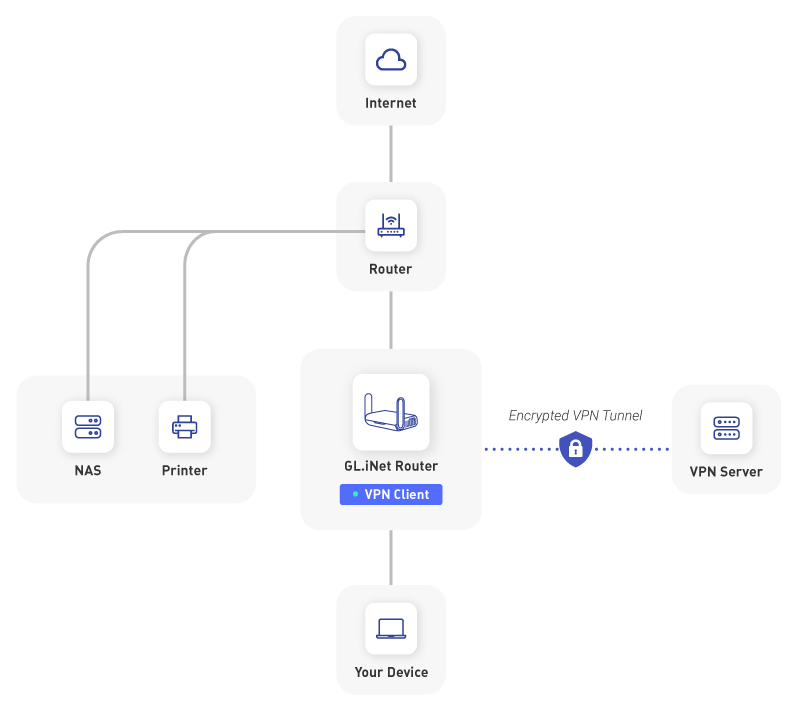
So a few questions you mentioned VPN proxy mode, the docs give 3 options:
- Global Proxy
- Policy Mode
- Route Mode
Which of these will be the one to select for the topology in the image? Also, I am not very familiar with creating routes etc... so if this is needed then I will need a good source to go to for learning about this. I do have static IP's set for all the devices that may use the VPN so I could set this up with those static LAN IPs...
Also note that the devices ideally can be set up to easily use the VPN or use the normal router and ideally change the route using a LAN remote setting (to avoid me manually changing the network plug from the switch to the router (if that is what this would require)
Thanks
Since all devices use static IPs (and therefore static MACs as well, I assume?) you can go with Policy mode and select Based on the client device.
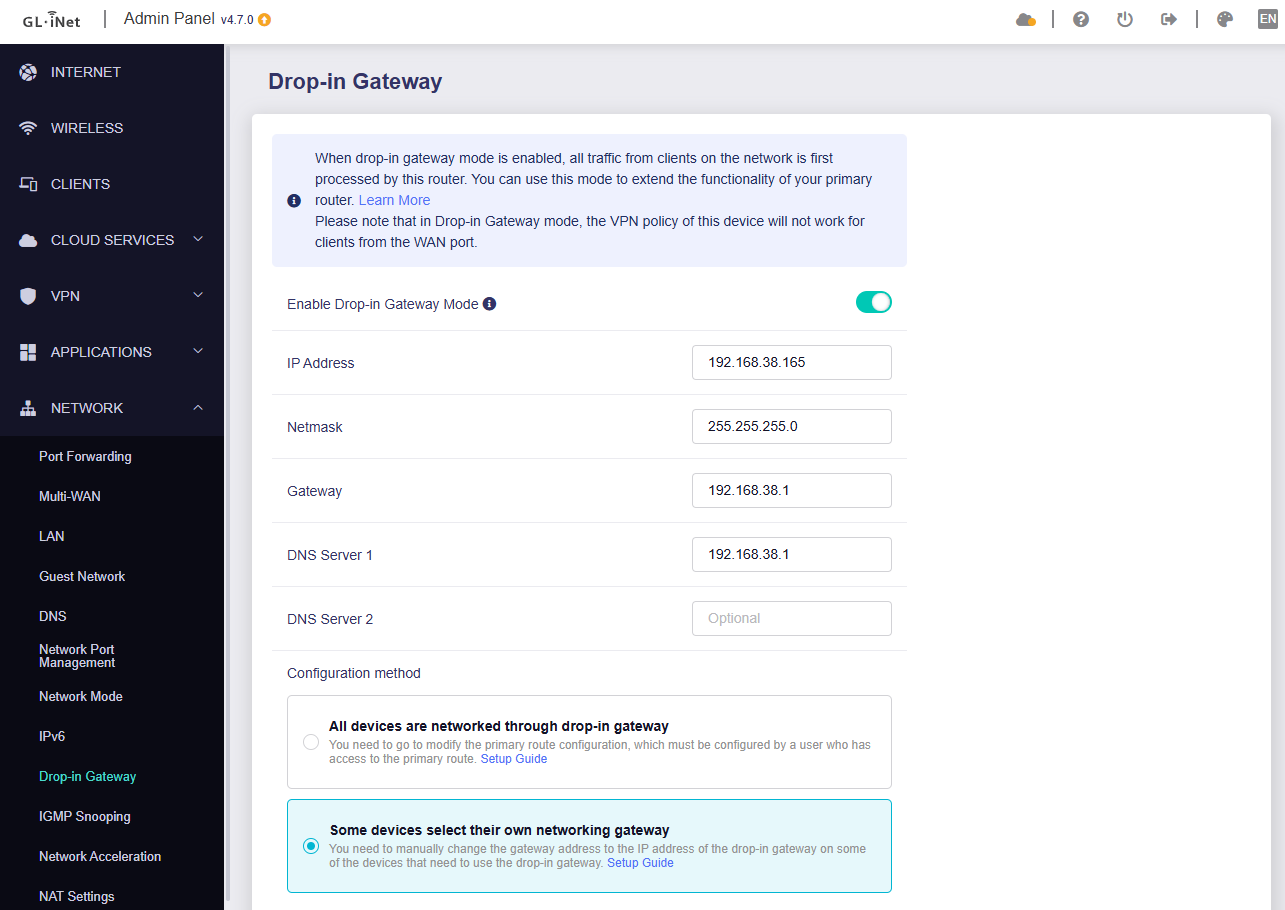
Hi, apparently there is a bug and drop in gateway mode always enables dhcp server for the wan interface, regardless of "some devices" or "all devices" setting. DHCP server should be disabled on wan interface when "some devices" is selected but it's not.
I have personally experienced this in 2 different models and there are some threads about it.
Hello,
I tried to reproduce it locally and capture the packet from the WAN port of the router that enabled Drop-Gateway.
On the Router enabled Drop-Gateway, I observed that a DHCP discover packet passed through the WAN port (it is normal behavior), but that router did not respond to the DHCP offer packet, only the main router respond.
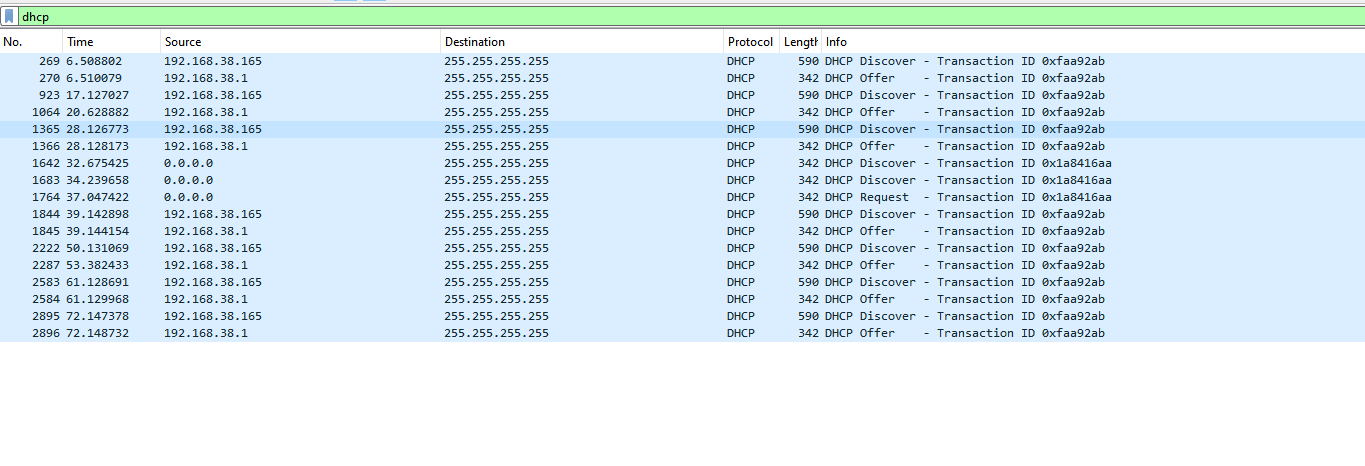
Main Router: AXT1800, 4.6.6
Drop-Gateway Router: MT3000, 4.7.0
Could you please share your topology and capture the packets on the client like laptop, to see which router (MAC address) responds the DHCP?
@spamlucal , @bruce ,
I assume this can be fixed? I am happy to help troubleshoot albeit I will need guidance on what is helpful!
Thanks
Hi, I’ll install wireshark as soon as I can and will get back to you.
Ok I've done some tests. This is with a GL-A1300, latest firmware but same observed behavior on a MT-2500 also latest firmware.
Steps to reproduce: Freshly reset GL-A1300. Connect WAN port to existing LAN (in my case 172.26.0.0/16). Enable Drop in gateway only for specific clients. No other changes to settings. Then request DHCP from existing LAN.
Test result: I can see that if the dhcp client requests a specific IP address, that is, client previously connected to this network and remembers its last IP, the drop in gateway-enabled router responds with DHCP ACK.
If client doesn't request specific IP address (for example by doing "ipconfig /renew") then drop in gateway-enabled router doesn't respond to DHCP.
I'm attaching 2 wireshark captures, in number 1 client requests specific ip and 2 dhcp servers respond (my main router 172.26.0.1, and the drop in gateway-enabled router 172.26.0.146).

In number 2 client does ipconfig renew twice, only main router responds.
dhcp requests wireshark.zip (1.7 KB)
In the first scenario when there are 2 DHCP ACK client chooses randomly which ACK to accept, I guess depending on latency.
I can provide more information or captures if you need it. Thanks.
1 Like
Hi,
I have tested again with the MT2500 router.
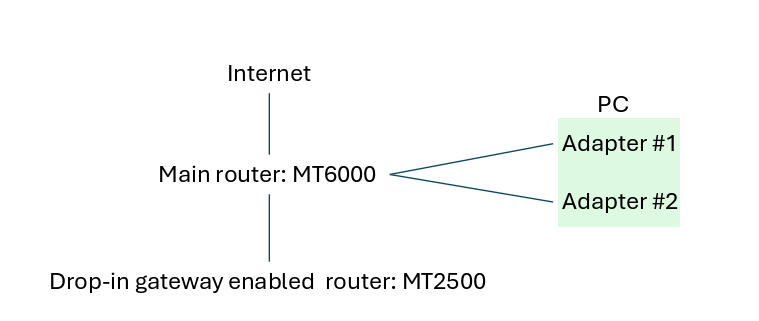
Main router: MT6000 v4.7.0, 192.168.8.1/24
Drop-in Gateway router: MT2500 v4.7.0, 192.168.8.241/24
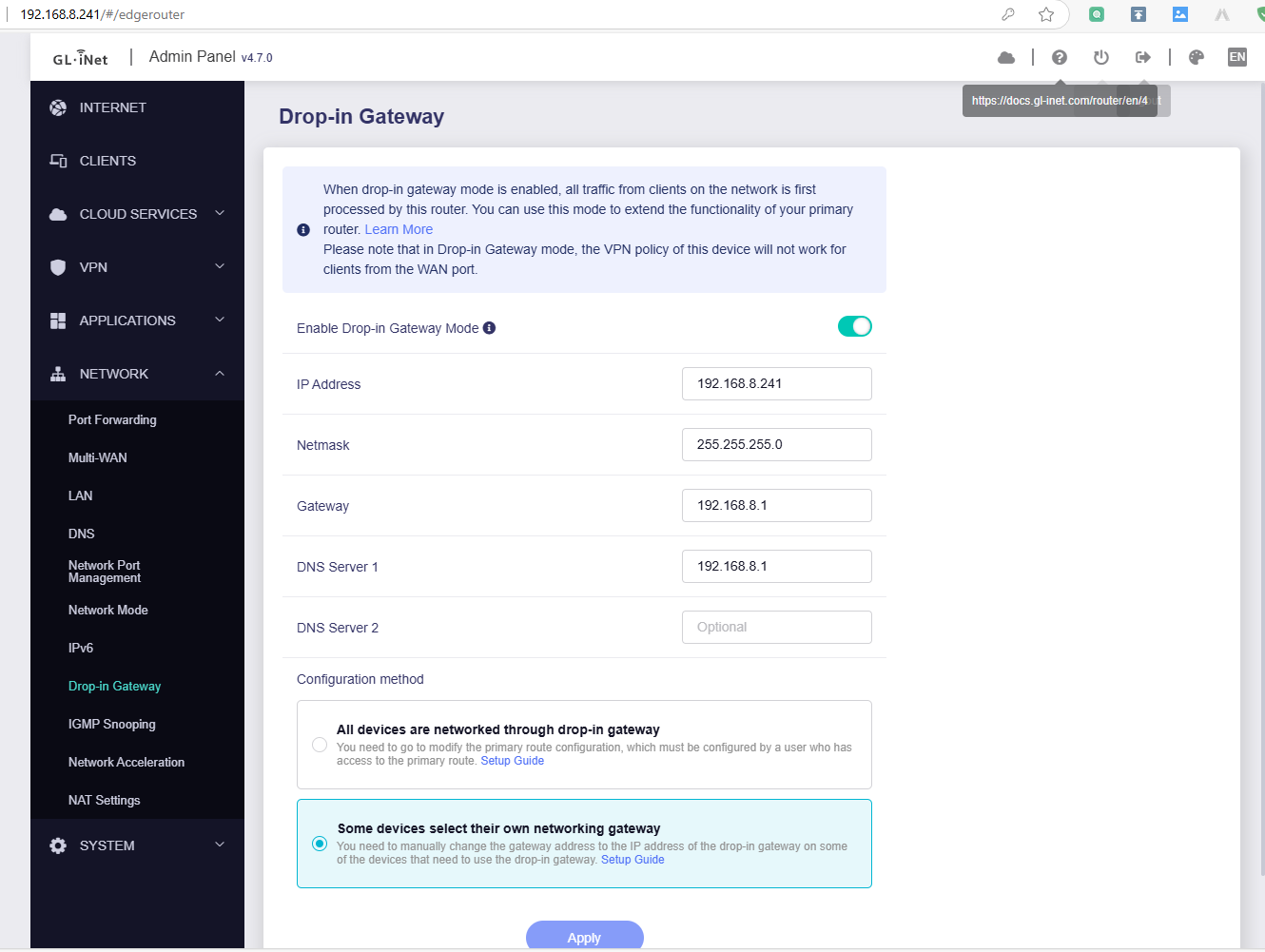
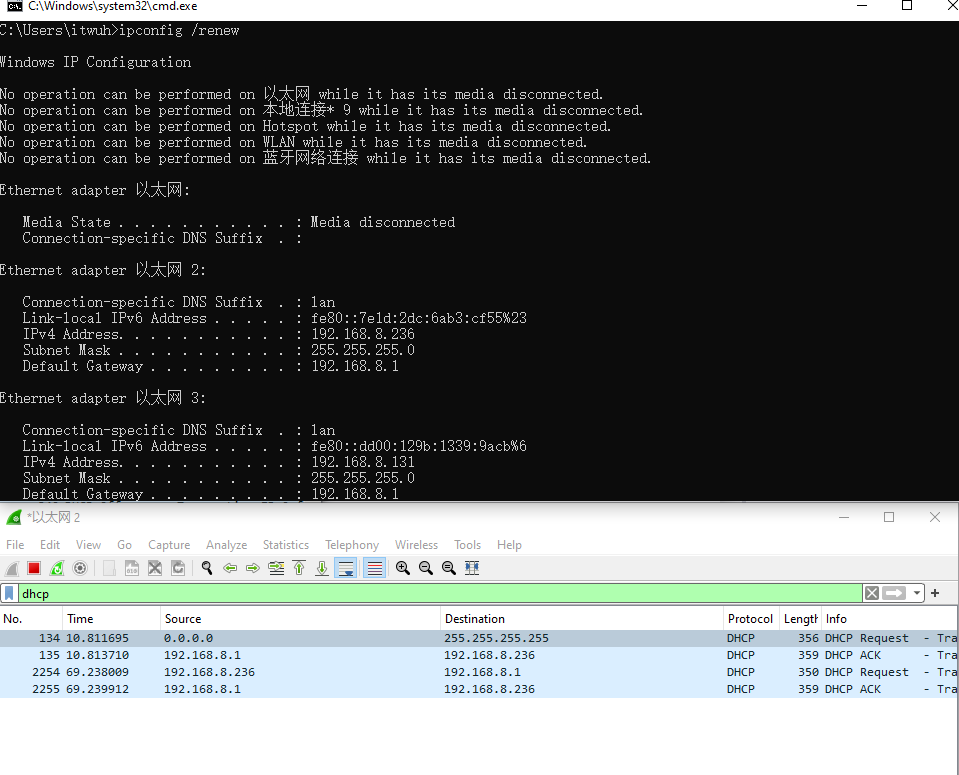
I captured network packets from 2 wired adapters, look like they are not receive the ACK from Drop-in Gateway router.
old adapter, for check the ipconfig /renew and if it has the ACK reply:
new adapter, for looking the whole DHCP process:
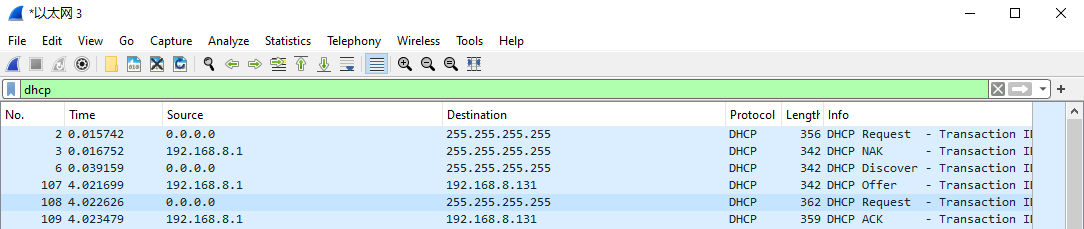
How to reproduce the issue about the drop-in gateway router replying to the ACK packets?
Hi, try to capture packets while plugging in the cable (disconnect and then reconnect), because as you can see in the pcaps, if you do ipconfig /renew even on a "old" adapter, the client doesn't ask for a specific ip in the dhcp options part of the packet and the bug doesn't show up. In my case I tested it with wifi and it showed after disconnecting and reconnecting to the network.
I'll try more tests to trigger it more consistently when I can.
When the wireless client (instead of the wired) connect to the Main router, will it reproduce?
Sorry I tested it with the wired network adapter.