Is the modem stable now?
It seems it is... But I didn't do an extensive test yet. I was awaiting for the results of your analysis. Can you explain what was the solution exactly (so I can replicate it even after I restored the factory firmware)? Maybe it would be also useful for someone facing with the same problem as I am.
1 Like
I turned off the auto sleep mode on the usb port
How exactly you did that? Adding the below command to the startup script did the trick?
echo on > /sys/bus/usb/devices/1-1/power/control

1 Like
oh, yeap
When added here, the automatic sleep of the usb port will be turned off every time you reboot
Thanks. Let me test it for a few days and if everything's fine, we can close this topic. You may consider to implement a switch to the next version of the firmware to allow the user easily turn off the automatic sleep of the USB port, without "hacking" into OpenWrt.
Considering that the interface is up and running for almost two days without any problems, I'm confident to say that this problem is resolved. Thank you very much for your support.

Hello.
Long time no speak...
The problem is back!
This time with my "brand new" GL.iNet GL-BE3600 router. It was working perfectly before the last firmware update, but since I updated to 4.7.3 the EC25-EC modem is keep disconnecting after a while (yes I'm using a PD power supply and the router is getting 12V supply voltage). I tried the trick using "echo on > /sys/bus/usb/devices/1-1/power/control" command (and it seems resolving the problem), but there's one small problem with it... This command is not being executed upon reboot even if I put it into the LuCi Local Startup panel (as shown on the screenshot above).... After reboot, I need to ssh to the router and manually issue the command, since the following command returns "auto" instead of "on".
cat /sys/bus/usb/devices/1-1/power/control
Can you please advise, also can you guys check what was changed in the new 4.7.3 firmware that causing this issue as it was worked flawlessly before.
Thanks,
Balazs
Luci of BE3600, Scheduled Tasks is a loop task, rather than script that executes the command after the system starts Start up
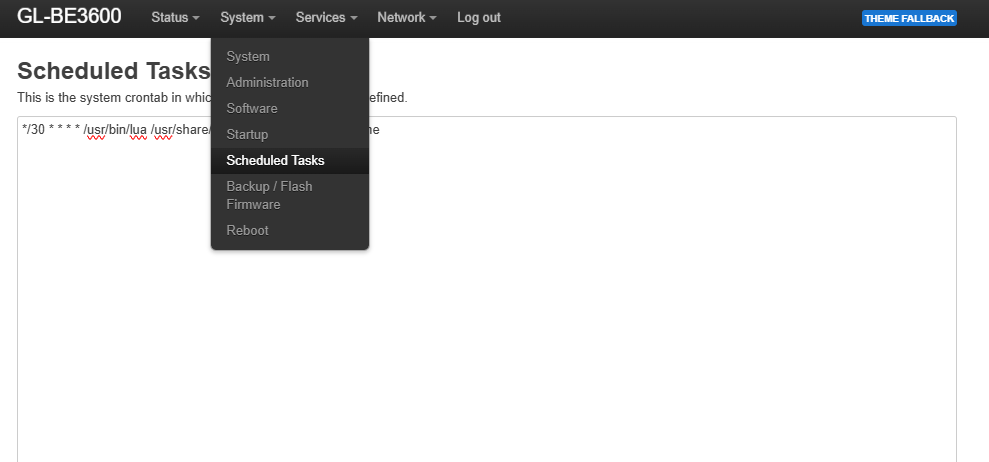
Please SSH to the router, and execute the command:
sed -i '/exit 0/i echo on > /sys/bus/usb/devices/1-1/power/control' /etc/rc.local
echo on > /sys/bus/usb/devices/1-1/power/control will be executed every time that the router is reboot/start-up
LuCi -> System -> Startup -> Local Startup does the same thing. It’s a GUI to edit rc.local.
Anyway it seems working now.
Thanks.
1 Like