I believe, the firmware update to 4.5.22 broke DDNS on GL-B3000. The DDNS client won't send its IP to the server once the router obtains a new IP. Only would do that when I deactivate and reactivate DDNS.
We have not reproduced this issue. Can you tell me what your network topology is like, and what operations you performed to cause this issue?
I had the same issue, reverting to 4.5.19 was the only solution that fixed it. Another user on reddit had the same problem with the GL-A1300 4.5.22 firmware.
In my case I had my GL-B3000 connected directly to my modem so no port forwarding was necessary for DDNS but it always resulted in the "The IP address from DDNS domain resolution is not the same as the WAN IP of the device." message and VPN server not working.
Downgraded firmware to 4.5.19 and the DDNS and the VPN server worked correctly immediately
2 Likes
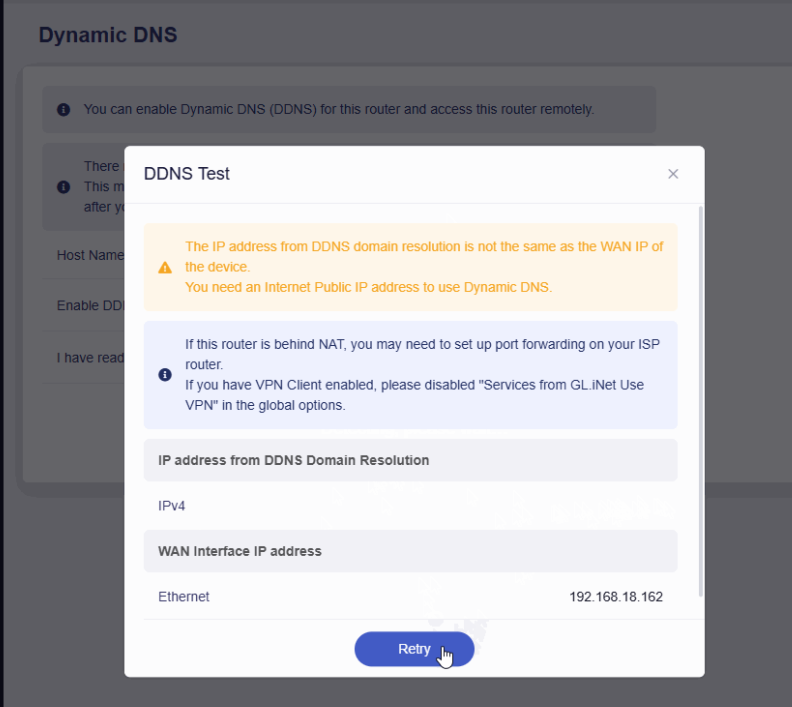
When your B3000 router has a DDNS problem, what will happen if you click DDNS TEST?
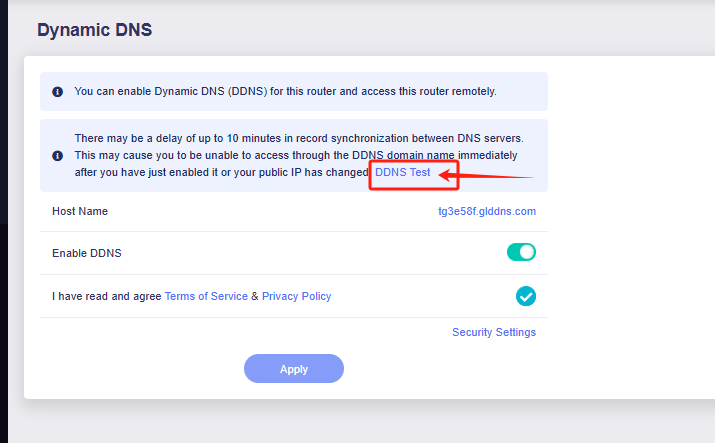
I have performed a local test and it seems that this problem has been reproduced.
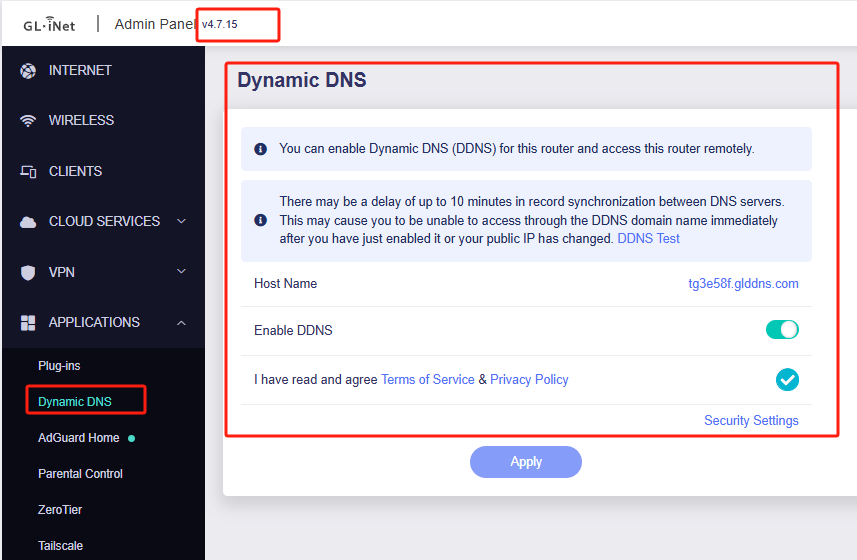
I think B3000 V4.7.15 beta version solves this problem, you can try to upgrade to V4.7.15 beta firmware.
I just installed the beta release and now my router is stuck in Luci mode and has no option for DDNS
Please try restarting your router and confirm the version information.
The V4.7.15 beta version definitely has the DDNS option.
I ended up reverting back to v4.5.19 and that solved it. Erased all my settings but it was a good lesson on how to ftp in and add all my static IP assignments again lol
1 Like
I can verify, the firmware update to 4.5.22 broke DDNS on my Slate Plus GL-1300. The DDNS client won't send its IP to the server once the router obtains a new IP.
( GL-A1300 Model GL.iNet GL-A1300 Architecture ARMv7 Processor rev 5 (v7l) OpenWrt Version OpenWrt 21.02.2 r16495-bf0c965af0 Kernel Version 5.4.179 )
The odd thing I can connect to it via SSH is I can look up anything via nslookup but the glddns.com address of the remote endpoint (a Brume2) ?
root@GL-A1300: nslookup zpa4978.glddns.com 8.8.8.8 Server: 8.8.8.8 Address: 8.8.8.8#53Name: zpa4978.glddns.com Address 1: 107.208.196.81 *** Can't find zpa4978.glddns.com: No answer
root@GL-A1300:~# nslookup ibm.com 8.8.8.8 Server: 8.8.8.8 Address: 8.8.8.8#53Name: ibm.com Address 1: 184.85.75.7 Address 2: 2600:1406:5e00:38b::3831 Address 3: 2600:1406:5e00:3a1::3831
Super annoyed this used to work flawlessly. I don’t know it the upgrade messed up my Blume2 yet as I am on Vacation and that’s at my house - but my WireGuard iPhone client is also broken so I assume the common firmware update nuked that too.
After 8 hours of pain (VPN server in the U.S. “BRUME 2” (behind an AT&T fiber router) and a VPN client in Mexico “Slate Plus”) I solved my issue (don’t even know if it was related to DDNS).
First Somehow the “BRUME 2” got an autoupdate and lost it’s entire WireGuard configuration. I thought for hours this was the only issue. But the second just as insidius issue was AT&T also an autoupdate on their side on the ATT-BGW320 fiber router and NUKED my UDP pinhole port forward to the “BRUME 2” for port 51820.
I am a firm believer if it isn’t broke don’t fix it, also if it’s working DO NOT upgrade. Both AT&T and GL iNet really need a configuration to turn off all automatic updates.
I ended upgrading my Slate Plus firmware to a beta version (thinking it was a DDNS issue) but I think this beta firmware better matches the firmware on BRUME 2 anyway.
Slate Plus - GL-A1300 at Firmware ver.: 4.7.2 beta 1
BRUME 2 - GL-MT2500 at Firmware ver.: 4.7.4 release6
Hi
It seems a bit odd that the GL iNet router wouldn't auto update its firmware version without user permission.
Typically, the "Firmware Online Upgrade" feature only periodically checks for new versions and prompts the user to update when they access the Admin Panel.
It won't proceed with the update unless the customer explicitly clicks to confirm.
Could it be that someone else accessed the panel and accidentally clicked the update option and upgraded without "Keep Settings"?
No no one else has access, but the “BRUME 2” lost it’s configuration and the “AT&T” lost it’s configuration. I purchased the device on April 30, 2025 and the release it is on came out March 27, 2025 - so I’ll own this it came with the current software version - but I am still stumped on how it’s configuration was lost (I just incorrectly assumed it autoupdated).
When you re-accessed Brume's Admin Panel, did the initialization wizard appear, prompting you to configure the admin password and Wi-Fi settings?
Would someone else be able to physically access the device, and reset it by holding down the Reset button?