Are you using cake (common applications enhanced) for sqm it is designed to work more effectively with cellular connections as well as regular ones, this is my suggestion to look into it
1 Like
Team;
EXCELLENT Firmware Update! I was having issues with my Slate 7 before, dropping connections and other strange behaviors (which never happened before) but now this update fixed literally all the quirks and glitches! I should add, No, I dont do anything “excessive” with my router, just set up some VPNs, connect devices and roll. That being said,
Im having an issue with the new IoT isolation mode. I managed to connect my Smart TV and my A/C to it no problem, but the Printer (and its software) hang anytime I try to swap it to the new network. (For Reference, its an EPSON L375, a common printer model here in Brazil.) The Printer can connect just fine to my “normal” 2.4GHz network, with default settings for Channels and Modes (so its most likely not a printer issue.)
The second thing I noticed is that there is no Channel/mode switch for the network in the Router settings. I searched all over but there is a chance I missed it. Any chance these functions will be added in a future update? (It may help cure my Printer problem…)
Thank you for taking the time to read this very long-winded post, and PLEASE, send my Thanks to the Dev Team; I Love this New Update! (A slight nitpick, but the VPN UI got a little worse off than before; I prefer either the old style or some slight tweaks for readability in the new.)
Thanks again!!!
It seems that the date was correct, because someone updated the installation package to beta5 (I’m running it now).
1 Like
Hi
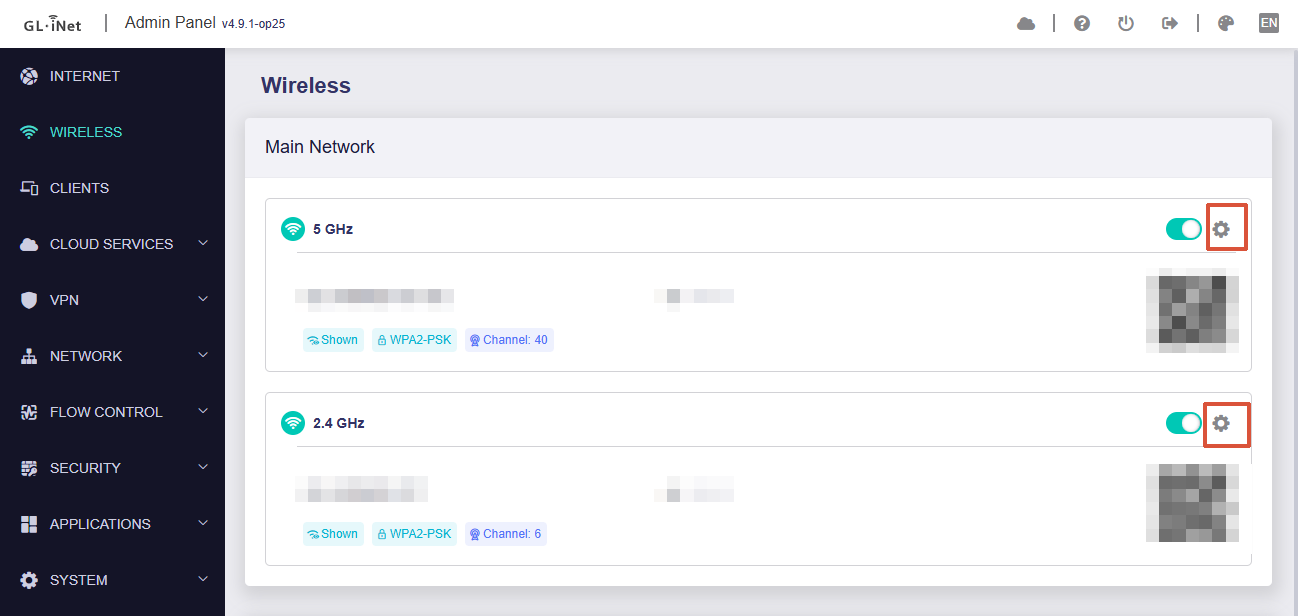
You can configure the wireless settings by clicking the gear icon on the right under Admin Panel → Wireless:
There you'll find settings for both the Channel and Mode:
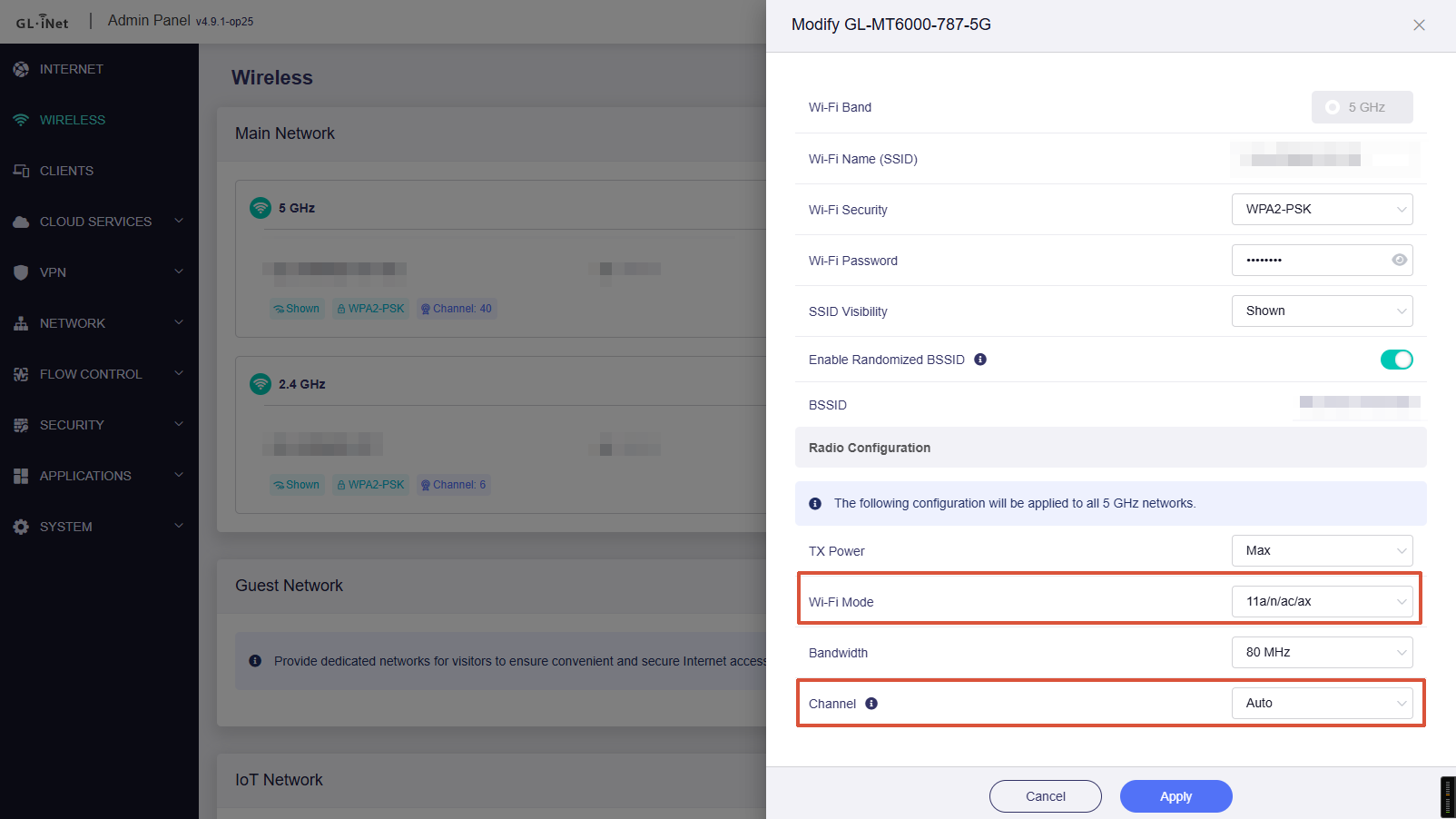
Please note that Guest and IoT networks inherit channel-specific settings (such as the 2.4 GHz and 5 GHz channel and mode) from the main Wi-Fi, so these options are not shown separately for those networks.
It may also be worth checking whether there are any differences in the SSID, security mode, password, or other wireless settings.
If you still encounter the issue, please try connecting the printer to the MT6000 a few more times, then export the system logs and send them to us via private message. Alternatively, you can email them to support@gl-inet.com for further assistance.


1 Like
I’m curious to know when is going to release the beta 4.9 firmware on Flint and Slate AX? Thanks 
Hi
Flint and Slate AX are not included in the first batch of supported devices, so it may still take some time before they receive the update.
1 Like
Any update on the Slate 7 Pro and the Mudi 7?
1 Like
We are currently working on the v4.9 / v4.10 releases for the Slate 7 Pro and Mudi 7. Please stay tuned and thank you for your patience.
3 Likes
A post was merged into an existing topic: OP25 Firmware for Flint 2 & Beryl AX is out