Hi,
Thank you for your feedback.
We have received similar reports and have forwarded this issue to the relevant team for further investigation.
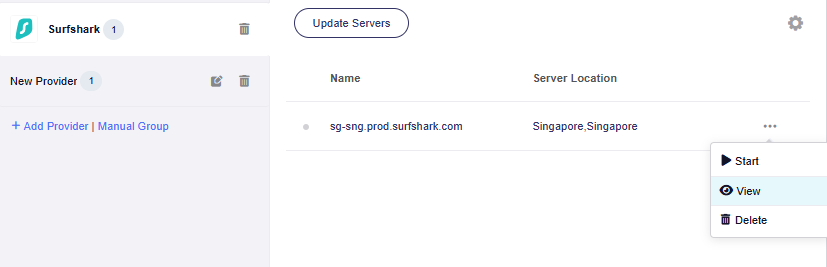
As a temporary workaround, you can create a new WireGuard configuration based on your current Surfshark profile:
- Open the current Surfshark WireGuard configuration and copy all of its contents.
- Create a new
.txtfile on your computer and paste the configuration into it. - Find the
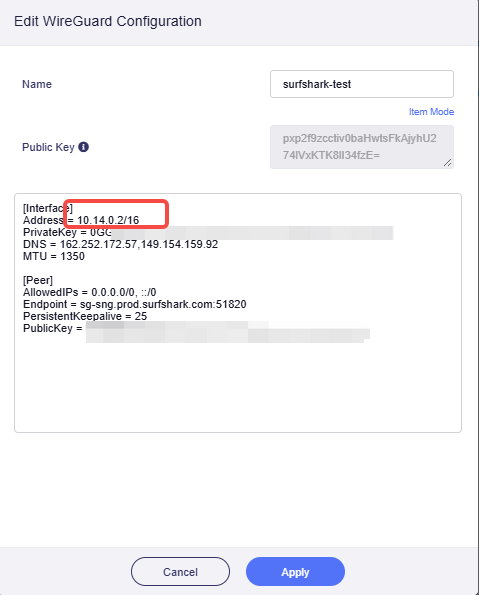
Addressline under[Interface], for example:
Address = 10.14.0.2/8
Change only /8 to /16:
Address = 10.14.0.2/16
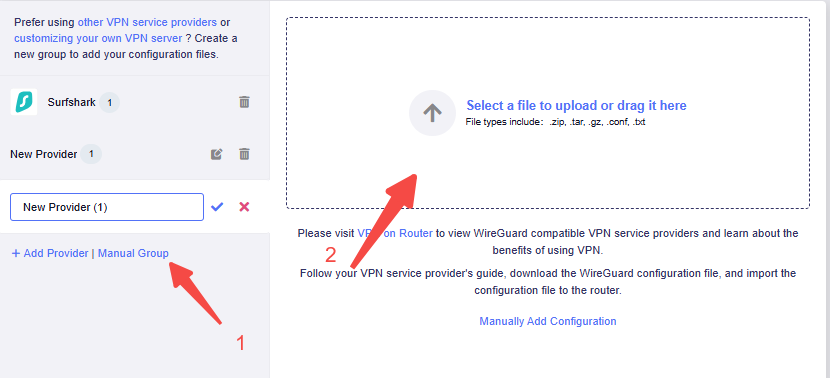
- Save the file and import this new configuration as a new WireGuard profile, and then connecting with it.
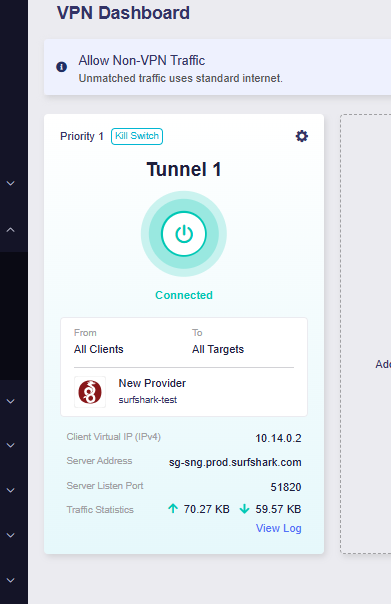
After changing the prefix to /16, the VPN should be able to connect normally.
If you still encounter any issues while configuring or connecting the VPN, please let us know.
Thank you again for your feedback and support.