This command doesn't work
/etc/init.d/parental_control restart
it gives me only:
killall: pc_schedule: no process killed
module is not loaded
so i restart whole RU after uploading and reinstall.
Start test... 
This command doesn't work
/etc/init.d/parental_control restart
it gives me only:
killall: pc_schedule: no process killed
module is not loaded
so i restart whole RU after uploading and reinstall.
Start test...
Succesfull (partial).
So...my test was:
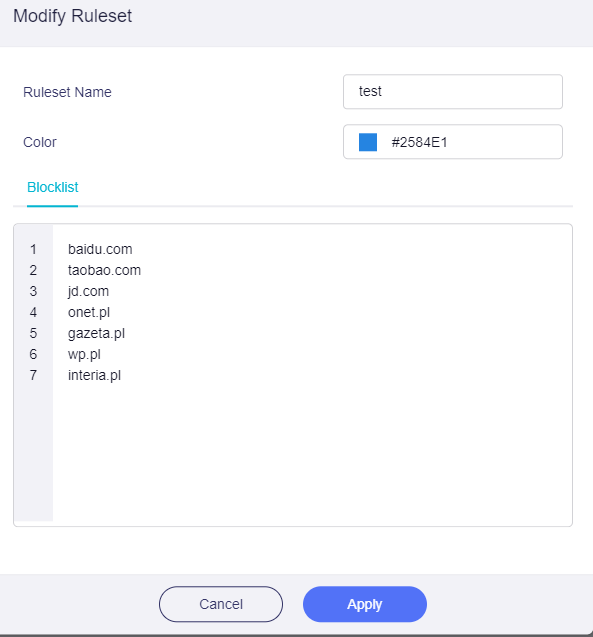
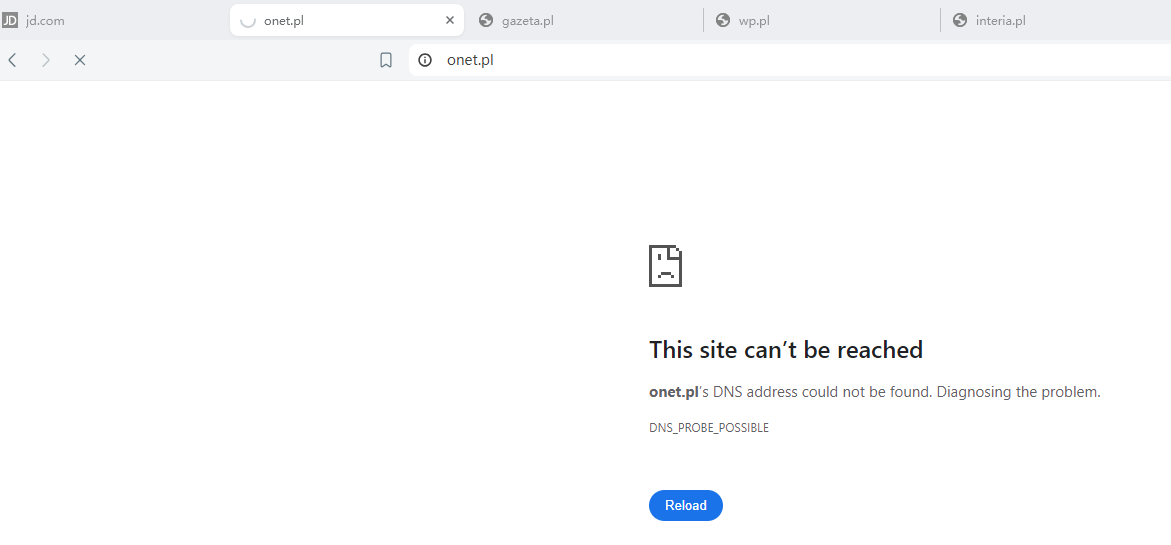
For all of them PARENTAL CONTROL and at the begining all i see is:
When those two starts to work - in others the description has changed:
Maybe that would help you with solving the issue.
ADGUARD HOME service is stopped.
Now i will try to launch it to cut off ads from my network.
@ywp @bruce - do you understand something with this?
---EDIT---
With ADGUARD launched all sites works normal after longer moment
thank you
I'm testing the brave browser
@ywp - additional information for you
TESTING SITES
Those are the biggest "news portals" in Poland.
Im using also uBlock Origin with BRAVE.
at the same time (with ADGUARD ON) other web browsers (CHROME/EDGE) are still fully blocked.
BRAVE INCOGNITO mode
@ywp - strange situation.
when i open BRAVE INCOGNITO those sites work/no work from time to time.
but i cannot PING those sites.
For example - wholse site www.gazeta.pl works very slow (but works) - but when im trying to PING or TRACERT i see this.
C:\Users\True0>tracert www.gazeta.pl
Unable to resolve target system name www.gazeta.pl.

C:\Users\True0>ping www.gazeta.pl
Ping request could not find host www.gazeta.pl. Please check the name and try again.
Those commans are helpfull. Should be entered in CMD/POWER SHELL (as ADMIN).
1. ipconfig /flushdns
2. ipconfig /registerdns
3. ipconfig /release
4. ipconfig /renew
5. netsh winsock reset
I remove any secondary DNS both from PC and router (for LAN it has only ADG DNS which is the same as router). And for sure - restart the browser...
Even than BRAVE has option to input "SAFE DNS" that will avoid router settings (no matter if i check "Handle Client Requests" - it can still use its own (event google dns).
That means PARENTAL CONTROL is basen only on DNS - not IP or even MAC - right?
see where it goes...
That's not right. parental control groups devices based on mac so that they can use different sets of rules, and they will all be judged based on dns
Wiat... what? The real life shows the opposite situation?
What is the proper configuration of PARENTAL CONTROL that will make it just work?
Currently, by entering any DNS address in the browser, I can easily bypass the router configuration - even though my MAC address has not changed.
Why would anyone need such a service in such a case?
@ywp did you test the BRAVE browser?
Hello, I tested the brave browser and the parental control function is normal. I will give my test process below:
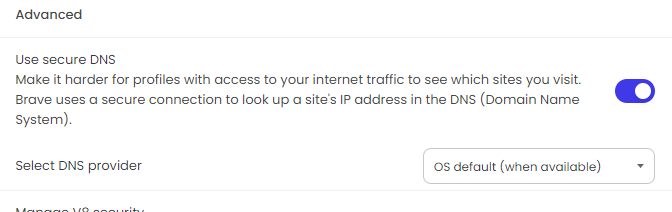
If your test is still not working, we can schedule a time to check it for you remotely.Our working hours are Monday to Friday 9:00-12:30,14:00-18:30 (UTC+08:00)