ping -c3 192.168.27.243
PING 192.168.27.243 (192.168.27.243): 56 data bytes
64 bytes from 192.168.27.243: seq=0 ttl=64 time=4.425 ms
64 bytes from 192.168.27.243: seq=1 ttl=64 time=11.807 ms
64 bytes from 192.168.27.243: seq=2 ttl=64 time=9.580 ms
--- 192.168.27.243 ping statistics ---
3 packets transmitted, 3 packets received, 0% packet loss
round-trip min/avg/max = 4.425/8.604/11.807 ms
ping -c3 192.168.179.243
PING 192.168.179.243 (192.168.179.243): 56 data bytes
ping: sendto: Required key not available
Try using /24 rather than /32 on the peer on the server side, it limit communication to other peers otherwise.
Use either 0.0.0.0/0, ::0/0 on the client peer.
Or if you split tunnel use select ip there to decide which ip should go through the tunnel on the client peer.
0.0.0.0 means the whole internet.
Edit: Correction, I was wrong, there is no need to use a allowedip /24 on the server side on the peer, it must be set on the client peer and then those ip can still ping each other, overlapping ip or ip with /24 can add to the problem, you are observing.
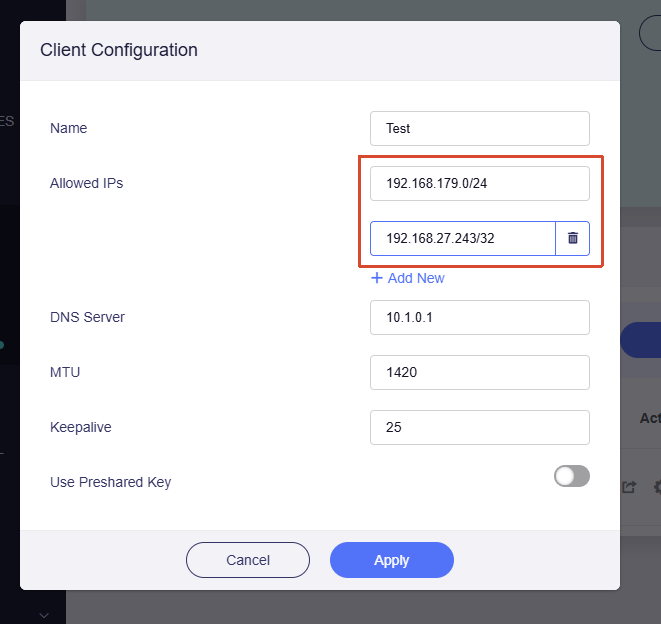
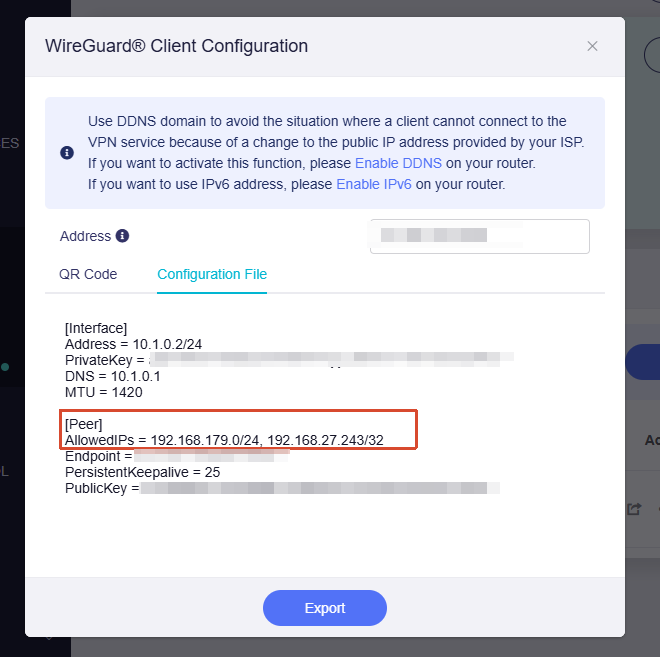
but when the wireguard server starts on the flint4, then i check with wg command and it only shows 192.168.27.243/32 on the allowed ips, doesn't show the other "allowed ip" which is a subnet 192.168.179.0/24
The Allowed IPs setting under Admin Panel → VPN → WireGuard Server → Profile configures AllowedIPs in the exported client configuration file, rather than the server-side AllowedIPs for that peer.
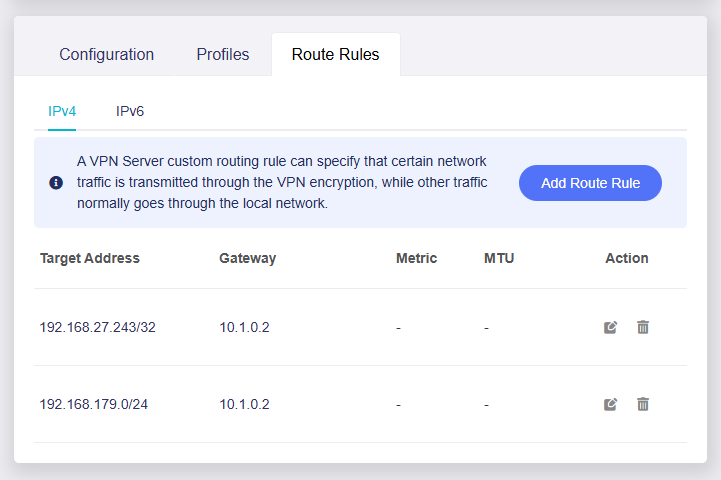
The server-side setting is integrated into WireGuard Server → Route Rules, since a corresponding return route is also needed. For your setup, add a route for 192.168.179.0/24 through the router-travel peer (192.168.27.243). Applying this route rule will automatically add the subnet to that peer’s server-side AllowedIPs.
So basically the wireguard server allowed ips is equal to client_ip + the routes you setup on the Route Rules.
This implementation kind of breaks my setup, because i use bgp, i can learn the 192.168.179.0/24 route from wireguard peer or from openvpn peer, depending on which vpn my travel router is using to connect to the flint4.
Maybe would be good to have a specific config option for the allowed ips of the wireguard server instead of taking them from client_ip + Route Rules.
Thanks for explaining your setup. Since you use BGP to learn routes through either WireGuard or OpenVPN, we understand why you need to configure the server-side AllowedIPs independently of static routes. Our current design combines these settings to simplify configuration for typical use cases.
Thank you for the suggestion. We’ll discuss the option of separating these settings with our product team.