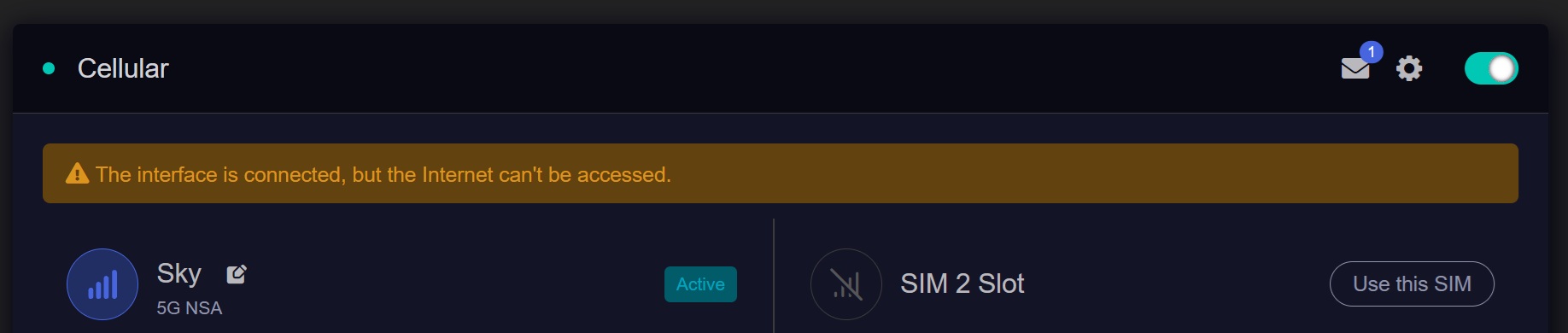
About two or three times a day my connection to the UK "Sky" drops. I can easily resolve this by toggling the connection off and on again...
Is it possible for the router to toggle the connection upon failure?

Angela McMahon
Hi, when the problem happes, could you please capture the following log and share with us for further analysis:
Cellular_debug.sh 1Thanks!
I did a factory reset on the router and when trying to use SSH I get this error.
@@@@@@@@@@@@@@@@@@@@@@@@@@@@@@@@@@@@@@@@@@@@@@@@@@@@@@@@@@@
@ WARNING: REMOTE HOST IDENTIFICATION HAS CHANGED! @
@@@@@@@@@@@@@@@@@@@@@@@@@@@@@@@@@@@@@@@@@@@@@@@@@@@@@@@@@@@
IT IS POSSIBLE THAT SOMEONE IS DOING SOMETHING NASTY!
Someone could be eavesdropping on you right now (man-in-the-middle attack)!
It is also possible that a host key has just been changed.
The fingerprint for the ED25519 key sent by the remote host is
SHA256(KEY)
Please contact your system administrator.
Add correct host key in C:\Users\ (User) /.ssh/known_hosts to get rid of this message.
Offending ED25519 key in C:\Users\(User) ssh/known_hosts:1
Host key for 192.168.8.1 has changed and you have requested strict checking.
Host key verification failed.
This is a issue with your known_hosts files in your ~/.ssh directory. It is telling you which key (line) you need to delete from that file. Once you delete it and reconnect it should prompt you to add the key again.
Here is the file
Had to use Google drive as the log is too big to upload directly.
Angela.