Mango 2 GL-MG1300 Discussion Thread

Finally I received my Mango 2.

Such a nice and small little device with some punch to it. :slight_smile:

Did not test it much yet, but:

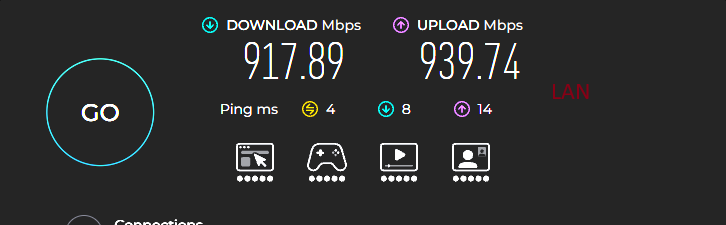
Speedtest via LAN:

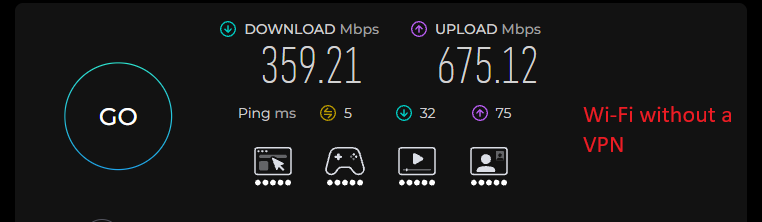
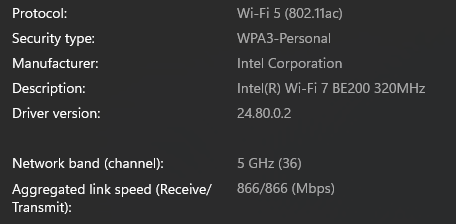
Speedtest via Wi-Fi:

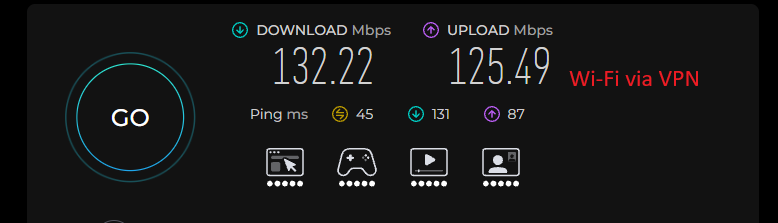
Speedtest via Wi-Fi using WireGuard VPN:

I like it :slight_smile:

Will add more details after I have more time to play with it.

Hi,

Thanks for sharing your first impressions and test results! We’re also looking forward to hearing more feedback and experiences from other Mango 2 users. :smiling_face_with_three_hearts:

Not sure if this is the correct place to post this or not

I got my mango 2 today, and i dont know if its my unit or my setup, but with a custom exit node setup, my speeds are around 6-8 mbps when the uplink to mango 2 is wired to a 1G intenet. i dont know whats going on, maybe its the mango 2's hardware limitation or im doing something wrong. i checked and im not DERP'd on tailscale.

ofcourse im not expecting 150 mbps or something, but i am wondering what others getting with a similar setup

without tailscale, i get respectable 250 mbps connected to WAN wired and over 5G wfi

the unit sits around 69 C when one 1 client is connected, barely any traffic

im running the following on mango 2. No custom DNS or apps or acls enabled
firmware v4.10.1
kernel 5.10.176
tailscale 1.92.5-1 (OpenWrt)

Mine's still waiting at the airport, for Customs to do their thing - hopefully it will arive in a few days :grin:

My Mango 2 arrived two days ago. Today I installed it in repeater-mode without any problems.

Power consumption as repeater with 2.4GHz and 5GHz at maximum power is 2.5W to 3.5W.

Also received my Mango 2 -> It randomly reboots every 2-3 hours. Anyone with the same issue?

Arrived just two days ago, and I had Wi-Fi, VPN, AdGuard, and Tailscale up and running in no time, right before heading off on my trip. Now this little yellow marvel has been running 24/7 in my hotel room without a single issue. Thanks, GL.iNet, for this amazing little device!

Mango 2 hasn’t AdGuard Home. At least not with the current firmware.

I installed it through apllications

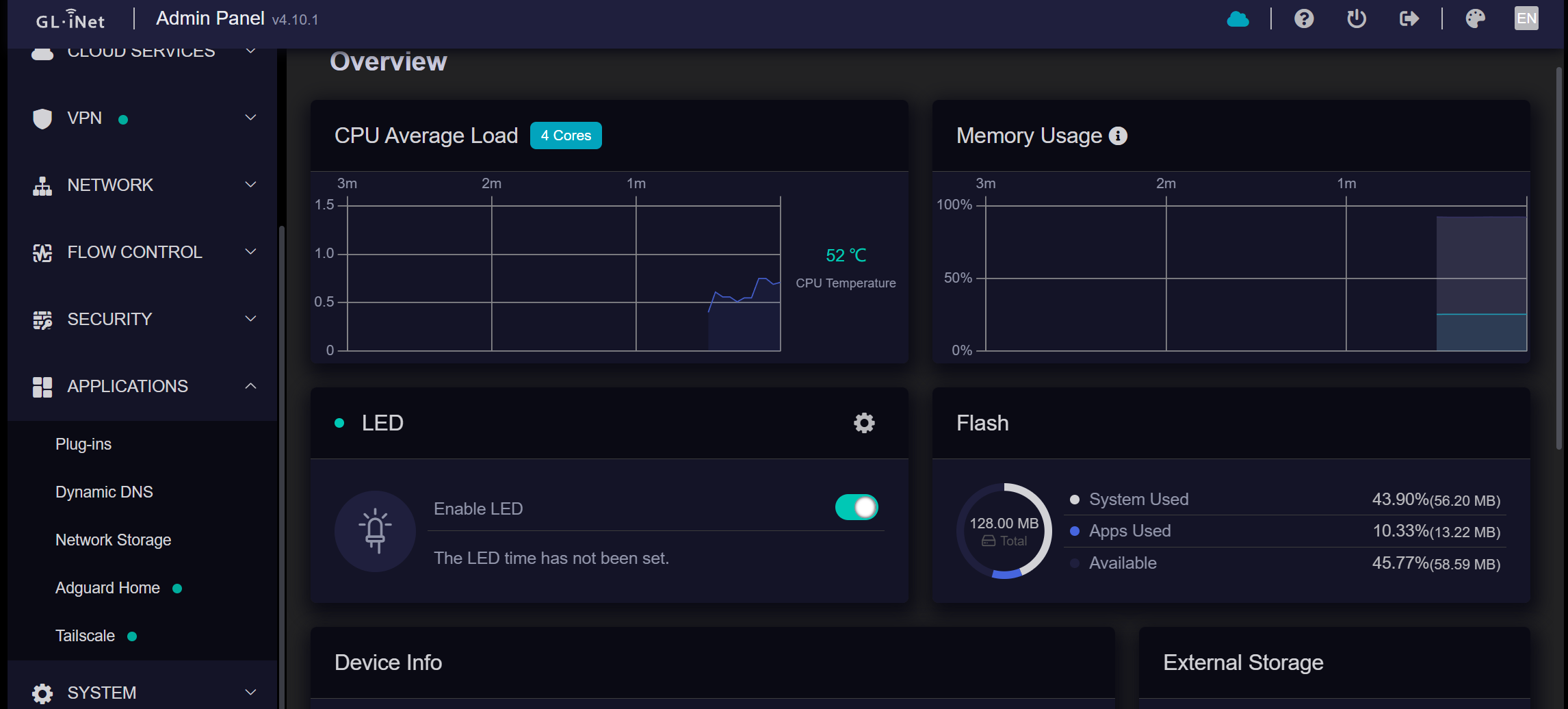
Out of curiosity, with both AdGuard Home and Tailscale running, what does RAM usage look like?

Hi, I also received my device yesterday, it works perfectly out of the box, it's amazing that you can fit an entire router in your pocket.

In my Wi-Fi tests, I saw that the device makes good use of the respective standard, and also very stable, which is probably one of the most important things for mobile operation.In my Wi-Fi tests, I saw that the device makes good use of the respective standard, and also very stable, which is probably one of the most important things for mobile operation.

Then I also did a test with tethering and a VPN connection to my home router, which worked perfectly. Unfortunately, I can't test the speed because my upload speed at home isn't great.Then I also did a test with tethering and a VPN connection to my home router, which worked perfectly. Unfortunately, I can't test the speed because my upload speed at home isn't great.

I powered the whole thing from a power bank to test mobile use, and it all works perfectly as expected.I powered the whole thing from a power bank to test mobile use, and it all works perfectly as expected.

For security reasons, I also moved the LAN port to the guest compartment so that it can be left unattended in a hotel, for example.For security reasons, I also moved the LAN port to the guest LAN, so that it can be left unattended in a hotel, for example.

For the missing Adguard Home, I simply chose encrypted Adguard DNS servers to have basic protection and a clean internet connection.

I also enabled native IPv6 because I have a true dual-stack connection at home, and everything works as expected.I also enabled native IPv6 because I have a true dual-stack connection at home, and everything works as expected.

The price-performance ratio and the size of the device are really great, and everything works as it should. I can only recommend this device to anyone looking for an ultra-compact device.

Proper trippy reading that post :joy:

You can say that again!

Yes, it sure is.

Yes, it sure is.

:rofl:

In other news, my Mango 2 should be arriving tomorrow, I'll post once I get it :+1:

I'm surprised. Both Adguard and Tailscale are supposed to be RAM intensive and there had been concern that 128mb of RAM would be inadequate. That concern looks to be overblown.

Tailscale is ancient, thanks to @admon and https://github.com/Admonstrator/glinet-tailscale-updater I was able to update it, but given the shakiness of release everything and lack of full OpenWRT I decided that Tailscale is off anyway :smiley:

Will the ACL (Access Control List) feature be available on the Magno 2? Is access to the IoT network from the LAN enabled by default, while access in the opposite direction is blocked?

Don't post this, you'll get people excited. Instead, ask for proof.

None of these people posted any stats on memory. There isn't enough RAM to run both (well). Even if you use the smaller tailscale installer, it will tax out the memory. You'll have nothing left. It will perform very bad and crash. You cannot pull memory from air.