Hello,
I'm already using a GL-MT300N-V2 Mango Router since 4 years. Now need an identical access point for another project. The Mango contains a surf stick with a Telekom D1 SIM card. The SIM card's APN parameters are set that I get a public IP address. I can access the web GUI remotely via XXXX.glddns.com via my Browser at my PC. Through port forwarding, I can also access a Webcam-GUI, for example.
Now I have a second, new Mango Router configured 100% the same Parameters as the first. Again, it uses a surf stick with a Telekom D1 SIM card and APN parameters for a public address.
for example: 37.84.113.83
In the Mango GUI, the surf stick is also displayed as Tethering, and I have internet access. When I
check the assigned IP address, I see, for example, 37.84.113.83 as a public IP-Adress. I have also
configured the DDNS settings. But there's no synchronization with the glddns.com server. I keep getting the message "DDNS isn't active yet".
At the syslog file: No valid IP found. IP Update not accepted by DDNS Provider.
I have added the new Mango to GoodCloud and activated it. The connection is immediately OK
and I can also access the routers GUI remotely via GoodCloud without problems.
Why isn't GLDDNS.COM access working? What do I need to resolve the problem?
I also have tested differnt firmware versions without success.
I would be very grateful for any advice.
Best regards, Manfred from Germany
Hi
Please SSH into the router and run the following command to check if DNS is working.
nslookup $(uci get gl_ddns.glddns.domain)
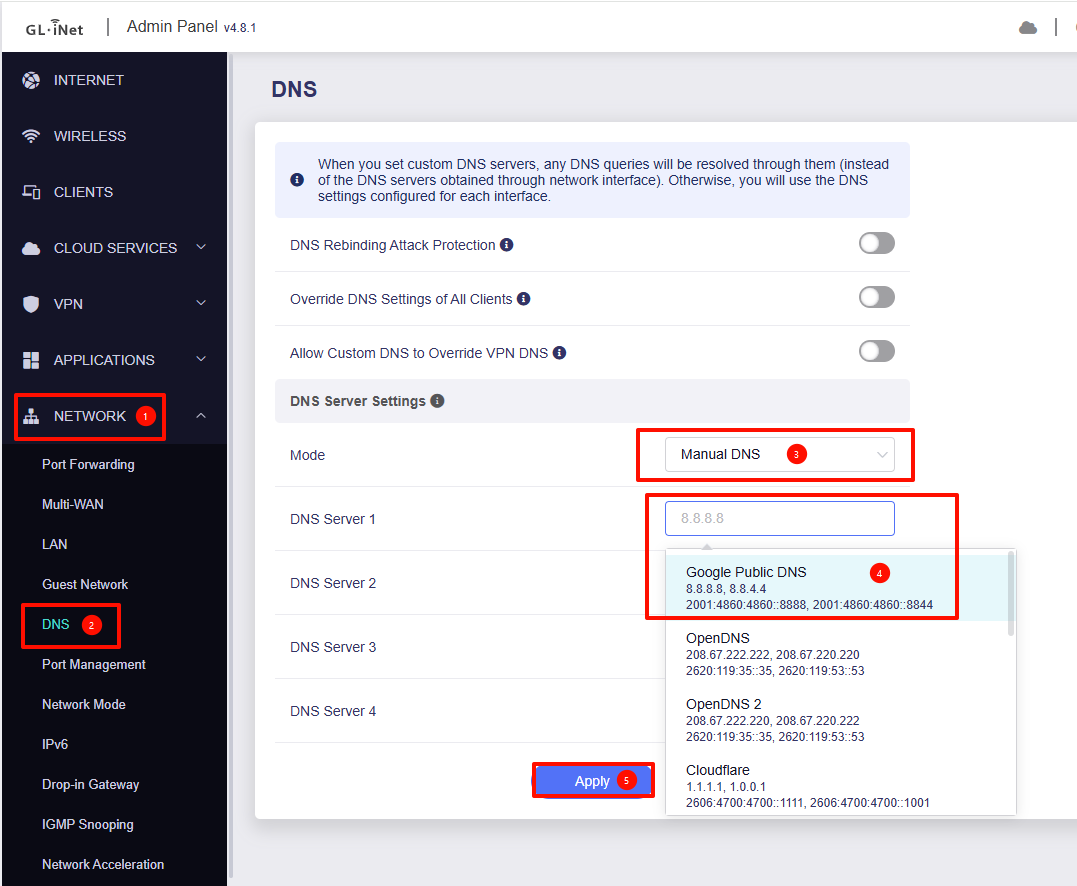
If the DNS is not working, try changing the DNS to Google to see if it helps or not.
If it still doesn't work after switching DNS, try running the following command and check again.
lua /usr/lib/gl_ddns/get_ddns_registered_ip.lua
Hello will.qiu,
I am not a linux crack 
I have got the following results about your questions:
GL-MT300N-V2 login: root
Password:
BusyBox v1.30.1 () built-in shell (ash)
| |.-----.-----.-----.| | | |.----.| |_
| - || _ | -| || | | || || |
|_____|| |||||___||| |____|
|| W I R E L E S S F R E E D O M
OpenWrt 19.07.8, r11364-ef56c85848
root@GL-MT300N-V2:~# nslookup $(uci get gl_ddns.glddns.domain)
uci: Entry not found
BusyBox v1.30.1 () multi-call binary.
Usage: nslookup HOST [DNS_SERVER]
Query DNS about HOST
root@GL-MT300N-V2:~# lua /usr/lib/gl_ddns/get_ddns_registered_ip.lua
lua: cannot open /usr/lib/gl_ddns/get_ddns_registered_ip.lua: No such file or directory
root@GL-MT300N-V2:~#
What can I do?
Regards Manfred
Your Mango appears to be running an older firmware version.
Please update it to the latest stable release and check if this resolves the issue.
Since the version gap is significant, please not keeping existing configurations during the upgrade.
Download link: GL.iNet download center
Upgrade guide: How to upgrade to firmware 4.x? - GL.iNet Router Docs 4
If there are still any issues, please share Mango with us via GoodCloud so we can remotely check it.
Technical Support via GoodCloud - GL.iNet Router Docs 4
Hello,
I have made a complete reset at the mango and an Update at the newest Firmware.
The Router is online an shared for GL-Support .
The Passwort is goodlife.
Do you need additional Informations?
Kind regards Manfred
After updating the firmware, is the DDNS working properly?
If it still is any issues, please let us know the device's MAC address via PM so we can locate it in the GoodCloud shared list.