So if they have a approved list - they should have some „how to connect“ docs as well.
Here's my ISP: Basic Settings for Internet | GCI Support. I'm in the U.S.
Did I mess up by setting my security to WPA3-SAE?
Just to make sure: You are using cable as internet access? Or is it fiber?
Yes, it's cable internet.
In that case the issue seems to be the Flint indeed because there is no authentication inside the cable network.
I could take a guess that the 2.5 Gbps port might not play well with the same port of the Nighthawk.
2.5 Gbps is a terrible standard and causes issues. If you plug the cable inside the 2nd WAN port of your Flint it does not work either, right?
1 Like
The Nighthawk is designed for 2.5gbps and says 2.5gbps on its back panel.
I get internet connection on my laptop on the 2nd WAN and all the LANs. I don't get internet connection on my laptop in the first WAN.
No internet on any other devices on any of the ports.
Wait, wait.
About which WAN port do we talk?
WAN is only for the connection between Nighthawk and Flint - no other device.
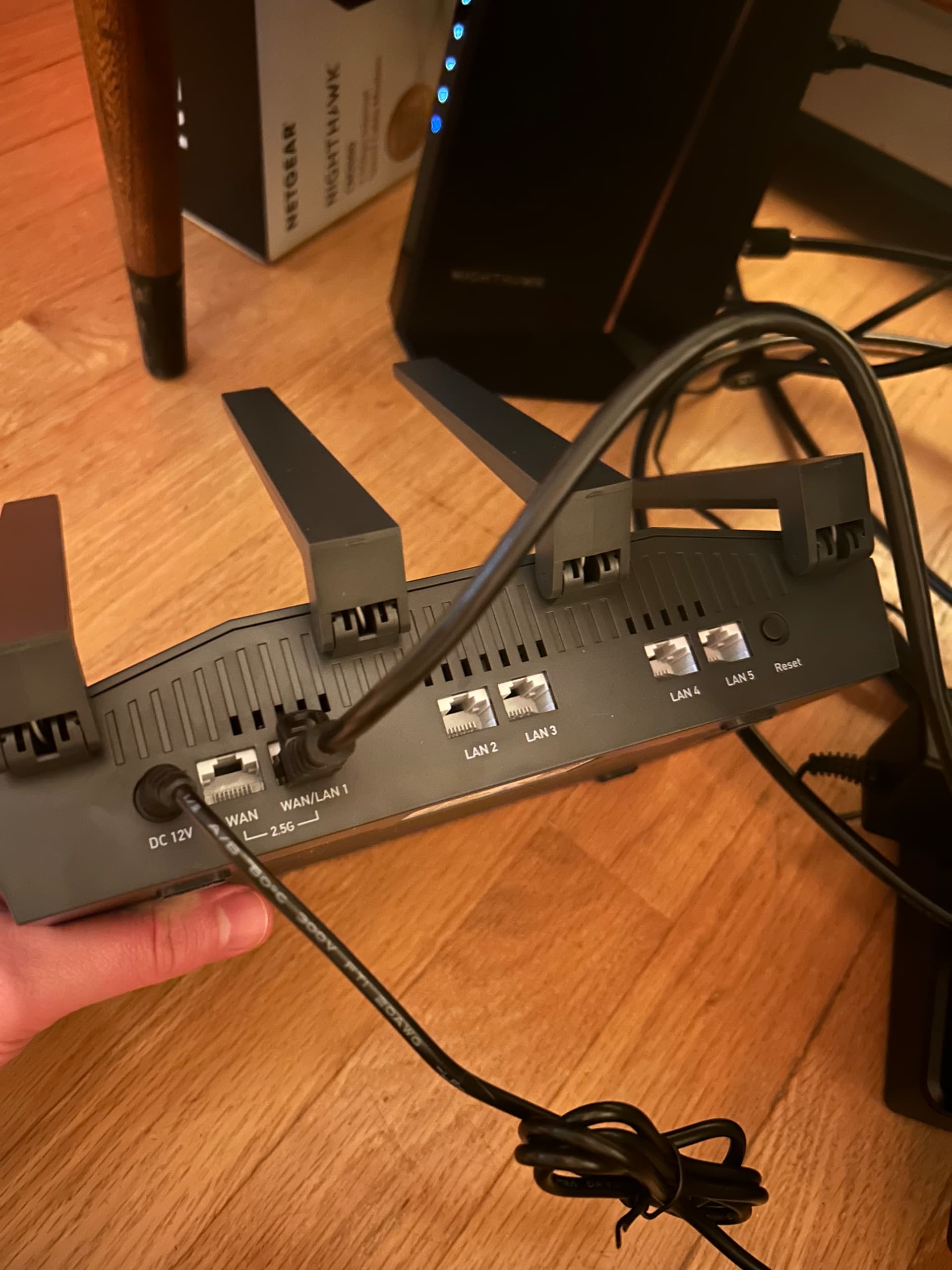
This cord is going to the modem. I get WiFi on my computer from this port but not from the port to the left. (Nothing on other devices when connected to any of the ports.)
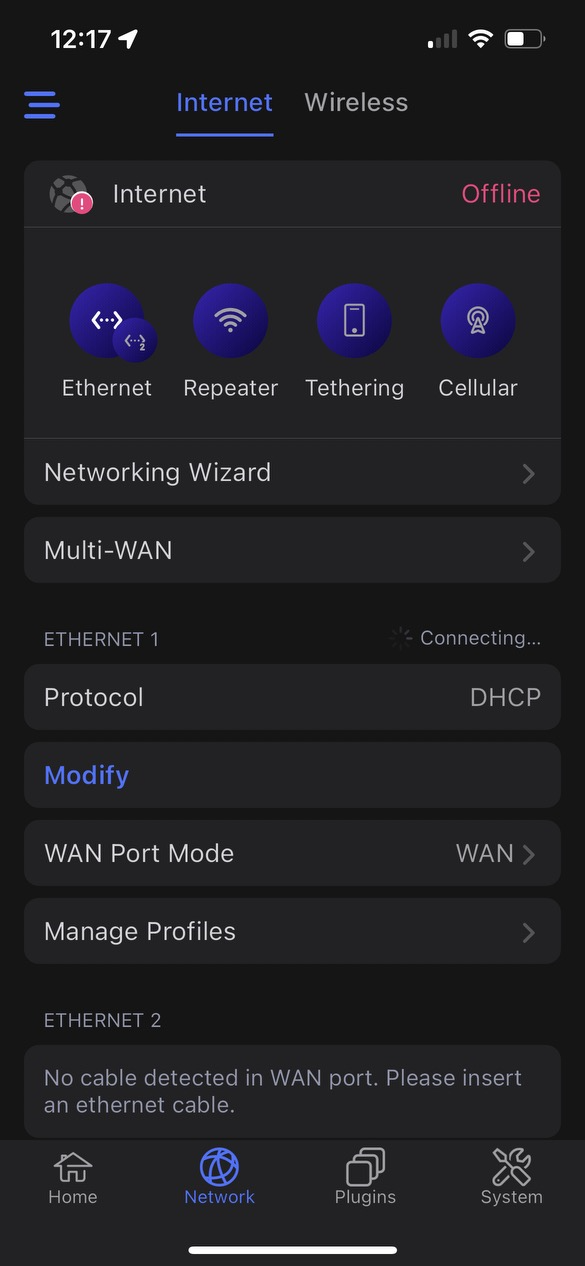
This is my GLiNet app screen when connected to the first port on the left. It always says "connecting."
Can you force 1 Gbps on the Nighthawk for the LAN cable?
I agree with @admon here.
because I gonna quote this:
Mon Oct 9 19:06:28 2023 kern.info kernel: [15305.057903] mtk_soc_eth 15100000.ethernet eth1: PHY [mdio-bus:01] driver [RTL8221B-VB-CG 2.5Gbps PHY] (irq=62)
taken from this post if you read history:
it shows to me its doing 2.5 negotiation or I think it does  edit: nvm I checked it on my own side but that message is not a clear indication, still it doesn't rule out it does negotiate on 2.5gb/s.
I don’t believe so. Also, my ISP plan is for 2.5gbps—/I don’t know that they could throttle that.
Here’s something interesting, maybe: my app shows no connection at all when I try to connect using LAN in Eth 1 / Eth 2. Just “searching.” It finds the modem when I try as WAN in Eth 1 (not Eth 2) but never gets past “connecting.”
Meanwhile my laptop only connects to the WiFi when I do modem<->LAN.
RESOLVED:
I did a firmware reset and re-initialized my connections. Everything's working great now. I wonder how I messed up the first time through.
Thanks to everyone for your patience, kindness, and help along the way!
2 Likes