Hi,
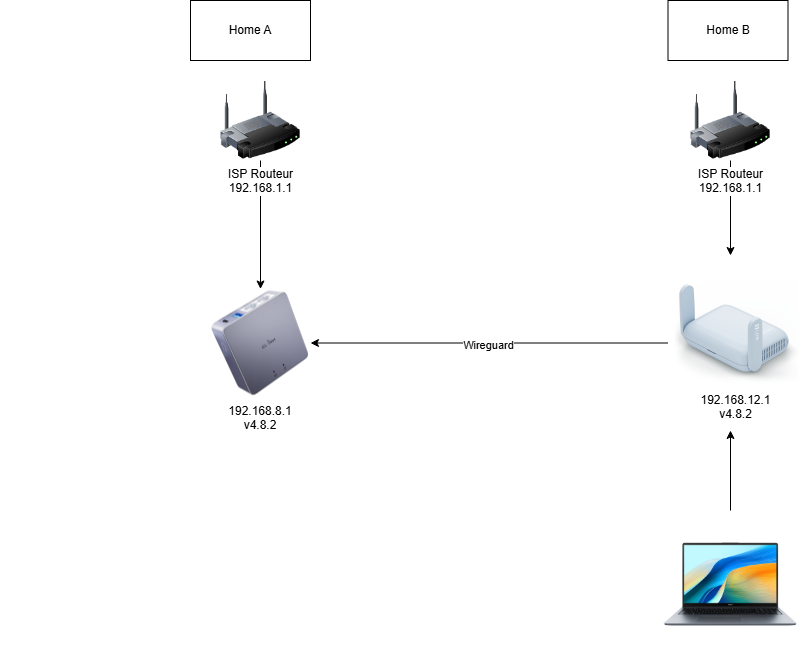
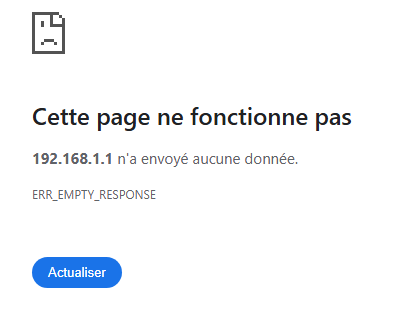
How to access my ISP routeur in Home A when i’m on my laptop ?
Does your router work when using the wireguard servers start ip/gateway?
Maybe it is because from zone lan it forwards to wgserver, but not from wgserver to lan, the fix would be forwarding wgserver to lan.
Optionally appart from the firewall zones you could make traffic rules for finer control, I do this too from wgserver to lan or other firewall subnets/zones.
I don't know if gl-inet has this option in the ui directly, I would first look in luci if it confirms my suspicion then check if they have this option otherwise change in luci.
I’m not sure to understand what you are saying.
But also If I’m connecting my phone (on data) to the Brume 2 with the wireguard app. I can access the 192.168.1.1 page. So it looks like it is a parameter or something on the Beryl AX which is not correct.
What does the server peer have set in the allowedips field?
And what does the client have on the allowedips on the beryl router?
On the BerylAX :
AllowedIPs = 0.0.0.0/0, ::/0
Where can I find the information for the server side on my Brume 2 ?
Also, If instead of my ISP routeur Home B, i’m sharing my phone connexion to the Beryl, it is working.
So it looks like there is a problem because both ISP routeur using 192.168.1.1, no ?
But I don’t understand why it is a problem and if there is a solution without changing it.
Well because the allowedips have both a different case.
For the server you only want the site to site ips there, not the whole internet with 0.0.0.0/0,::/0
But for the peer configuration on your beryl you need 0.0.0.0/0.
This is a common configuration error.
You can find the settings for brume inside the wireguard server settings, and then on the peers tab.
It is doable because of the QR it generates for the client, but at the same time you don't want 0.0.0.0/0 for the server.
This topic was automatically closed 90 days after the last reply. New replies are no longer allowed.