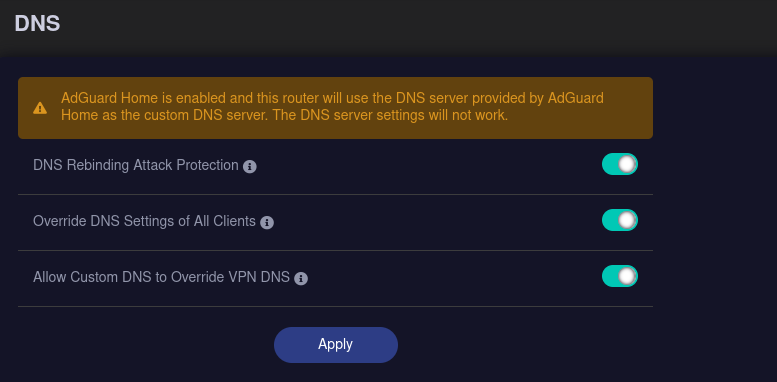
So I recently bought Flint 2 and I’m trying to configure AdGuard with encrypted DNS queries (like DoH or DoT). But I have a problem where statistics show that most (around 72%) of DNS queries go to the WAN provided IP addresses, and as far as I understand is completely unencrypted in plain text. I’m not sure if I’m doing something wrong or maybe it is completely normal and I shouldn’t worry about it?
So roughly I followed steps from this comment: https://www.reddit.com/r/GlInet/comments/198jv9m/adguard_home_setup_on_glinet_6000_flint2_router/
- Browse to Settings>DNS Settings
- Configure Upstream DNS servers. This is what I'm using (feel free to change)
quic://dns.nextdns.io:853
https://dns.nextdns.io:443
quic://p0.freedns.controld.com:853
quic://p0.freedns.controld.com:853
https://dns.cloudflare.com:443/dns-query - Make sure you're not using IP addresses (e.g. 1.1.1.1) otherwise, your DNS queries aren't encrypted
- Use parallel request
- Bootstrap DNS leave default
- Enable EDNS client subnet and DNSSEC
- Enable Optimistic caching
I’m not entierely sure what they meant by couple of first steps so I didn’t do anything about them (I have hardware acceleration enabled, or I didn’t touch DNS server on my router).
And now in AdGuard statistic I see:
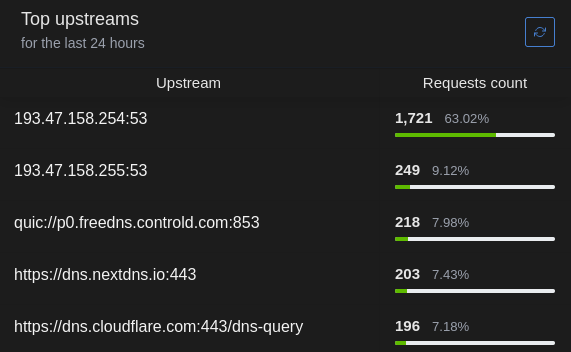
So the first two addresses are the default DNS provided from the WAN connection.
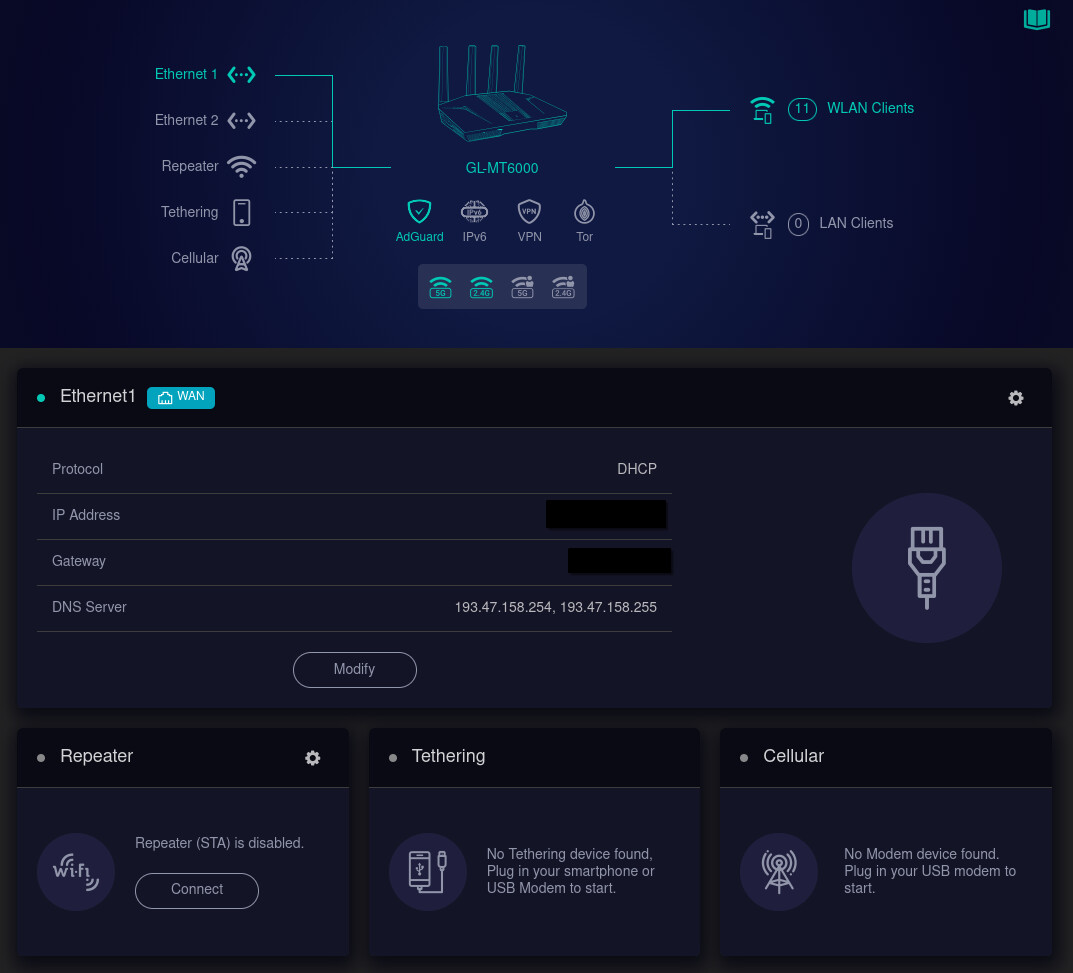
I don’t quite get it why it is the case. I’m unable to change this DNS unless I swap the config from using DHCP server from my ISP to a static IP. I’m not sure if I should do it?
I have Connect Box CH7465LG provided by UPC (my internet provider) in modem mode and then I have Flint 2 connected to it via Ethernet cable.