Have you try different browsers? We recommend to use Chrome or Edge.
In addition, could you please confirm both keyboard language set in controled and controling device are Swedish keyboard?
Sorry for the inconvenience caused.
We are currently developing and improving the keyboard input functionality for different languages and system types. Please kindly wait.
I can confirm this issue also for the german keyboard layout.
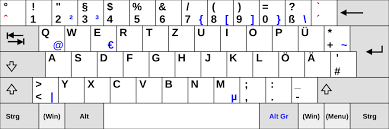
It is also not possible, to paste the “@” symbol via clipboard “paste to remote device” to the remote machine. If I write an “@” symbol, on the remote system there will be a “ symbol instead of an @ (on german keyboard layout, you need the keys “ALT GR” in order to write the @ symbol).
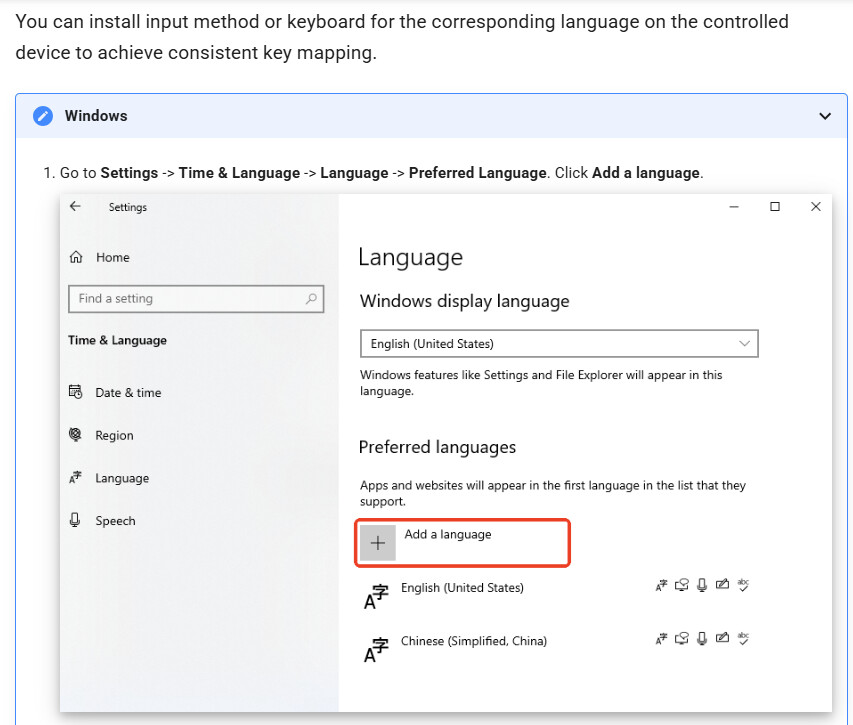
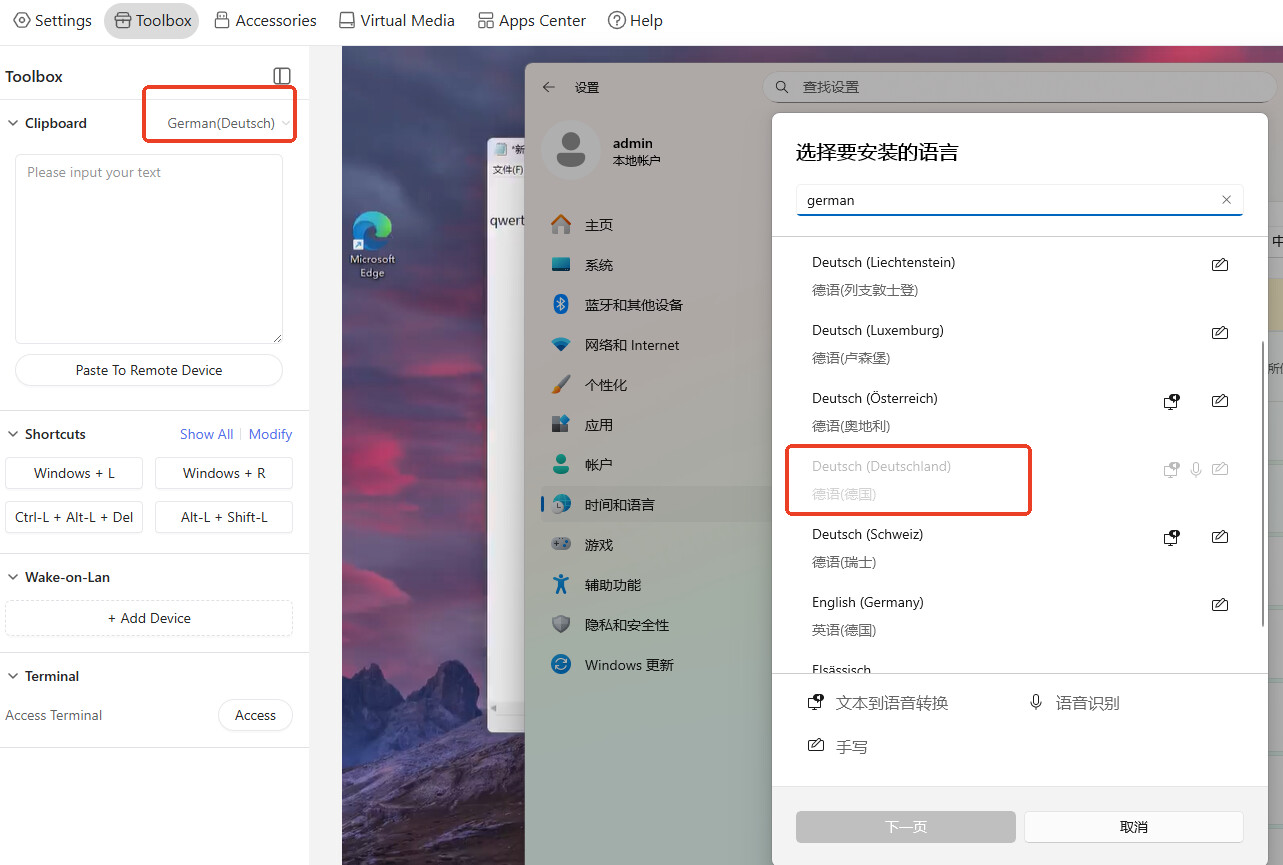
Please ensure that the input method settings, including both the language and the country, are identical for the clipboard on both the controlling and the controlled computers.
I have checked the input method and it is the same on both systems. A test with another KVM system (pikvm) showed that it works fine there without any problems. The problem is that the ‘ALT-GR’ key has no function on my Comet Pro (v1.7 release 2), which means that symbols such as @ € { [ ] } \ do not work (German keyboard)
I think the problem is that only European countries have a separate ‘ALT-GR’ key on their keyboards. This key is needed to type a variety of characters. ( AltGr key - Wikipedia )
I will find a linux system to try.
My setting is as follow. ALL are set to Deutsch (Deutschland). The controlling, controlled device and clipboard language.
We have found the issue when windows control Ubuntu, both set German keyboard, the alt-gr key not work. We will fix it in future update. Thanks for your report and patience.
Also, I notice when windows set to English keyboard, Ubuntu set to German keyboard, the alt-gr will be successfully transfered. You can try and use it as a temperary solution.
Sorry for the inconvenience caused.