I have an ar300m-ext that's been around for a few years. It's crashed, and it won't load the firmware, but I can access uboot. When I load any firmware into uboot, the three LEDs flash rapidly for a few seconds, then stop, then flash again for a moment, and then only the green LED stays on.
When I reboot, it doesn't load the firmware and goes into a boot loop. How can I fix this?
Hi,
You may refer to the following official guide to reinstall the firmware through U-Boot:
Please note that the firmware file used for U-Boot recovery is different from the file used for a normal system upgrade, so please make sure that you download and upload the correct file.

We recommend using Google Chrome or Microsoft Edge, in Incognito, and avoiding Firefox during this process.
If the issue persists, please try a different Ethernet cable.
I've already followed that guide to the letter, but something isn't working.
I've also tried changing browsers, changing computers, changing Ethernet cables, decreasing the network card's MTU from 1500 to 1200 and then to 900, and I've tried uploading all the firmware versions available on the support site. I also tried updating uboot with the uboot-gl-ar300m-20220216-md5-97ff7bb80cbf129fa21f34ded1559ff8.bin file from 192.168.1.1/uboot.html, but I get the update fail message because the file is either too large or too small. I've also tried the tftp method, but the router isn't listening to tftp. The firmware originally installed on the router was Firmware Version LEDE Reboot 17.01.4 r3560-79f57e422d / LuCI lede-17.01 branch (git-17.290.79498-d3f0685). How can I proceed?
Hi,
Thank you for your detailed feedback.
If the U-Boot recovery still cannot be completed after trying the recommended methods, there may be no other recovery methods available.
If your device is still within the warranty period, we recommend contacting our after-sales support team at cs@gl-inet.com for further assistance.
For devices that are out of warranty, you may refer to the following guide for further information.
Please note that this requires hardware access and proceed with caution.
You can also refer to the following page for the UART interface information:
The problem arose during the firmware update via the web interface. The router is not under warranty, but I bought it because I thought I'd never have firmware problems with gl.inet, but here we are. I'll replace it, but at this point I might as well buy a new one from any brand.
1 Like
You are not the first person to have an older GL iNet AR300M fail during firmware updates. First off, double check if you have a AR300M or AR300M16, as they use different firmware. I feel that this was a real stupid naming convention, to have two products that use two different firmware versions, have almost the same name.
Next I would recommend trying to load that latest generic OpenWrt. Check out their firmware selector at: https://firmware-selector.openwrt.org/
If that fails to load, try posting on the OpenWrt forum to see if someone can help you, as if you are using generic OpenWrt, I have found that their forum is much more willing to help you out.
I personally have had way too many issues with GL iNet 4.x firmware on my AR300M and AR300M16 routers, and have gone to using generic OpenWrt on them, as the hardware has been solid for me, but the firmware, not so great of late.
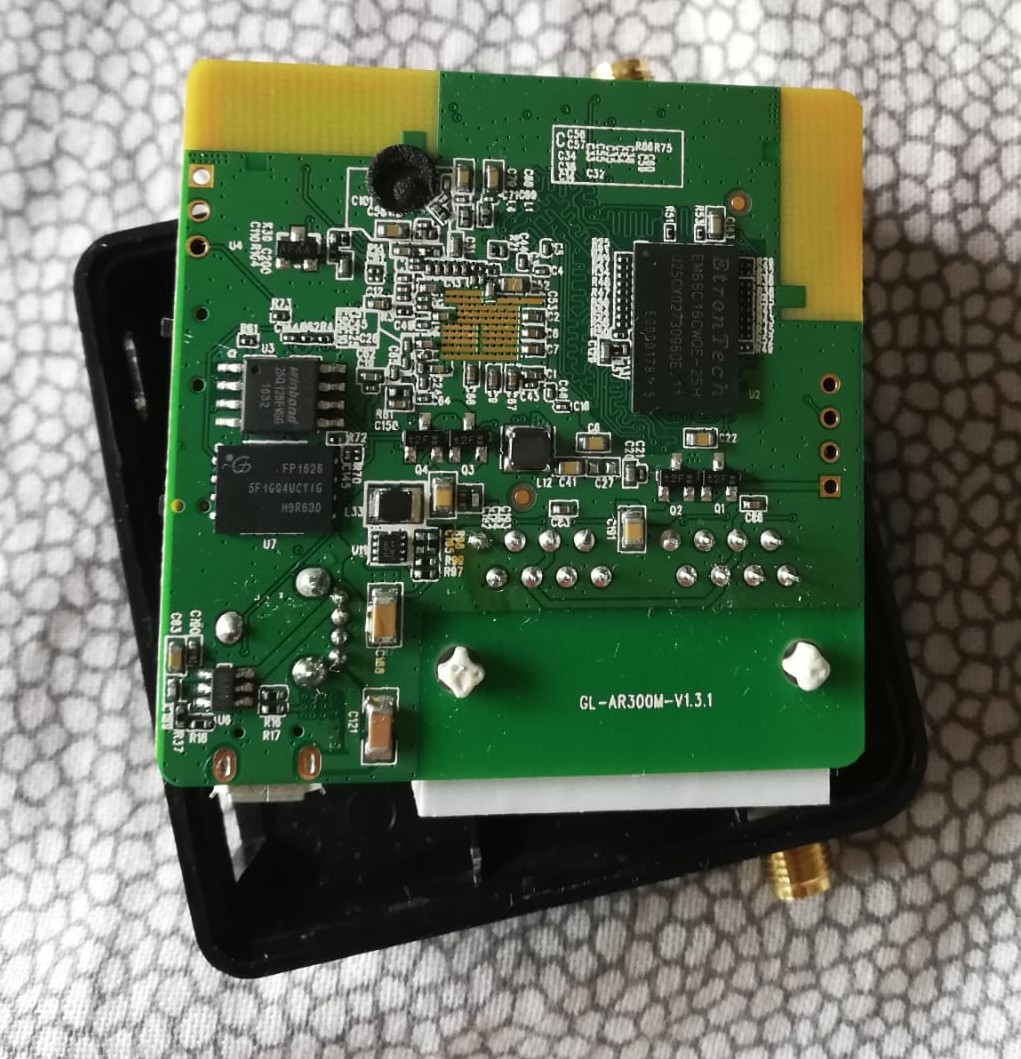
As you can see from my previous post, I had a very old firmware version, and when I updated it, the router froze. Mine should be an ar300m-ext, but unfortunately the label underneath is no longer legible, but the circuit board says GL-AR300M-V1.3.1.
In any case, I've tried all the firmware versions via uboot, both the original and OpenWrt, and neither will boot. How can I attach photos of my router? I'm hoping someone can confirm the exact model.
Per the US FCC certification of this model, the circuit boards are identical. The AR300M has a NAND flash solder onto the circuit board, and the AR300M16 is missing the NAND flash chip. See:
https://fccid.io/2AFIWAR300M16/Letter/Declaration-Letter-of-Model-Difference-8504903
Does you board have the larger NAND flash chip on the bottom?
There is a very long post on recovering the device at: AR300M brick and..recovery attempt
But I’m not sure if it is worth that much effort.
Is there a way to post photos of my device's circuit board here on the forum?
Hi,
You can click the upload icon in the reply editor, or simply copy and paste the photos directly into the reply box.
Hi,
Based on the PCB photo you provided, your device appears to be a GL-AR300M-Ext with NAND Flash.
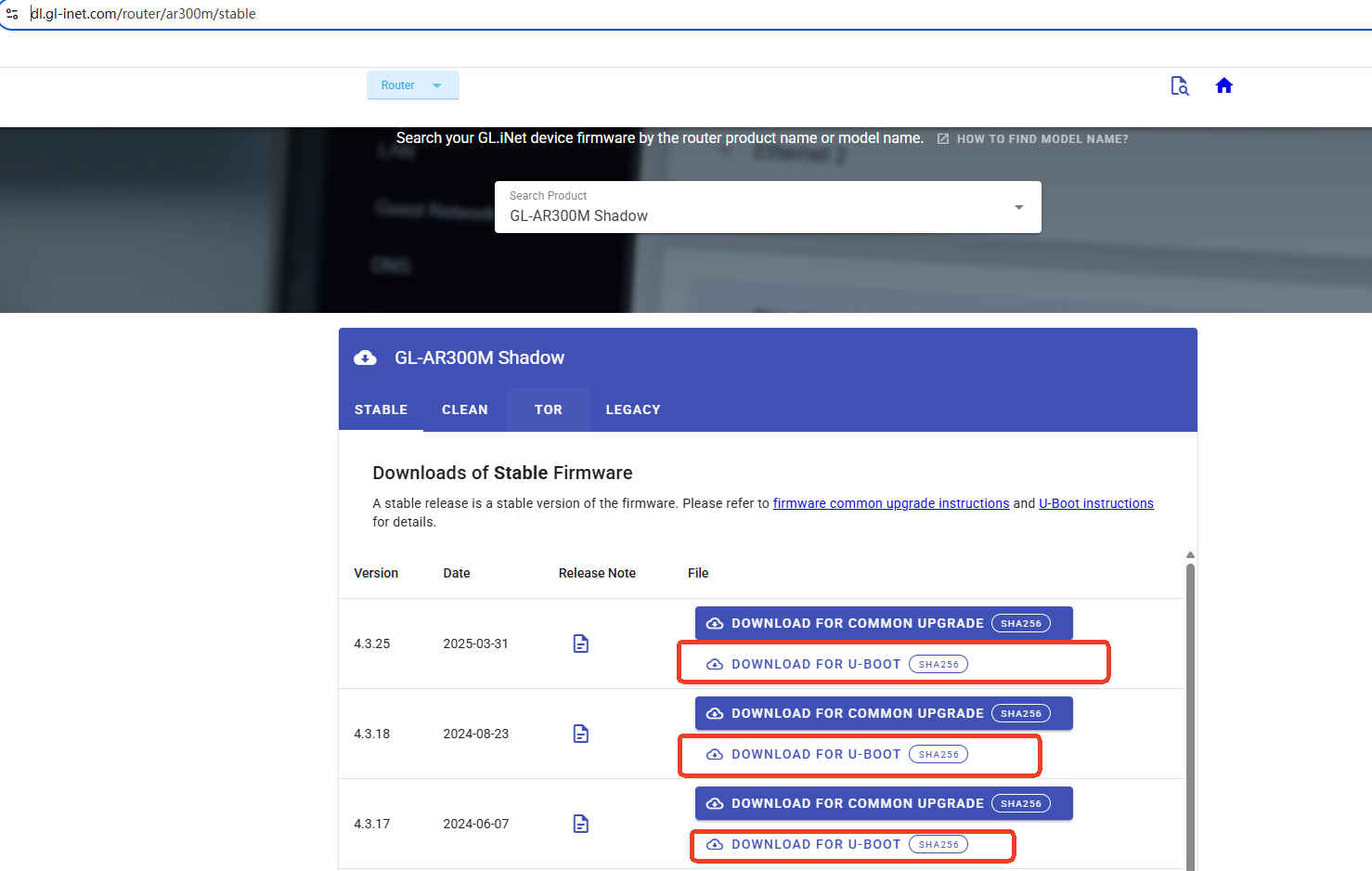
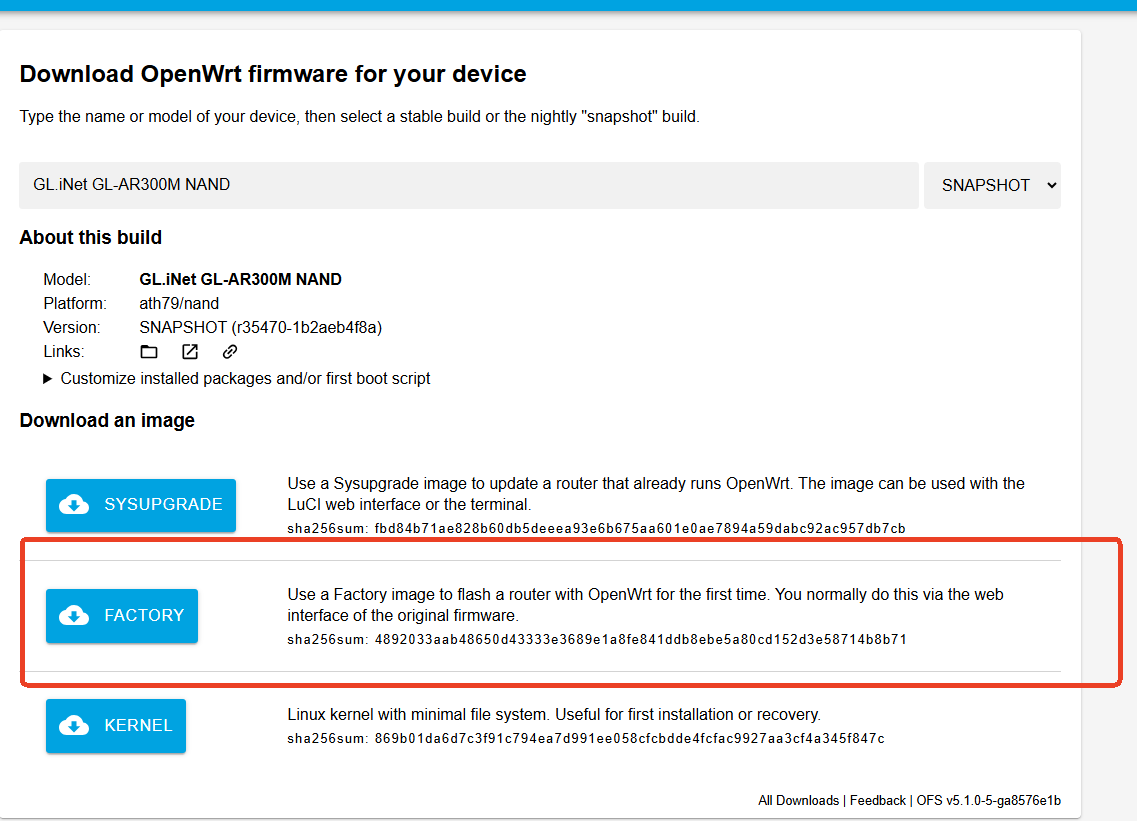
For this model, please make sure to use the firmware for GL-AR300M NAND when performing the recovery through U-Boot.
You can try the official GL.iNet U-Boot firmware:
If the official firmware still cannot be flashed successfully, you can also try the OpenWrt firmware built for GL-AR300M NAND:
If both firmware images fail through U-Boot, further troubleshooting may require checking the bootloader or hardware status.
I tried both firmware versions. When the firmware starts loading, the three LEDs on the device flash quickly for about a second, then only the first LED stays on. Then they all flash again for a very short time, and then only the first one stays green. Unfortunately, I'm stuck on the page in the photo. I waited 5 minutes, but the router never reboots. If I turn it off, when I turn it back on, it goes into a boot loop.
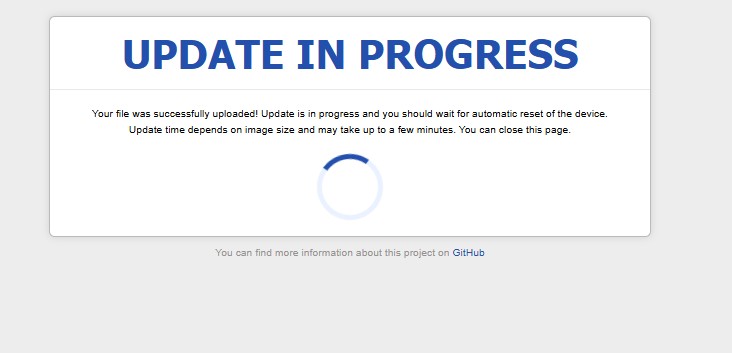
If anyone has any other ideas, I'm here...
For now, I've solved the problem by purchasing a TP-Link (obviously much higher quality than the GL-INET) and with the possibility of easy recovery in the event of a brick.
Hi,
Could you please help to check which stage is failing: detecting the NOR/NAND flash, receiving the firmware image, erasing or writing the flash, or booting the new firmware.
The UART boot log can usually show the U-Boot version, flash detection status, firmware write errors, and the point where the boot process stops.
You can follow the official UART Serial guide below to connect to the router and capture the complete boot log:
Please use a 3.3V USB-TTL UART adapter, connect GND, cross-connect TX and RX, set the serial speed to 115200, open the serial terminal first, and then power on the router.
For additional AR300M-EXT information, please refer to:
If the router can still enter the U-Boot web interface, could you please start recording the UART log before trying one firmware upload.
Could you please send us the complete log from power-on through the failure, preferably by private message.

Thank you for your support and understanding.