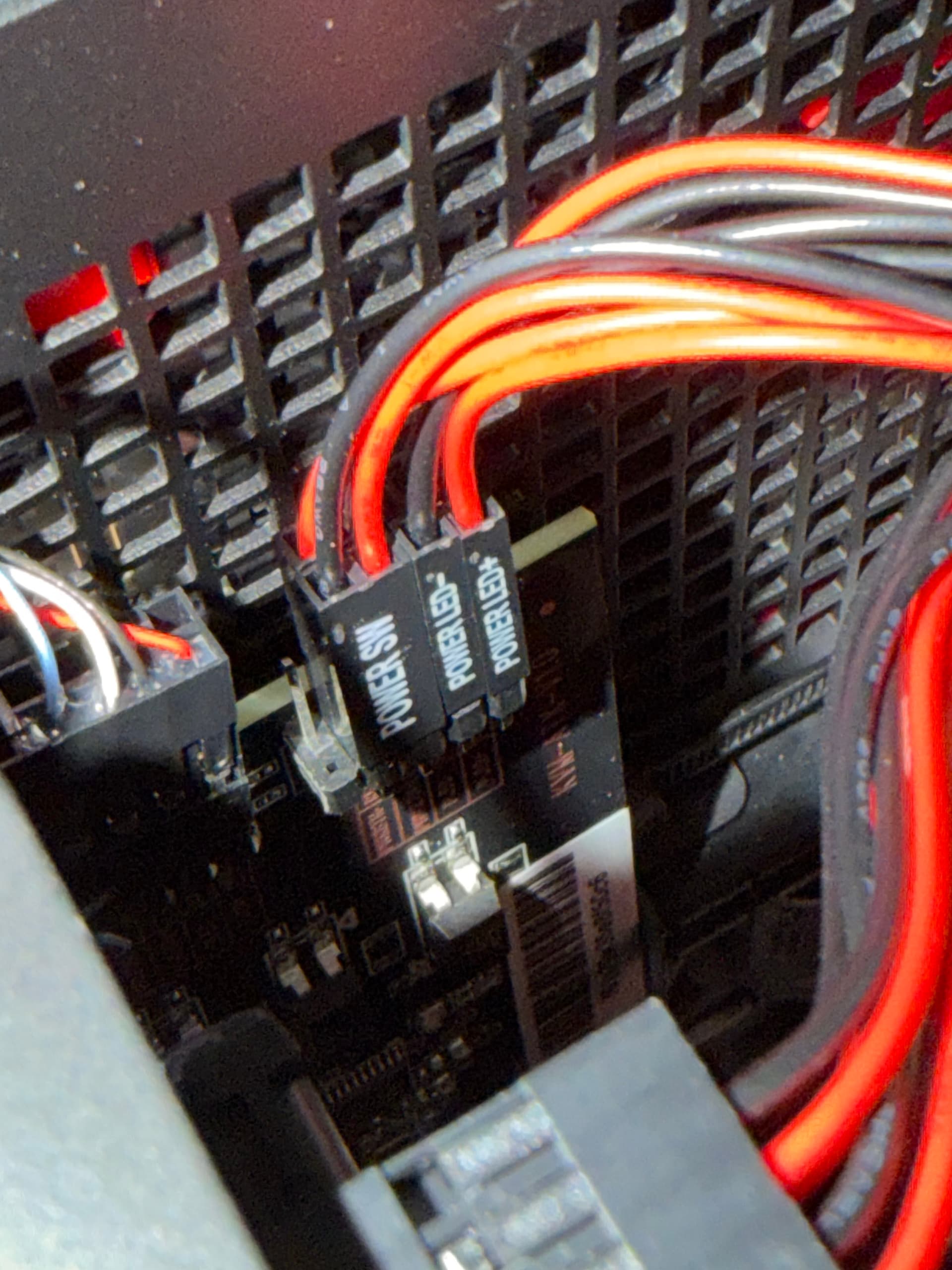
Hello everyone, I’ve just tried to connect the ATX board to a Framework Desktop computer, but I'm having some issues.
The power LED isn't working in the case; maybe it’s a voltage issue. I saw some threads.
The reset switch doesn’t work; it just powers off the machine. You can hear the “click” coming from the motherboard, and it remains powered off. This is the schematic: Front Panel IO Connectors (AMD Ryzen™ AI Max 300 Series). Of course, I’ve tried both sides (red and black) just to be sure, and in any case, the behaviour is the same: it just powers off the machine. I am assuming this is like short-circuit protection?
Thanks for your quick reply. I confirm that I’ve used this guide; it is pretty straightforward.
This the last setup. Where I’ve preferred to use the connector on the motherboard and the pins on the board, just to be sure to attach everything at the right place, and even in this setup, the behaviour is the same, you can see from the picture, just behind the power-btn the reset switch, where the red (+) is attached to the correct pin.
Hello, it looks like you've connected the cable in the wrong direction. According to the picture above, the end that connects to the ATX should have one socket left unoccupied.
Yes, as I mentioned early, I’ve tested this method as well. In fact, I have one framework desktop connected this way. However, once the cables are connected to the correct motherboard pins and board, it doesn’t make any difference. I tried it and it behaves the same – it just hard powers off the machine. Perhaps there’s a short circuit.
Yes, if the cable is connected to the correct position, then this connection is fine.
Regarding the reset switch not working properly and only cutting the power to the computer: are you using the physical switch on the PC case panel, or the reset button on the glkvm.local webpage?
Another point to confirm is: before you try the reset operation, is your computer powered on or powered off?