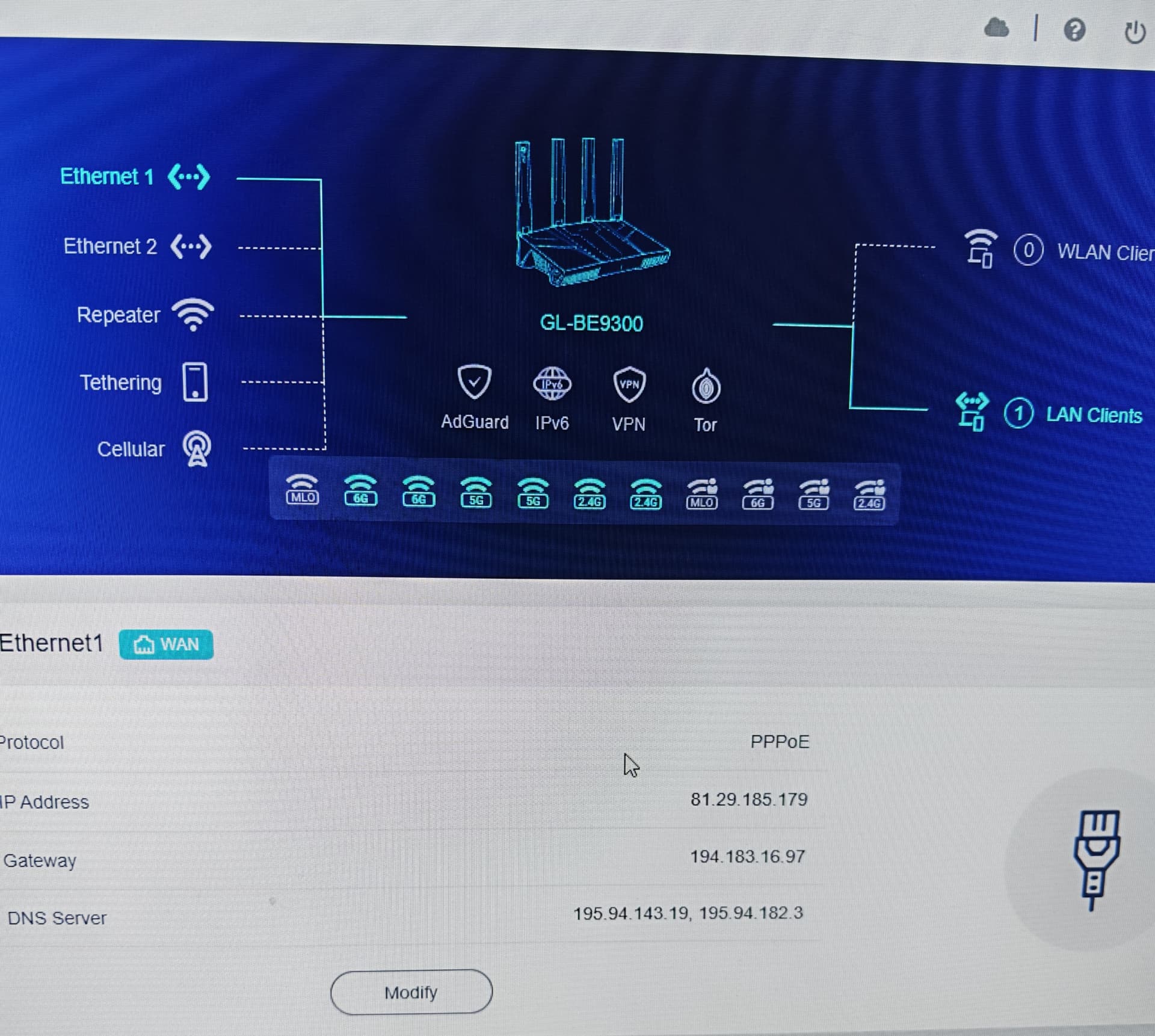
I configured my flint 3 wirh the params provided by my Isp, seems everything i connected correctly but I’m unable to access internet neither cabled or wifi.
I made a factory reset and configured the access as per ISP params, everything’s ok, both wired and wireless connections do have internet access.
Then I logged in via SSH to create a VLAN for IoT as per this howto, committed & rebooted.
And again, internet working as a charm, VLAN created for IoT (only wireless devices).
So, apparently the script I made to add the vlan for surveillance devices is the culprit.
I made this lurking some scripts here in the forum and adjusting what I thought to be a correct change… but it seems I introduced something that broke the WAN.
Would anyone of you experts be so kind to help me figuring whar’s wrong?
Here’s the desiderata: a VLAN (192.168.50.x) for LAN3 and LAN4. I will connect an antitheft system to LAN3 and a NVR POE to LAN4. Specifically for the antitheft system, I will also have to open some ports to allow remote maintenance by the technician… but that’s another story.
My script:
* Surveillance/Security VLAN *

uci set network.vlan_surv='switch_vlan'
uci set network.vlan_surv.device='switch1'
uci set network.vlan_surv.vlan='50'
uci set network.vlan_surv.ports='3t 4ut 5ut'

uci set network.eth1_50=device
uci set network.eth1_50.type='8021q'
uci set network.eth1_50.ifname='eth1'
uci set network.eth1_50.vid='50'
uci set network.eth1_50.name='eth1.50'

uci add network device
uci set network.@device[-1].type='bridge'
uci set network.@device[-1].name='br-surv'
uci add_list network.@device[-1].ports='eth1.50'

uci set network.surv=interface
uci set network.surv.proto='static'
uci set network.surv.device='br-surv'
uci set network.surv.ipaddr='192.168.50.1'
uci set network.surv.netmask='255.255.255.0'

uci set dhcp.surv=dhcp
uci set dhcp.surv.interface='surv'
uci set dhcp.surv.start='100'
uci set dhcp.surv.limit='150'
uci set dhcp.surv.leasetime='12h'

uci add firewall zone
uci set firewall.@zone[-1].name='surv'
uci set firewall.@zone[-1].input='ACCEPT'
uci set firewall.@zone[-1].output='ACCEPT'
uci set firewall.@zone[-1].forward='REJECT'
uci add_list firewall.@zone[-1].network='surv'

uci add firewall forwarding
uci set firewall.@forwarding[-1].src='surv'
uci set firewall.@forwarding[-1].dest='wan'

uci add firewall rule
uci set firewall.@rule[-1].name='Allow-DHCP-Surv'
uci add_list firewall.@rule[-1].proto='udp'
uci set firewall.@rule[-1].src='surv'
uci set firewall.@rule[-1].dest_port='67-68'
uci set firewall.@rule[-1].target='ACCEPT'

uci add firewall rule
uci set firewall.@rule[-1].name='Allow-DNS-Surv'
uci set firewall.@rule[-1].src='surv'
uci set firewall.@rule[-1].dest_port='53'
uci set firewall.@rule[-1].target='ACCEPT'

uci commit
reboot
The above script broke my WAN: I had the flint 3 connected to the ISP, but no internet access anywhere.
Thank you so much for your kind help.
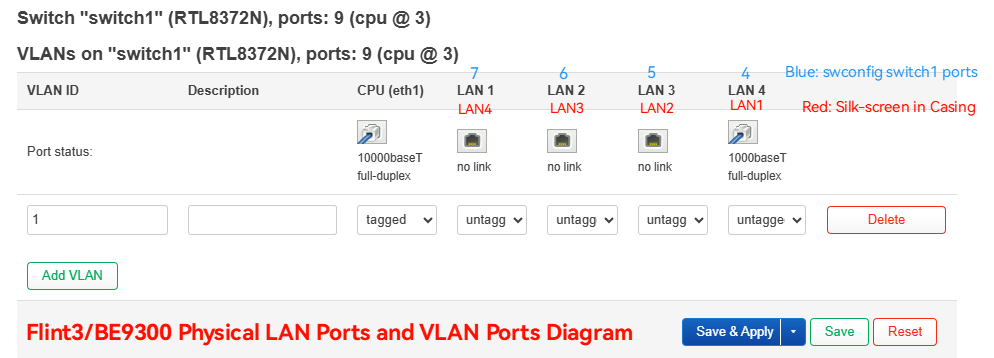
According to your network requirements, LAN1 and LAN2 remain unchanged and belong to br-lan (corresponding to VLAN 1, 1 is default), LAN3 and LAN4 are used for iot, and create a new br-iot (corresponding to VLAN 50).
It seems that the switch part will report an error when using the uci command. Let us edit the configuration directly in /etc/config:
Network part in /etc/config/network:
# Find VLAN1 part, remove LAN3 and LAN4, changed result is:
config switch_vlan 'vlan_lan'
        option device 'switch1'
        option vlan '1'
        option ports '3t 6 7'


# Add VLAN50, bind LAN3 and LAN4, add br-iot, add iot network interface
# The [br-name] and [if-name] can be changed according to your needs.

config switch_vlan
        option device 'switch1'
        option ports '3t 4 5'
        option vlan '50'

config device
        option type 'bridge'
        option name 'br-iot'
        list ports 'eth1.50'

config interface 'iot'
        option proto 'static'
        option device 'br-iot'
        option ipaddr '192.168.50.1'
        option netmask '255.255.255.0'