ROUTER: GL-BE9300
FIRMWARE: OpenWrt 23.05-SNAPSHOT (ipq53xx/generic)
INTERNET: FTTP direct to BE9300 via PPPoE (iiNet, Australia)
DNS: AdGuard Home (local, on router)
IPs: Mix of DHCP and static reservations
ISSUE
When two WiFi clients connect to the MLO SSID on different bands,
they cannot communicate with each other at all. Ping times out,
TCP connections fail, and discovery apps cannot see the affected
device. The router can reach both clients fine, and each client
can reach wired devices and the internet without issue.
REPRODUCTION
Client A (Windows 11 laptop, Intel WiFi): connects to MLO SSID on 5GHz
Client B (Samsung S25 Ultra): connects to MLO SSID on 6GHz
Client A cannot ping or connect to Client B and vice versa
ARP is fully resolved on both sides (correct MACs, REACHABLE state)
Packets leave Client A but never arrive at Client B
Other WiFi clients on 5GHz can reach Client A without issue,
confirming the bridge and intra-BSS forwarding work correctly
within the same band.
AP isolation is confirmed off (isolate=0) on all relevant SSIDs.
nftables ruleset accepts all LAN traffic. Windows Firewall is not
the cause — the block is bidirectional and present at the ICMP level.
WORKAROUND
Disabling 6GHz from the MLO SSID (leaving 2.4 and 5GHz active)
resolves the issue immediately. Both clients connect via MLO on
2.4+5GHz and can communicate normally.
Alternatively, connecting the S25 Ultra to a non-MLO 5GHz SSID
also resolves it.
ROOT CAUSE (suspected)
The Qualcomm QSDK driver does not appear to forward frames between
clients associated on different MLO links (e.g. one on 5GHz radio,
one on 6GHz radio). Standard Linux tools (iw, wlanconfig) cannot
inspect wireless associations on this driver stack so deeper
diagnosis from the OS side is not possible.
REQUEST:
Hi, now I can be a bit less formal I hope this is enough information to be a bug report, or to get a better workaround for this, as losing 6GHz sucks. Thank you for your time
Same issue confirmed on GL-BE9300 I’m running firmware 4.84 release with OpenWrt 23.05-SNAPSHOT. In my case the affected devices are Apple HomePods (WiFi 5/6).
I have found a persistent issue where wifi clients, when the Admin Panel labels them as MLO, are unreachable from other wireless clients (no response to arping) while AP isolation is confirmed disabled on all SSIDs. The router can ping those devices fine but they cannot talk to each other.
For me, the clearest symptom is intermittent AirPlay and HomeKit unavailability. HomePods that get listed as MLO see unpredictable connectivity. Trying to AirPlay or viewing device settings wirelessly becomes flaky to impossible, and devices’ network settings show signs and connectivity warnings.
REPRODUCTION
AP isolation is confirmed off (isolate=0 on all 12 wifi-iface entries in UCI config). Ping sweep from a Mac results in failures from MLO clients:
HomePod, MLO: unreachable — arping confirms no ARP response
HomePod, MLO: unreachable
HomePod, MLO: unreachable
HomePod, 5G: reachable
Apple TV, 5G: reachable
Additionally, band assignments seem to change at random, if devices move between MLO and non-MLO over time this causes unpredictable failures without any user action.
WORKAROUND ATTEMPTED
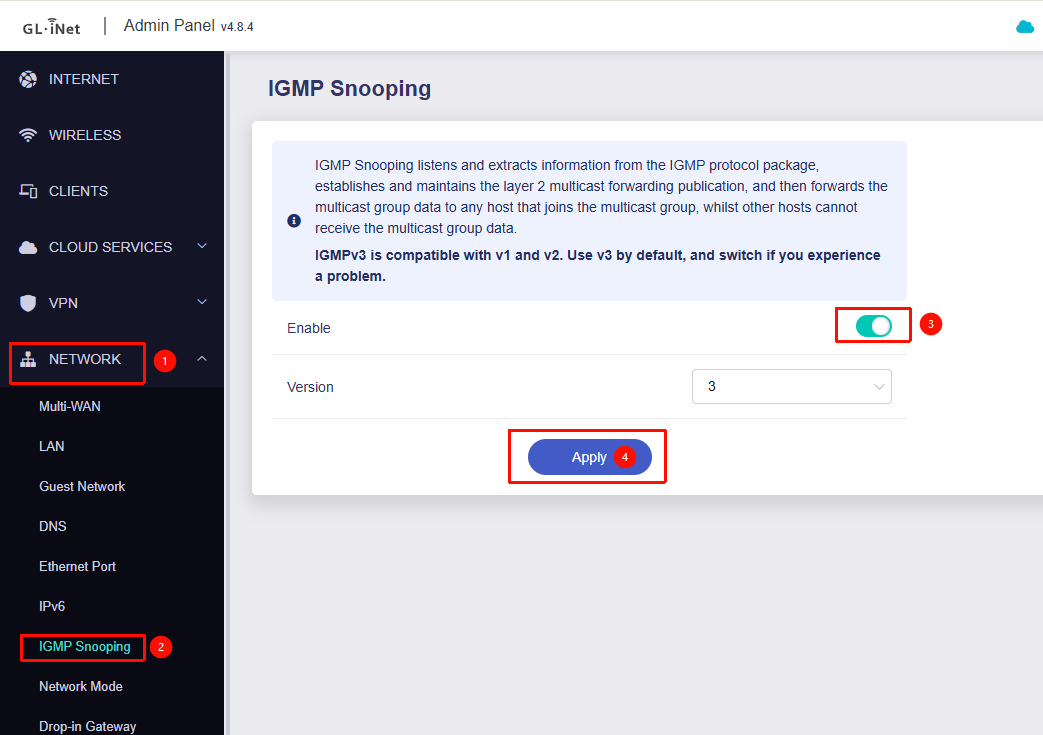
I’ve the tried multicast-to-unicast + IGMP snooping workarounds suggested in thread #66693 "gl-inet-flint-3-gl-be9300-wifi-mlo-device-discovery-issues". This did not resolve the issue for me. I saw a brief improvement after reboot, most likely due to temporary placement on 5G, but as the network settled I continued seeing the flaky MLO devices.
SUSPECTED ROOT CAUSE
This would support the root cause of the driver not forwarding frames between clients on different MLO links.
Once I disabled 6GHz from MLO, the issue immediately disappeared, all HomePods become reachable and AirPlay works correctly.
I ran the commands you mentioned in this comment and it seems to be working for the time being. I found that the issue took a few hours to occur - perhaps enough time for my phone or laptop to want to hunt for a different band - so I will update if that did not fix the 6Ghz issue
In the meantime I look forward to a possible firmware patch to fix this
Been a few days connected to the mlo network with 6ghz enabled and all seems to be working, direct ssh connections, moonlight streaming, tailscale, so all good here
It seems the same issue reared itself after about a week, had to run the commands again and it seems to have fixed the issue again - but there is now the issue of my phone-to-tv connection not working - can not use my phone as a remote via the home app
The command to configure Proxy ARP at the kernel level is as follows:
# --- Workaround Flint3 WLAN-ARP-Bug ---
sleep 15

for i in /proc/sys/net/ipv4/conf/*; do
    [ -d "$i" ] || continue
    IFACE="$(basename "$i")"

    case "$IFACE" in
        phy*-ap* | wlan*)
            echo 1 > "$i/proxy_arp" 2>/dev/null
            ;;
    esac
done
# --- End Workaround ---
We are still investigating this issue further.
In past cases, it has sometimes been caused by client devices not waking up properly after Wi-Fi sleep. In such situations, there isn’t a very effective solution other than fixing it on the client side.
Enabling proxy ARP or multicast-to-unicast can help mitigate the issue to some extent, but they are not universal solutions (and may interfere with devices or applications that rely on MAC address behavior).
We may need to gather more cases and further figure out on this.
 I hope this is enough information to be a bug report, or to get a better workaround for this, as losing 6GHz sucks. Thank you for your time
 signs and connectivity warnings.
 Once I disabled 6GHz from MLO, the issue immediately disappeared, all HomePods become reachable and AirPlay works correctly.