I just bought a Beryl 7 router and updated the firmware to 4.8.7, but noticed its USB port couldn’t power any of my 2.5 inch external drives. It’s a little surprising and honestly disappointing, because the datasheet indicates the USB port outputs 5V 2A, which should be enough for the majority of 2.5 inch SSD/HDD. Maybe I’m not doing everything correctly? Open to any suggestions!
It cannot recognize:
2.5 inch portable SSD (2TB)
2.5 inch portable HDD (5TB)
(Note: the LED power indicators on my portable drives don’t light up at all)
It can recognize:
Powered hard drives, for example powered 3.5 inch HDD
Does the cable currently being used support power delivery? Please try connecting it to a phone and see whether it enters charging mode.
Please also check the power requirements listed for the 2.5-inch SSD/HDD. If the required power exceeds the maximum USB power output of the Beryl 7, the drive may fail to start properly.
Thanks for your reply, but I'm not sure I understand your question. Which cable are you referring to? The USB-C cable connecting the router to the power supply? If so, I'm using the stock cable included in the box.
A 2.5 inch HDD/SSD consumes <8W power even at peak value. If Beryl 7 can deliver 10W power as the datasheet claims, it should power a 2.5 inch drive without any problem.
So I tested by connecting my phone to the USB 3.0 port. It’s not charging. So this port isn’t delivering any power, as opposed to 5V/2A specified in the datasheet. Really frustrating.
Have you checked whether the same USB cable + phone can charge properly on other devices?
If possible, please also test whether other devices, such as a USB flash drive, can work properly with the Beryl 7.
If the same USB cable + phone works correctly on other devices, and even a USB flash drive cannot work on the Beryl 7, please contact support@gl-inet.com for after-sales support, and include:
One of the new fun things of USB-C is that BOTH the charger and the cable decide the output power. Put a 240W power brick behind a 10W rated cable and you will get 10W. Maybe you got a bad cable in your beryl box and it won’t provide the full power required for the usb port.
@msaitta Thank you. I did try a MacBook cable and it still yields the same result. So no, it’s not the cable issue. Also not the charger issue.
Today is the last day of my return window, so I decided to return the unit. I figured it wouldn’t be worth continuing debugging and risking the possibility of not being able to return it later.
Hey, wanted to add to this thread as I'm seeing something related but slightly different — my issue is with USB flash drives, not a 2.5" drive, so power draw or cable shouldn't be the limiting factor here.
Tested two drives:
SanDisk Ultra Fit 64GB USB 3.2
SanDisk Cruzer 4GB USB 2.0
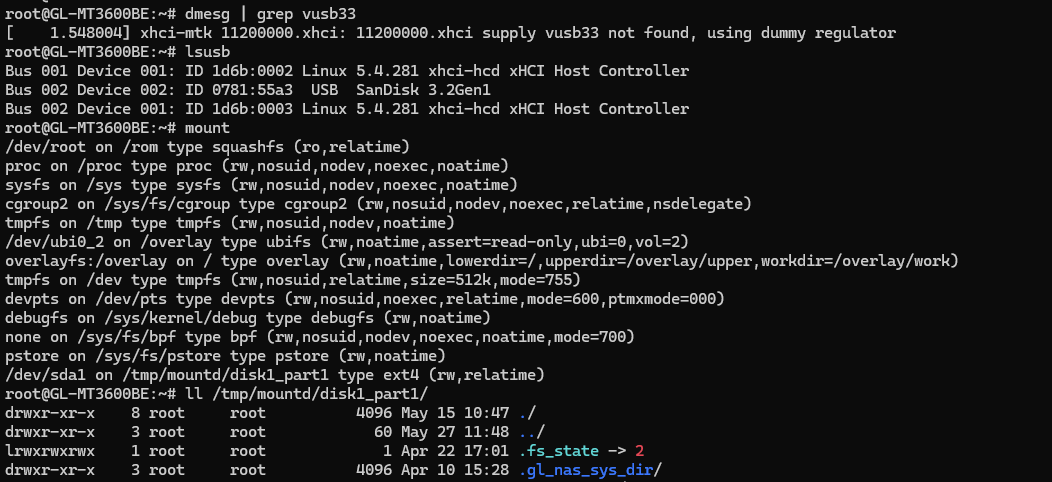
Tested each with the appropriate USB protocol set. Same result on both — zero detection. No dmesg events on plug/unplug, lsusb only shows root hubs, GL admin panel says "No Device Detected."
After digging around I found what I think is the actual root cause. In dmesg at boot:
xhci-mtk 11200000.xhci: 11200000.xhci supply vusb33 not found, using dummy regulator
vusb33 is the 3.3V power supply for the USB port. It's falling back to a dummy regulator — which means the port isn't getting actual power delivered to connected devices at all. That would explain both issues in this thread — it's not about how much power the drive needs, the port isn't supplying any so far as I can tell.
This looks like a device tree configuration issue in the current firmware. Everything else is in place
— xhci-mtk loads, usb-storage registers in the kernel, buses are authorized.
One thing worth noting for anyone else troubleshooting this — the opkg packages kmod-usb-storage, kmod-fs-ext4, and block-mount all show as "installed and up to date" but the actual .ko module files don't exist on disk. So if you're going down that path hoping to load the modules manually, it's a dead end — the packages are registered in the opkg database but were never included in the firmware image.
Running firmware 4.8.7 on GL-MT3600BE. Hoping this helps the GL.iNet team track down the fix.
Could you please confirm whether you are currently using the original power adapter for the Beryl 7, or another power adapter capable of providing 9V/3A or 12V/2.5A?
Please note that when only 5V/3A power is available, the Beryl 7 may not function properly.
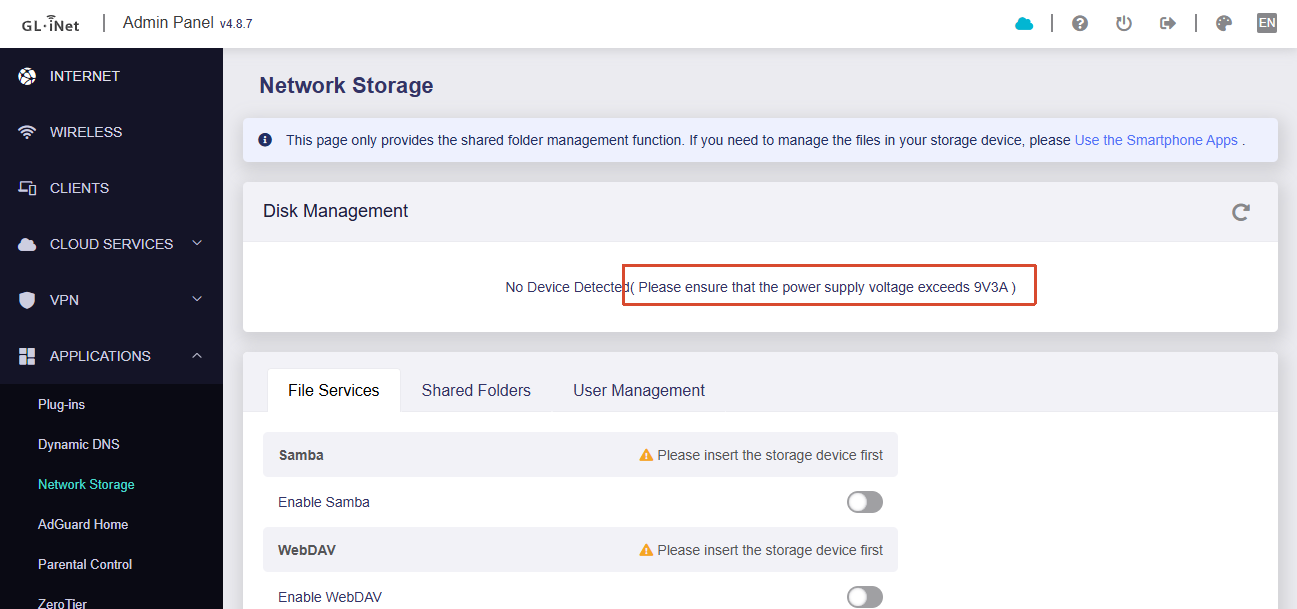
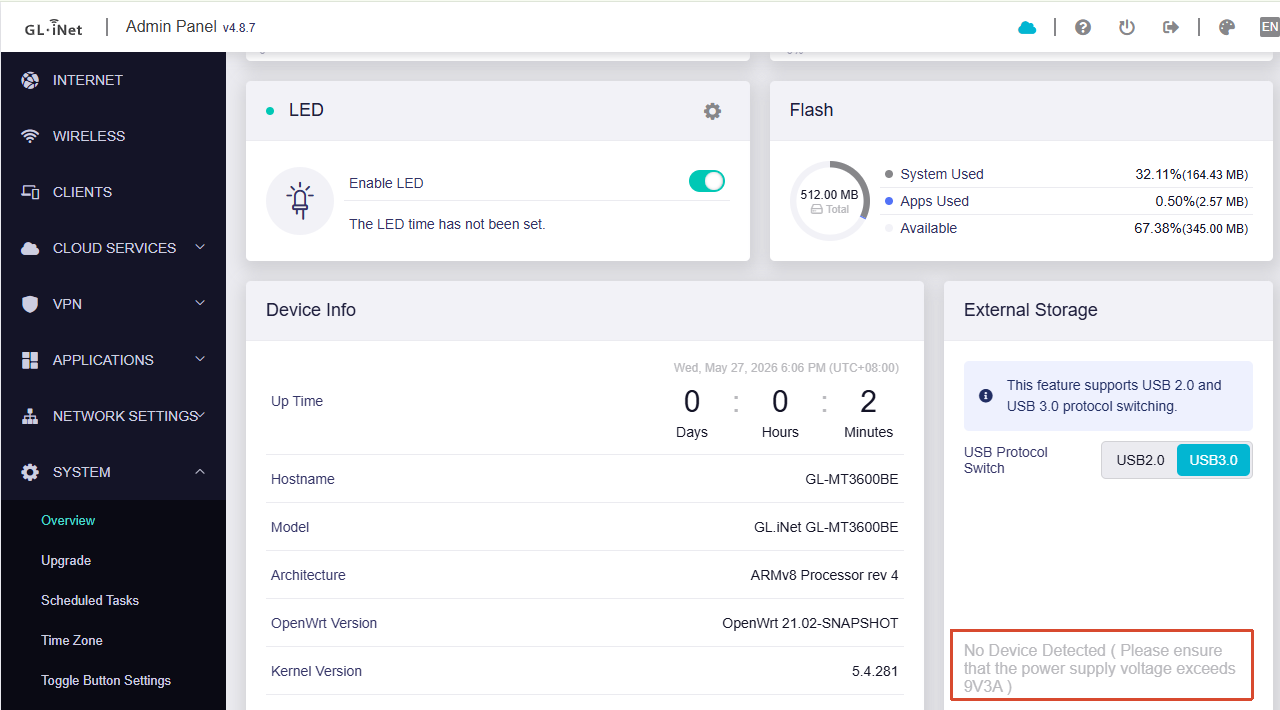
You can see the related tips under Admin Panel → Applications → Network Storage or System → Overview:
Solved!!! It was a power supply issue (at least for me).
I was using an Anker 65W PD 3-port block. Despite being rated at 65W total, the secondary 20W PD USB-C port did not supply sufficient voltage even with the other ports unused.
Switching to the original GL.iNet OEM adapter resolved it immediately. I also tested the Anker’s 65W primary 45W PD USB-C port and that works too - detected and mounted the SanDisk without issue.
The UI hint about "Please ensure that the power supply voltage exceeds 9V/3A" is accurate and I missed it completely thinking 20W PD was sufficient. If you're hitting this issue, check your power supply first before going down the firmware/driver rabbit hole that I did.
The vusb33 dummy regulator message in dmesg may still be worth investigating on the firmware side, but with adequate power everything works correctly.
Thanks Will for the quick response from the GL.iNet team. Rad to see you all so engaged.