Beryl 7 (GL-MT3600BE) - "Security Not Supported" UI block on eduroam (FT-WPA2/AES) - Firmware 4.8.4
Hello,
I am experiencing an issue attempting to connect my new Beryl 7 (GL-MT3600BE) to my university's eduroam network via the Repeater panel.
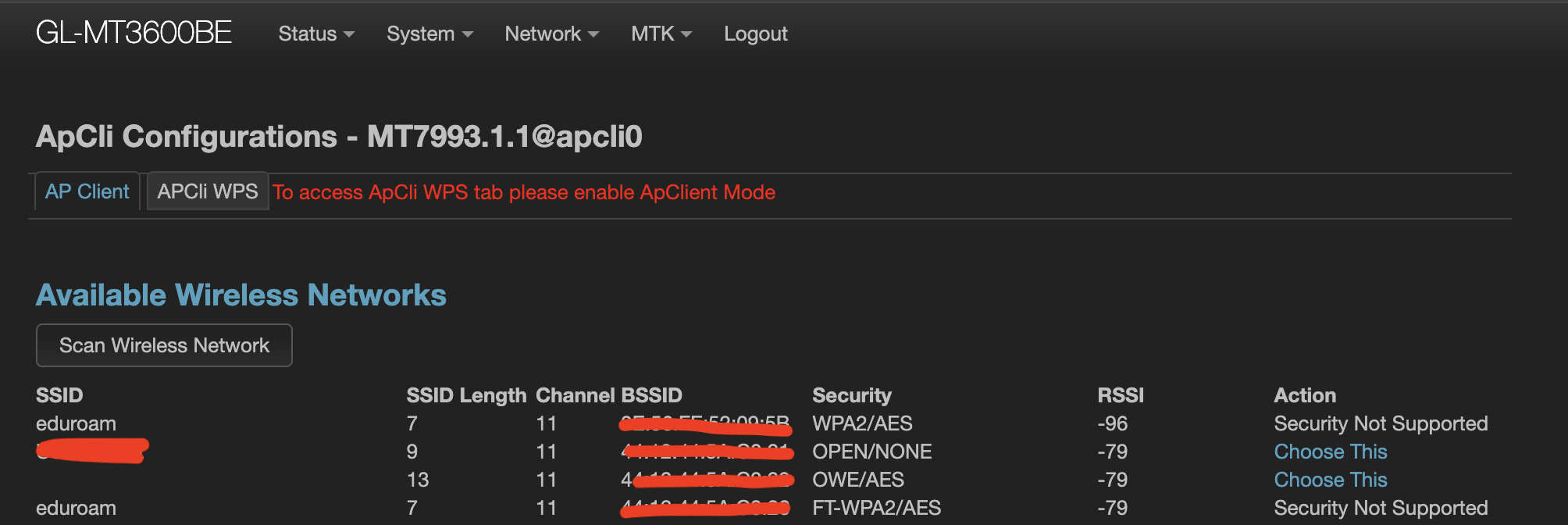
When scanning for wireless networks in the GL.iNet dashboard, eduroam appears only in the list on the 2.4GHz band. When looking into Luci→MKT→Wifi configuration it shows: eduroam security not supported.
Device & Firmware: GL-MT3600BE running v4.8.4.
However, my older Opal (GL-SFT1200) connects to 5ghz network instantly without any errors.
Thanks
1 Like
You mean the SFT1200 can successfully scan and connect to the upstream 5G eduroam WiFi, but the MT3600BE cannot?
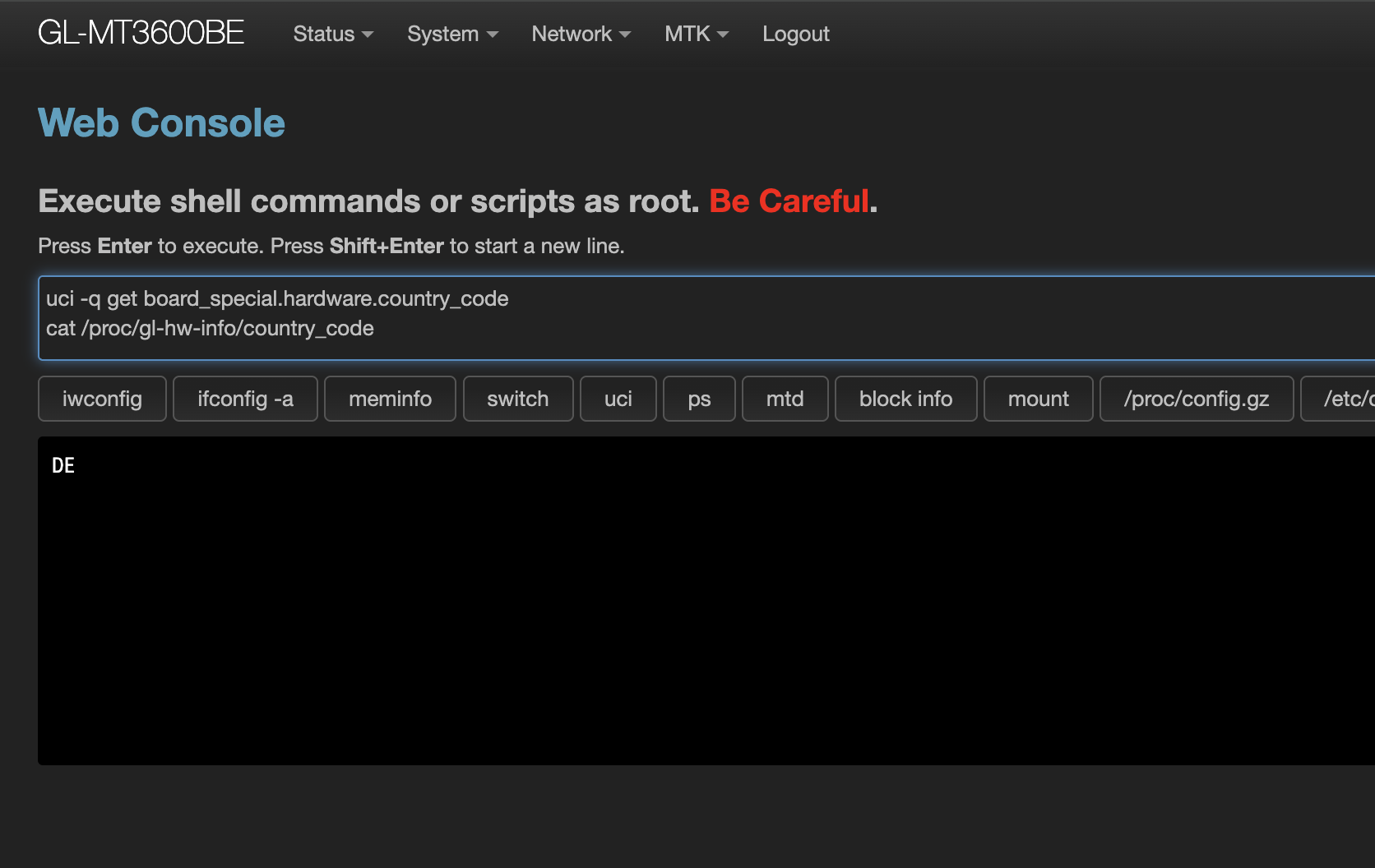
Are the country codes of the WiFi networks on your MT3600BE and SFT1200 the same?
What channel is the upstream WiFi network using when the SFT1200 successfully connects?
If the MT3600BE does not support this WiFi channel, please try changing the WiFi country code of the MT3600BE.
Thanks. I cannot find the option to change the country code for the Beryl7. I got it from Amazon UK and I’m trying to connect to Eduroam in the UK, but if I’m correct, the country is set to Germany? Could you please help me with this? Thanks.
You can try connecting to the router, accessing the SSH interface, and then executing the following command:
uci set wireless.MT7993_1_1.country='US'
uci set wireless.MT7993_1_2.country='US'
uci commit
sync
wifi reload
Then check if you can scan for the upstream 5G WiFi.
It's important to note that this command only enables driver support; the UI will not simultaneously display that these channels are supported.
Sorry, no. It did not solve the problem.
It seems I have the same problem described here: MT3600BE (Beryl 7) EAP support and LuCi - #14 by Authority
Beryl7 cannot handle correctly the fast transition. Any ideas? Thanks
Thank you for the update.
So the current issue is that you can scan for the upstream Wi-Fi, but you can't connect, right?
We'd like to know if your MT3600BE has a remote environment capability?
Could you please bind your device to GoodCloud and share it with us for confirmation?
Technical Support via GoodCloud - GL.iNet Router Docs 4
If possible, you can send me a private message or contact us via our technical support email to send us the device information.
Thank you very much.
I’m having the exact same problem. I hope this will help provide more context to this problem. In my experience connecting to eduroam using unconventional methods, this requires setting EAP type to TTLS. This is only possible using LuCi. However, unlike previous models, Beryl 7 use mediatek chip which does not provide `Network -> Wireless` and we cannot edit the config as stated in the official guide. The closest option is MTK which provides similar functionality. However, it says security is not supported under eduroam after scanning.
Please help us solve this issue.
Sorry.
The standard functionality of the MT3600BE does not currently support connecting to Wi-Fi networks such as EAP-TLS or EAP-TTLS.
Currently, only devices with open-source firmware, such as the MT3000, MT6000, AXT, and AX1800, support manual connection setup via LuCI.
We are working on the analysis to see if support can be implemented.
However, this may take some time.
1 Like