Home and Guest Wi-Fi Newtok are built-in features.
For VPN networks, please SSH into the router and run the following command to create:
# Add new bridge device for VPN networks
uci add network device # =cfg1b0f15
uci set network.@device[-1].type='bridge'
uci set network.@device[-1].name='br-vpn'
uci set network.@device[-1].bridge_empty='1'

# Configure a static address for the VPN network bridge device
uci set network.VPN=interface
uci set network.VPN.proto='static'
uci set network.VPN.device='br-vpn'
uci set network.VPN.ipaddr='192.168.11.1'
uci set network.VPN.netmask='255.255.255.0'

# Configure DHCP for the VPN interface
uci set dhcp.VPN=dhcp
uci set dhcp.VPN.interface='VPN'
uci set dhcp.VPN.start='100'
uci set dhcp.VPN.limit='150'
uci set dhcp.VPN.leasetime='12h'
uci set dhcp.VPN.dhcpv6='disabled'
uci set dhcp.VPN.ra='disabled'

# Add new VPN firewall zone
uci add firewall zone # =cfg24dc81
uci set firewall.@zone[-1].name='vpn'
uci set firewall.@zone[-1].output='ACCEPT'
uci set firewall.@zone[-1].forward='REJECT'
uci set firewall.@zone[-1].input='ACCEPT'
uci add_list firewall.@zone[-1].network='VPN'

# Allow forwarding from VPN zone to OpeVPN or WG VPN
uci add firewall forwarding # =cfg25ad59
uci set firewall.@forwarding[-1]=forwarding
uci set firewall.@forwarding[-1].src='vpn'
uci set firewall.@forwarding[-1].dest='ovpnclient1'


uci add firewall forwarding # =cfg25ad58
uci set firewall.@forwarding[-1]=forwarding
uci set firewall.@forwarding[-1].src='vpn'
uci set firewall.@forwarding[-1].dest='wgclient1'

# Add new SSID to VPN networks

uci set wireless.vpn2g=wifi-iface
uci set wireless.vpn2g.device='mt798111'
uci set wireless.vpn2g.network='VPN'
uci set wireless.vpn2g.mode='ap'
uci set wireless.vpn2g.ifname='ra1'
uci set wireless.vpn2g.encryption='psk2'
uci set wireless.vpn2g.key='goodlife'
uci set wireless.vpn2g.ssid='GL-MT3000-809-vpn'
uci set wireless.vpn2g.vpn='1'
uci set wireless.vpn2g.disabled='1'
uci set wireless.vpn2g.wds='1'
uci set wireless.vpn2g.isolate='1'
uci set wireless.vpn2g.hidden='0'
uci set wireless.vpn2g.disabled='0'


uci set wireless.vpn5g=wifi-iface
uci set wireless.vpn5g.device='mt798112'
uci set wireless.vpn5g.network='VPN'
uci set wireless.vpn5g.mode='ap'
uci set wireless.vpn5g.ifname='rax1'
uci set wireless.vpn5g.encryption='psk2'
uci set wireless.vpn5g.key='goodlife'
uci set wireless.vpn5g.ssid='GL-MT3000-809-5G-vpn'
uci set wireless.vpn5g.vpn='1'
uci set wireless.vpn5g.wds='1'
uci set wireless.vpn5g.isolate='1'
uci set wireless.vpn5g.hidden='0'
uci set wireless.vpn5g.disabled='0'

uci commit
reboot
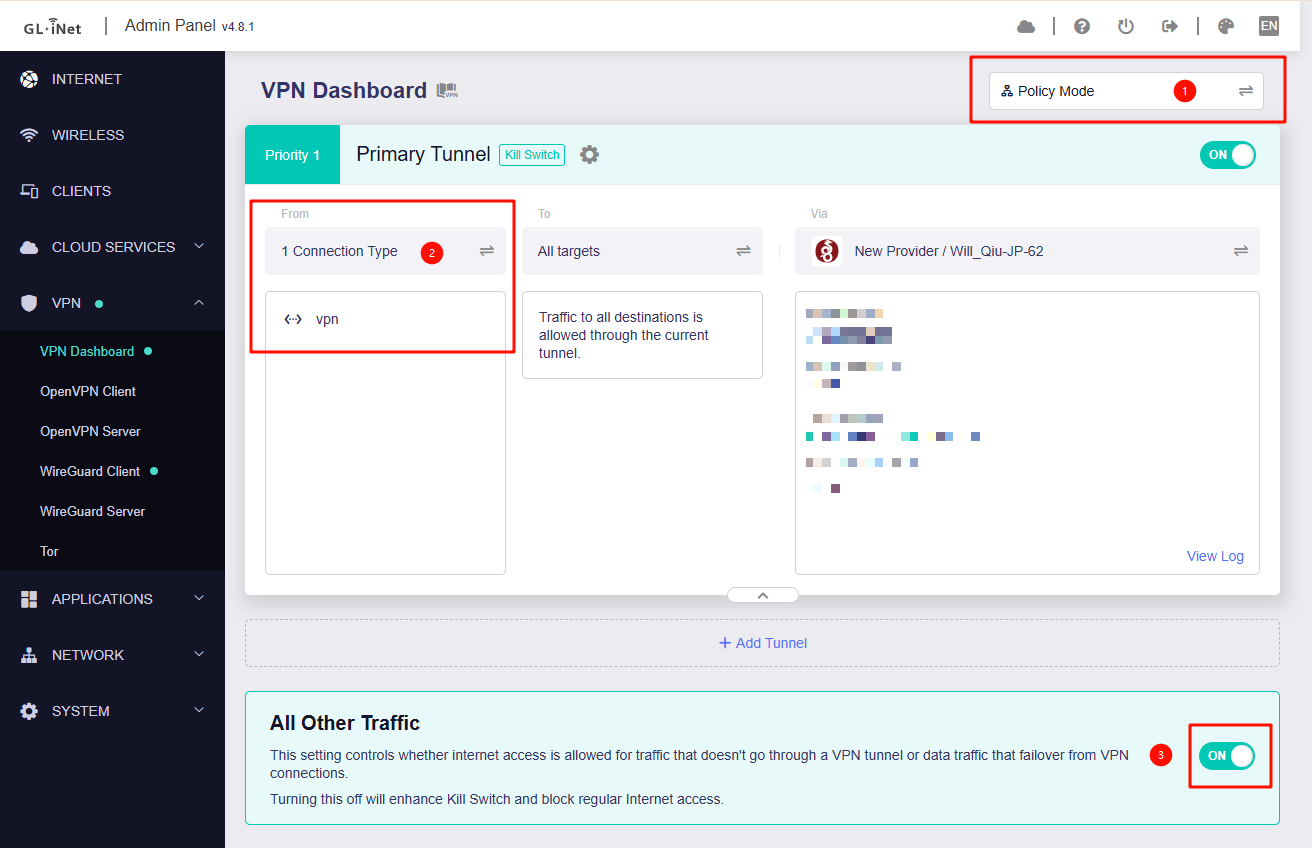
Then you can use VPN Policy mode to make only the devices connected to VPN SSID to use VPN.