***Deleted and re-posted due to typo in model name - oops!***
I’ve got an GL-X3000 that’s been at a remote site since early summer last year - 2025. We use these for weather cameras for a TV station. Modem is in a closet in a building, so no crazy environmental stuff. A couple of months ago, it went offline. When I got out there, it had forgotten all config. Like a factory default, but no one touched it. I reconfigured, and loaded the OVPN config. This past week, just before a major winter storm where it would have been great to have that camera, it went offline again. Got out there Sunday, and all it did was showed 2.4ghz wifi led blinking. Power cycled, same. Swapped it for another pre configured router. Got back to shop. Power light comes on, but no real boot. If LAN port is connected, it 2.4 ghz wifi blinks. Default button doesn’t help.
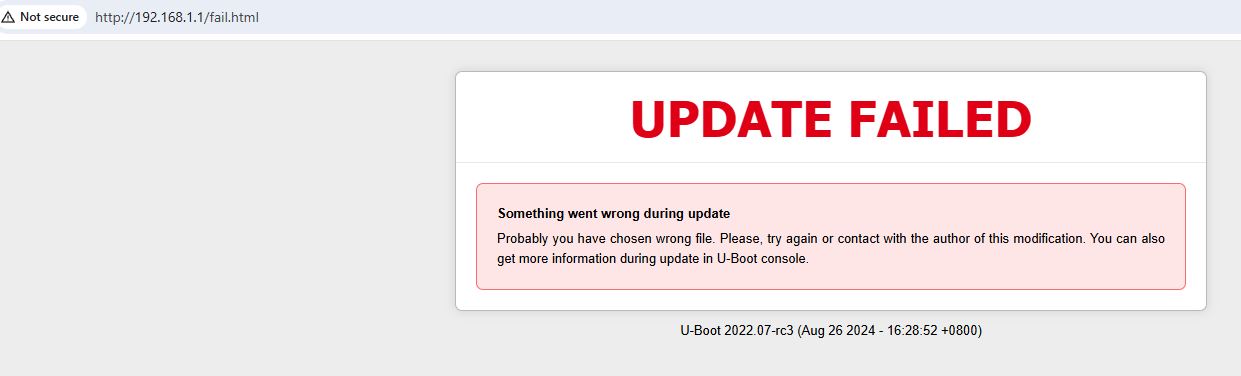
From past posts, it appears that this has blown it’s firmware. Tried unbricking. It takes the file when I send it, but fails while updating. The wifi lights on the router flash like it’s working, then they stop, and the failed message pops up. I’ve tried several versions between 4.0.x to 4.7.4 including renaming to a short name like openwrt.bin as suggested, Still fails. Other prior message suggested flashing uboot. That fails the same way - also renamed to uboot.bin. That also failed.
Anyone got any other tricks? Router is less than a year old. Sent email and filled out the web form on GL’s page. No response yet, but we’ll see. These are supposed to have a two year warranty.
The uboot version I downloaded and was trying to use was listed at this post:
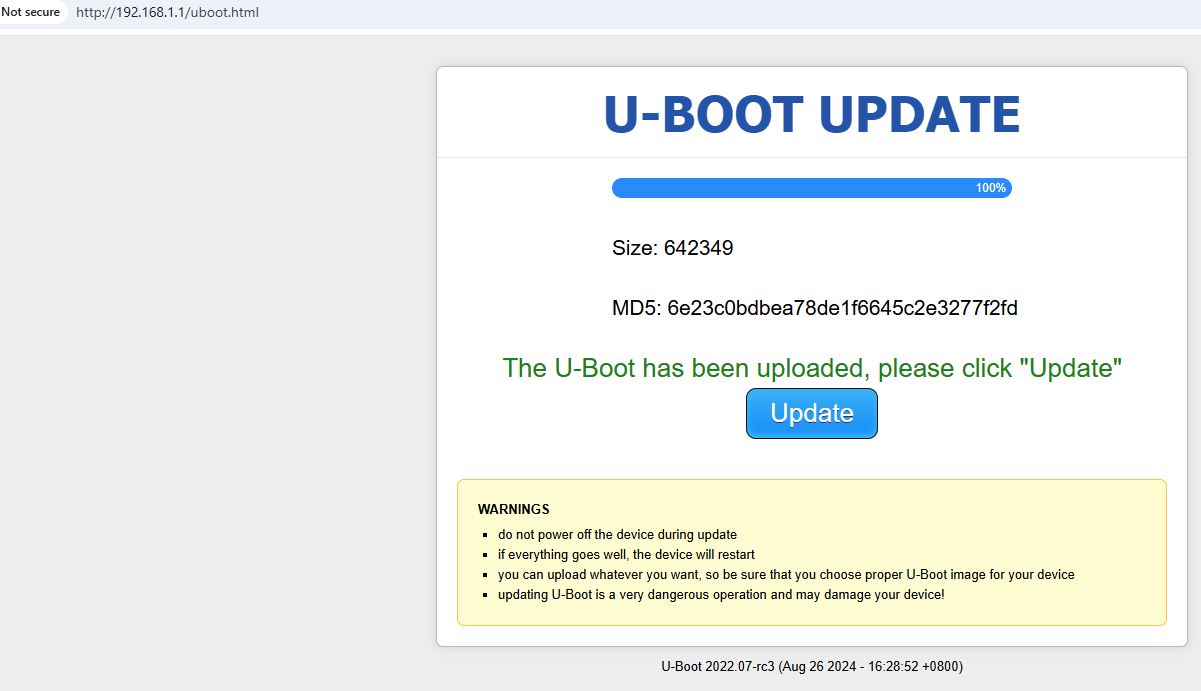
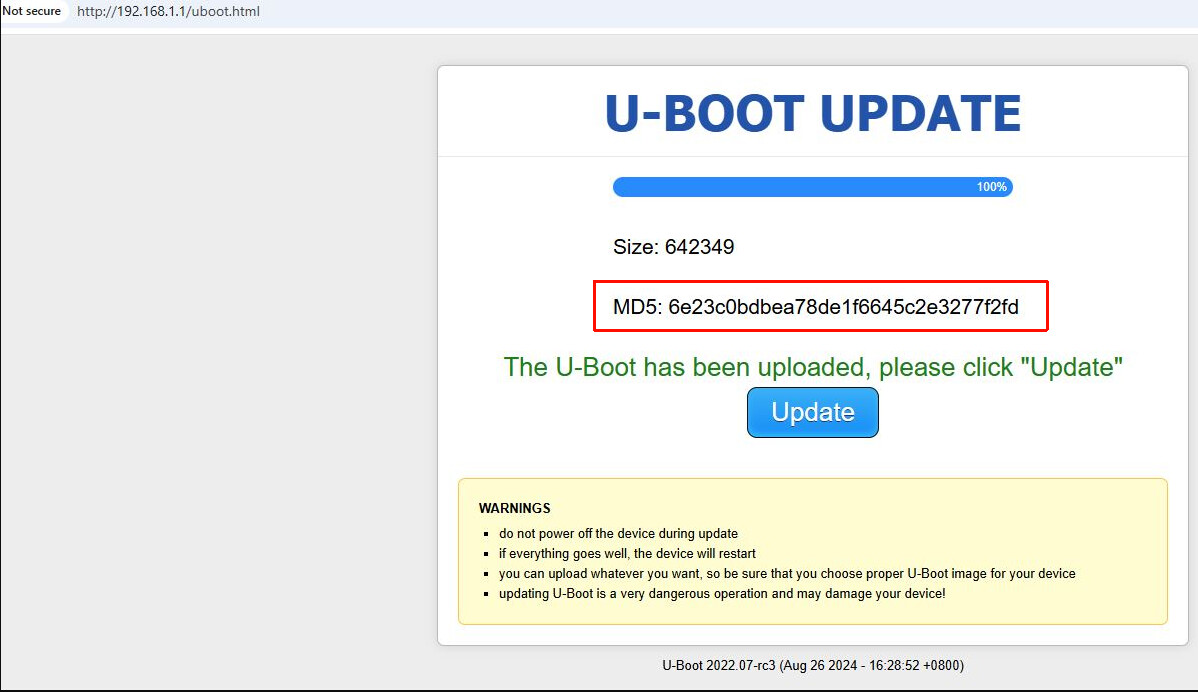
The MD5 of the file that I downloaded from that link is exactly what was displayed when uploaded to the router.
certutil -hashfile uboot.bin md5
MD5 hash of uboot.bin:
6e23c0bdbea78de1f6645c2e3277f2fd
I guess what you are saying is that the U-Boot version at that post by Bruce is bad? I’m only trying to flash U-Boot because the router seems to have corrupted it’s firmware, and refuses to allow me to re-flash firmware. The suggestion was made in that post that if you can’t flash the firmware using U-Boot, try updating the U-Boot first.
Is this version of U-Boot something different than that post, and is flashing it, going to help resolve the inability to flash the actual firmware? The question still remains as to why this router lost it’s firmware load, and also why it defaulted itself a couple of months ago without anyone touching it.
Is that what the linked product bulletin is addressing? Do I need to actually go and re-flash the U-Boot on the other X-3000 units that I have in use at remote sites or else they may do the same thing where they lose their firmware? Is there a way to determine what version U-Boot is on the unit while it’s running from either the web interface, or the CLI so I can determine if I have to go out and flash the U-Boot? What version needs to be on the unit? I’ve bought and deployed several of them since this March 2025 product bulletin. Would those have the new U-Boot on them already?
Yes, please try the U-Boot download link that I provided earlier, as well as the links included in the post below.
Some older devices may require a different U-Boot file.
If you continue to experience problems, please email cs@gl-inet.com for after-sales support.
The notice I shared and the forum post above refer to the issue you are currently experiencing.
After flashing the specified U-Boot and upgrading the device firmware to the required version or later, the issue should not occur again.
It is not possible to determine via the CLI or Web UI whether the U-Boot or firmware needs to be updated.
Devices that shipped with v4.7.4 preinstalled do not require an update.
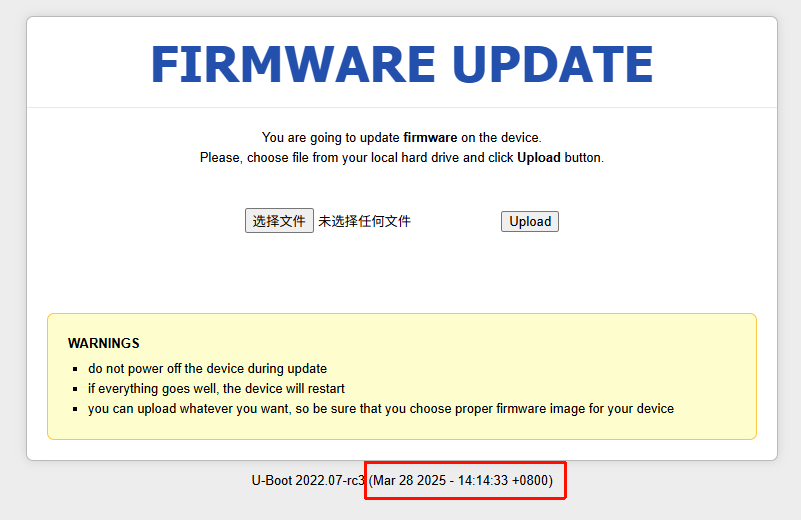
You can access the U-Boot interface and check the version number there to confirm this.
I am unfortunately having the exact same issue, it seems my Spitz AX is bricked. I can get into recovery but any of the uboot or firmwares I try to upload that are linked here, fail.
My uboot version seems old, It’s U-Boot 2022.07-rc3 (Mar 09 2023 - 16:20:34 +0800)
Model is GLX3000NR / X004506DOJ. Do you have any tips ? i have tried all files on this thread.
Sorry for the late reply—we’ve just returned from the Chinese New Year holiday.
If you’ve already tried the mentioned U-Boot/firmware and used the correct U-Boot URL (http://192.168.1.1/uboot.html, not http://192.168.1.1/) but it still doesn’t work, please contact cs@gl-inet.com for after-sales support.