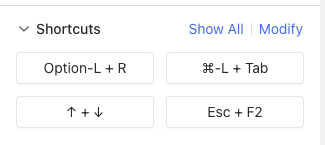
When connecting to a remote machine via the browser-based client and pressing full screen, system-level keyboard shortcuts (like Alt+Tab, Win+R, and the Windows Key) are captured by the local machine instead of being sent to the remote machine.
Steps to Reproduce:
-
Connect to a remote machine using the browser client (not the GLKVM Cloud app)
-
Press
Alt+Tab,Win+R, or theWindows Key -
Observe that these shortcuts are handled by the local machine
Expected Behavior: Keyboard shortcuts should be forwarded to the remote machine, similar to how the GLKVM Cloud app behaves.
Actual Behavior: Shortcuts are intercepted by the local browser/OS and never reach the remote machine.
Workaround: Currently works as expected when using the GLKVM Cloud app instead of the browser client to connect directly by local network.
Solution:
- Please add option to the GLKVM app to connect remotely via LAN
- Pressing full screen button should force shortcuts to pass to remote machine