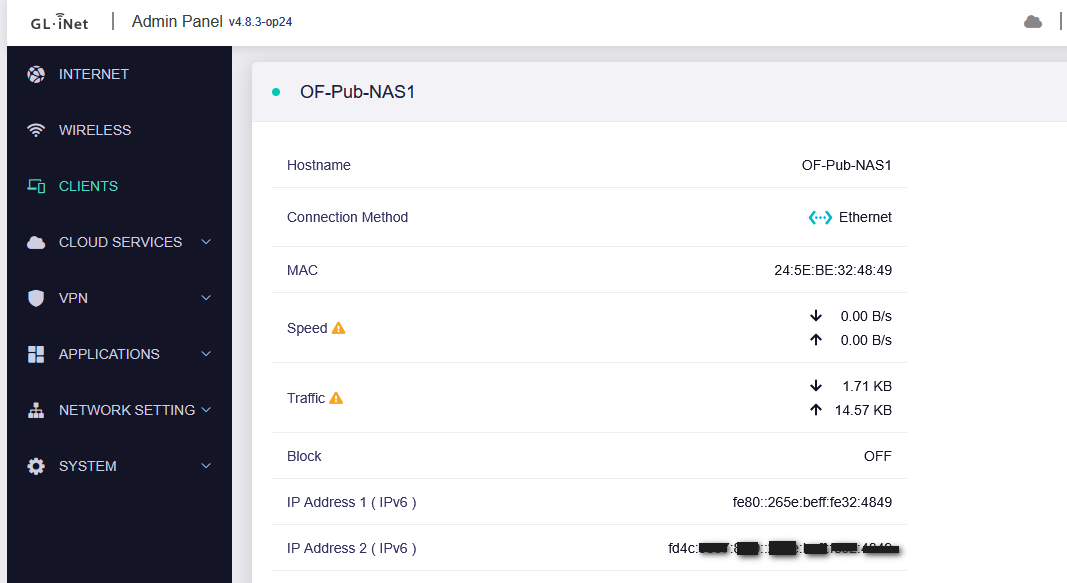
A NAS was given an IPv4 address but the Clients display shows an IPv6 address. An NSLOOKUP of the host name returns the IPv4 address. An NSLOOKUP of the displayed IPv6 address returns an Unknown Domain error.
Another possible bug (and perhaps a dumb user error): Two other NAS devices were given IPv6 addresses. These do not appear in the Clients list. Also, I want them to have IPv4 (or both IPv4 and IPv6) addresses. I can see no way to control this.
This is weird. The detailed display shows two IPv6 addresses but no IPv4 address. The device is reachable via the (unshown) IPv4 address. The device is also reachable (at least PINGable) by the non-Link Local I{v6 address. (I don’t know what to call that address.) The device in not reachable by the display Link Local address. NSLOOKUP issued on Windows does not know either of the IPv6 addresses but does know the (unshown) IPv4 address. I suspect this will clear up if I reboot the router, but that would end any diagnostic work.
I had to reboot twice to solve a different problem. This display error survived the two reboots. It probably has something to do with the NAS and doesn’t seem to effect anything other than the display, but it is odd (and persistent).
I’ve swapped the routers again so I’m now using the MT6000 again, but it’s after midnight here and I’m going to bed. I probably won’t get to the GoodCloud thing until at least mid morning.
BTW, I rebooted the MT6000 and briefly the Clients display showed IPv4 address for a while but it then went back to the IPv6 addr.
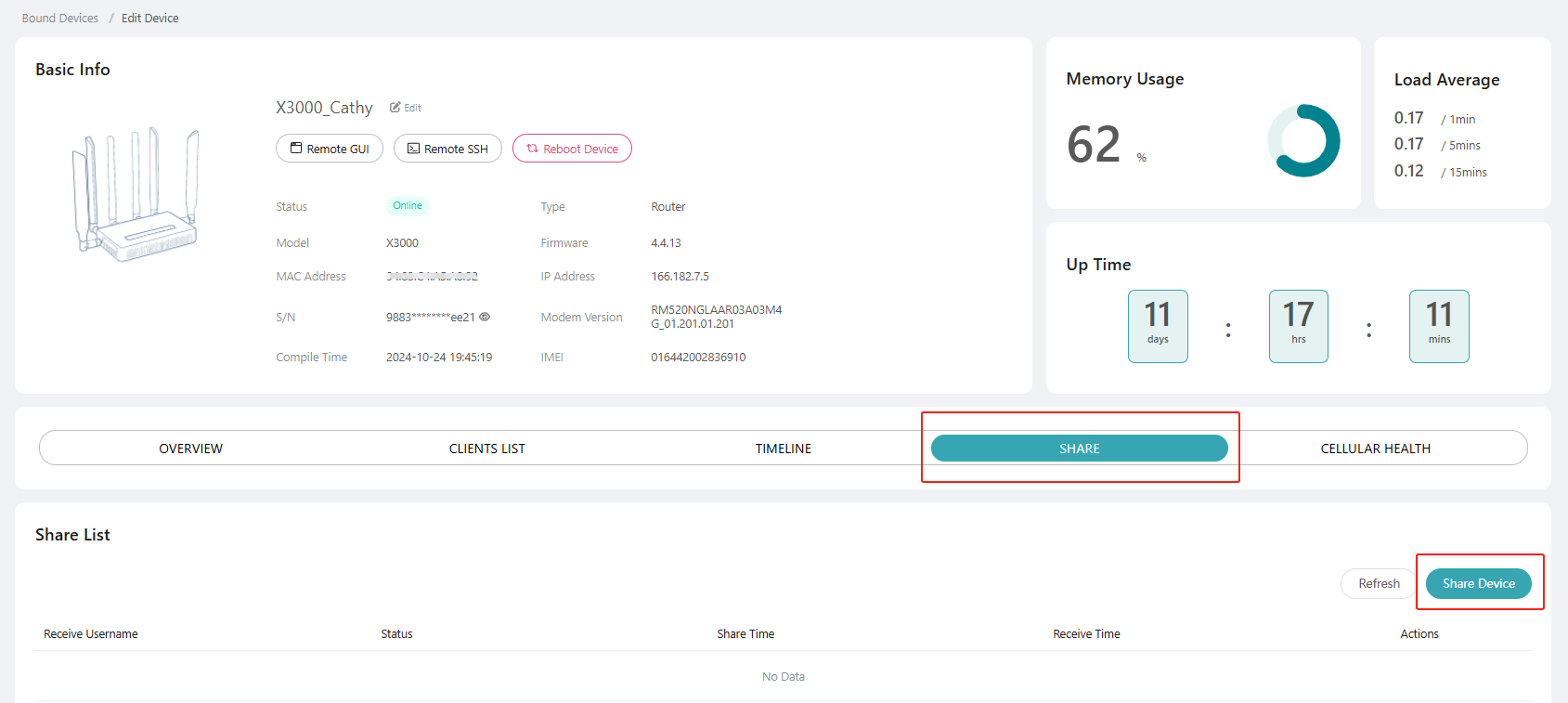
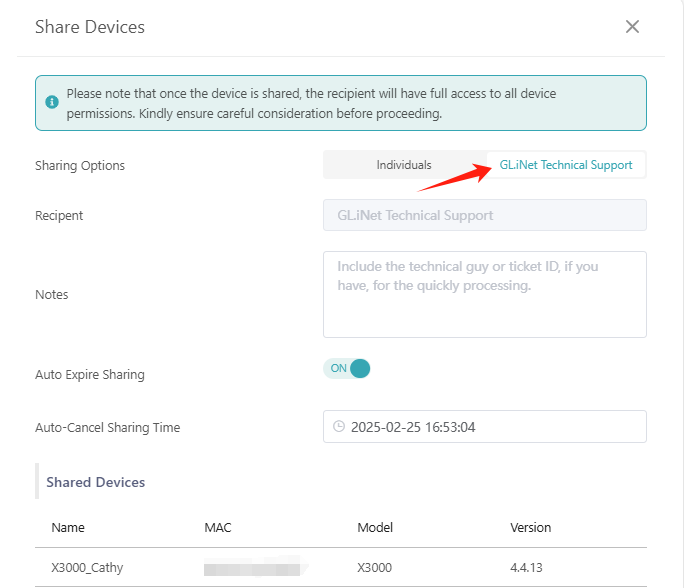
I’m having problems with GoodCloud setup. I need a GLiNet account (which is apparently separate from this forum account). The sign up process does not like something about my email address. It also wants a verification code that (I guess) gets sent to my email.
I’ll try another email address, but I doubt that will help.
The GoodCloud instructions also instructions I don’t know how to follow:
Before sharing your device with GL.iNet technical support, please ensure your router has an additional Internet connection for stability. Set up an Ethernet or Repeater connection as a failover backup and ensure it works properly.
I have only one internet connection and the router uses it. I can go back to my ASUS router and put the GL router down-stream from it (with all of my LAN devices except my PC still attached to the GL router) but that doesn’t give the GL router any fallback internet connection. It just gives me internet connection if you reboot the router.
Om Mondays I run backups to/from devices on my LAN. It will be hours before I can reconfigure my network if that’s really needed.
This issue is caused by certain devices sending high-frequency IPv4 ACD, resulting in abnormal client list displays (toggling between IPv4 and IPv6 addresses).
We have submitted this to the R&D department and a fix is planned.