Can I setup a Flint 2 as our master router, with two Slate AXs as secondary ethernet/Wi-Fi access points at opposite ends of our brick-partitioned office, both connected to the master via ethernet?
I would then like to set all three routers as a separate WiFi access point with the same SSID for seamless WiFi handover. Plus add a NAS and a doorbell. I do not want mesh.
Is this conceptually possible with this hardware please? If so, is there an easy setup guide?
Use Access Point (AP) Mode: Since the Slate AX will be connected to the Flint 2 via Ethernet (WAN port), you can configure it to AP Mode. This avoids creating a separate subnet and prevents issues when accessing your NAS or discovering IoT devices across the network.
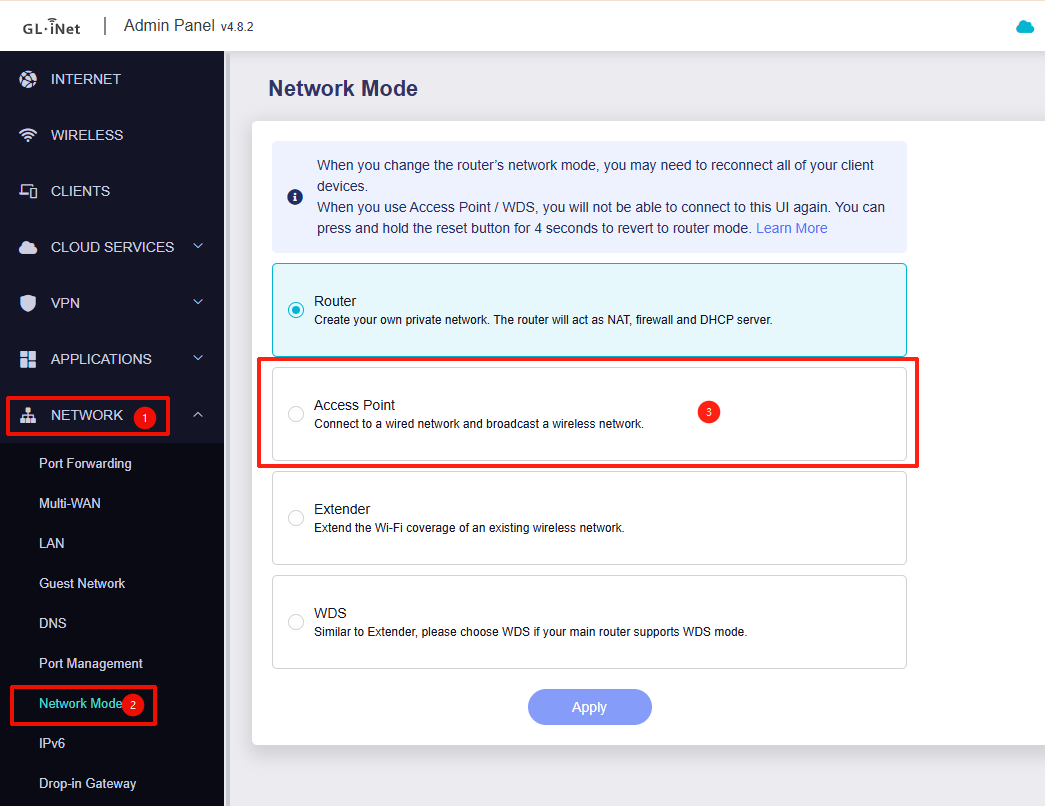
To set this up, simply connect the Slate AX's WAN port to a LAN port on the Flint 2, then go to Admin Panel -> Network -> Network Mode and select Access Point.
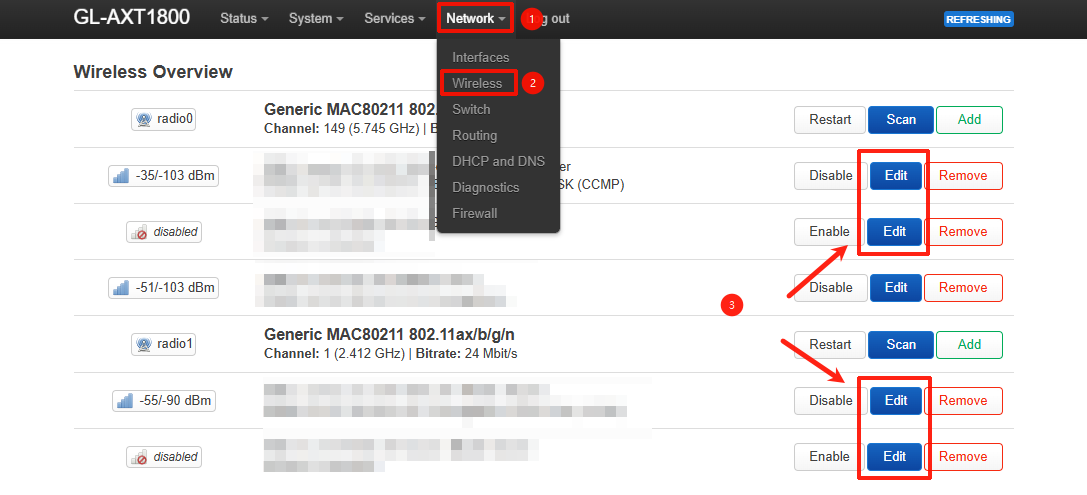
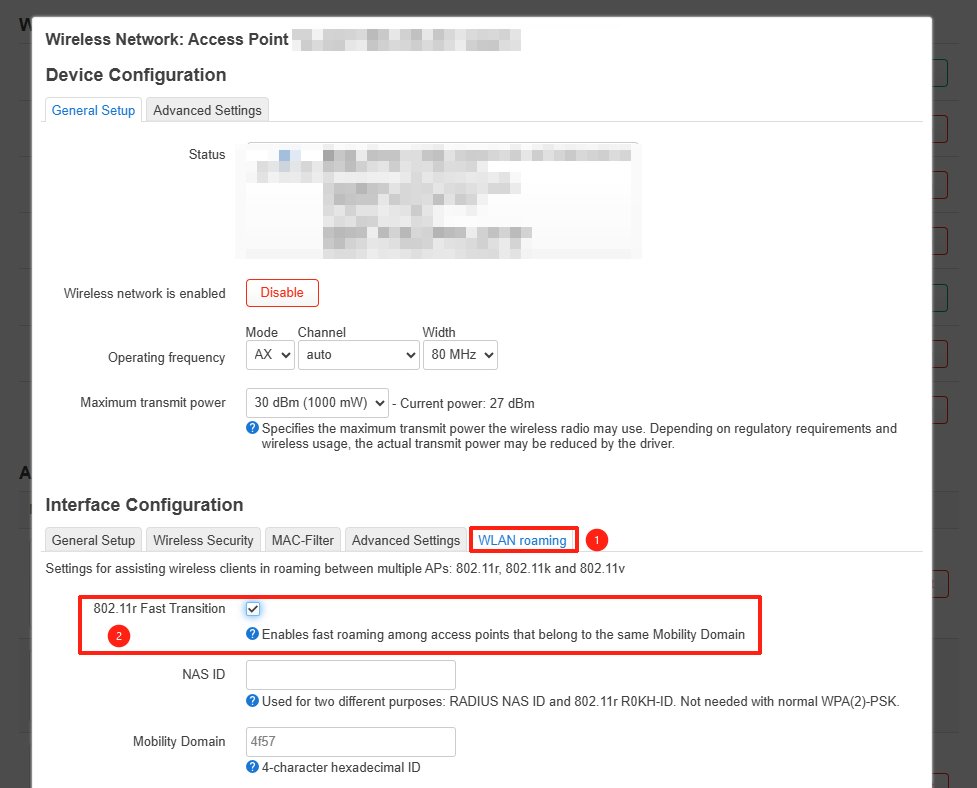
Optimize for Seamless Roaming: For a seamless roaming experience, you should configure all three routers with the same SSID and ensure 802.11k/v/r is enabled. By default, 802.11k/v are usually active and provide a good roaming experience. However, if you encounter issues, you can manually enable 802.11r Fast Transition:
I would add the following notes for anyone doing the same setup with similar GL.inet equipment fresh out of the box:
· The Flint 2 or other main router should be setup as normal first via ethernet, with the SSID being set to the name for the whole network.
· Each Slate 2 access point should then setup via ethernet, and when prompted during initial setup, given the same SSID as the main router.
· Different SSIDs should be different for the 2.4GHZ and 5GHz networks – i.e. maintain a “-5G” suffix.
· As of the latest main firmware, the ‘802.11r Fast Transition’ and ‘WLAN Roaming’ is not available. Therefore, the latest OP24 firmware should be used, which does have this option.
After all of this, the most important step required in order to ensure regular, instant and seamless Wi-Fi handover between access points is to install on your and devices:
· Android – SmartWiFiSelector to force mobile phone switching, and Wifiman to monitor.
· Windows – Winfinian (or similar) to force laptop switching.
Without these apps, devices will not switch, because Android and Windows is of course designed to cling onto weak signals.
With these steps covered, the end result is a rapidly switching Wi-Fi network superior to any mesh.