Hi,
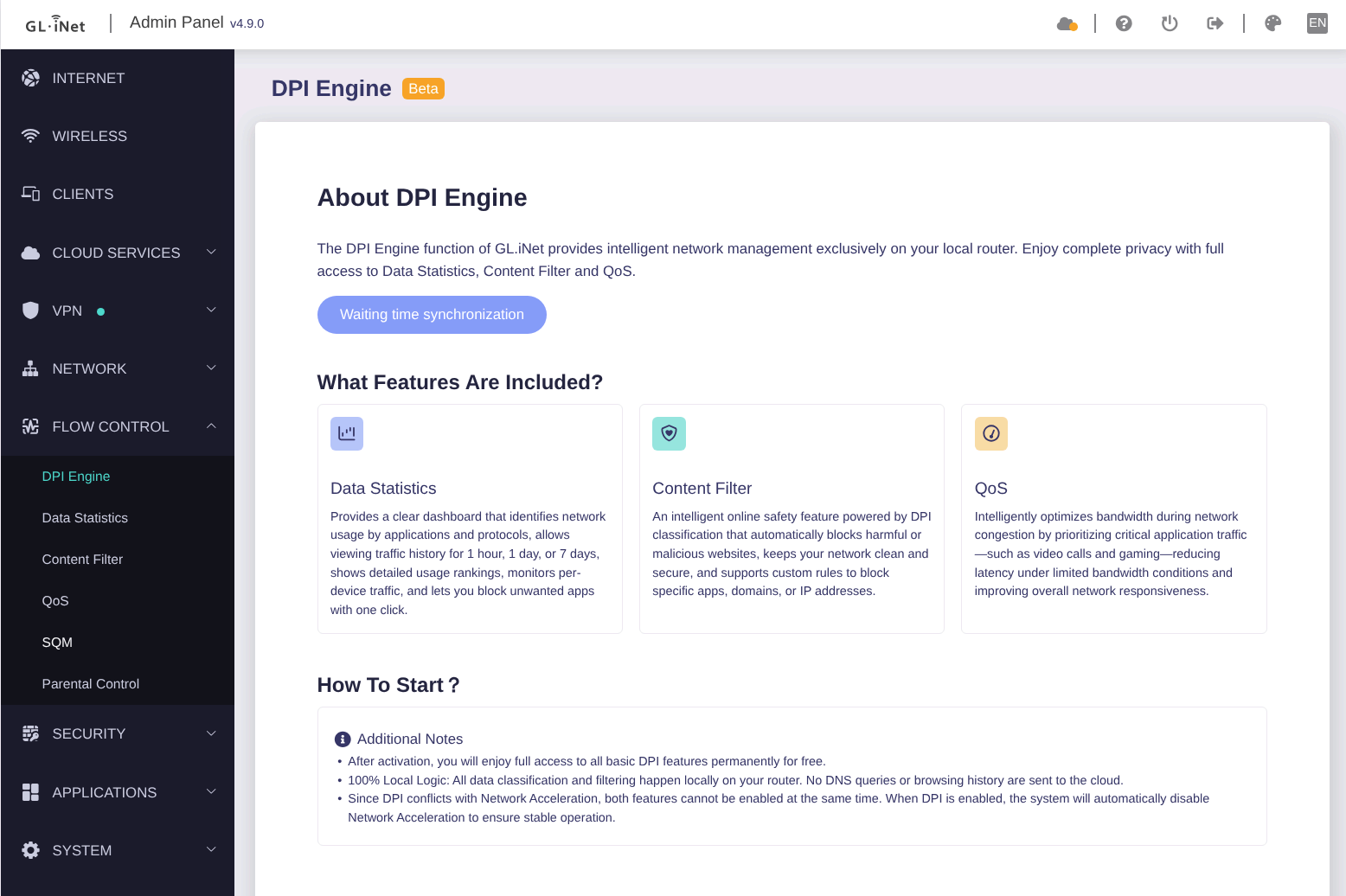
I can not activate DPI. I only see “Waiting time synchronization” where the activation button should be. Already rebooted and disabled Adguard. Any ideas? Thanks.
Hi,
I can not activate DPI. I only see “Waiting time synchronization” where the activation button should be. Already rebooted and disabled Adguard. Any ideas? Thanks.
Sounds like the time sync is failing, perhaps the default/configured time servers are not reachable from your device for some reason?
Whats in the system/kernel logs about time sync, if anything?
No, but I found this:
Wed May 27 12:49:23 2026 daemon.info netifyd[30040]: netify-proc-flow-actions: Exception error while opening license: /etc/netifyd/license.json: No such file or directory
Netify is the DPI service they use from what I know
Having the same issue on my Flint 3. Timezone and time settings are correct. I tried rebooting, but still the same “waiting time synchronization” under DPI Engine.
Hi,
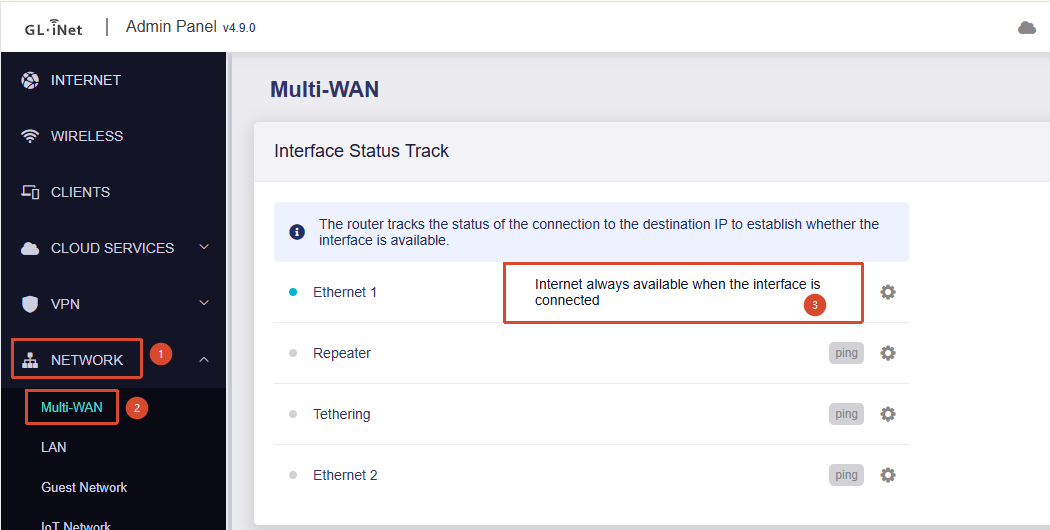
Please check whether Interface Status Track is currently disabled for the WAN interface in use under Admin Panel → Network → Multi-WAN.
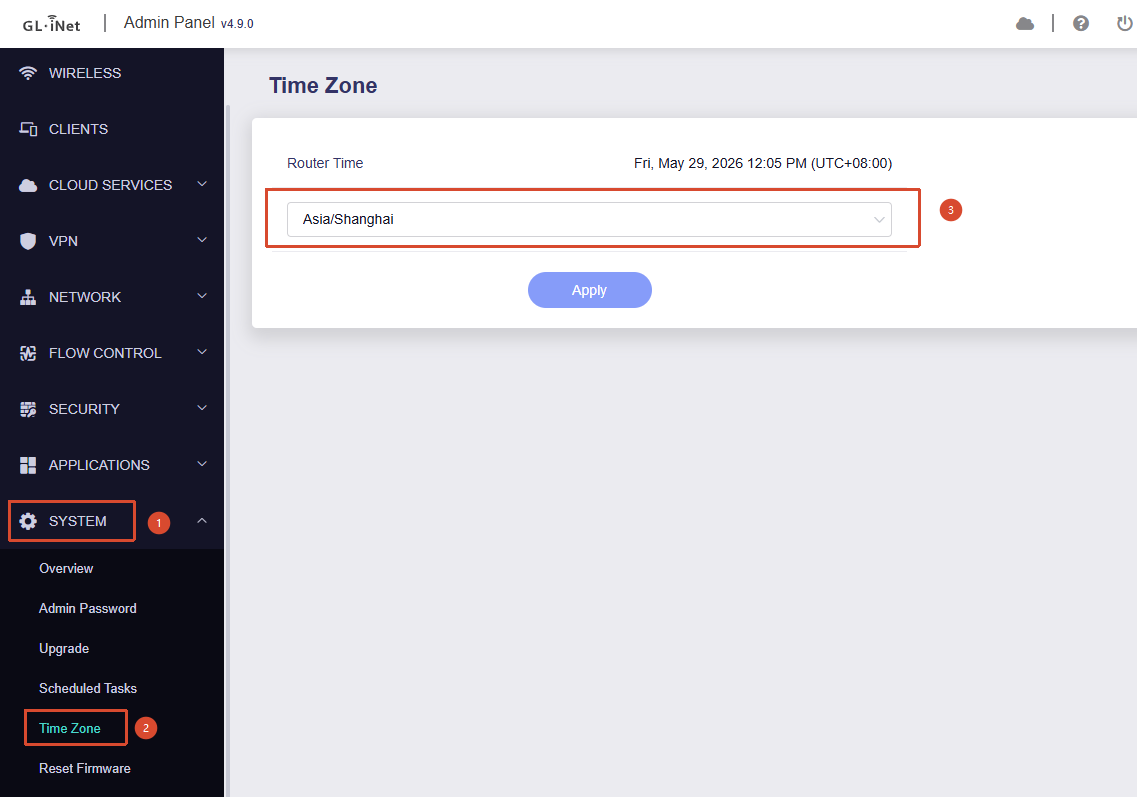
If it is disabled, please go to System → Time Zone and temporarily switch to any other time zone (you can switch it back to the correct one afterward) and see whether that resolves the issue.
If the issue persists, please temporarily enable the corresponding WAN interface in Multi-WAN, confirm that DPI is working normally, and then disable it again afterward.
I had to enable Interface Status Track for the Wan, then ist worked. Thanks.
That fixed it for me. Thanks