Next Newb Question:
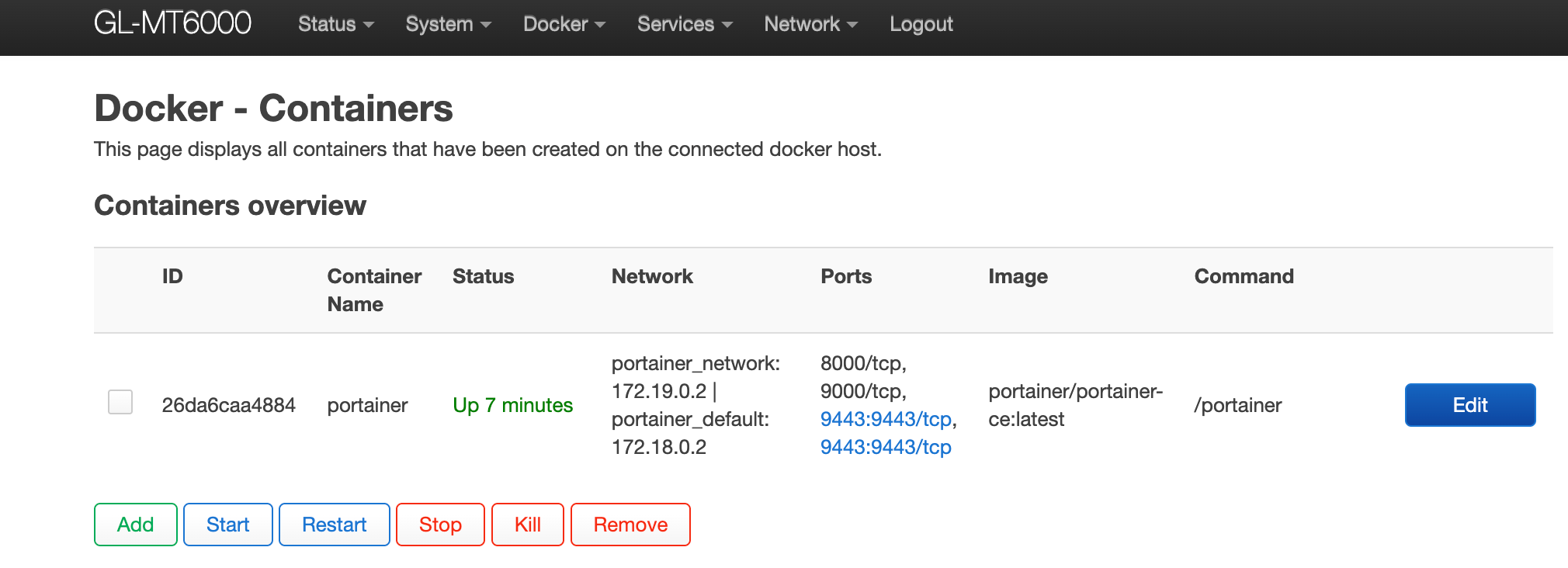
I installed docker and got some containers running, but I cannot access them via browser. It is probably some sort of firewall/routing thing I haven’t done properly. Any clues?
Next Newb Question:
I installed docker and got some containers running, but I cannot access them via browser. It is probably some sort of firewall/routing thing I haven’t done properly. Any clues?
You can check if this works for you:
create a firewall traffic rule where lan is your src, and docker0 is your destination and check.
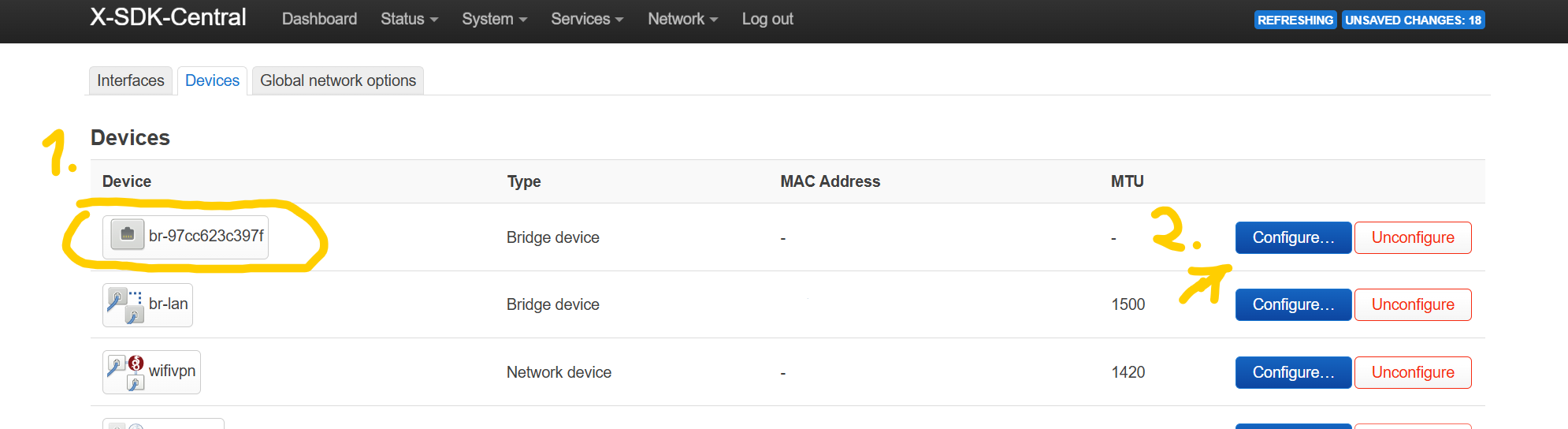
It is also possible docker created a new bridge, go to network -> interfaces -> devices to verify you will see namings like: br-873A2F
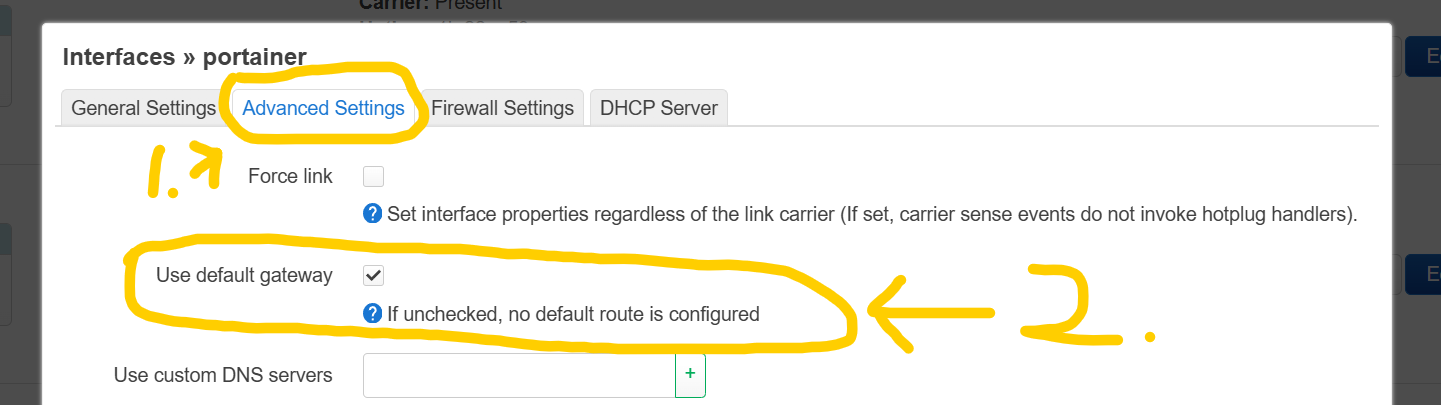
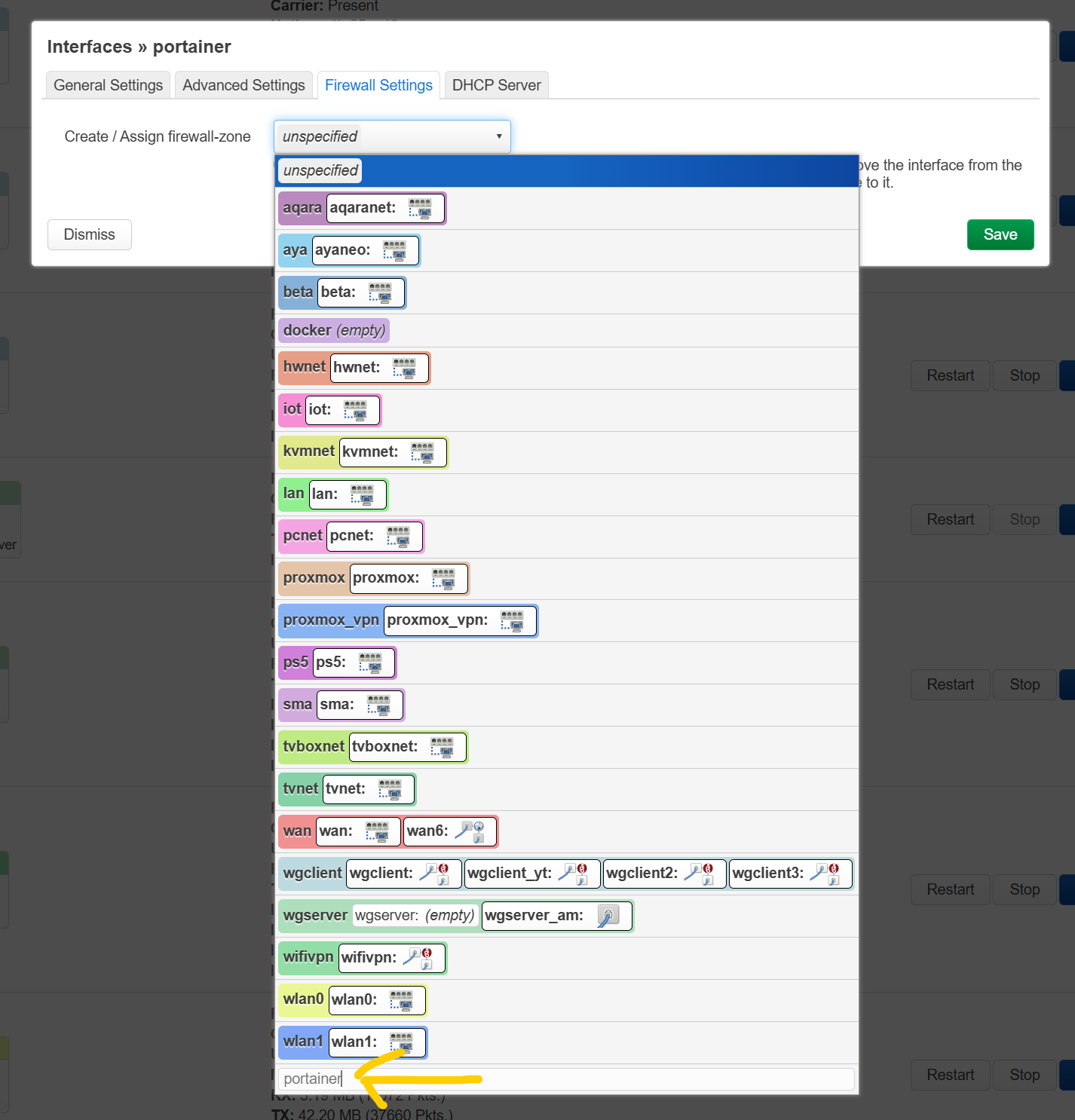
You need to create a new interface with unmanaged as protocol, make sure in the advanced tab default gateway is unchecked because you don't want it to act as a default gateway like wan, create a new firewall zone under the firewall tab, and then save and apply.
Only edit the newly created firewall zone and set input to accept.
That should work 
What screen do I used to set that up? I’m new to the web interface for both the router and luci.
In luci:
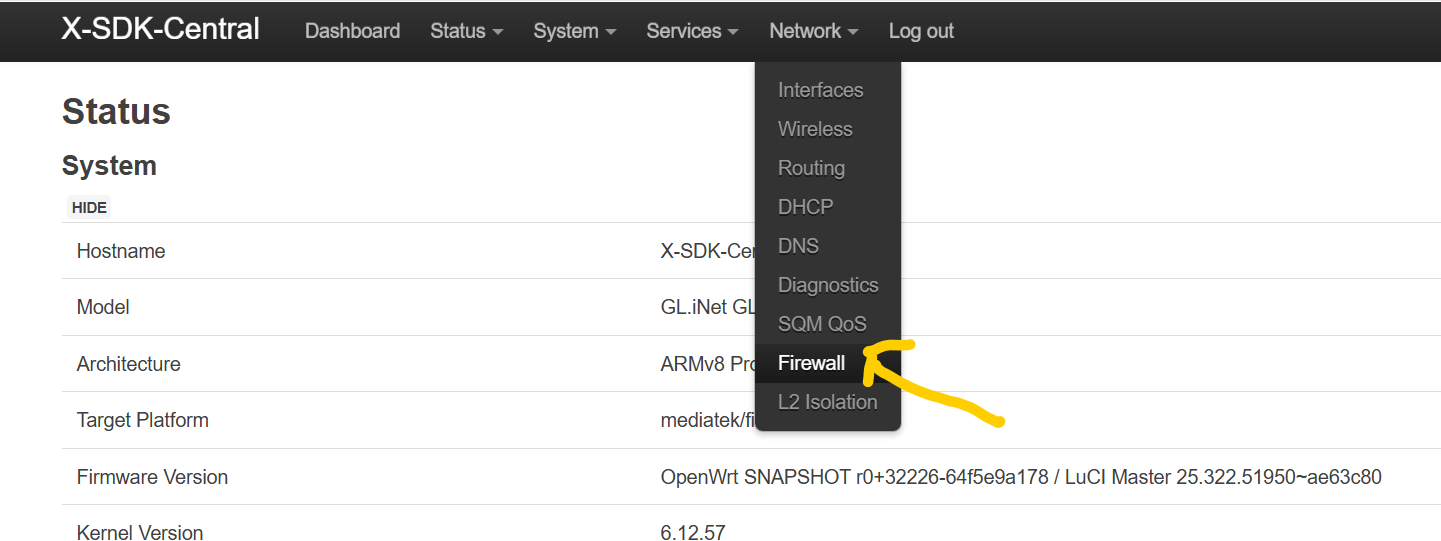
Navigate to network -> firewall.
there you have the zones but also the tab firewall rules.
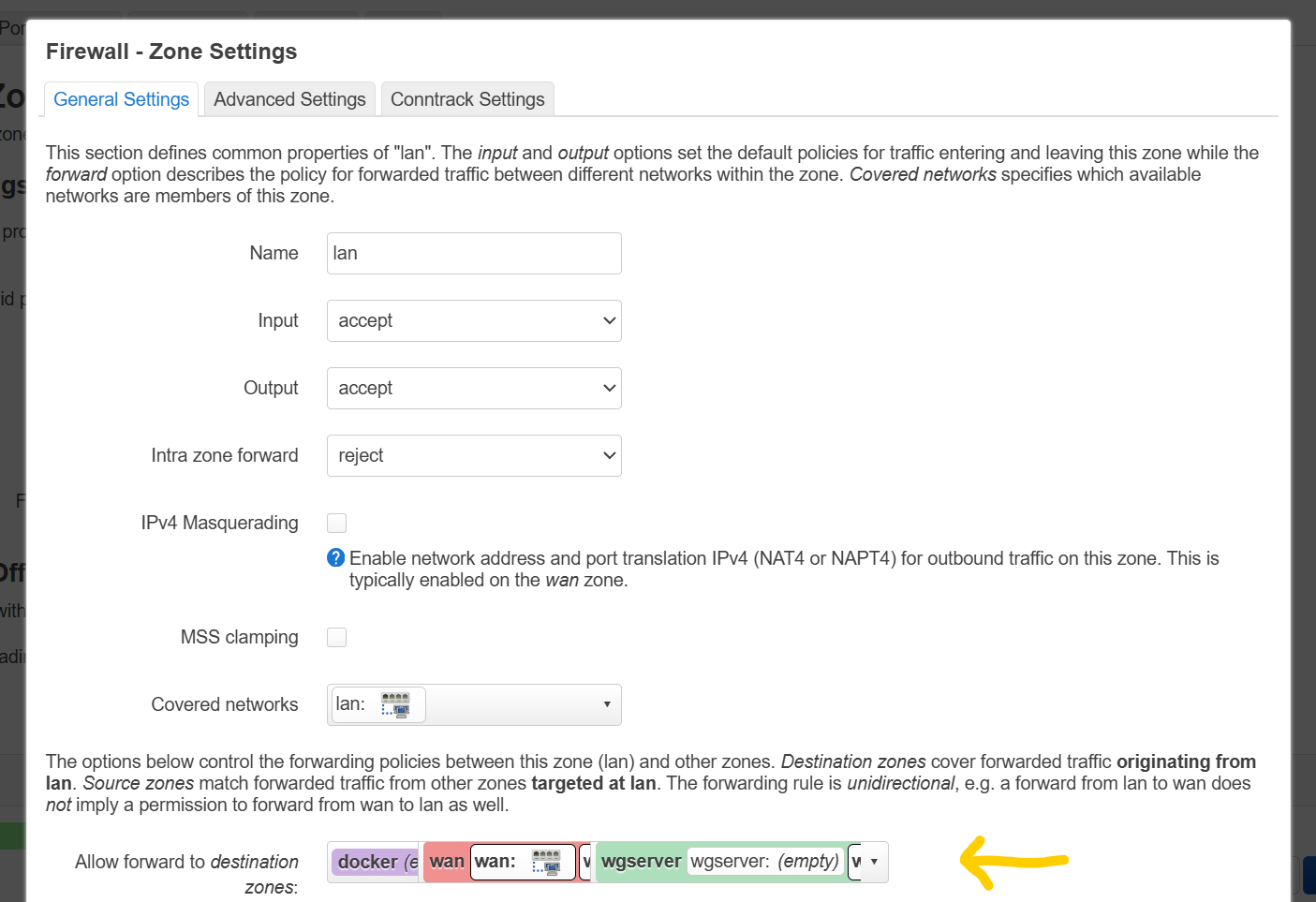
You can edit zone lan, and by forwarding destination zones you add the docker one, then try dockers subnet.
Sorry I’m such a noob, but I’m still not getting it - do you have any screenshots of a working one?
Maybe someone else can do it faster than me, at the moment I can't since I stopped using docker on OpenWrt and moved everything to proxmox on a vm with docker.
I do have an instance of OP24 running there but at the weekend I'm too bussy.
Although I can sent you to this topic for some read:
The OP there basicly shows how its done on the screenshots.
The section he shows with br- stanza is under luci -> network, on this page there are more tabs, and you need to click on devices, docker0 is the standard bridge or network device, but docker containers with their own network use br-<generated name/docker network id> and this one you want to place in a new network interface with protocol unmanaged and new firewall zone, creating this interface you do by clicking back on the interfaces tab next to devices, scroll down add interface.
edit:
I have looked to my op24 instance but, no space left.
but you can do this:
navigate to here:
then navigate to here:
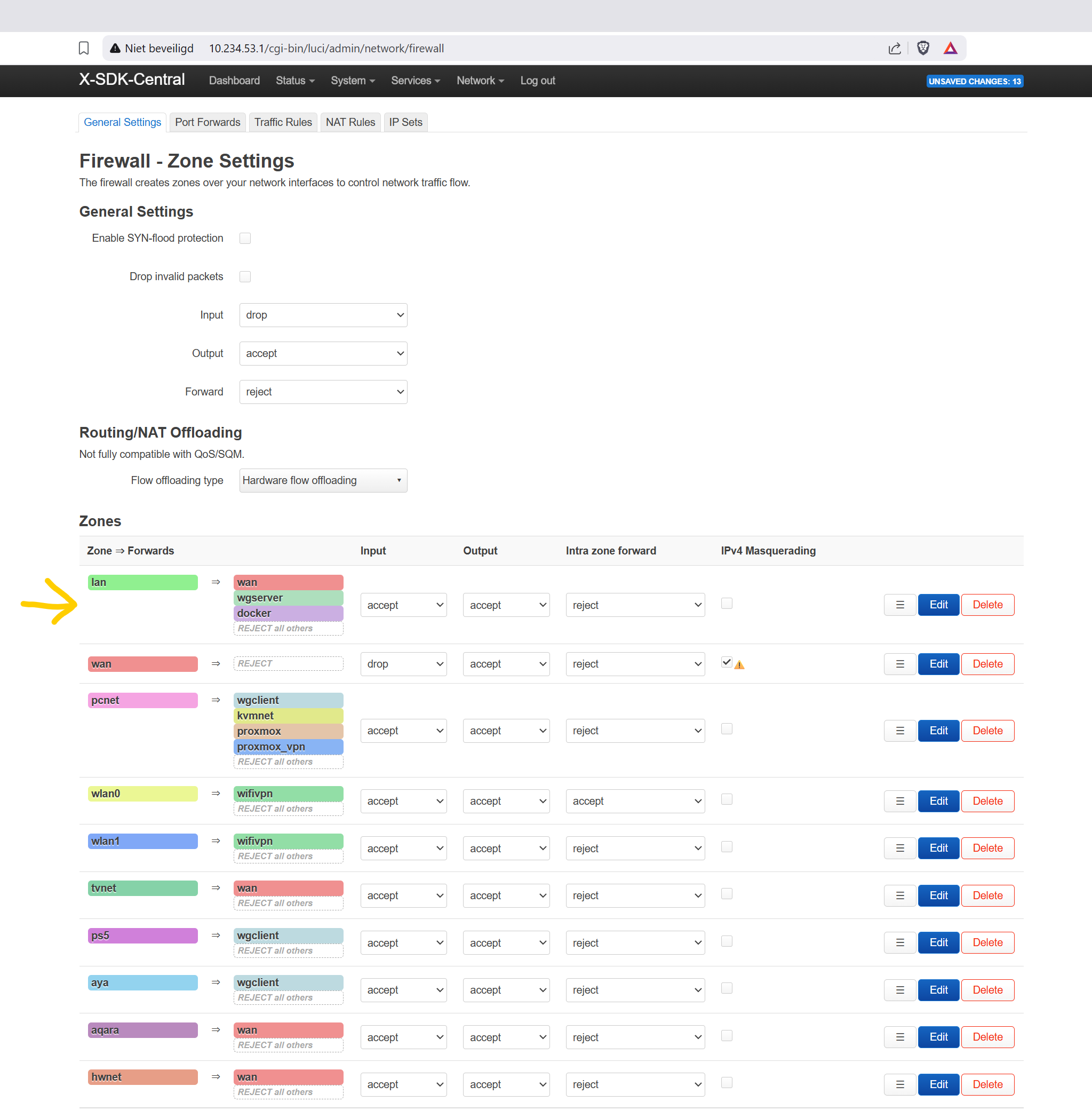
and do a checkup how your docker firewall is set. (it can be named a little different).
if you click on edit on lan you want the docker zone set as here:
and click on save, you also want on docker zone itself that it points to wan like this:

or do the same as you did for lan on zone docker
now depending how your container is setup as from your screenshot it is either accessible through 192.168.8.1:8080, 172.18.0.2:8080 (here is why forwarding lan to docker firewall zone is crucial), or it is using its own generated bridge for this please watch:
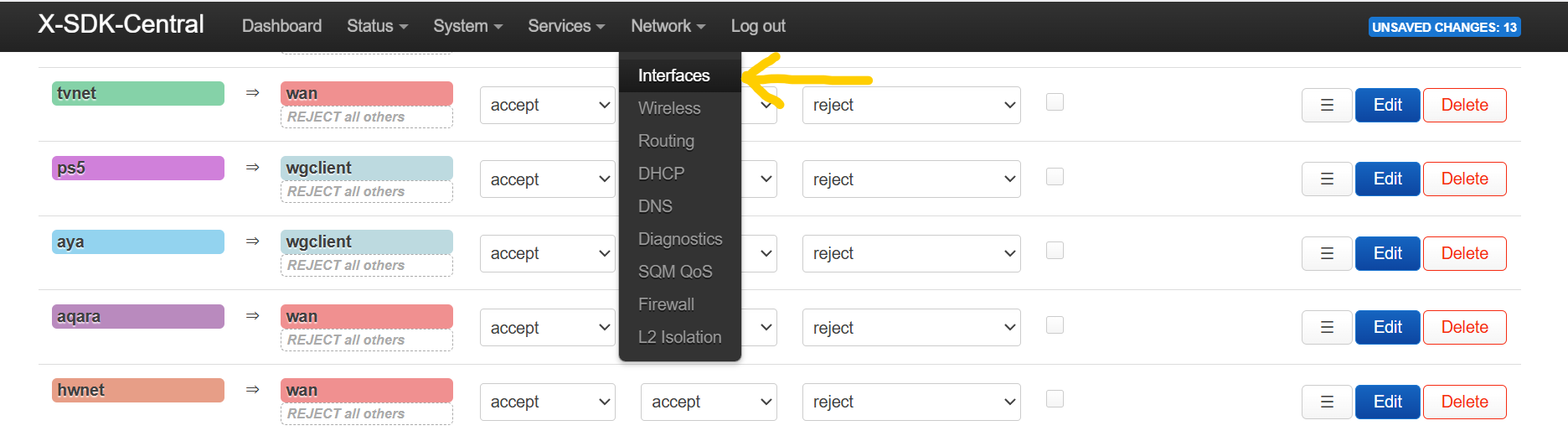
navigate to:
and click then on here:
now you are here:
as you can see I added a retangle under a generated name, this generated name is generated by docker and resembles the bridge in docker network ls for you this may be in a unconfigurated state so you have to scroll down and has a greyed out color don't worry thats fine, it is because mine is configurated because I had to re-create some sort of placeholder dummy as I don't have docker 
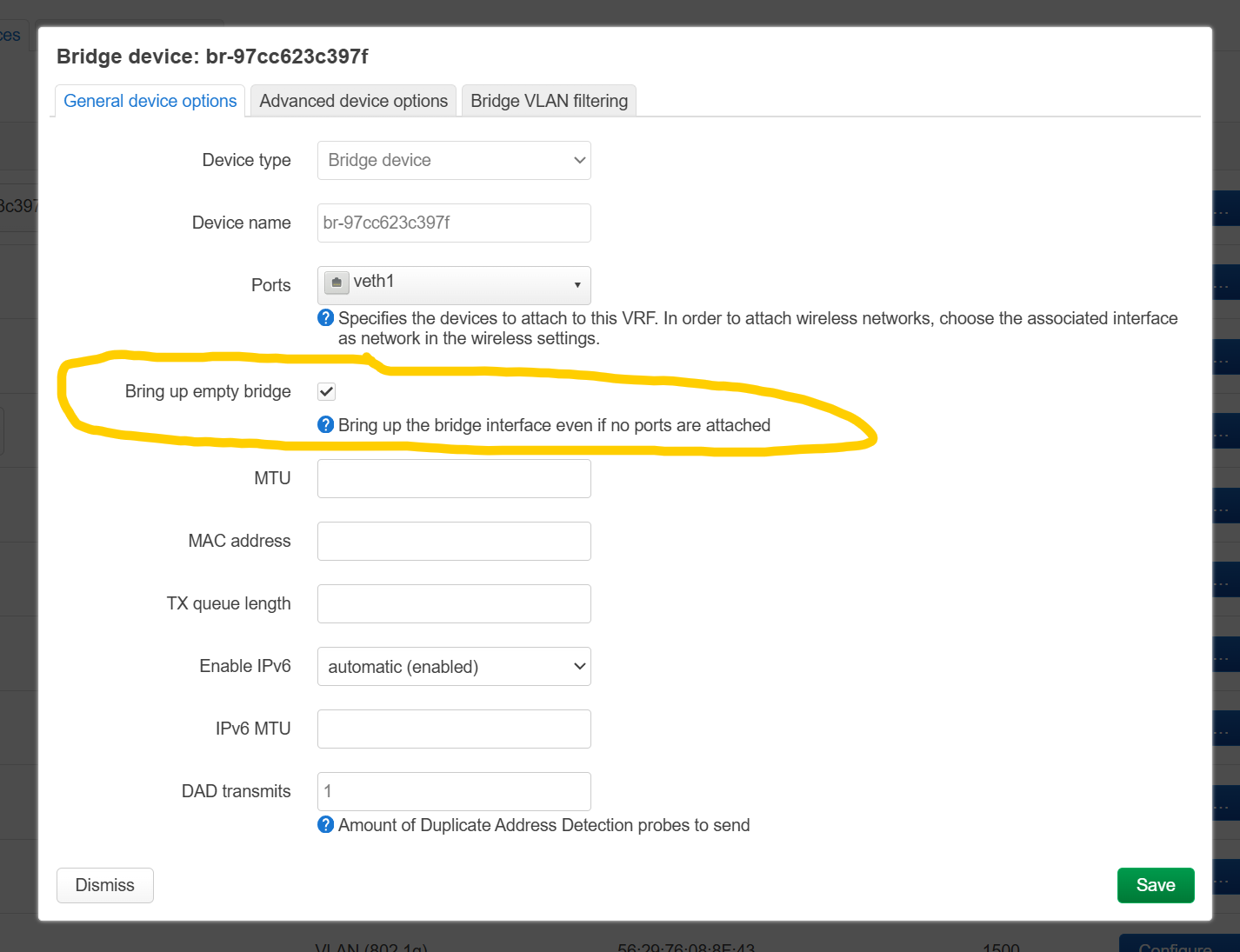
click on edit and make sure this is checked:
click on save, scroll down save and apply.
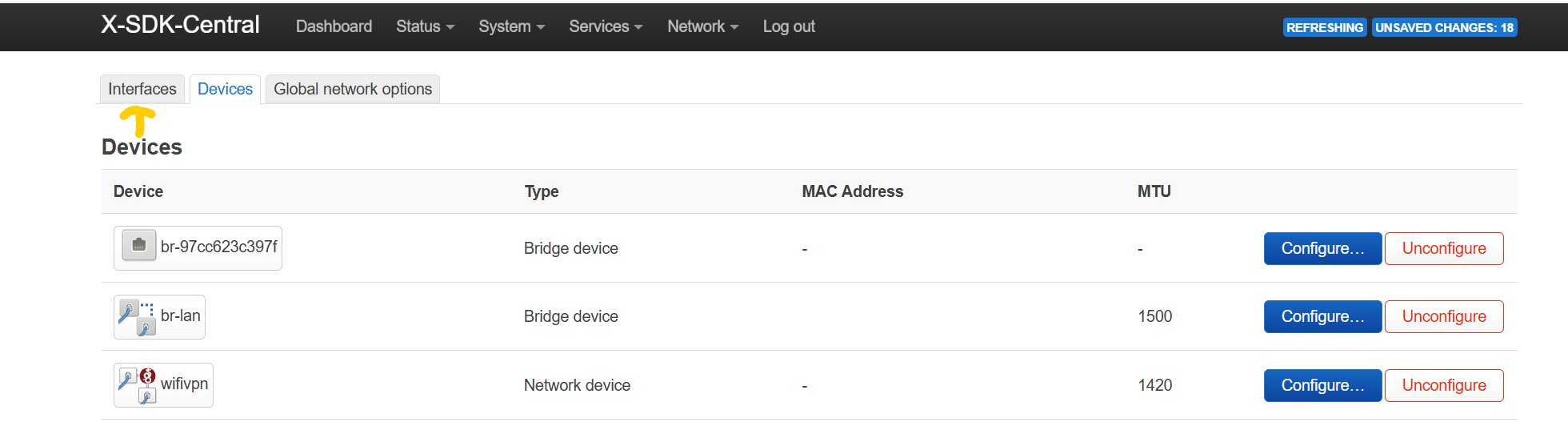
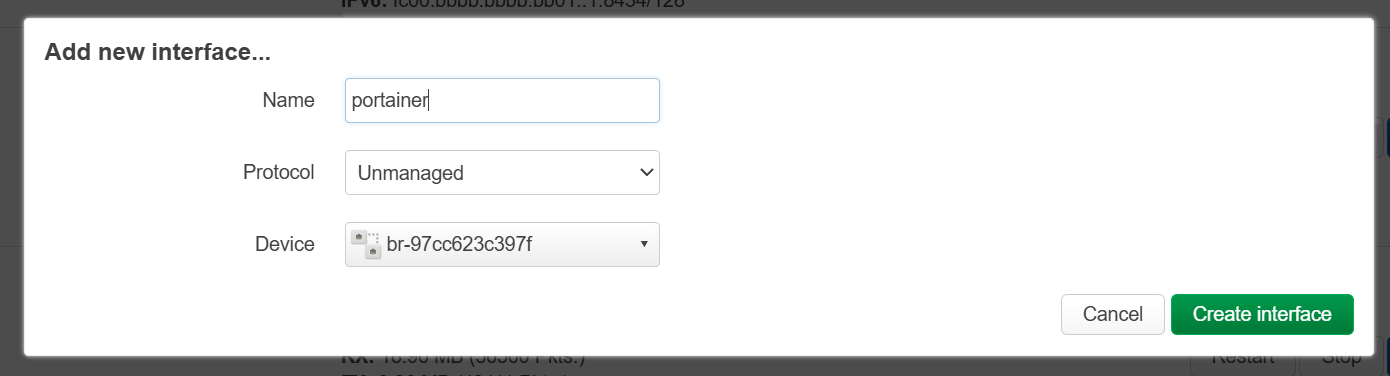
now lets create the network interface by clicking here:
scroll down again and click this button:

now you see this (please fill in like this):
click on create interface.
and make sure this has been unchecked, because you dont want this to run like a wan gateway interface.
click on the tab firewall settings and enter:
now click on save, then save and apply.
navigate back to firewall and edit the zone portainer and make it forward to zone wan similar as what you have done at the beginning for zone lan.
It’s much easier to install and use the docker macvlan package, and use the same IP address as in your home network. No need to route or mess with firewalls etc. Theres a great resource I’ve used before here: Cursed Docker networking - using MacVLAN to pretend your containers are VMs
I don't know enough about macvlans and how well they can be implemented in OpenWrt, I do use them on my Proxmox via portainer to have wan and vpn dhcp.
Won't they require a external network?
If by external network you mean the one you already have and are accessing from, then yes. It makes it so services and containers appear local on the same LAN. I have always struggled with getting the ‘internal’ docker networks to play nicely with the rest of the LAN.
See the numbers in blue? Click them - that will take you to the right place to access that service, on those port numbers.
This topic was automatically closed 90 days after the last reply. New replies are no longer allowed.