Yes, again, it was all working just fine with 4.7.4. As soon as I upgraded my wireguard client X3000 to 4.8 this all happened. Downgraded back to 4.7.4, restore config, everything started working again. Something in the 4.8 upgrade caused it to quit working - I just don't know what yet.
The topological connection has not changed, but only the LAN IP of X3000 has changed:
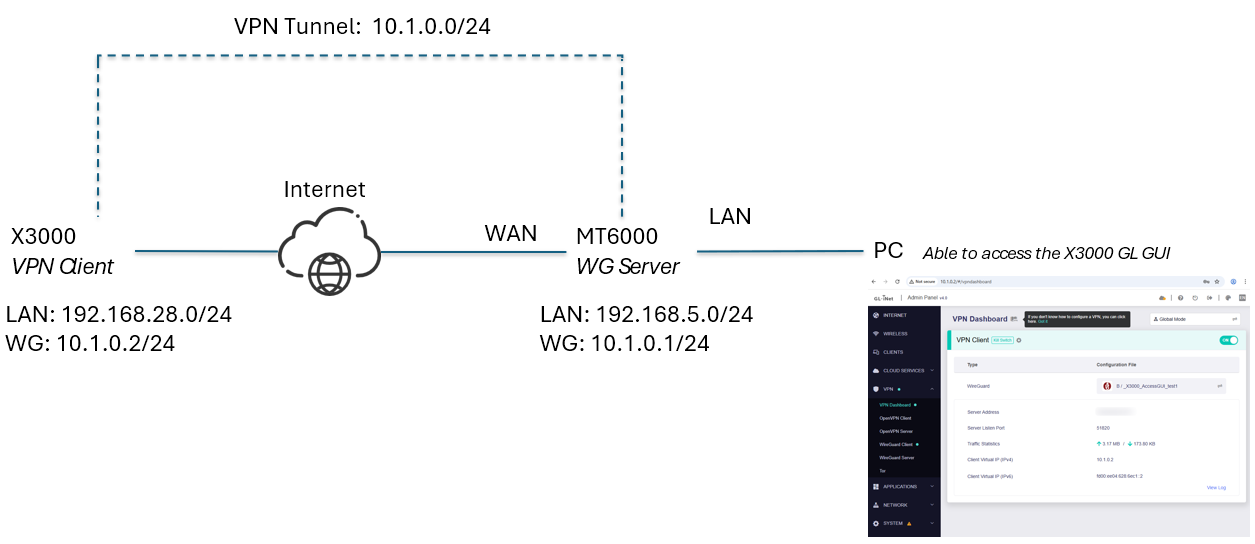
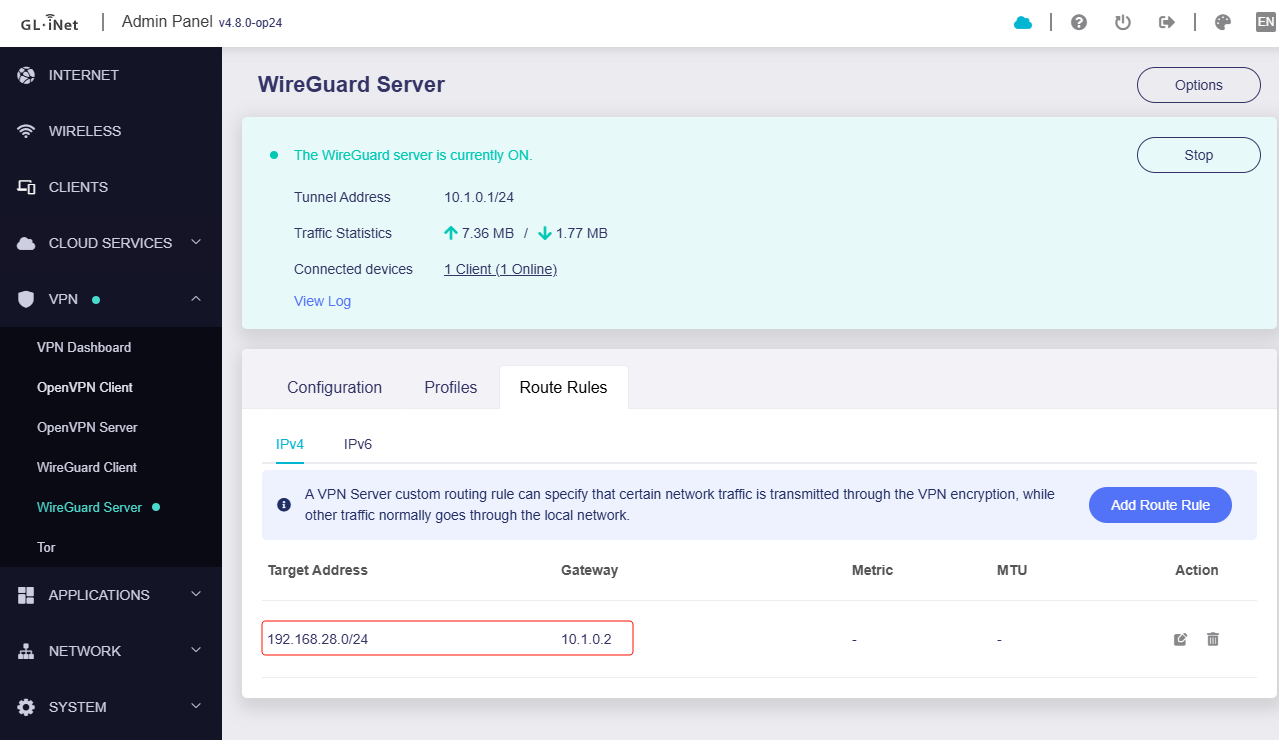
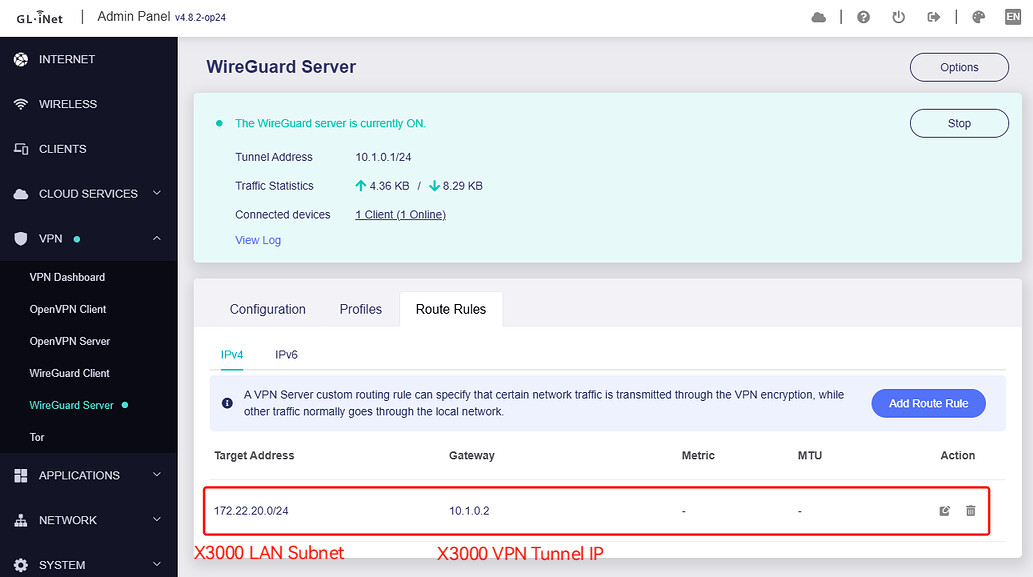
MT6000 is a VPN server, adding static routing:
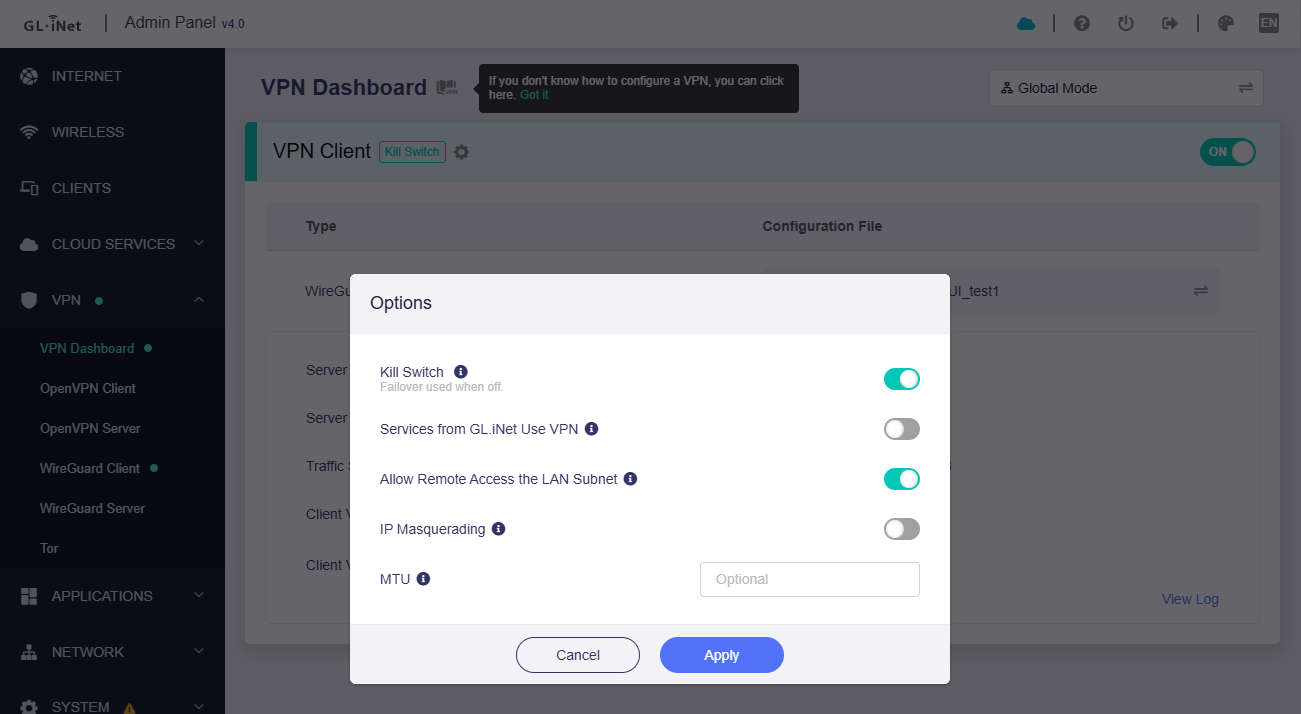
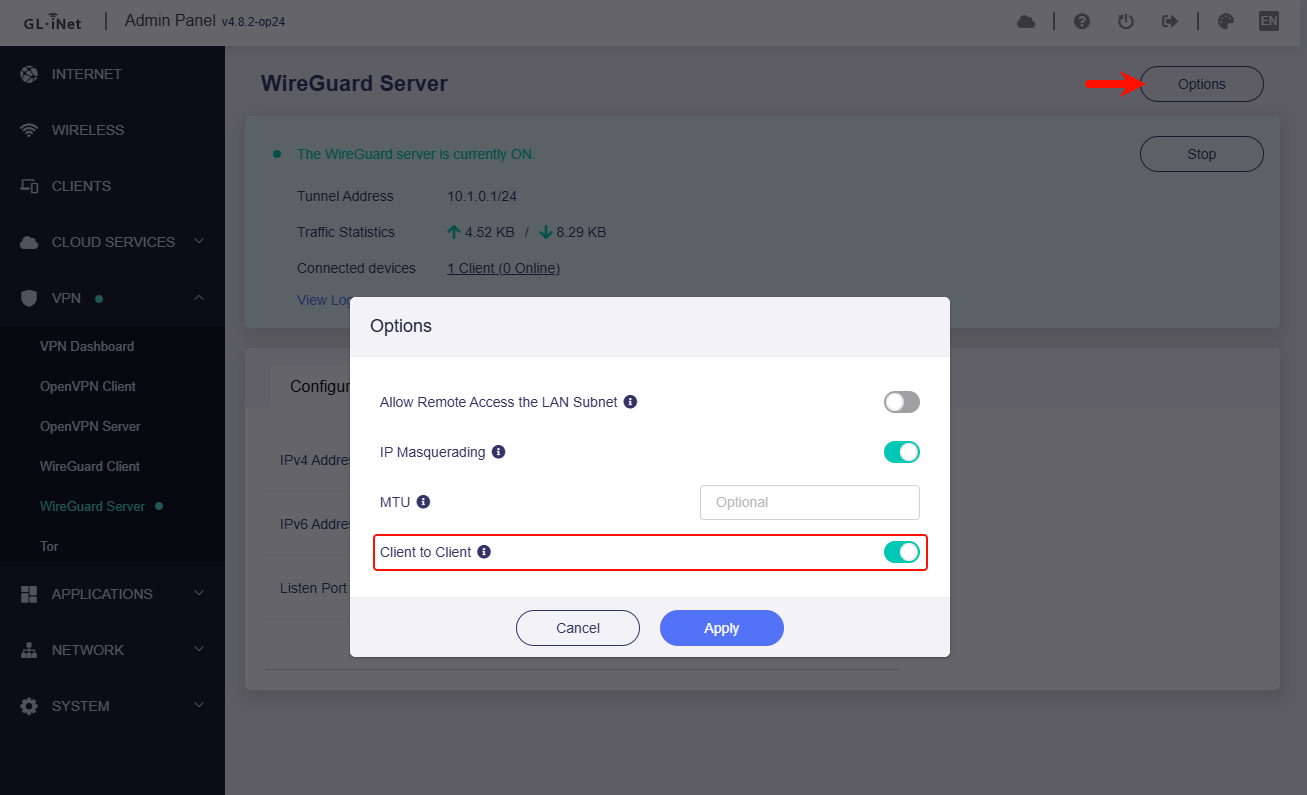
X3000 is a VPN client, and disable IP Masquerading:
The test PC is a LAN client connected to the MT6000.
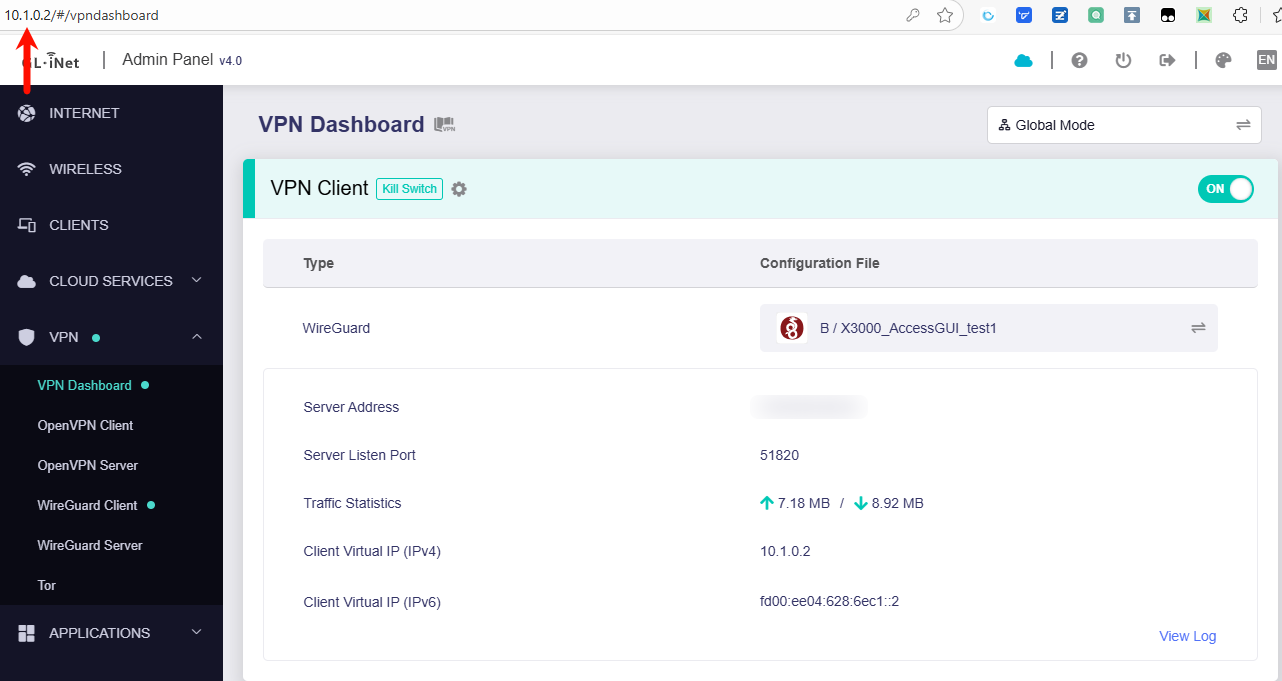
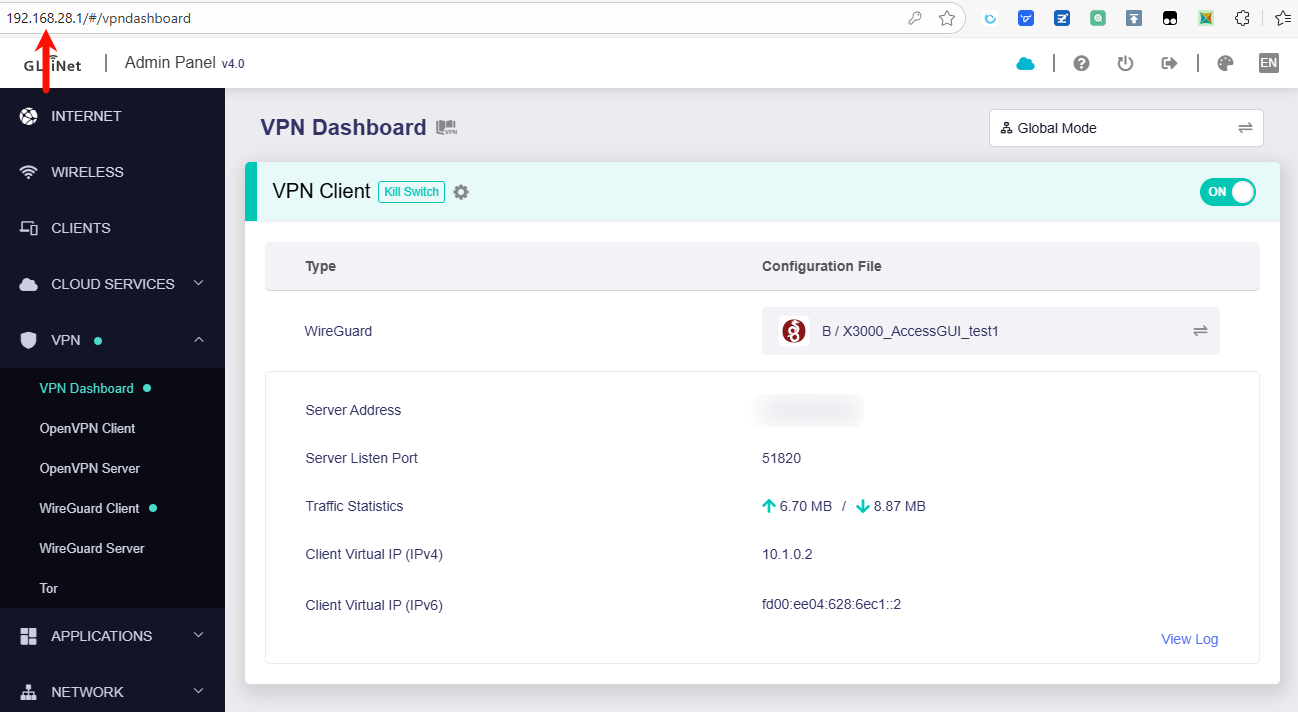
Through X3000 LAN IP and Tunnel IP, access the GL GUI of X3000 in the browser, normal:
PC CMD, ping [X3000's LAN client IP], normal:
C:\Users\itwuh>ping 192.168.28.202

Pinging 192.168.28.202 with 32 bytes of data:
Reply from 192.168.28.202: bytes=32 time=17ms TTL=60

Ping statistics for 192.168.28.202:
    Packets: Sent = 1, Received = 1, Lost = 0 (0% loss),
Approximate round trip times in milli-seconds:
    Minimum = 17ms, Maximum = 17ms, Average = 17ms
Control-C
^C
C:\Users\itwuh>ping 192.168.28.1

Pinging 192.168.28.1 with 32 bytes of data:
Reply from 192.168.28.1: bytes=32 time=82ms TTL=61

Ping statistics for 192.168.28.1:
    Packets: Sent = 1, Received = 1, Lost = 0 (0% loss),
bytes=32 time=23ms Approximate round trip times in milli-seconds:
    Minimum = 82ms, Maximum = 82ms, Average = 82ms
Control-C
^C
C:\Users\itwuh>ping 192.168.28.213

Pinging 192.168.28.213 with 32 bytes of data:
Reply from 192.168.28.213: bytes=32 time=18ms TTL=60

Ping statistics for 192.168.28.213:
    Packets: Sent = 1, Received = 1, Lost = 0 (0% loss),
Approximate round trip times in milli-seconds:
    Minimum = 18ms, Maximum = 18ms, Average = 18ms
Control-C
^C
C:\Users\itwuh>
Thanks @bruce. I will run through the upgrade again and see what happens. If it fails again, I will factory reset and rebuild the config from scratch.
i have the same behavior:
X3000 connected via Wireguard as client to a wiregard server.
I can access to all devices behind X3000 (X3000 Lan) from the server, but i can’t access to the router interface, and pings are not replied. Firmware 4.8.2
With previous version, it was working fine.
1 Like
@bruce - it seems the sample size has grown by 1 lol.
1 Like
It's strange, why can't I reproduce this issue on my environment and routers.
Please enable the Allow Remote Access the LAN Subnet, and access the GL GUI via the X3000 VPN tunnel IP, like 10.1.0.2

Is your VPN server a GL router?
If so, please share the client and server routers through GoodCloud for us to remotely check on your router, it would be better to find the issue.
Please PM me your router MAC address and Admin Panel login password.
Hi, using the IP of the VPN tunnel works correctly. I can open the X3000 web interface Unfortunately the server is a ubiquiti UDM pro, can’t share the access.
Hi Bruce,
I had 3 Flint2 routers connected with Wireguard (1 server, 2 clients) using v4.7.4, everything working perfectly, meaning that I could access any device behind these routers (behind the server or behind the clients).
After upgrading to 4.8.2 I had to select the configuration on the clients, connection is established correctly, however, not everything is working as it should:
- From behind the clients, I can access the server and the devices behind the server successfully
- From the server, I cannot ping the LAN IP of the clients, only the VPN IP
- From the server I cannot ping any device behind the clients
- From the clients I cannot reach the other client (I get a reply from the WG Server ip address with Destination Port Unreachable), either using the WG ip address or the Lan ip address
On the server, I have the route rules configured to access the clients (see picture):
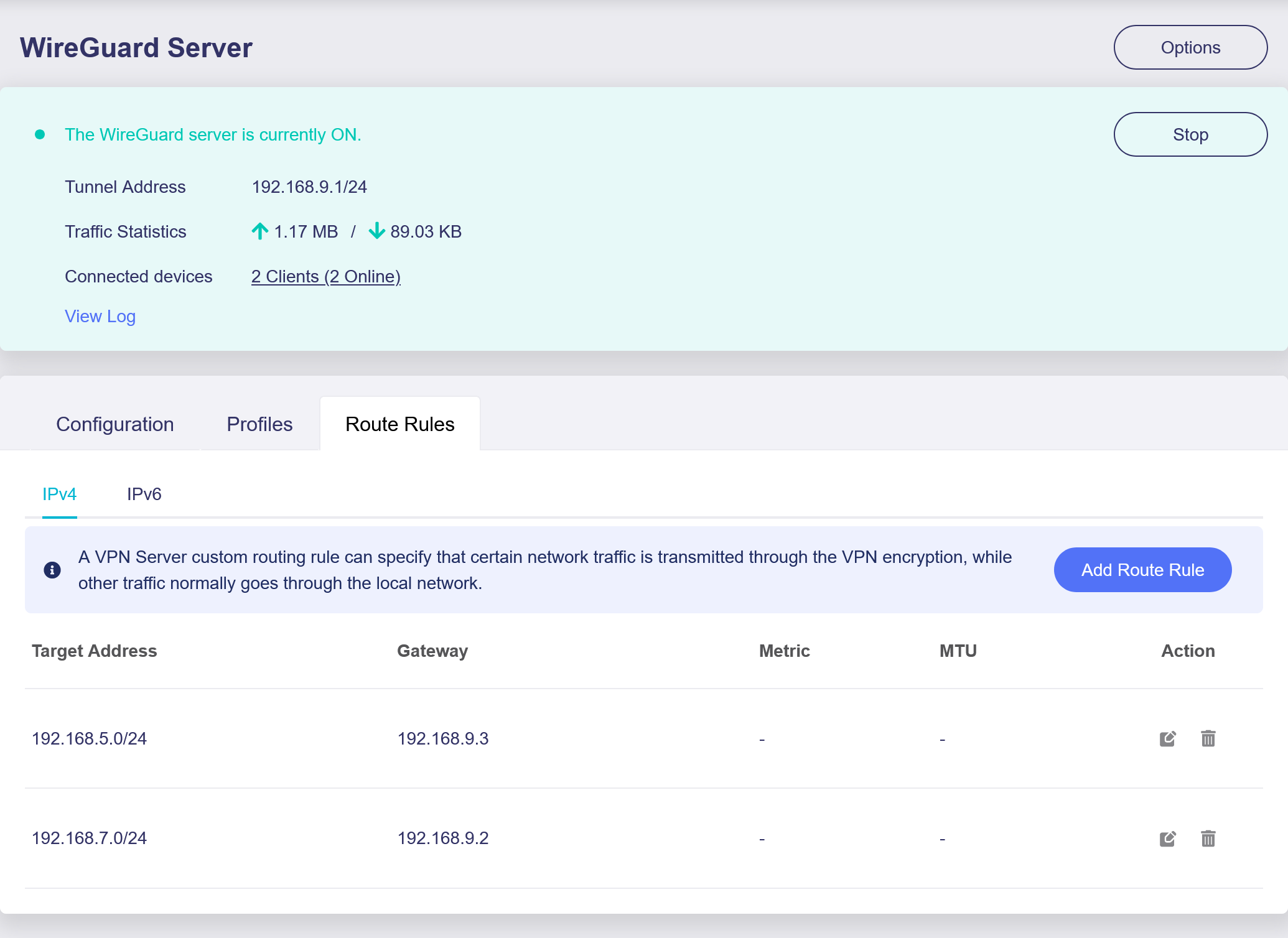
Please note that there is a difference from the previous version that is not yet updated in the documentation: the fact that there is no scope field, which had to be configured as global previously.
Also, I have the option “Allow Remote Access the LAN Subnet” in the server and the clients.
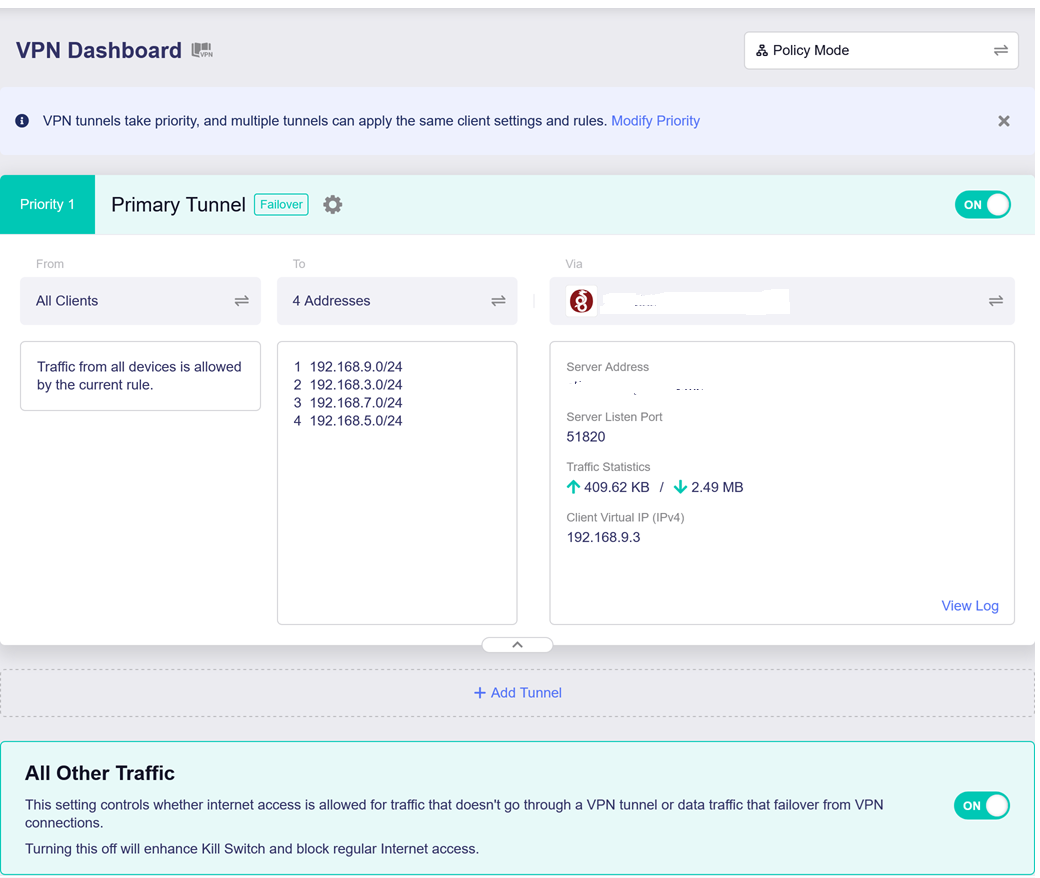
Finally, I have the clients in Policy Mode to route only the other client, server and wireguard traffic through the VPN (I also added its own addresses just to see if it would make any difference, but it doesn’t):
I’ve also gone through lucy to see if there was something strange in the configuration, but I did not find anything.
In conclusion, I’m a bit lost here. Can you help? Should I open a support ticket?
Kind regards,
Gabriel
2 Likes
Same Problem no Site to Site Possible, only Single clients can access the Lan of the Gateway.
I regret the update
1 Like
Your VPN tunnel is using 192.168.9.0/24 segment, right?
This network segment is used in the GL firmware for Guest Network.
Please change the subnet of the Guest Network or change the subnet of the VPN tunnel.
For me, it doesn't change anything and only affects individual clients, such as mobile devices. It didn't change anything in terms of site-to-site functionality.
The only solution was to downgrade to v4.7.7, and everything worked again immediately.
I think there's a bug.
1 Like
Yes, that was the reason  . Problem solved now.
Thank you
Is the ping from only for a few clients not reachable?
From "the VPN client or the server" of the LAN clients, is ping not reachable to "the VPN client or the server" of the LAN clients?
Is it possible for the LAN client to refuse to reply ping?
Hi
Same problem for me
Clients can access LAN server but server cannot access LAN’s clients (except client with WG IP)
Downgrade to 4.7.7 done
1 Like
Finally, I had time to configure the remote client and perform end-to-end tests. The solution is not yet working:
- Clients ping and access server and server network devices
- Server ping and access clients and clients network devices
- Clients cannot ping or access other clients network (Wireguard server IP / Gateway responds with destination host unreachable)
I have not rolled back to 4.7.7 yet, as I forgot to make backups before upgrading (a mistake of trusting too much in Glin.Net updates’ quality), and I cannot reset my remote routers. @bruce Do you have any pointers, or should I open a ticket?
Well, I went back to 4.7.7, was not really working as expected, went back to 4.7.4, was still not working…
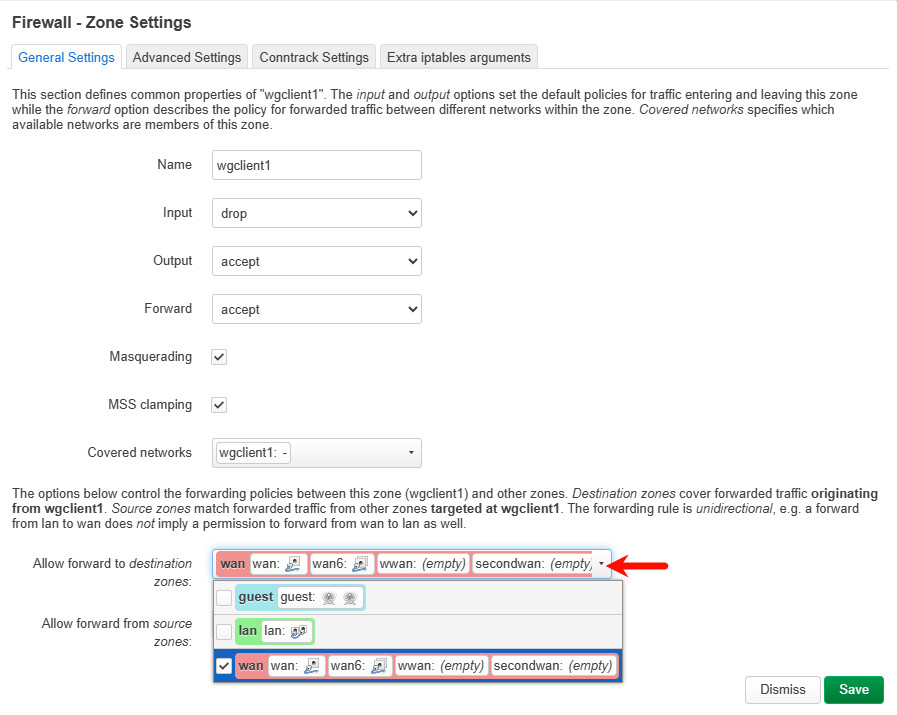
Until I just decided to go to luci and check the firewall. The automatic rule from wgserver => lan, wan, wgserver, had a reject in the forward. Changed to accept, and it is finally working as before.
Conclusion and things I learned:
- Don’t use 192.168.9.0/24 for VPN since it is the default for Gli.net guest networks
- Don’t use v4.8.2 since it is not really working well regarding Wireguard and Adguard (the log was flooded with messages, and the wi-fi, internet and router was very unstable)
- 4.7.7 would probably be ok, I was just too precipitated
Not touching it anymore until a more stable upgrade.
1 Like
I was wrong… my server router started to have unstable wi-fi, disconnecting clients, I guess a byproduct of the downgrade.
So, risking it all, I upgraded again (only the server) to 4.8.2 and did a side upgrade for Adguard (found it in another post: [TUTORIAL] - How to modify Adguard Home on GL.iNet devices to enable webui without logging in to the admin interface ).
This stabilised the wi-fi functions and then went into Luci to try to discover why the Wireguard clients were not talking to each others and found under Firewall - Traffic Rules the following rule: wgserver2wgserver configured as Drop changed it to Accept and voila, everything is working as before.
Then I decided to test and upgrade one of the clients to v4.8.2 and there is definitely an issue here that needs investigation, while the server is working well, the client I can only have Wireguard or Adguard working.
As soon as I activate the VPN Adguard cannot connect to upstream servers. I tried to tweak fw rules, etc. nothing works. If I stop the VPN, Adguard works without a problem.
For now I’m taking down Adguard.
@bruce do you guys know what’s up?