I know there is some old topics related with this issue, but all of them are closed. In the 4.9.0 version of the firmware, in Flint 3 routers, I can’t install this package.
Hi,
We tested locally using a Flint 3 running v4.9.0 release5, but we were unable to reproduce the issue.
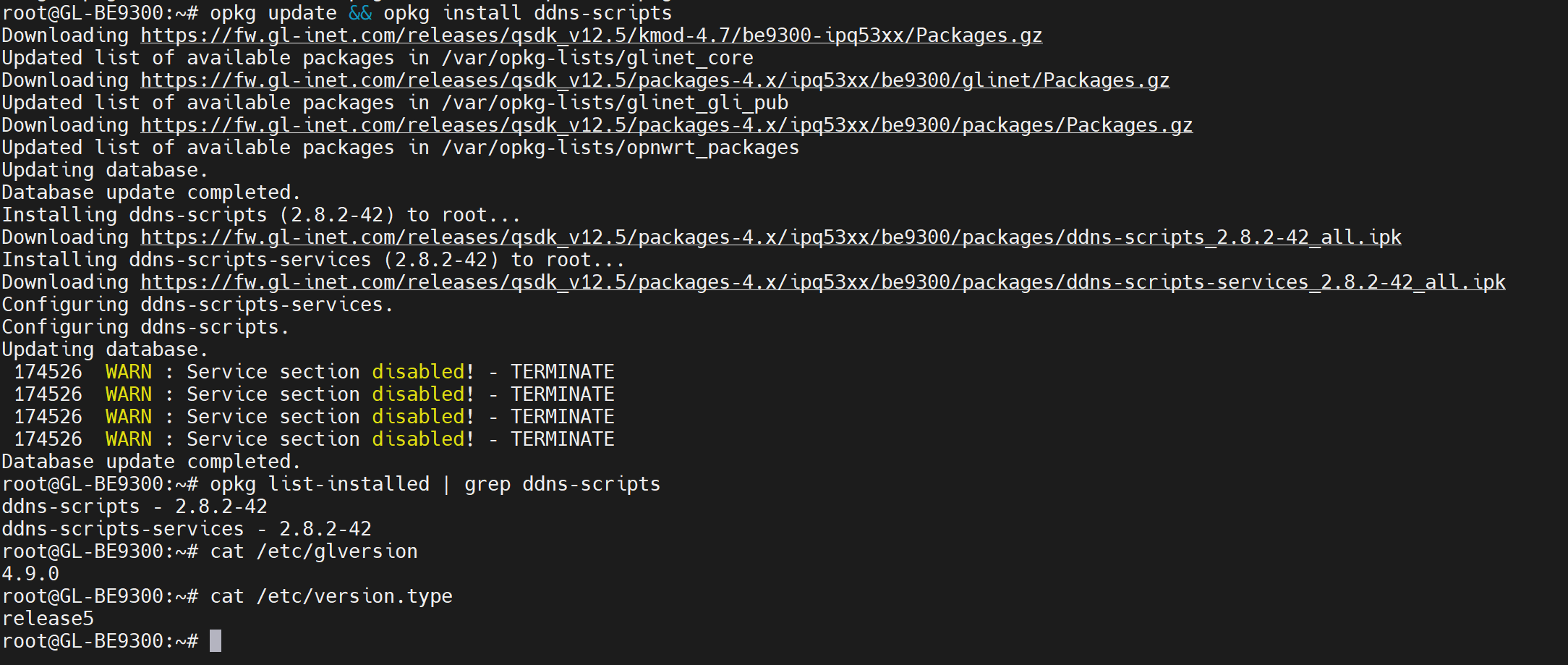
Could you please test it again and provide screenshots of the error message? That would help us better understand what is happening and investigate the issue further.
Again I don’t know why, but the same works with my other Flint 3 with 4.8.3 version. If I go to Lucy → System → Software and click on “Update lists”, everything it’s ok in 4.8.3, but an error occurs in 4.9.0:
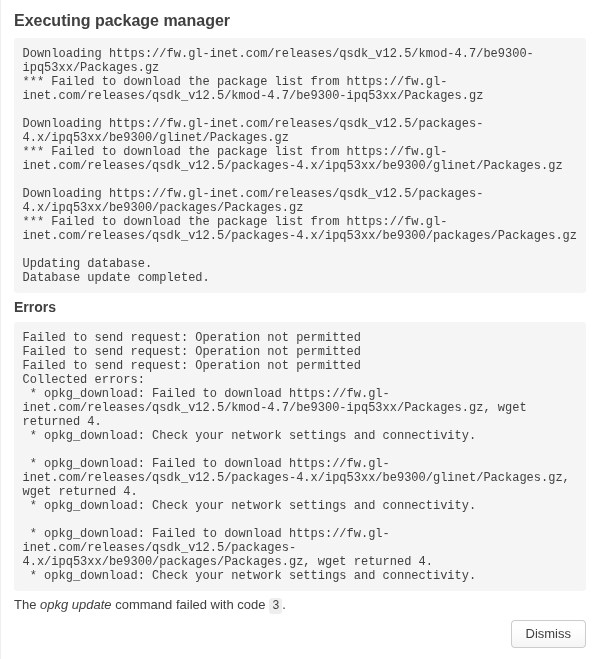
Perhaps this is the cause of not finding the package…
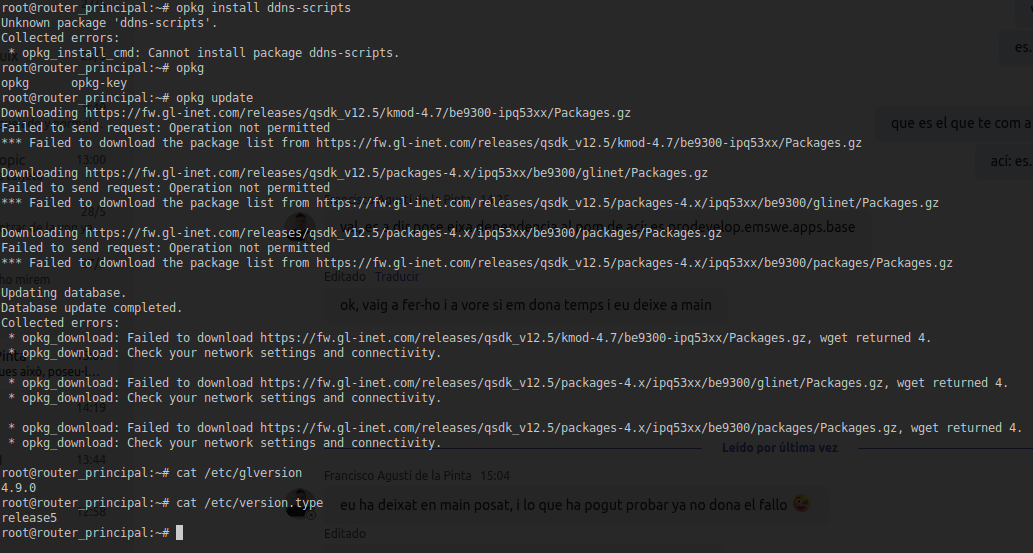
This is likely related to the DNS issue we discussed in the other thread, which is preventing OPKG Update from properly reaching and updating its package repositories.
Perhaps we should focus on resolving the DNS issue first. Once DNS is working properly again, OPKG Update should resume functioning normally on its own.
1 Like