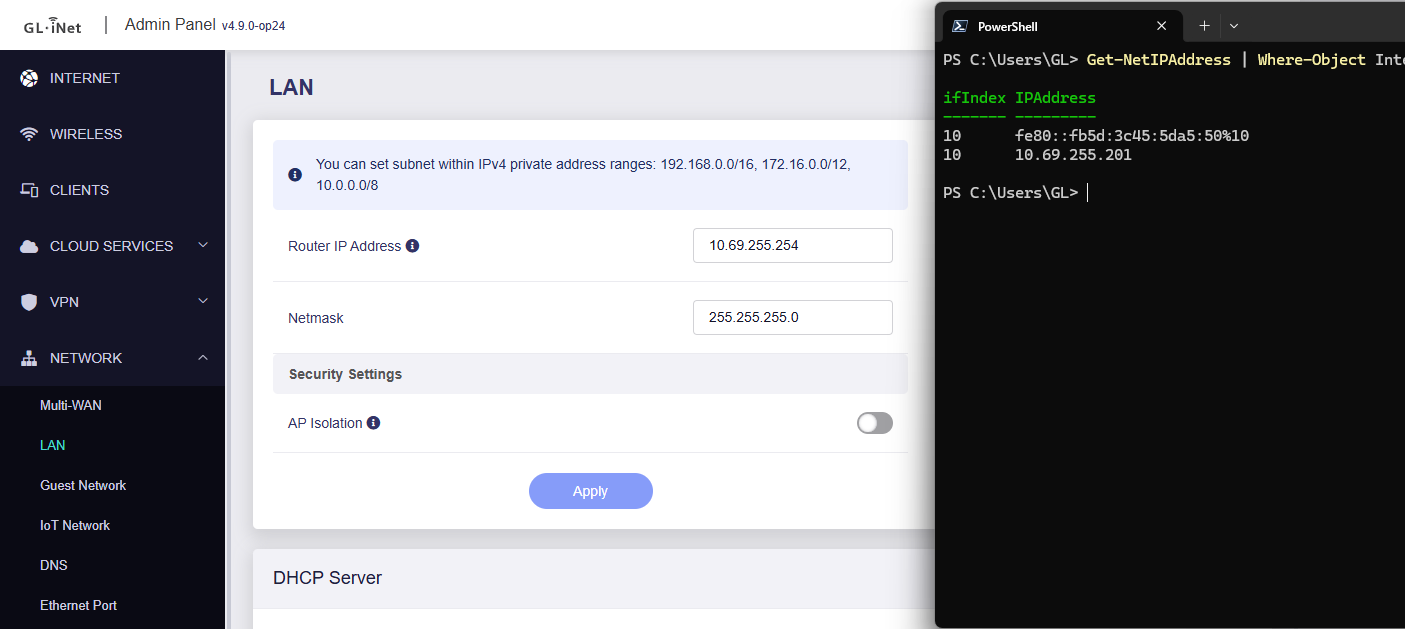
I recently got a new MT6000 Flint 2 router and after setting up most configs, I changed the LAN subnet from default 192.168.8.0/24 to the subnet I have been using at home (10.x.x.x/24).
After changing the LAN subnet, I found the router IP is no longer accessible. Can’t access web admin, Luci or SSH. Ping to router IP 10.x.x.1 also failed. However, internet access via router (gateway IP is router IP) is OK.
This is strange since PC and router are on same subnet and zone, there should not be anything blocking.
Checks performed:
Restart router thus all listening services
ARP on PC: 10.x.x.1 matched router eth0 MAC address
Connect with wired or wifi: same result
Create ACL rule to allow LAN to router IP: same result
Luckily I have Tailscale and ZeroTier already setup, and I am still able to access the router web admin via TS/ZT IP, but this is not optimal.
Okay, I found this was related to a very specific subnet I was using, 10.69.255.0/24
I eventually have to default reset my router and setup the same LAN subnet again, this time I completely locked myself out of admin page and have to use U-boot to reset again. After some trial and error, I found using 10.69.255.0/24 seems hitting some kind of bug.
I have tested the following LAN IP:
192.168.255.1/24 —– OK
172.16.255.1/24 —– OK
10.69.0.1/24 —– OK
10.69.254.1/24 —– OK
10.69.255.1/24 —– Failed
10.69.255.254//24 —– Failed
10.69.255.1/23 —– Failed
I have conducted the same test on my other MT3000 Beryl (FW Ver: OpenWrt 24.10.4 r28959-29397011cc / LuCI openwrt-24.10 branch 25.280.58391~b7e4a9c), and the result is exactly the same.
After setting the above-mentioned LAN IP, the IP became completely unresponsive, no PING, HTTP/HTTPS (Glinet GUI or OpenWRT) or SSH. The only way is by hard default-resetting the router (using reset button). I have repeated the process many times to test these results.
The workaround is obvious - just use another subnet. However, this ignited my curiosity of why this happened, conflict with some internal process? hard-coded config? or bug?
Appreciate for any input (still scratching my head… )
After changing the LAN IP address, are all devices (both wired and wireless) unable to get the IP address via DHCP and access the router?
Before changing the LAN IP address, SSH into the router and check whether any interface is already using the same subnet, which could cause a subnet conflict:
ip -br a
If only some devices are unable to access the internet afterward, check whether those devices have another interface using the same subnet, which could also result in a subnet conflict.
# For Windows CMD
ipconfig
# For MacOS/Liunx
ifconfig
 )
)