I use two routers, GL.iNet GL-BE3600.
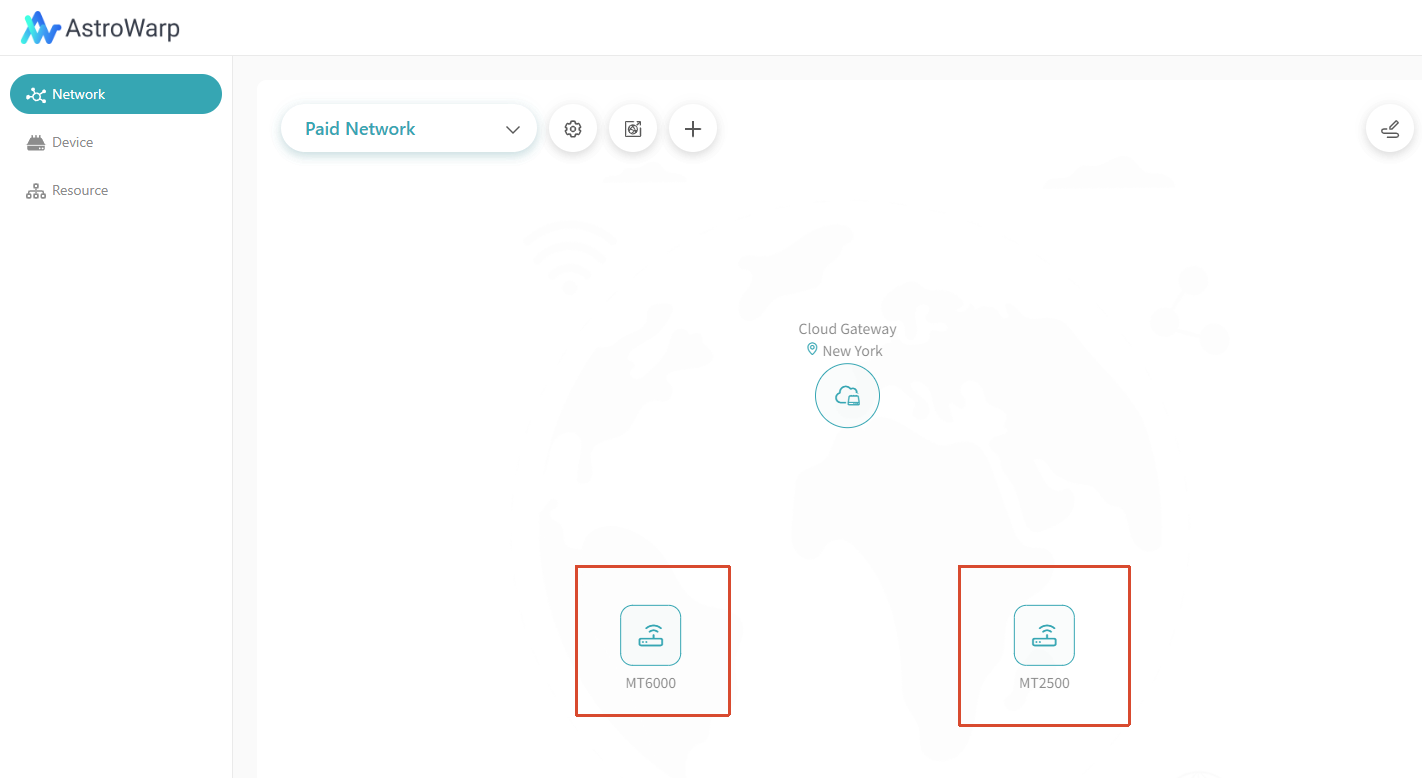
Both are added to the AstroWarp network.
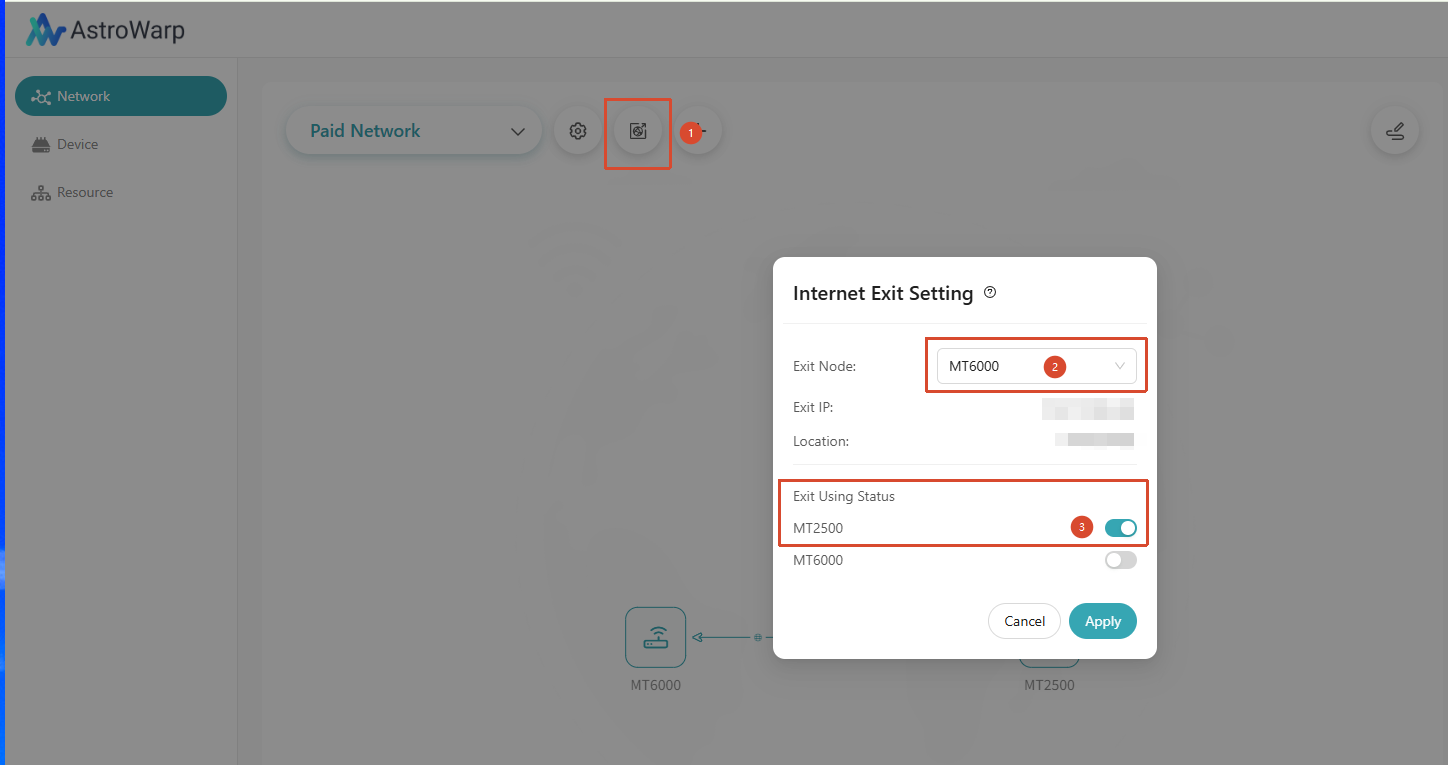
Now my routers are in different locations, and I use one of them as the internet exit point. My external IP on the travel router matches the IP on the home router. So definitely the connection works.
I can open the admin panel of my home router remotely using the AstroWarp connection.
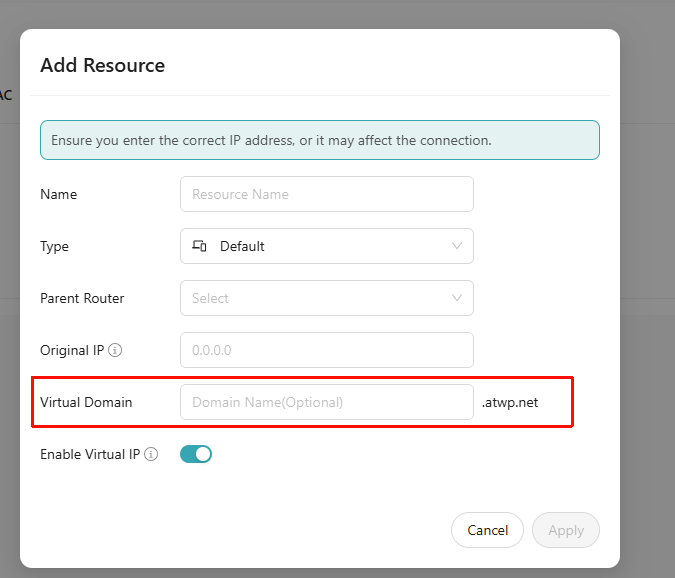
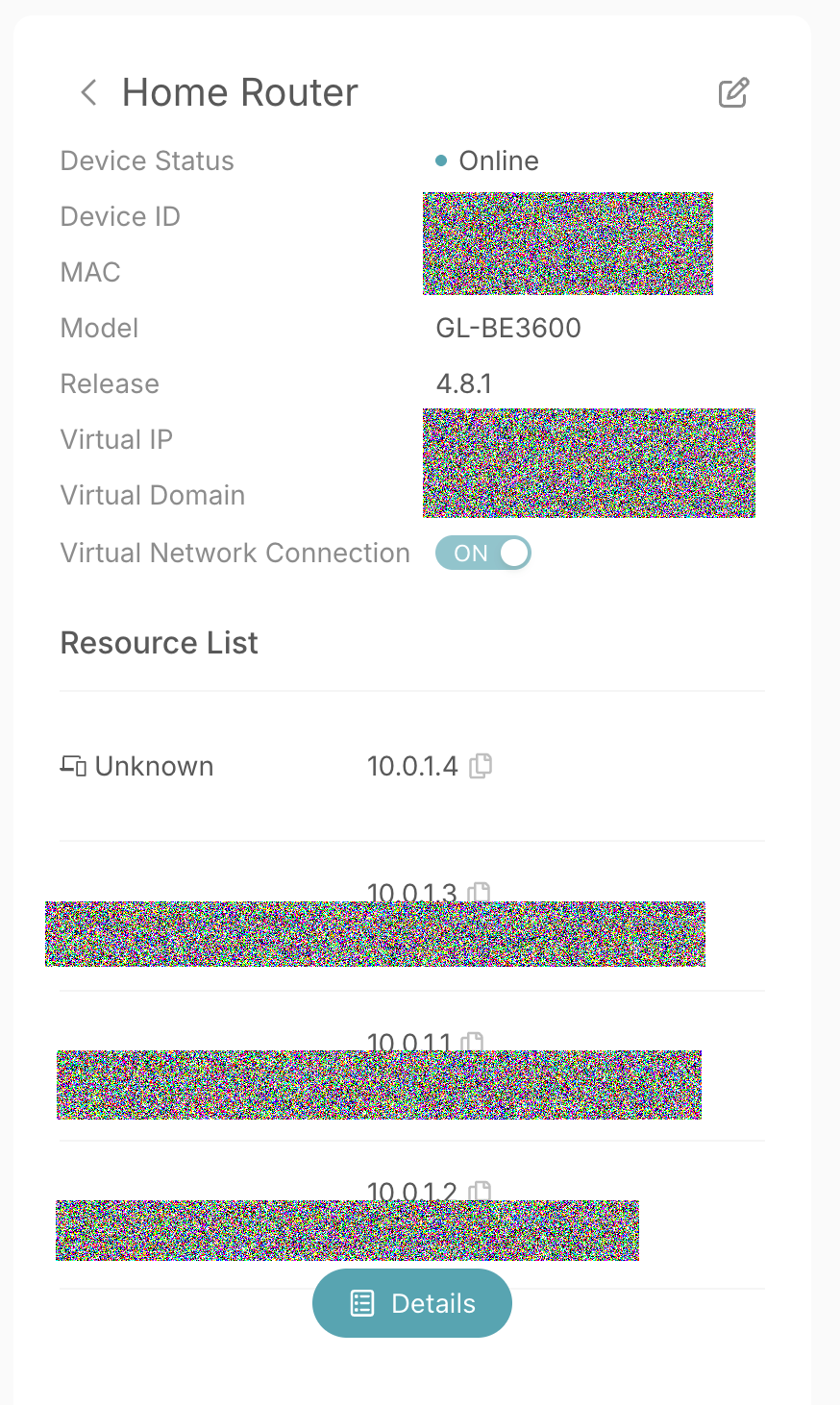
In the AstroWarp configuration for the Home router, I have shared some resources. They have DNS.
These DNSes resolve to IPs, like, 10.0.1.1 and 10.0.1.2, etc
Now is the problem. I can’t access my resources remotely. They don’t respond to PING, HTTP, or HTTPS connections.
Errors are the same:
Request timeout for icmp_seq
The connection has timed out 10.0.1.2 took too long to respond.
ERR_CONNECTION_TIMED_OUT
etc.
How can I fix the problem? I use the latest firmware, and it’s not at all obvious what could be a problem.
Could you please provide a detailed network topology so we can understand your issue/requirement?
If possible, please send your AstroWarp account and password via private message so we can directly access the device remotely for inspection.
I connected to TR by Wifi.
TR is connected to HR by AstroWarp
HR has four devices connected.
When I am at home, I can connect to HR directly via WiFi. Then I can connect to any of these four devices.
Through AstroWarp (TR) I can only open the admin page of HR.
Giving away login/password doesn’t sound any way secure.
Please confirm whether the firewall rules on the HR resource device are configured correctly. As a quick test, you may temporarily disable the firewall and check whether the ping succeeds.
If the issue persists, please capture packets on the router and share the results with us for further analysis.
Steps:
From a device connected to the TR router, try pinging a resource on the HR router:
ping 10.0.1.4
On the TR/HR router, run the following commands:
opkg update && opkg install tcpdump
tcpdump -i any net 10.0.0.0/8 and icmp
It seems that your problem isn't with AstroWarp itself. The fact that you can get to the HR admin page means the tunnel is up and running. The issue is that the 10.x.x.x addresses are private LAN IPs. Most likely, the HR router isn't sending packets from the AstroWarp VPN to its internal devices, or the firewalls on those devices are stopping them.
You need to set up the right inter-LAN routing over AstroWarp. Make sure that "allow LAN access" or "route shared resources" is turned on for all of the internal devices on HR, not just the router. You should also try it with firewalls turned off for a short time. By default, even ping might be blocked. Once routing and the firewall are set up correctly, you should be able to connect to those 10.x.x.x devices from TR without getting timeouts. TCP and HTTP follow the same rules, so they will work when ICMP does.
The confusing part is that on this forum, people say that disablingthe firewall will cause the stop all the routing because the firewall is used for routing.
the rest: I will try
I have tried to install LuCI and set it everywhere to “Accept”. Nothing changed. But what is interesting is that the ping from the router to the internal addresses of resources works.
root@GL-BE3600:~# ping 192.168.8.240
PING 192.168.8.240 (192.168.8.240): 56 data bytes
64 bytes from 192.168.8.240: seq=0 ttl=64 time=0.976 ms
64 bytes from 192.168.8.240: seq=1 ttl=64 time=0.960 ms
64 bytes from 192.168.8.240: seq=2 ttl=64 time=0.936 ms
^C
So maybe I need to install a proxy on the router, using which I will connect to internal resources.
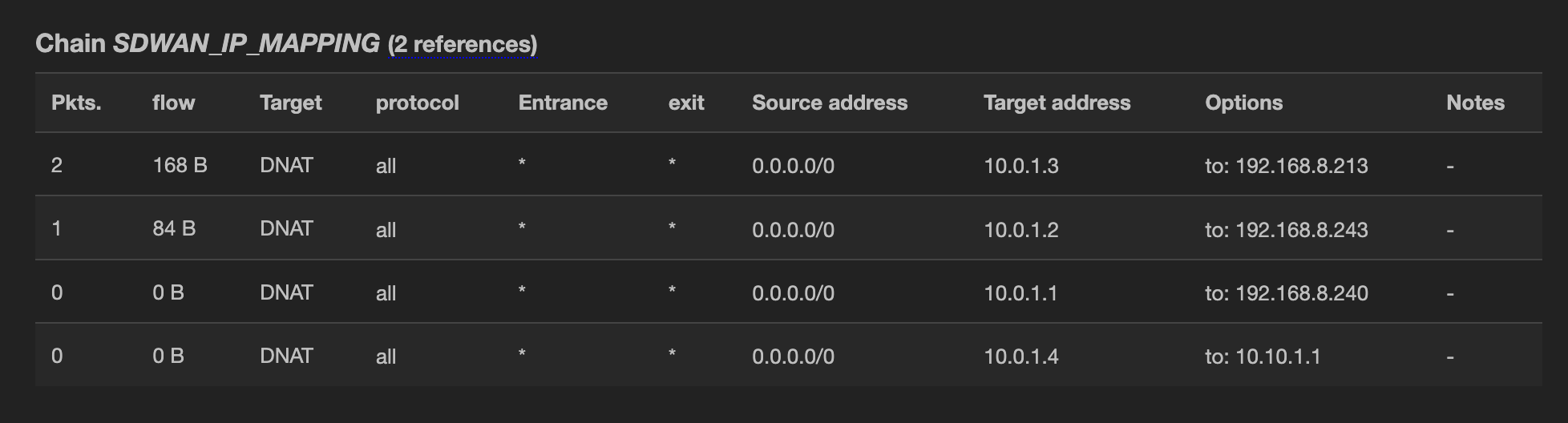
Also, I have found some AstroWarp-related rules in the firewall:
It appears the DNAT firewall rules have been added correctly.
Would it be possible to provide the results of a packet capture?
Please note that we need to access the device using the IP address assigned by AstroWarp, such as 10.0.1.1 as shown in your screenshot, rather than the internal network address 192.168.8.x.
Thank you for your report. We have acknowledged this issue and will address it in a future release.
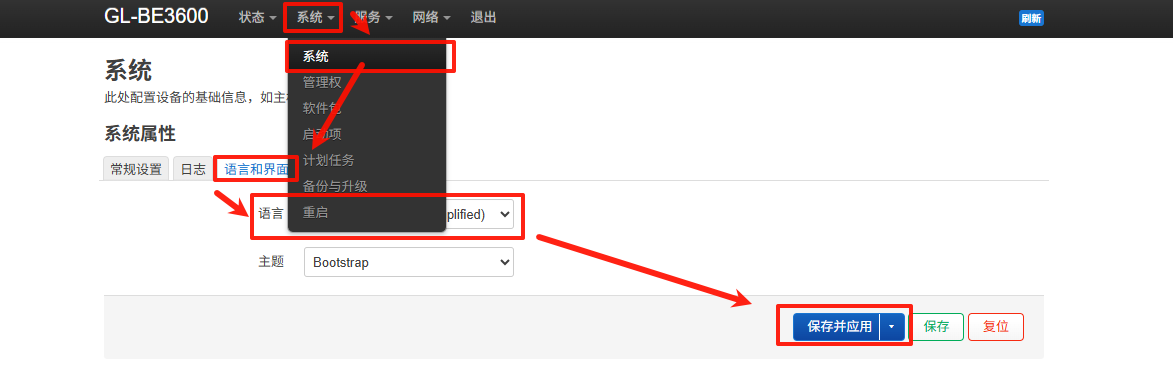
For now, you can manually switch to English using the following method.
Tomorrow I will return home and check.
For now, AstroWarp has stopped working at all. It seems to be connected, but the only thing I have gotten as a result is "no websites available." (Note: it worked when I was writing previous answers, and I did not change any configuration) The only thing I see is that the router says it was connected to AstroWarp.
For me, it seems strange that it is for other people…
I will try to reset configurations for both routers one more time… sometimes it helps…
The browser for all the websites just displays the following:
No internet
Try:
Checking the network cables, modem, and router
Reconnecting to Wi-Fi
DNS_PROBE_FINISHED_NO_INTERNET
Similar situation with other protocols - no connections.
This FAQ applies to DNS resolution issues encountered when accessing resources via a virtual domain, where the DNS configuration should be adjusted on the device like PC or phone rather than on the router.
The resource domain name is resolved locally by the router. Please make sure that DNS encryption is not enabled on the device side and the DNS server is not pointed to an encrypted address such as 1.1.1.1.
It is not related to the issue the OP is experiencing with being unable to access any website through the internet exit node router.
Similar issue. I have a GL.iNet Flint 2 set as the exit point in AstroWarp. I need to connect GL.iNet Brume 2 as a client, for use when travelling, and the Brume 2 is already travelling (not on the same premises as the Flint 2, so can’t connect to the same network in the first instance). The instructions are only ‘add the travel router to the network and configure it to use the home router as its internet exit’. How do I do this?


 very difficult…