I have my guest zone AP isolated with a custom dns set to my pi holes IP address. This works out of the box but shows all clients from my guest zone as the gateway 192.168.8.1. What I thought would resolve this issue is going into NAT rules and creating a rule with the outbound zone of guest and a destination address of my pihole and making sure the action is accept and not SNAT or masquerade. Unfortunately this doesn’t work and one of my TVs updated and spam DNS queries until pihole issues a time out on 192.168.8.1, which blocks the entire guest network until the timeout is over.
The device is a GL-MT3000 on v4.8.1
Hi
Could you clarify how you are currently distributing the Pi-hole IP address to the Guest network as DNS server?
By default, IP Masquerading between Guest and LAN should not be enabled.
We recommend the following:
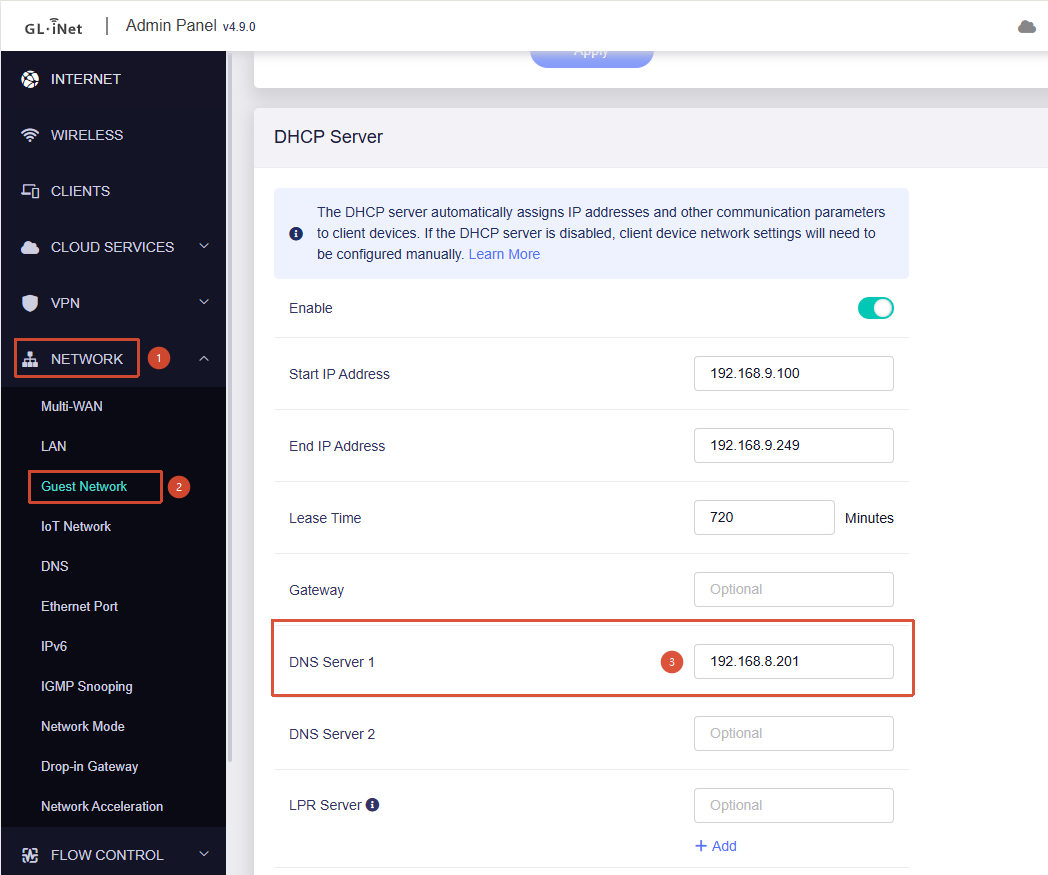
- Go to Admin Panel → Network → Guest Network and adjust the DHCP settings to advertise the Pi-hole IP address as the DNS server.
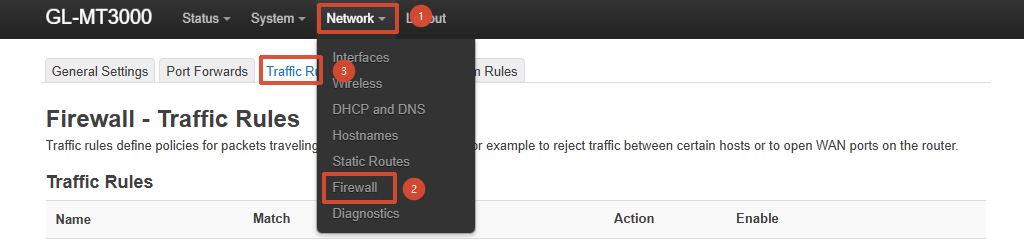
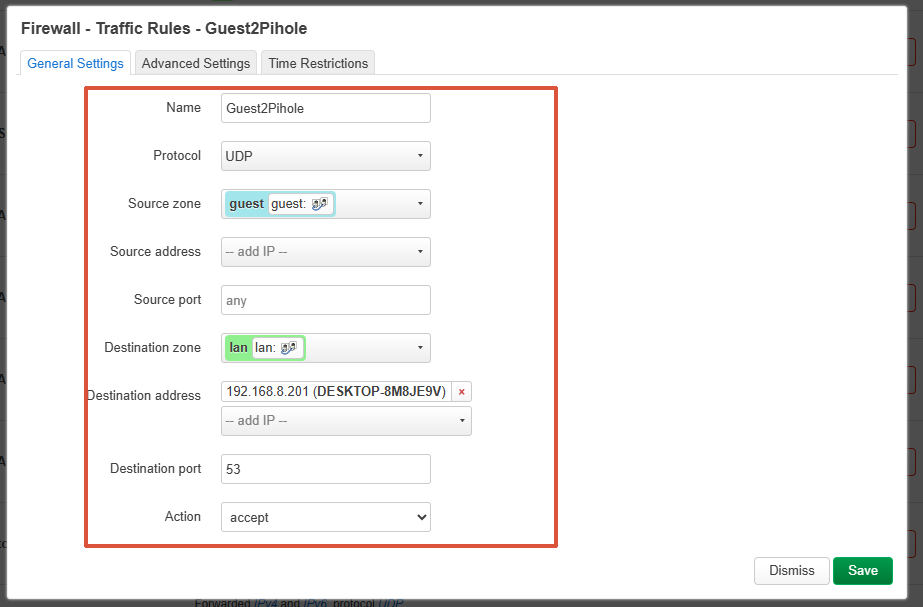
- Go to LuCI → Network → Firewall → Traffic Rules and allow the Guest network to forward UDP port 53 traffic to the Pi-hole IP address.
This should allow Pi-hole to directly identify the LAN IP addresses of devices on the Guest network.
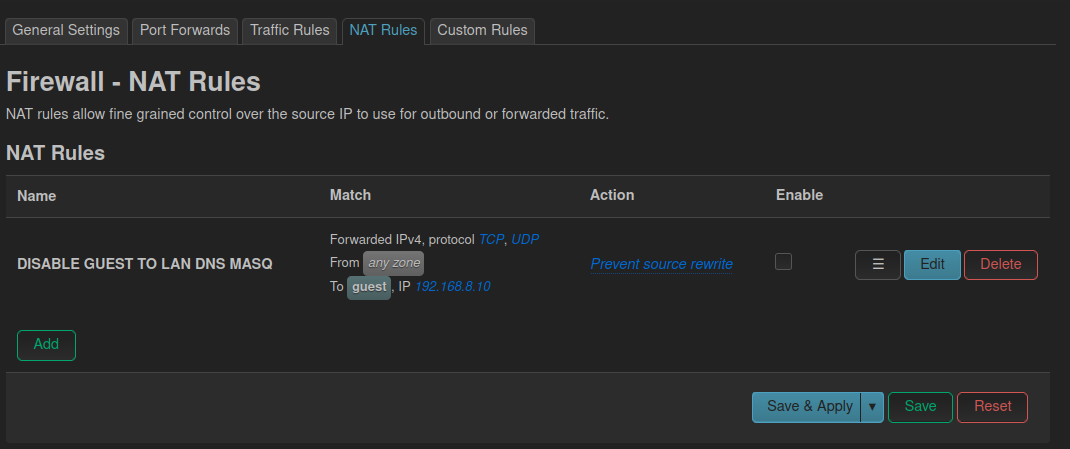
I thought the same thing but it doesn’t work. This is what I originally tried before i made a NAT rule which also didnt work. I ran a DNS leak test and everything from the guest network still shows up as 192.168.8.1 in the pi hole I would post screenshots but i am only allowed to post 1 per post apparently.
the NAT rule that is now disabled that doesnt work
Hi,
This is a bit strange, as everything works as expected in our local test after configuration.
You may consider sharing the device with us via GoodCloud by following the tutorial below, so that we can help check it remotely:
Kindly note that you should send us the MAC address and router password via private message so that we can access it.
I’m starting to think this might be a pihole issue. I did a port scan of my pihole from the ap isolated client and it shows only port 53 as being open. So as far as i know it should work. I can also do a dig directly to the pihole. This might not be a router issue let me get back to you on this.
1 Like
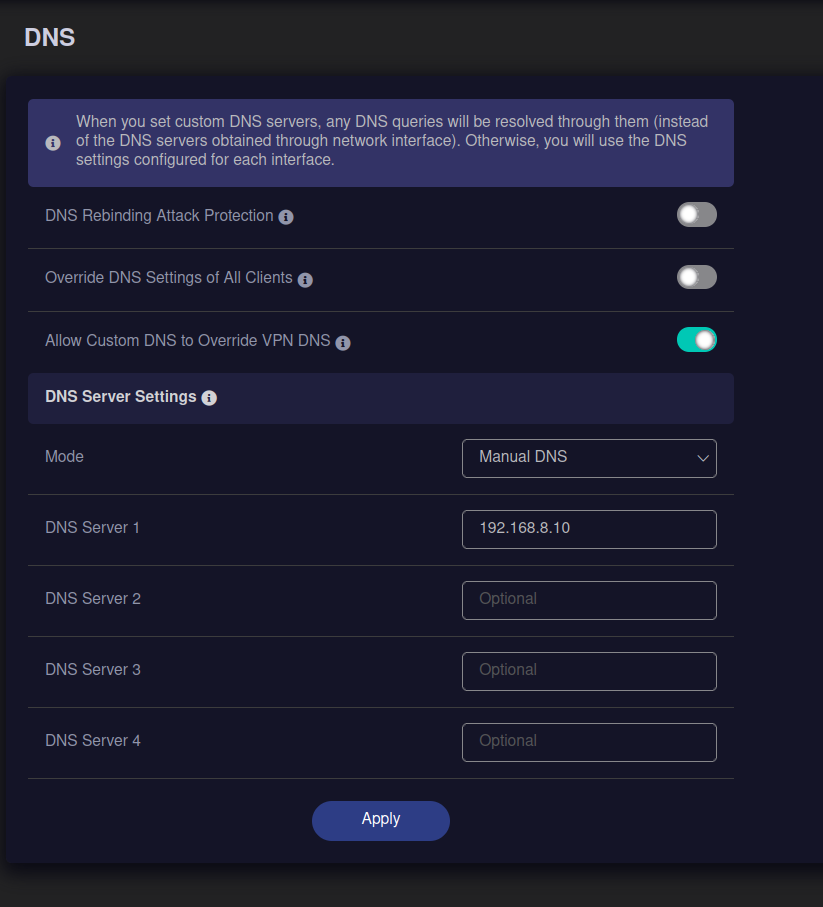
Actually figured it out, after reading what “Override DNS Settings of All Clients” actually does, I unchecked it. Now in theory if my tv has their own dns hardcoded into it, it would use that? So I should block port 53 outgoing on my guest to prevent this?
Yes. After disabling Override DNS Settings of All Clients, any LAN device with a hardcoded DNS server will use its own configured DNS instead of the DNS server provided via DHCP.
Yes, you can block UDP port 53 on the Guest network to force those devices to fall back to the DNS server provided by DHCP.
Alternatively, you can implement behavior similar to our Override DNS Settings of All Clients feature by redirecting DNS requests to your Pi-hole DNS server.
If i enable that setting, all my isolated subnets show up as the gateway IP in my pihole. Not sure if that’s intended or a bug. My solution was I upgraded to 4.9.0 since i noticed that was the version you had in the screenshots and disable Override DNS Settings of All Clients. I changed nothing else to resolve this.
I made firewall rules to block port 53 and 853 and confirmed it blocks on the other zones.