Hello,
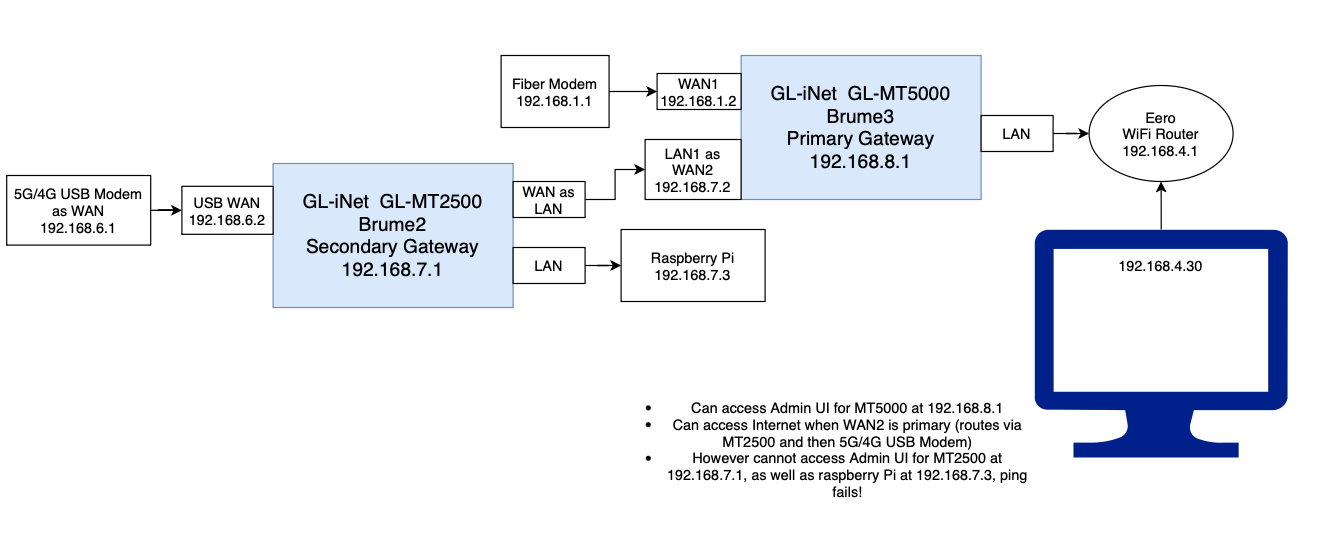
I have a two router setup that is shown in diagram below.
The Brume3 (MT3000) 192.168.8.1 acts as Primary Gateway, connects to Fiber Modem (192.168.1.1) via WAN1; LAN1 is converted to WAN2, this connects to Brume 2(MT2500) 192.168.7.1.
WAN1 and WAN2 are in failover model (WAN1 Fiber goes down → Use WAN2 which is Brume 2).
An Eero WiFi router connects to LAN of Brume 3 (MT3000) and provides WiFi access to clients.
The Brume2 has USB 5G/4G modem acting as WAN (USB modem is RNDIS type, 192.168.6.1).
Brume2’s WAN port is converted to LAN, and this connects to Brume3 (MT3000) and assigns IP 192.168.7.2. Additionally a Raspberry Pi is connected via LAN port with 192.168.7.3.
Now, when Fiber goes down, the failover works just fine. Internet is working from clients (Client → Eero → Brume3 → Brume 2 → USB 4G/5G Modem).
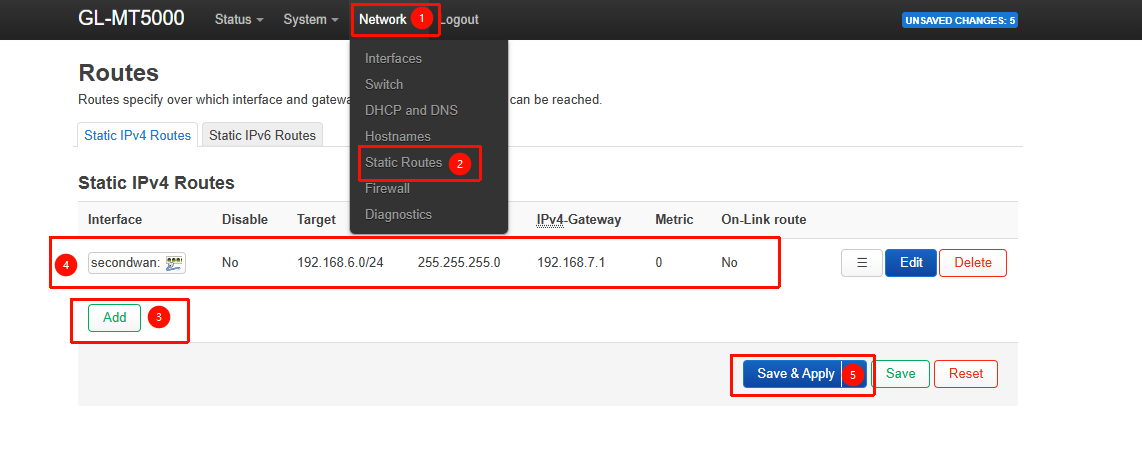
From Client I can access Admin Panel of Brume 3 at 192.168.8.1. I can also access Admin Panel of Fiber Modem at 192.168.1.1. However I cannot access Brume 3 Admin Panel at 192.168.7.1 or the Raspberry Pi at 192.168.7.3 or the Admin Panel of 4G/5G modem at 192.168.6.1.
Please provide help on how to resolve this issue!