I am able to connect locally at glkvm.local through my browser, and the KVM is shown as “online” using the Windows GLKVM desktop app. When I try to connect through the app, the connection stops at 99% and never completes.
So far I have tried rebooting the KVM, repowering the KVM, updating the firmware to the latest (v1.8.2), and uninstalling/reinstalling the GLKVM app at the latest level. It was working fine a few days ago - I did not make any changes until after seeing that it was not able to connect.
My primary use is connecting remotely and I have been successfully using ZeroTier up until now. I would appreciate any suggestions….
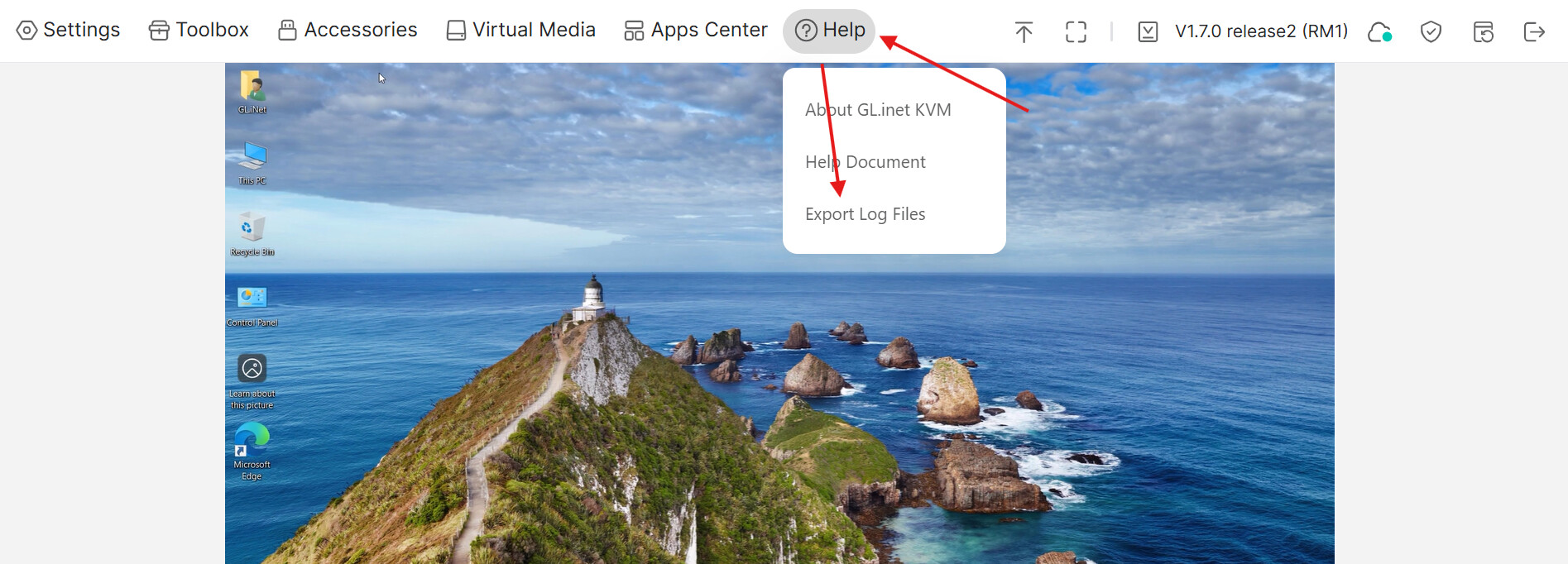
Could you please confirm whether you're able to access the device remotely via glkvm.com?
Also, please export the logs and send them to flora.wan@gmail.com — that will help us look into the issue more closely.
Thank you very much for the reply. For some reason, when I tried again today it suddenly started working. We can close this for now and I will post again (with logs) if I run into the problem again.
Hi Flora,
I am experiencing a similar issue and have emailed you my logs. I cannot access it locally as well, glkvm.
How about accessing the remote kvm via glkvm.com?
This is what I get when I try to access via glkvm.com
As I know this image only displays when you use the desktop app, please try to access the remote kvm with your browser via https://glkvm.com