Experimenting with shovelling specific traffic down my tunnel based on domain to get UK based bbc websites (it wont work for cdn reasons i think but thats another story) but have come across an issue.
When i enter domains in the GUI and restart the tunnel i get errors in the server log:
Fri May 8 15:51:48 2026 daemon.crit dnsmasq[13242]: FAILED to start up
Fri May 8 15:51:53 2026 daemon.crit dnsmasq[13299]: bad option at line 1 of /tmp/dnsmasq.d/via_domain
Fri May 8 15:51:53 2026 daemon.crit dnsmasq[13299]: FAILED to start up
Fri May 8 15:51:53 2026 daemon.crit dnsmasq[13301]: bad option at line 1 of
After a few seconds i lose all dns (not just to those domains) on the connected clients, nothing shows in AGH or anywhere else. Turning tunnel off or deleting those rules and all is fine again.
Is this some sort of parsing error with the GUI here?
Tunnel policy works on a device level but im getting this using the gui for a domain based filter.
AGH is running on the Beryl, Override DNS Settings of All Clients and Allow Custom DNS to Override VPN DNS are both turned on but have tried them off.
It looks to a invalid policy passed to nftables which then fails, dnsmasq fails to start by it.
What is your raw policy given in?
It could be there is a strange white space character after a new line which invalidates the dnsmasq configuration, since they may get stripped on the forum in case of posting.
Its a bog standard text-only raw paste from notepad into the GUI.
Also tried typing manually
I dont see any hidden control codes or characters and typing manually should exclude that.
How long is this list?, i know that nftsets have a limit atleast that is what I learned from Stangri's PBR it could be that the ipset is becoming too big.
I was on op24 a while ago but downgraded due to wanting Amnezia support so its likely left over from that despite multiple 4.8 and 4.9 firmwares.
I did try a factory reset 4.9b2 to install from scratch but found it refused to recognise my vpn config files as Amnezia, marked them as normal wireguard and refused to connect hence restoring.
Thanks for that, sorted for now. a test domain now does go through the tunnel. (Admittedly bbc still redirects somehow to international page but that’s unrelated)
Ill do so but in a few days when im back from the current trip. Is it better as a PM due to server addresses (not sure i want my private infrastructure IPs on public forums).
I will do another full factory reset off this trip and paste it again along with log gathering.
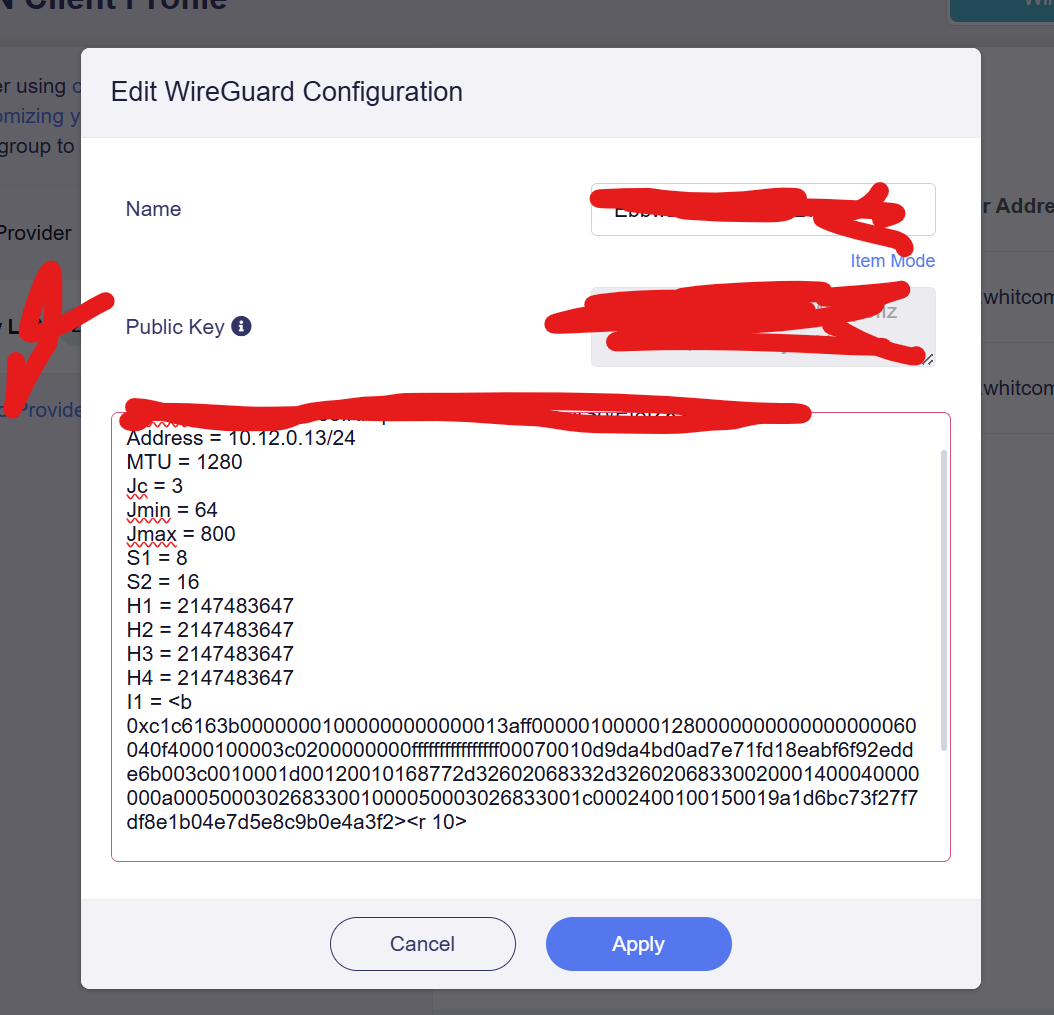
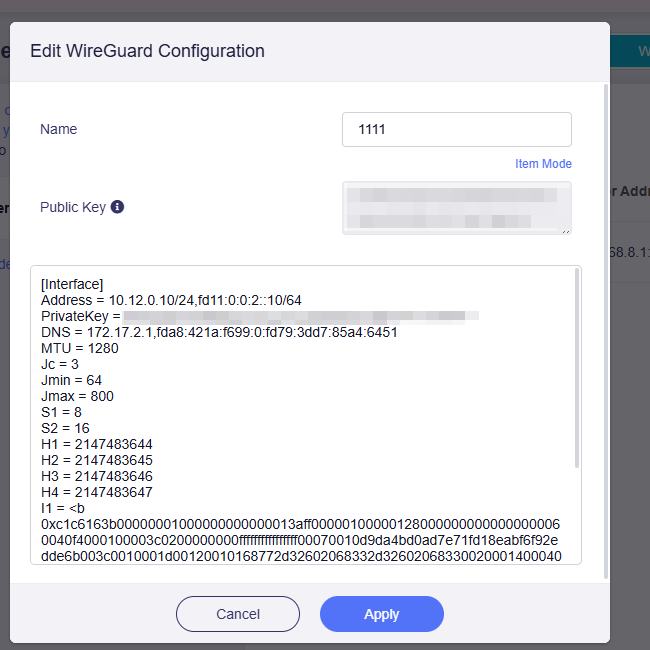
In “Text” apply wont work - red border. In “Item” list it highlights the obfuscation parameters and wont save.
If i import the .conf directly then it “accepts” it and “connects” but doesnt work. Poking round the CLI suggests its trying to treat it as a Wireguard instead and as such no obfuscation so wont work at all.
The same settings work on mobiles, laptops and previously on 4.9 beta 1 (where i entered it) and beta 2, 3, 4 prior to reset.
FWIW if i strip I1 and H and paste the text in, the config does save at least so it suggests the parsing is getting stuck here.
Further update. This looks like a parser error. I can manually fix it by creating a file in /etc/wireguard/profiles/group/peerxxxx and echoing all the obuscation parameters there.
If i do that the the entire config works. Errors seems to be not parsing therefore not saving obfuscation.
Its self-hosted with the official git Amnezia on a RaPi.
Changing params isnt really practical due to 20 or so clients (not all mine) id have to re-configure.
The Beryl DOES work though if i manually set the file in /etc/wireguard/profile/group/peerxxxx with the values.
If i do that it all connects and all works so it seems the client implementation itself is fine using those values but the parser is rejecting them on both the text input or conf file input.
But the .conf input DID work on 4.9 beta 1 as thats how my original config got added in the first place.
Best i can do next week is set up a new server with new values as a test bed.
Is there a list of what parameters and values are currently accepted?
EDIT to add:
Even using H values in the ranges you specific the text paste parser wont accept them.
It will ONLY save with all H and I1 removed. S1,S2 is fine. Obviouslyy then it doesnt think its AWG so creates as a standard peer so i have to manually create the file in profiles/group/peerxxx with them.