Hello,
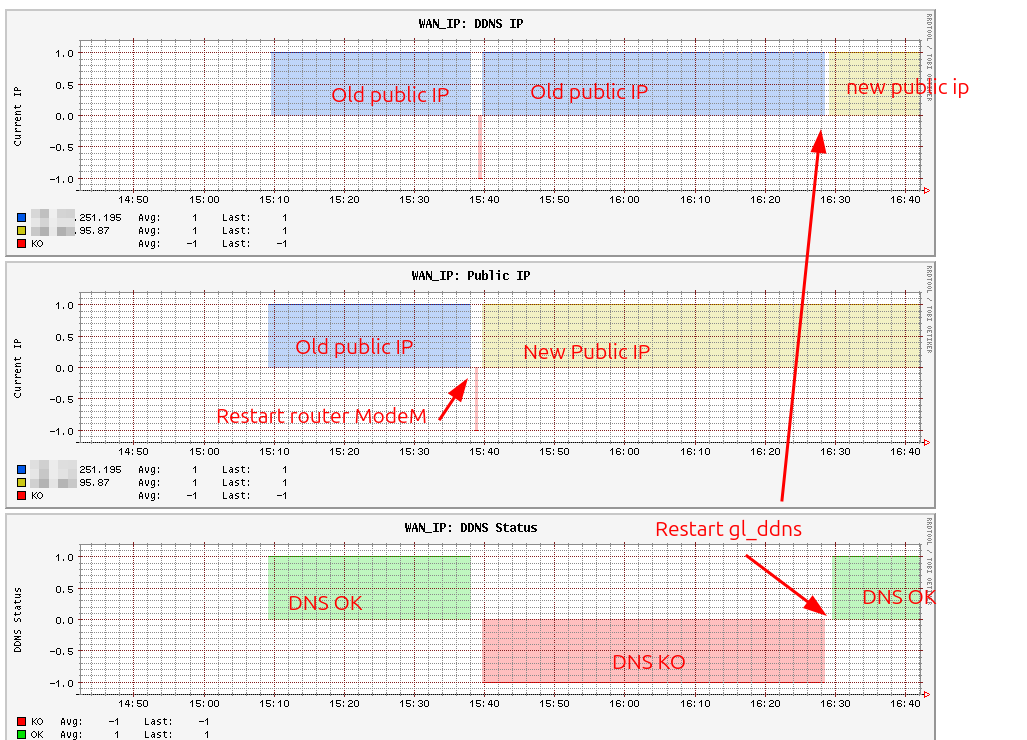
I m using flint2 version 4.8.3-op24 DynamicDns not sychronize public IP until i restart “gl_ddns” service,
Some time work fine , but most time until i restart gl_ddns, and i can’t found any log related to dynamic dns
Hello,
I m using flint2 version 4.8.3-op24 DynamicDns not sychronize public IP until i restart “gl_ddns” service,
Some time work fine , but most time until i restart gl_ddns, and i can’t found any log related to dynamic dns
i discovered the same issue for Flint3 beta firmware v4.8.99
Hi
We tested the issue on both devices and firmware versions mentioned, but were unable to reproduce the problem.
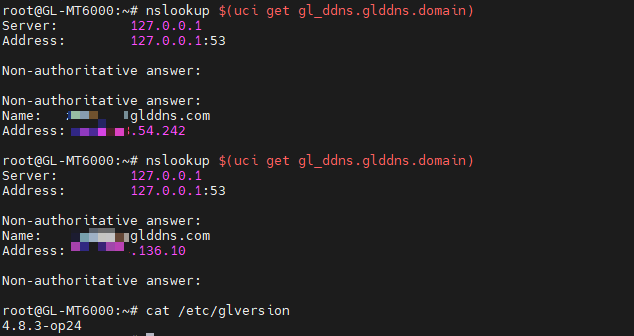
MT6000 v4.8.3-op24:
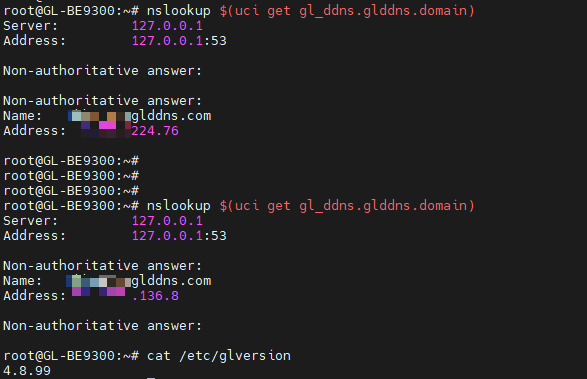
BE9300 v4.8.99:
When the issue occurs again, please check the following:
Export the device logs and send them to us via private message.
SSH into the router and run the command below to verify whether the DDNS-related services are still running:
ps | grep ddns
Export the verbose DDNS log files /var/log/ddns/glddns.log and send it to us via private message as well.
If possible, please connect the device to GoodCloud and share it with us after the issue occurs.
Note to send us the device's MAC address and login password via PM so we can access it remotely.
Technical Support via GoodCloud - GL.iNet Router Docs 4
hello @will.qiu
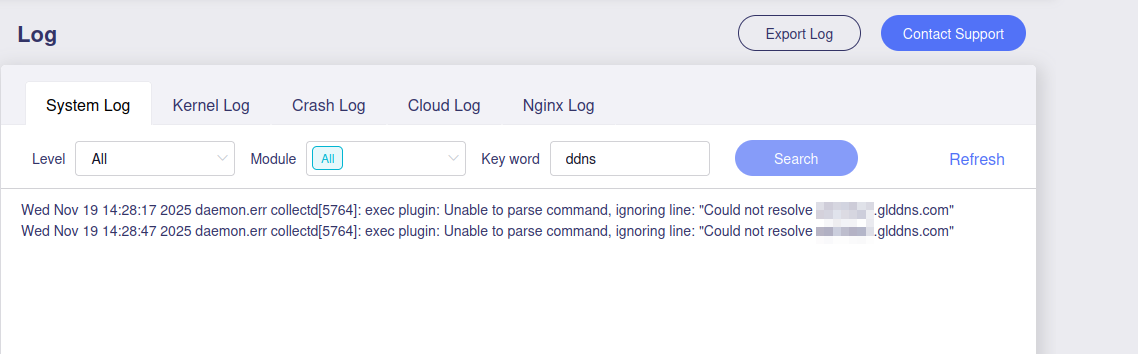
There is no log for ddns in log (only my colllectd-mod-exec to monitor ddns)
and the process is not executed
Based on the logs, your network connection appears unstable.
Many AdGuard Home queries failed due to network issues.
However, there are no DDNS-related logs, so we cannot determine why the service stopped unexpectedly.
As mentioned earlier, please consider sharing your device with us through GoodCloud so we can review its status directly.
hello @will.qiu
Thanks for taking time for my issue.
If problem is related to my connection why after restarting service it work, and why if connection is unstable service is down .
Sorry, but i can’t share access to my router, any script or check i can do it if needed?
We may not have explained this clearly earlier.
From the current logs, we can only confirm general network instability.
What remains unclear is why the DDNS process is missing or exiting unexpectedly.
This explains why restarting the service restores functionality — it simply relaunches the DDNS process.
It is also unusual that /var/log/ddns/ is empty, since DDNS should write log files there as soon as it starts.
Please check again whether any files appear in that directory and confirm that the DDNS service is set to start at boot:
root@GL-MT6000:~# ll /var/log/ddns/
drwxr-xr-x    2 root     root            80 Nov 20 17:00 ./
drwxr-xr-x    6 root     root           220 Nov 20 16:59 ../
-rw-r--r--    1 root     root           876 Nov 20 17:00 ddns.log
-rw-r--r--    1 root     root          3315 Nov 20 17:00 glddns.log

root@GL-MT6000:~# ll /etc/rc.d/ | grep ddns
lrwxrwxrwx    1 root     root            17 Nov 20 17:03 K10gl_ddns -> ../init.d/gl_ddns*
lrwxrwxrwx    1 root     root            17 Nov 20 17:03 S95gl_ddns -> ../init.d/gl_ddns*
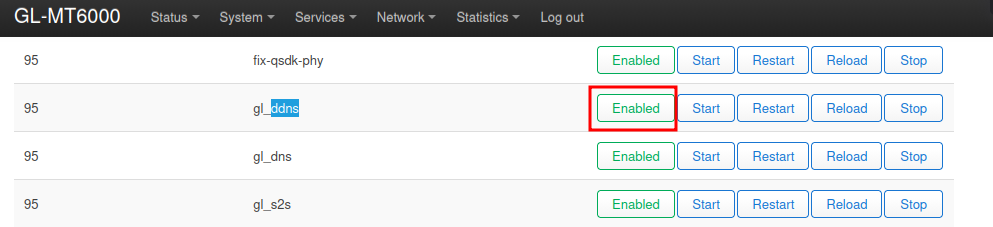
If the gl_ddns startup item is not present in /etc/rc.d/, try running the following command to restore it and check whether the issue persists:
/etc/init.d/gl_ddns enable
gl_ddns is already enabled, after restarting the service i see gl_ddns is tarted with verbose 0, how i can enable log for gl_ddns?

verbose 0 is expected behavior.
The corresponding DDNS logs can be found under /var/log/ddns/.
Please note that this directory is cleared after a reboot, so be sure to export the logs promptly once the issue occurs.
Also confirm that features such as scheduled reboots are not enabled, as they may remove the logs before you can retrieve them.
after restart service it work fine and log are present , but the service is not started after rebooting router and no log present.
I already execute : /etc/init.d/gl_ddns enable
What is the output of the following command?
ll /etc/rc.d/ | grep ddns

We have also reproduced this issue locally and will have our R&D team investigate it.
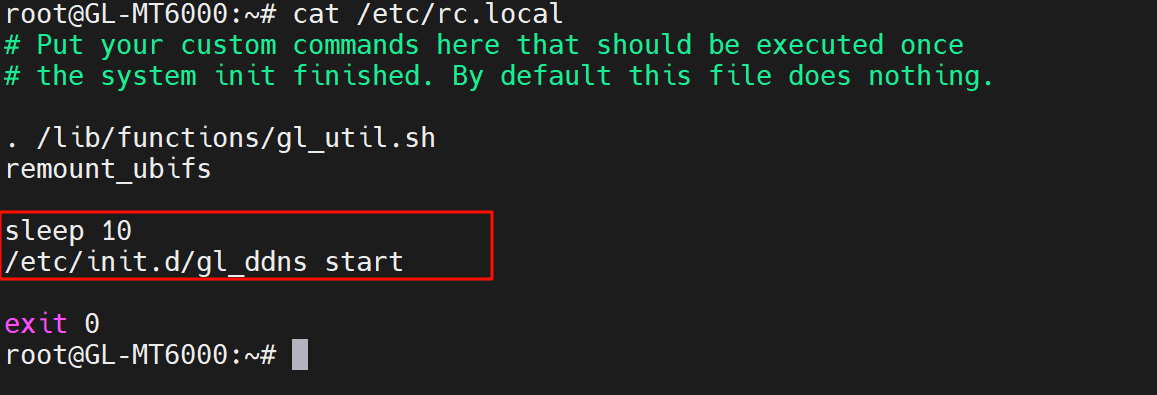
As a temporary workaround, please add the following lines to /etc/rc.local for now.
sleep 10
/etc/init.d/gl_ddns start
Where it will be post the final solution?
I´m having the same problem after the firmware upgrate.
GL-X3000
Thanks
The R&D team is currently investigating the cause and may require a firmware update to resolve it.
For now, please use the temporary workaround mentioned above.
Hi will, I'm having the same issue, this it's the output of the command in my Flint2:
root@Flint2:~# /etc/init.d/gl_ddns enable
root@Flint2:~# ll /etc/rc.d/ | grep ddnslrwxrwxrwx 1 root root 17 Nov 26 09:33 K10gl_ddns -> ../init.d/gl_ddnslrwxrwxrwx 1 root root 17 Nov 26 09:33 S95gl_ddns -> ../init.d/gl_ddnsroot@Flint2:~#
Update: I tried your workaround, so far so good, let see how long last