This one works, thx, but I’m not getting an audio output device on the controlled system. (there is a mic device though)
Could it be the edid?
This one works, thx, but I’m not getting an audio output device on the controlled system. (there is a mic device though)
Could it be the edid?
Modifying the EDID only changes the maximum supported resolution of the device; the actual output resolution is determined by the operating system. You can check if this resolution is available in the operating system and switch to it.
Ok, so the problem is somewhere else.
Any quick idea or should I open a new thread about missing audio device?
Provide your computer's information: OS, graphics card model(which COMET connect to).
ControlleD computer is a Dell Latitude 5430 running Windows 11 23H2 (build 22631.5909). Integrated graphics of the I7-1255U cpu. HDMI connected directly to the computer. Image and mic work well.
ControlleR computer is a desktop running ubuntu 25.10, connecting from firefox and using an usb headset.
One weird thing is that when I log in from the kvm, the laptop shows no output device, not even the integrated speakers.
Only this EDID has no output device, other EDID have?
Others have an output device, yes.
how about this one
00 ff ff ff ff ff ff 00 09 d1 85 07 25 03 00 00

05 1e 01 03 80 3e 22 78 2e 08 a5 a2 57 4f a2 28

0f 50 54 01 08 00 d1 c0 81 c0 81 00 81 80 a9 c0

b3 00 a9 40 01 01 67 3e a0 a0 50 54 2e 60 30 20

3a 00 a0 54 56 00 00 1a 66 21 56 aa 51 00 1e 30

46 8f 33 00 50 1d 74 00 00 1e 00 00 00 fd 00 18

4c 1e 87 3c 00 0a 20 20 20 20 20 20 00 00 00 fc

00 47 4c 4b 56 4d 0a 20 20 20 20 20 20 20 01 4f

02 03 49 f0 56 10 04 00 00 00 00 00 00 00 00 00

00 00 00 00 00 00 00 00 00 04 00 23 09 07 07 6d

03 0c 00 20 00 38 44 20 00 60 00 00 00 67 d8 5d

c4 01 78 80 03 68 1a 00 00 01 01 28 3c 00 e1 05

e1 0f e6 06 05 01 5a 53 44 7d 4b 80 a0 72 b0 2d

40 88 c8 36 00 6d 55 21 00 00 1a 68 5b 80 a8 72

a0 3c 50 80 d0 13 00 6d 55 21 00 00 1e 00 00 00

00 00 00 00 00 00 00 00 00 00 00 00 00 00 00 9e
This one works. Thx.
Hi, is there an EDID available for 3840x1080? UPDATE: Found one that works.
Whilst my monitor does 5120x1440 and the KVM POE connected machine works at this resolution if connected directly to this monitor, I am assuming it’s too much for the POE KVM to support?
We can support up to 4K@30fps, so setting the KVM EDID to 5120x1440 will result in no display. You need to configure the EDID to 3840x1080, as both resolutions share the same aspect ratio. Additionally, when local monitors are used simultaneously, the display settings on the controlled computer must be set to duplicate screens.
Hey there! I was hoping there was an easy way to get an EDID for a 2304 x 1536. It’s the native resolution of a current generation Microsoft Surface Laptop. It’s the main computer I use to access my big workstation when I am travelling. Every other resolution downsamples or puts black bars.
Hi, this is the EDID for 2304 x 1536@60hz
00 ff ff ff ff ff ff 00 05 e3 77 25 24 00 00 00

01 1e 01 04 a5 37 1f 78 3a 44 55 a9 55 4d 9d 26

0f 50 54 21 08 00 d1 c0 b3 00 95 00 81 80 81 40

81 c0 01 01 01 01 36 5b 00 a0 90 00 2c 60 30 20

3a 00 29 37 21 00 00 1e 00 00 00 fd 00 32 4c 1e

63 1e 00 0a 20 20 20 20 20 20 00 00 00 fc 00 47

4c 4b 56 4d 0a 20 20 20 20 20 20 20 00 00 00 ff

00 41 48 4c 4c 31 39 41 30 30 30 30 33 36 01 74

02 03 1e f1 4b 01 03 05 14 04 13 1f 12 02 11 90

23 09 07 07 83 01 00 00 65 03 0c 00 10 00 02 3a

80 18 71 38 2d 40 58 2c 45 00 29 37 21 00 00 1e

01 1d 00 72 51 d0 1e 20 6e 28 55 00 29 37 21 00

00 1e 8c 0a d0 8a 20 e0 2d 10 10 3e 96 00 29 37

21 00 00 18 8c 0a d0 90 20 40 31 20 0c 40 55 00

29 37 21 00 00 18 f0 3c 00 d0 51 a0 35 50 60 88

3a 00 29 37 21 00 00 1c 00 00 00 00 00 00 00 d0
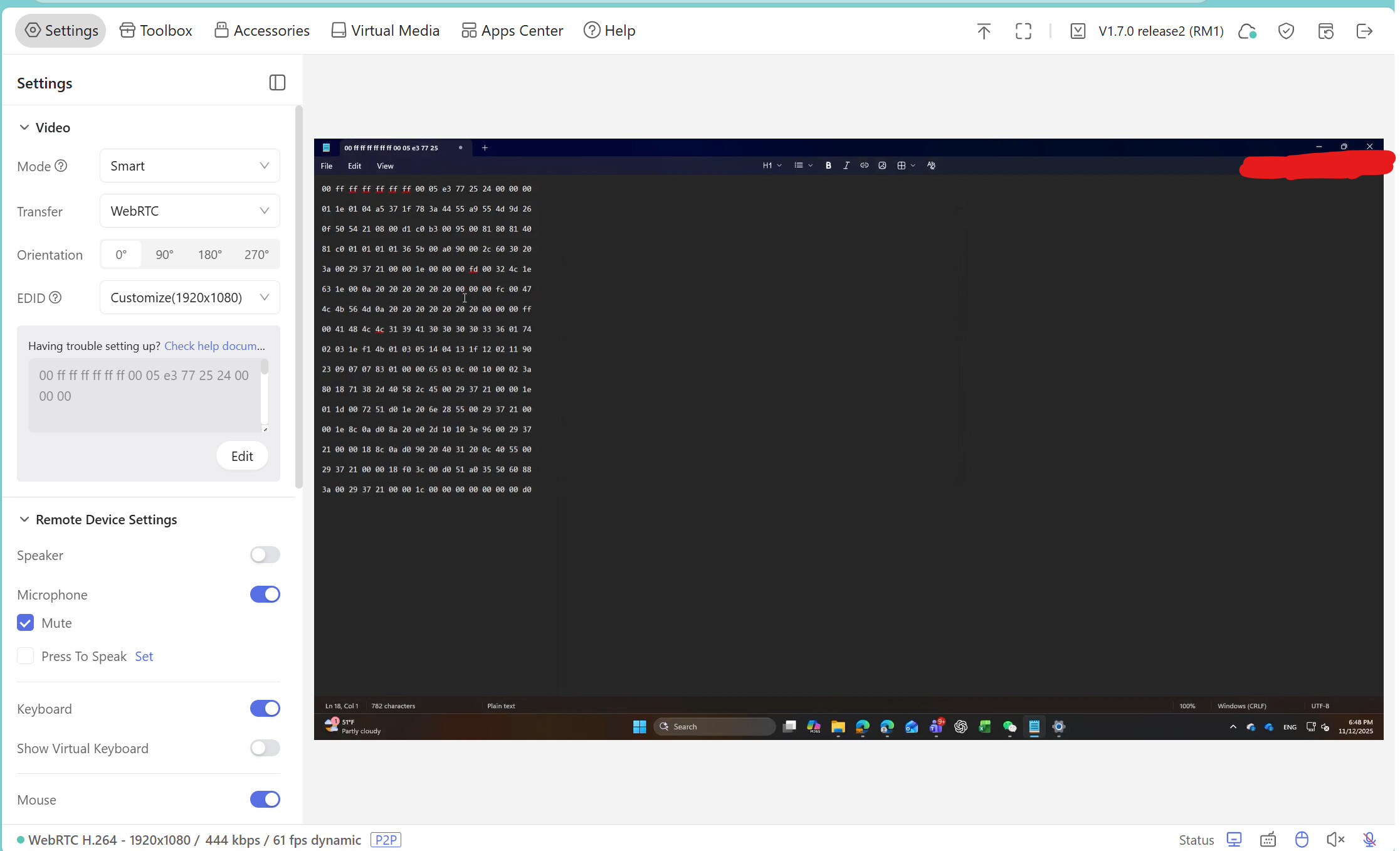
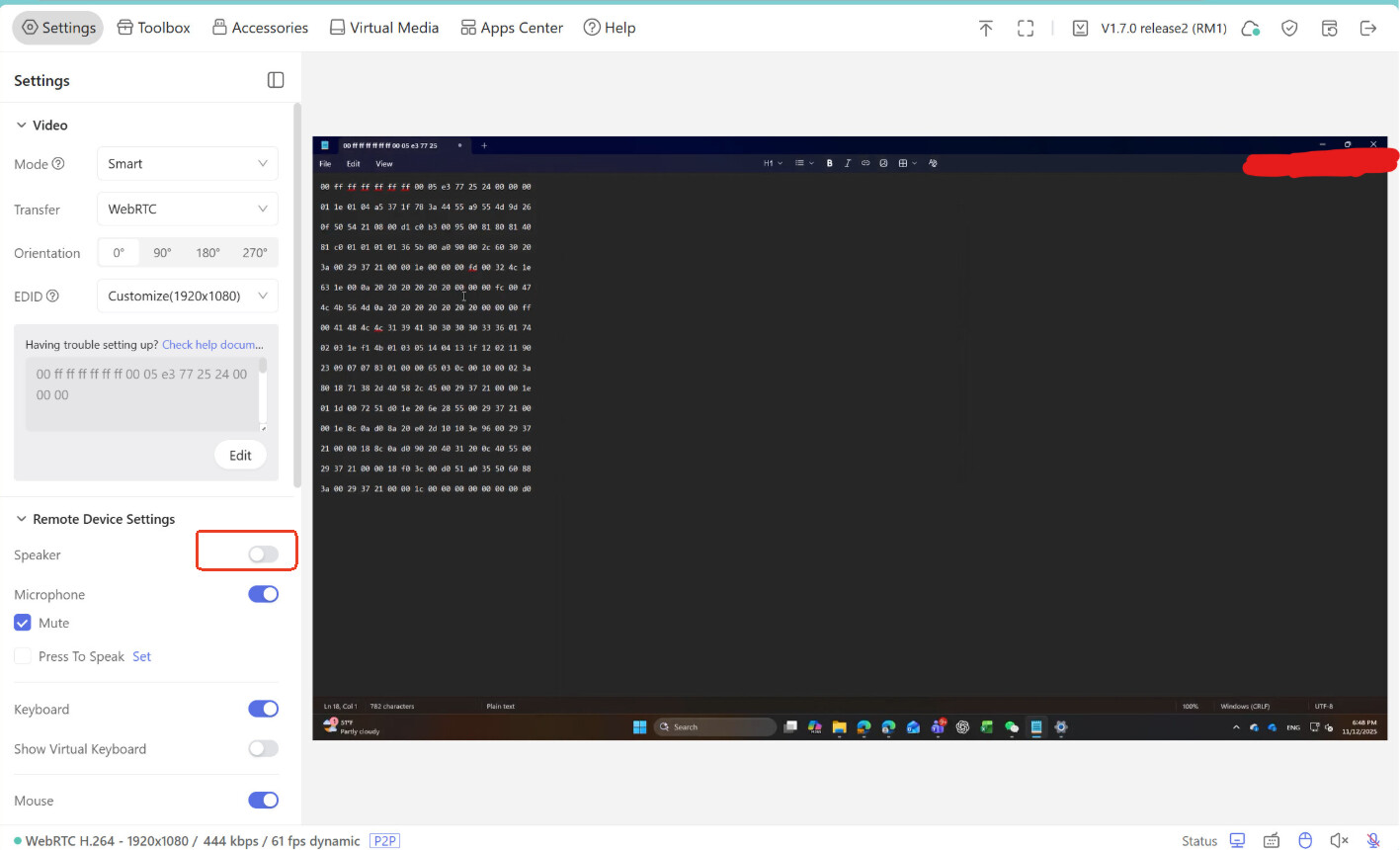
Hey there, thank you for this, but I don’t think it works. It accepts the EDID without an error, but it’s just a 1920x1080 monitor with no audio.
Please make sure that,
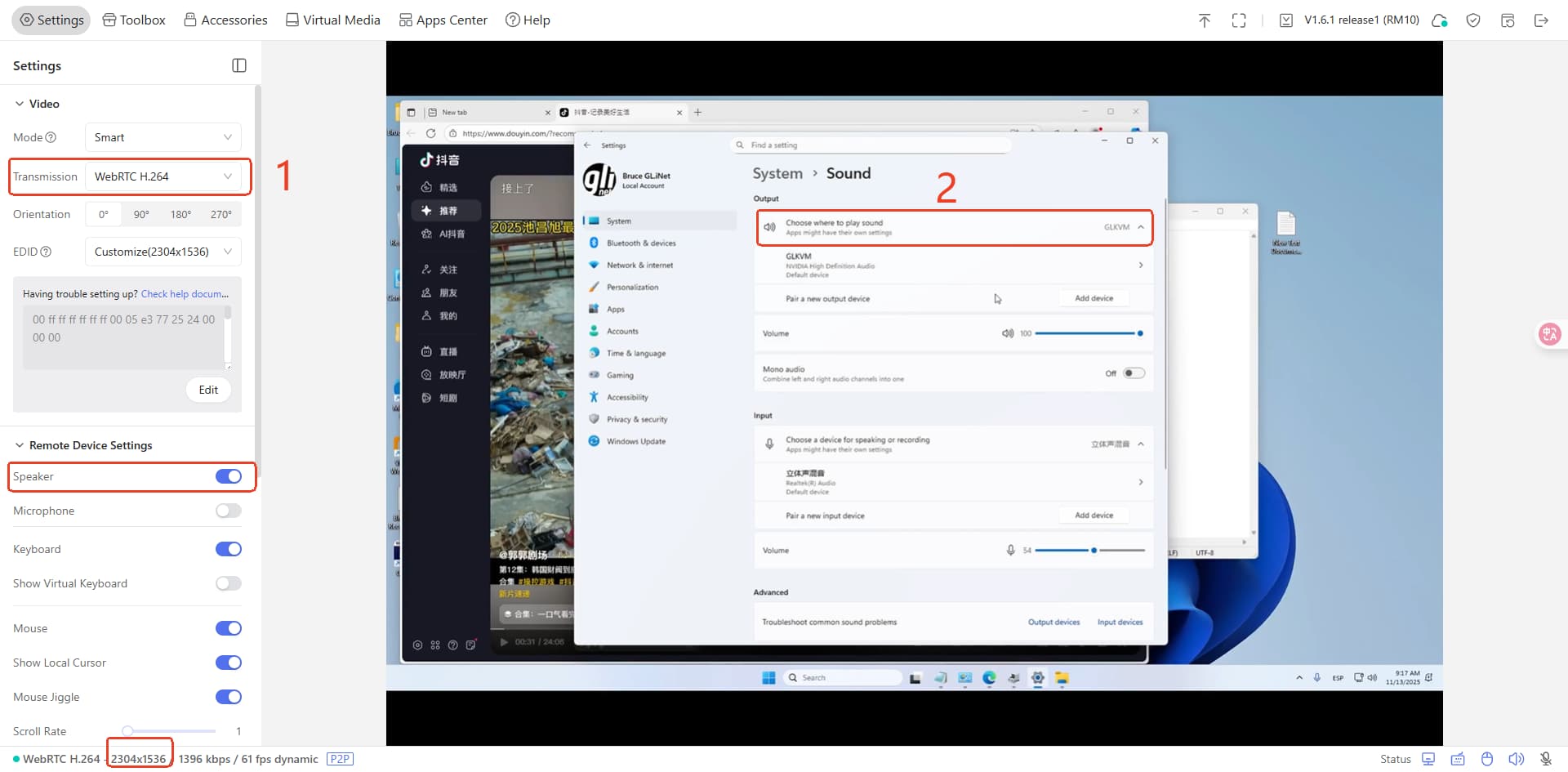
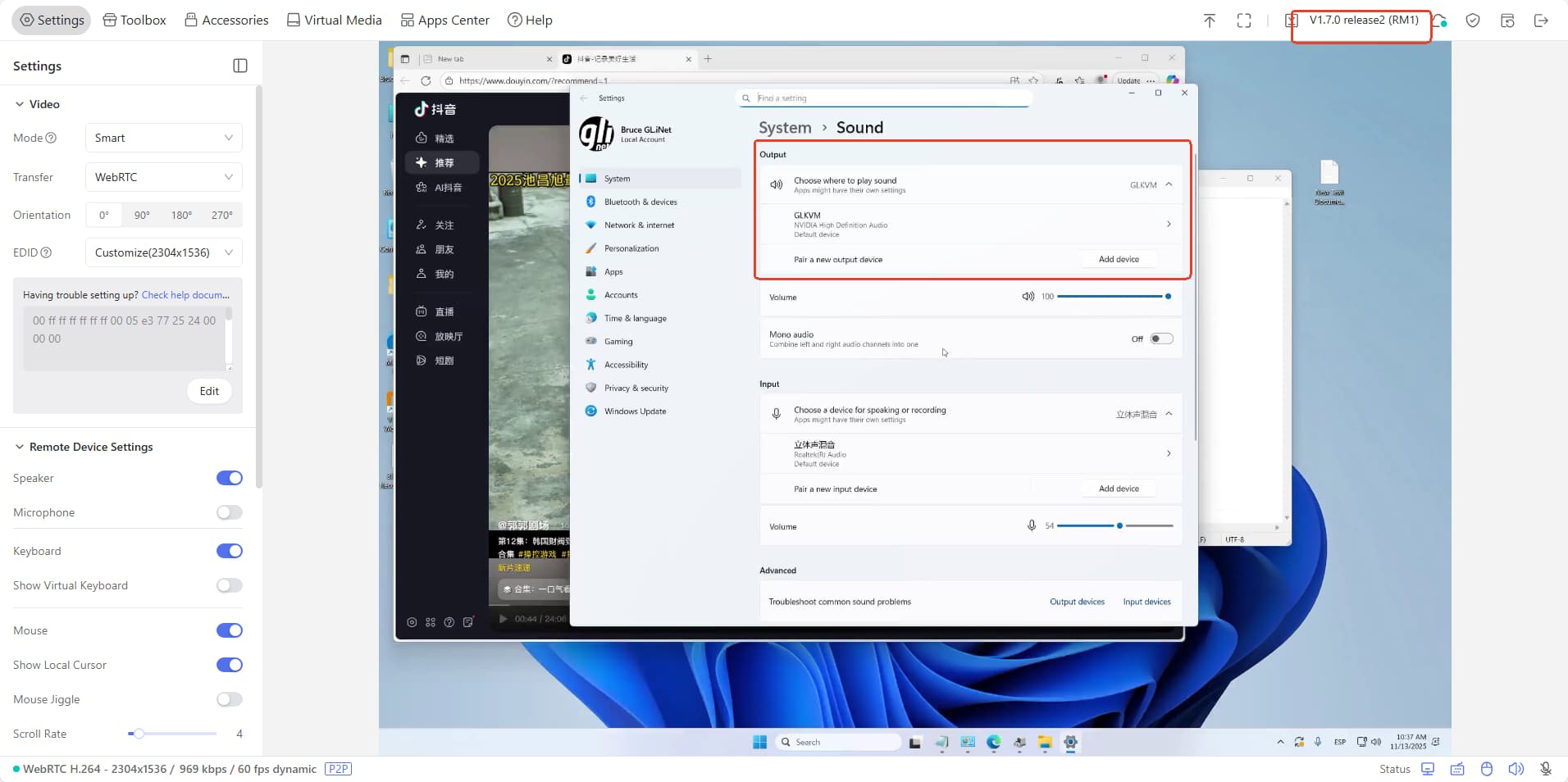
It work in my computer, the resolution is successfully set to 2304 x 1536 and the audio plays well.
I am not sure what is wrong. I am using 1.70r2, and I am trying just like you showed, but look what happens. I am also on an RM1, not an RM10, not sure if that matters. Also there is “No Audio Device Available” when I go to the system audio screen. If I switch it to a different EDID, audio works fine, just at a lower resolution.
Yes, I did. It made no difference on that specific EDID (switching to one of the pre-set ones worked ok)