Enable DPI Engine with WAN on different Port

Hello all together,

on my Flint 4, I would like to use the fastest ports inside my local network. And since my WAN-speed won’t exceed 1GBit/s, i assigned it via luci to one of the GBit/s Ports.
Now the UI displays me a Warnint No Internet Connection! Find a network to reconnect.
And if I want to enable the DPI Enginge, the button is disabled with the text Waiting for networking.

Is there a way to set up the DPI enginge with a different WAN-Port than one of the “high-speed-ports”?

Model-Infos:
Model: GL.iNet GL-BE14000
Architecture: ARMv8 Processor rev 0
OpenWrt Version: OpenWrt 21.02-SNAPSHOT
Kernel Version: 5.4.281
Firmware-Version: v4.9.2
Hi,

Please try the following SSH commands to make LAN6 a switchable WAN/LAN port:

uci set eth_ports_config_map.lan5.support_wan='1'

. /lib/functions/system.sh

uci set eth_ports_config_map.lan5.default_mac="$(
    macaddr_add "$(uci -q get eth_ports_config_map.lan1.default_mac)" 1
)"
uci commit eth_ports_config_map

reboot

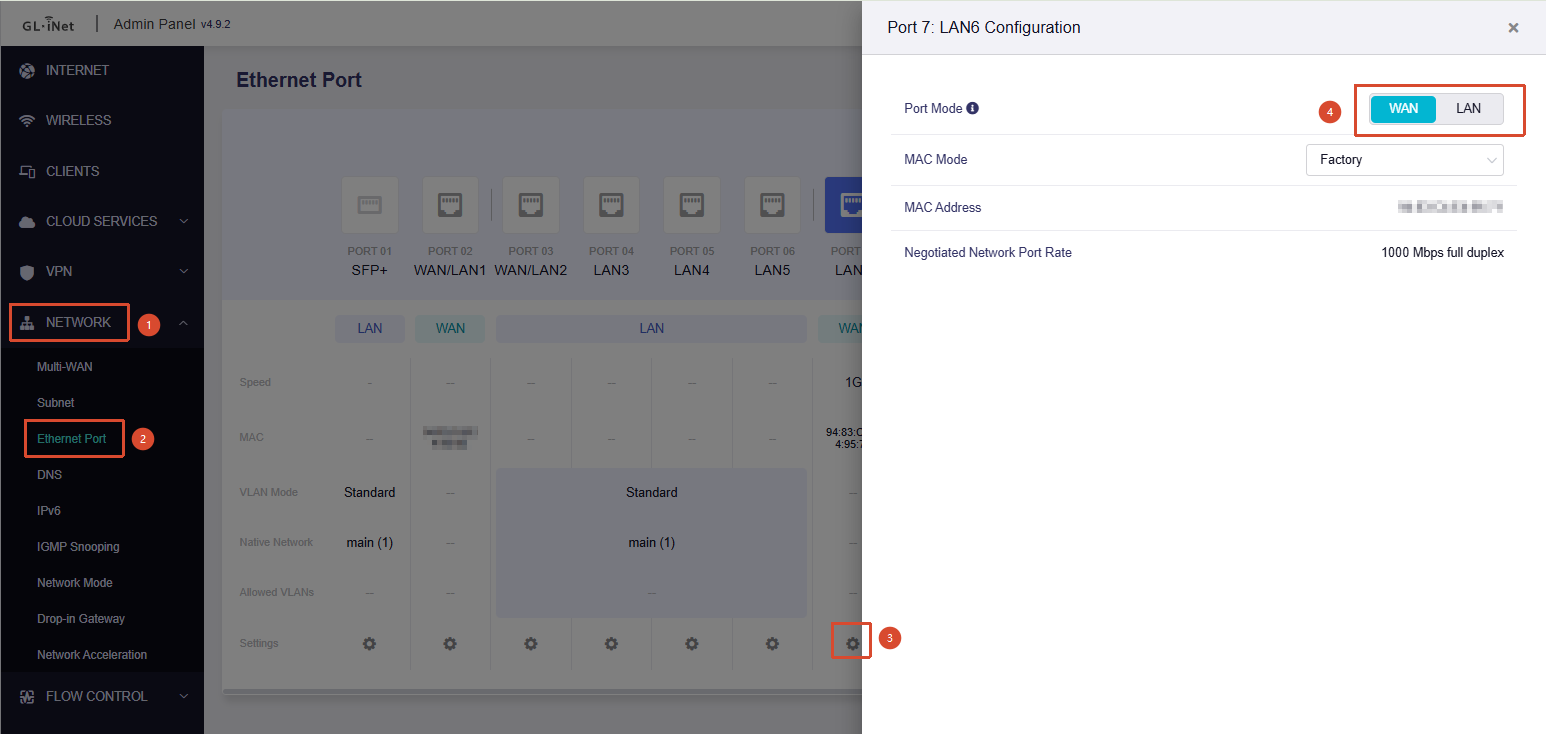
After the router restarts, go to Admin Panel → Network → Ethernet Port. You should then be able to switch LAN6 to WAN mode.

The router supports a maximum of two active WAN ports. If two are already active, first switch either SFP+ or WAN/LAN1 to LAN mode.

That’s amazing, worked like a charm!

Thank you!