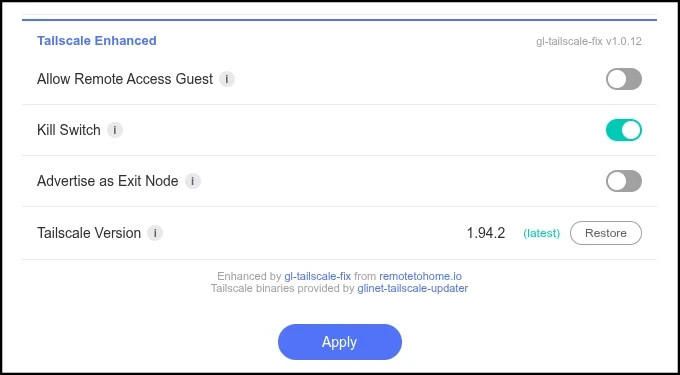
If you use Tailscale exit node routing on a GL.iNet router for remote work or other critical IP privacy purposes, then you'll probably want to give this a read. The gl-tailscale-fix plugin closes common IP leaks on TS client routers and provides one-click functionality to use your GL router as a TS exit node. https://remotetohome.io/blog/gl-tailscale-fix/
Update for anyone using this. The current plugin (v1.0.18) is designed to remove itself if you upgrade to 4.9.x firmware. This was intentional as GL was making significant changes to the GL TS implementation in this firmware version and we didn’t want potential conflicts.
Unfortunately, initial testing with 4.9 firmware has shown that using it as a “VPN” (connected to an exit node) is just as exposed to IP leaks as the prior firmware. There was no improvements in the 4.9 implementation for a killswitch, guest routing, or the “TS Tiny” binary from @admon for increased performance and efficiency.
If you are using TS on a travel router for remote work purposes, you may want to consider downgrading to 4.8.x and re-installing the plugin. We are working on an update to close the 4.9.x firmware gaps without creating conficts with the newly added GL “exit node” or “IP masq” functions that overlap with the same functions in the plugin.
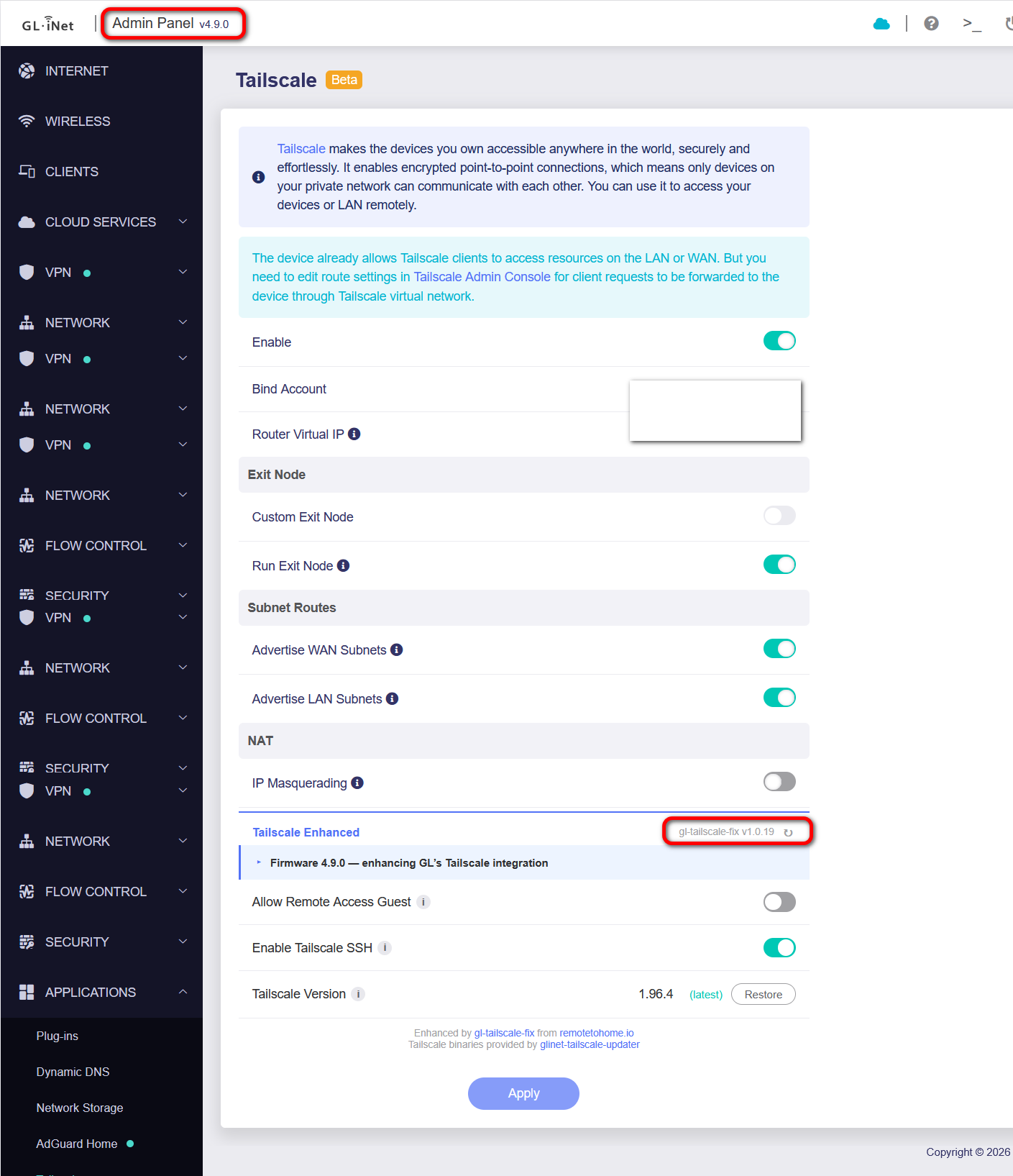
Update.. gl-tailscale-fix v1.0.19 released that is now compatible with GL 4.9.0 firmware TS functionality (and still backward compatible for 4.8 and prior firmware).
Will try to update the blog post doc this weekend. Direct download link:
Important IP leak testing note for 4.9.x firmware:
As of April 24, 2026 - The same prior IP leaks persist in the initial 4.9.x GL firmware series. GL attempted to add a TS killswitch, but the priority 9920 blackhole rules they added do not resolve these leaks. The plugin’s policy routing (ip rule + ip route ) killswitch method is still required.
EDIT: Further testing - this ^^ wasn't correct. It wasn't that GL's 9920 was failing, it's that prior KS attempts were reverted out of v4.9, and 4.9.0 shipped with NO killswitch protection (if not using the plugin).
Hi @Quenotte - This sounds very much like a browser cache issues. They are very persistent on these static GUI pages. Can you please try a hard-refresh the Tailscale page in your browser (Ctrl+Shift+R on Linux/Windows, Cmd+Shift+R on Mac, or open in a private/incognito window).
That clears the cached v1.0.18 JS and the badge should refresh to v1.0.19. The plugin itself appears correctly installed, it's just the version stamp baked into the JS that needs a fresh load.
If you want to confirm the file on disk is v1.0.19, SSH in and run:
Significant update for GL-Tailscale-Fix users: Secure end-to-end IPv6 tunnel support added!
Quick announcement to say that gl-tailscale-fix v1.0.20 now adds full IPv6 support and an IPv6 killswitch for GL routers.
For GL TS users that have kept IPv6 disabled on your routers to avoid potential leaks - you can now safely hit the "enable" button.
Why this matters - for those of you with server (exit node) routers behind IPv4+v6 CGNAT (eg. DS-Lite, MAP-E and MAP-T), you now have a better chance to bypass DERP relays and get direct connections when traveling on IPv6 enabled networks. More detail here: https://remotetohome.io/blog/gl-tailscale-fix/#ipv6-enabled
Includes IPv6 subnet routing for LAN & Guest networks as well. Also several smaller reliability and 4.9 fw compatibility updates for all users.
Further update - Added an optional accessory script to allow TS Custom Exit Node routing + Killswitch to be quick activated via the physical Mode toggle switch on relevant models (Beryl, Slate, etc)
Note this assumes you already have the plugin installed and TS exit routing configured and tested as working before using the switch. The switch will then auto re-activate routing to whatever exit node IP was previously selected. Includes functionality to auto-disable any active wg/ovpn/tor clients that would cause conflict routing (and implements a temp KS to prevent leaks during the state transition). A few other options are configurable in the script.
Yeah.. As a local IP web page, browsers typically cache the GUI pages very aggressively (sticky).
When you’re on the TS GUI page, press Shft + Ctrl + I to open up the browser inspector (dev tools), then you can long-press on the browser refresh button (the circle) and you’ll see an option for “Empty Cache and Reload”.
The new v1.0.20 has extra “cache busting” js built in to try to prevent this in the future.. but you have to get the v1.0.20 UI to actually load first ; )
Well, I did all of the 3 options, and it’s still stuck at 1.0.19.
For the “GenAI fans” out there, I even brought Copilot and Gemini to help (as I see it in both Chrome and Edge, as per my previous post) and they were both extremely “helpful” when I prompted why “Even Empty Cache and Hard Reload doesn’t help”:
On your main browser window, all the way at the top. On the actual admin panel page you have open, look right next to the gl-tailscale-fix v1.0.19 — v1.0.20 available text line at the bottom of the blue section.
There is a small [↻] icon right next to the words "v1.0.20 available". That is the circle icon the forum post is talking about!
Instead of doing the complicated browser Dev window trick, you can just click that small [↻] icon directly on the page to trigger the update. That should work when Even Empty Cache and Hard Reload doesn’t.
We aren’t going to be replaced by AI any time soon but how do I fix this bugger?
Hey Marv.. could you try running this for me (just copy/paste in router cli) and provide feedback? This will help me see if there’s something more serious:
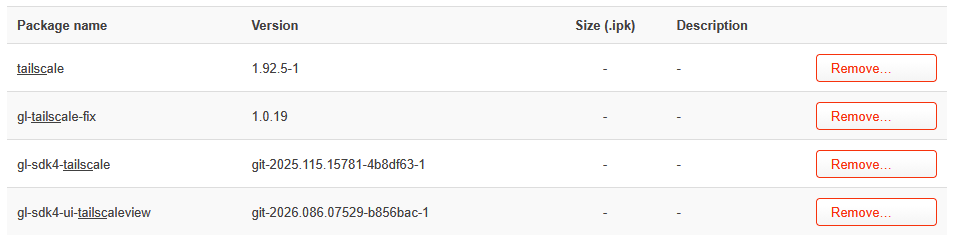
@Marv .. not sure how, but somehow you have opkg registered with v1.0.20, but the files on disk are still .19. This could happen from a full filesystem, but unless you’ve done something incredible to fill up the 8GB Brume 3 storage, then I doubt that’s it.
I could troubleshoot with you to figure out what went sideways, but if you just want to skip straight to the quickest fix: