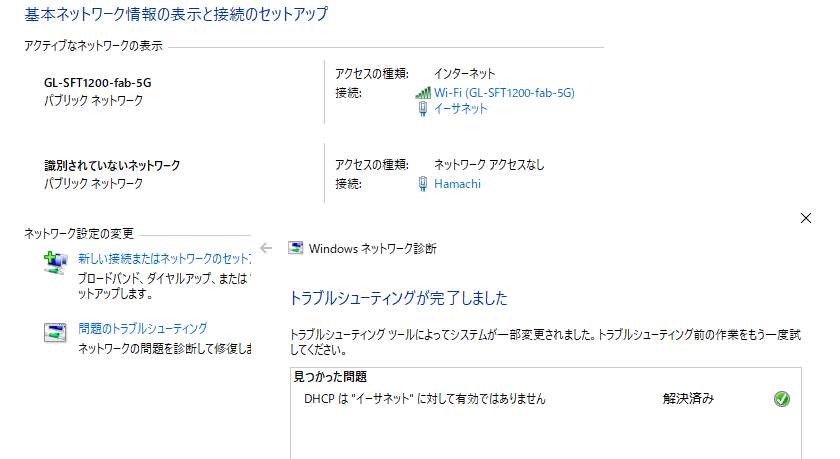
I am using the Gl-inet router to repeat the Internet Wi-Fi signal. I need to connect my computer and PS2 through Ethernet cable and later use them for file transfer, right now I am trying to connect the Ethernet cable to my computer, the cable is in the WAN port of the router (it doesn’t try to connect at all when I put in LAN) but in the admin page it only shows “Connecting…“ and Windows says it can’t identify the ethernet connection, thus no internet. There is a similar problem written in this other post, but it didn’t seem to reach to a solution. In the documentation I could only find this section explaining the functionality I want, but it doesn’t go into details, I suppose it should work automatically but it’s not. Can someone give advice on what to do next?
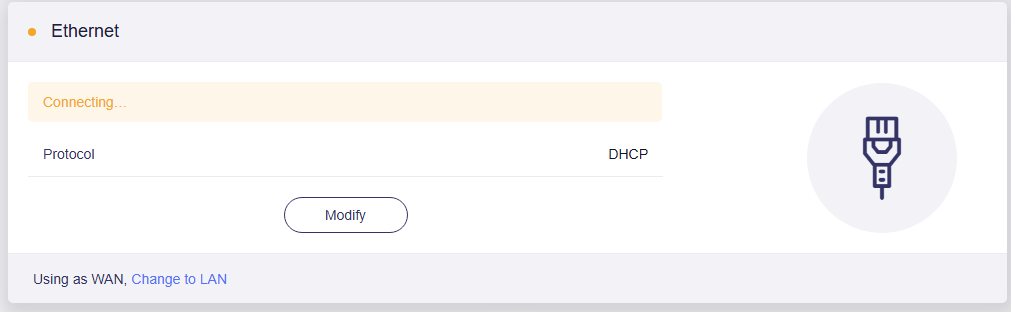
No this is wrong, the pc should be on a lan port.
The wan port is for the router more upstream in your network, where from the lan port on the upstream router goes into the wan of your gl-inet router.
If you want to make the gl router only use as a extender, you can use extender mode.
Ok, I changed to extender mode, plugged the cable in the LAN port of the router, but windows still doesn’t recognize the Ethernet connection (my system is in Japanese, written “識別されていないネットワーク インターネットなし“ but it translates to “Unidentified network. No internet.“), is that normal? Also, does using this extender mode unallows using router as a bridge between the PS2 and PC for FTP file transfering?
To make my goal clear, I drew a map showing off the kind of connection I’m aiming for, I hope it helps. Before I moved out, I had this setup directly from my primary internet router, but now the primary router is in another room and I can’t pull cables from there, the solution I found was to buy this GL-iNet router and try to replicate this setup but with the new router receiving Wi-Fi signal instead. Now I’m wondering if this is even possible (the PS2 and FTP setup I can handle later, first want to make sure the router is sending actual internet through the LAN ports, which is the issue I’m having).
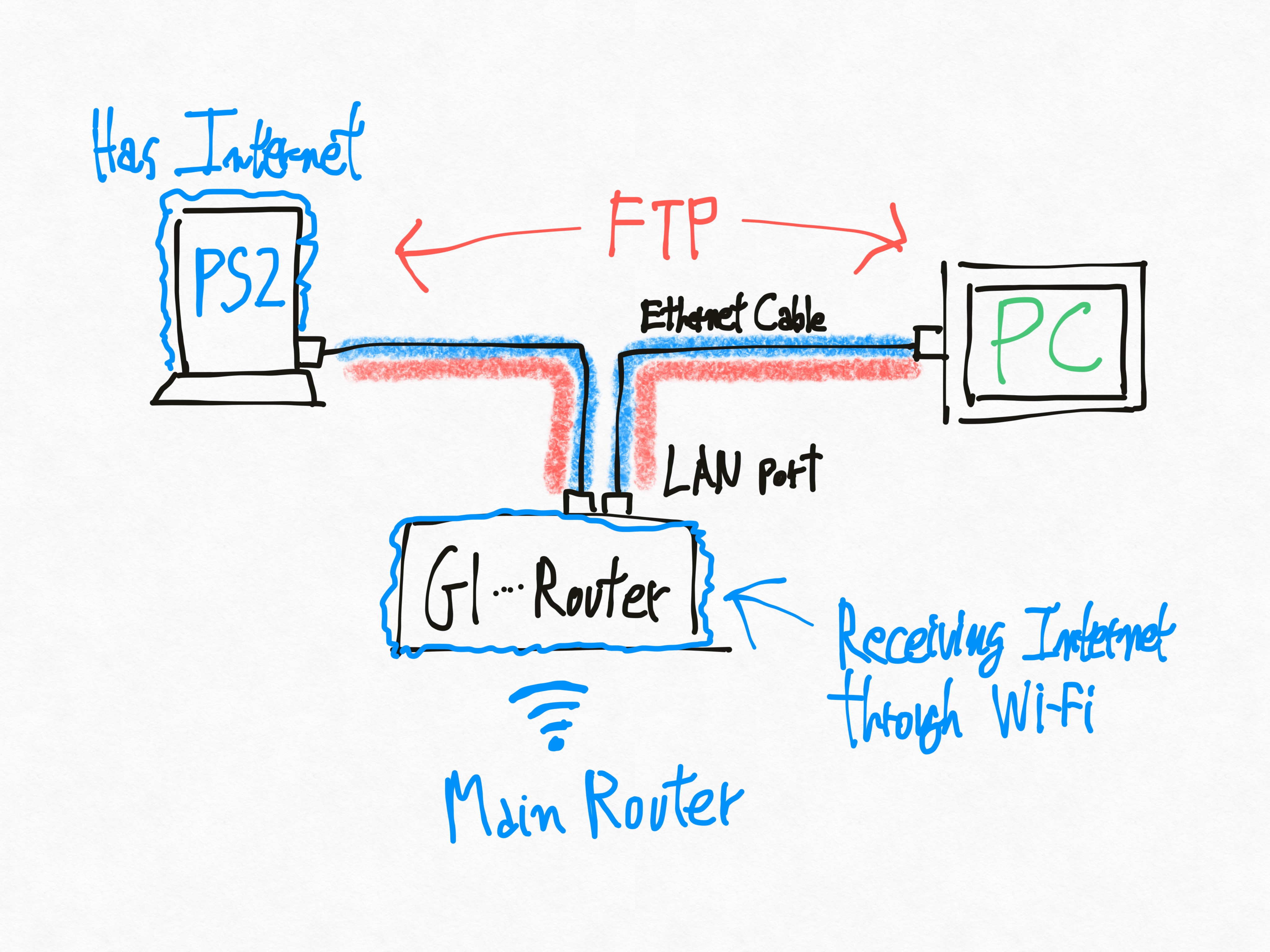
Since both devices are connected to the GL-iNet router the need of using extender mode is not needed.
But you need to use repeater function to receive dhcp wan, extender mode just transforms the router like a dumb switch with no dhcp server or firewall so that devices join the upstream network, this is not needed.
Ok, since the Repeater function is not necessary, I switched back to Router mode, but the “Unidentified network“ problem still persisted. I tried connecting the cable to some other laptop I have and it worked there, which made me think the problem wasn’t in the router configuration but some configuration in my computer. After fuddling around with a bunch of CMD stuff, I ended up accidentally discovering the fix.
I just needed to go to the Network and Sharing Center portion of the Control Panel, right click the Ethernet driver there (not shown in the image, but it’s right below where blue “Hamachi” is) and select the Troubleshooting option, and for the first time ever in my life I experienced Windows’ troubleshooting actually solving something. I wonder why this wasn’t done automatically as soon as the cable is connected but yeah, the solution was that simple. Regardless, thanks for helping me out!