Thank you for sharing the test results.
We’re pleased to see that the abnormal download speed issue has been resolved.
For the wired versus wireless performance comparison between the Slate 7 and the Beryl AX, the table appears to be truncated.
Please share the complete table or clarify the missing data so we can better understand the difference.
From a hardware perspective, the Slate 7 should be capable of handling Tailscale traffic, as our earlier tests showed throughput above 100 Mbps -- Not the best performance, due to our limited network speed.
To further isolate the cause, please verify whether both devices are establishing a direct connection to the overseas Linux host, or if one or both are falling back to a DERP relay. Differences in DERP usage can significantly affect throughput.
This can be verified by SSHing into the router and running the following command:
tailscale status
# OR
tailscale ping <tailscale_ip>
These numbers look to be within normal test variance, as the PC’s results appear consistent across both devices.
To narrow it down on the Tailscale side:
Please check whether the traffic is Direct or DERP/Relay for the session (a relay path can significantly reduce throughput, especially to overseas exit nodes).
If possible, please repeat the test using a nearby exit node (same country/region). If speeds improve, it strongly points to latency/route/DERP effects rather than the router itself.
Our internal testing was conducted based on your earlier feedback, with both WAN and LAN connected via Ethernet, so Wi-Fi should not be a limiting factor here. Angeleno's tests also confirmed that wireless connections over WAN and LAN are no problem as well.
Could you please test again using the steps below?
Configure the appropriate Tailscale mode on the Slate 7 with wired WAN connected.
We may not have been clear earlier.
Previously, we only reproduced the issue where Tailscale download speeds were extremely low, approaching zero.
We have already verified the fix using the commands provided earlier.
If Tailscale speeds remain low after executing those commands, it may indicate other issues.
Could you share your device with us via GoodCloud following this tutorial so we can remotely investigate? Technical Support via GoodCloud - GL.iNet Router Docs 4
Please send us the MAC address of devices and WebUI Password so that we can access remotely.
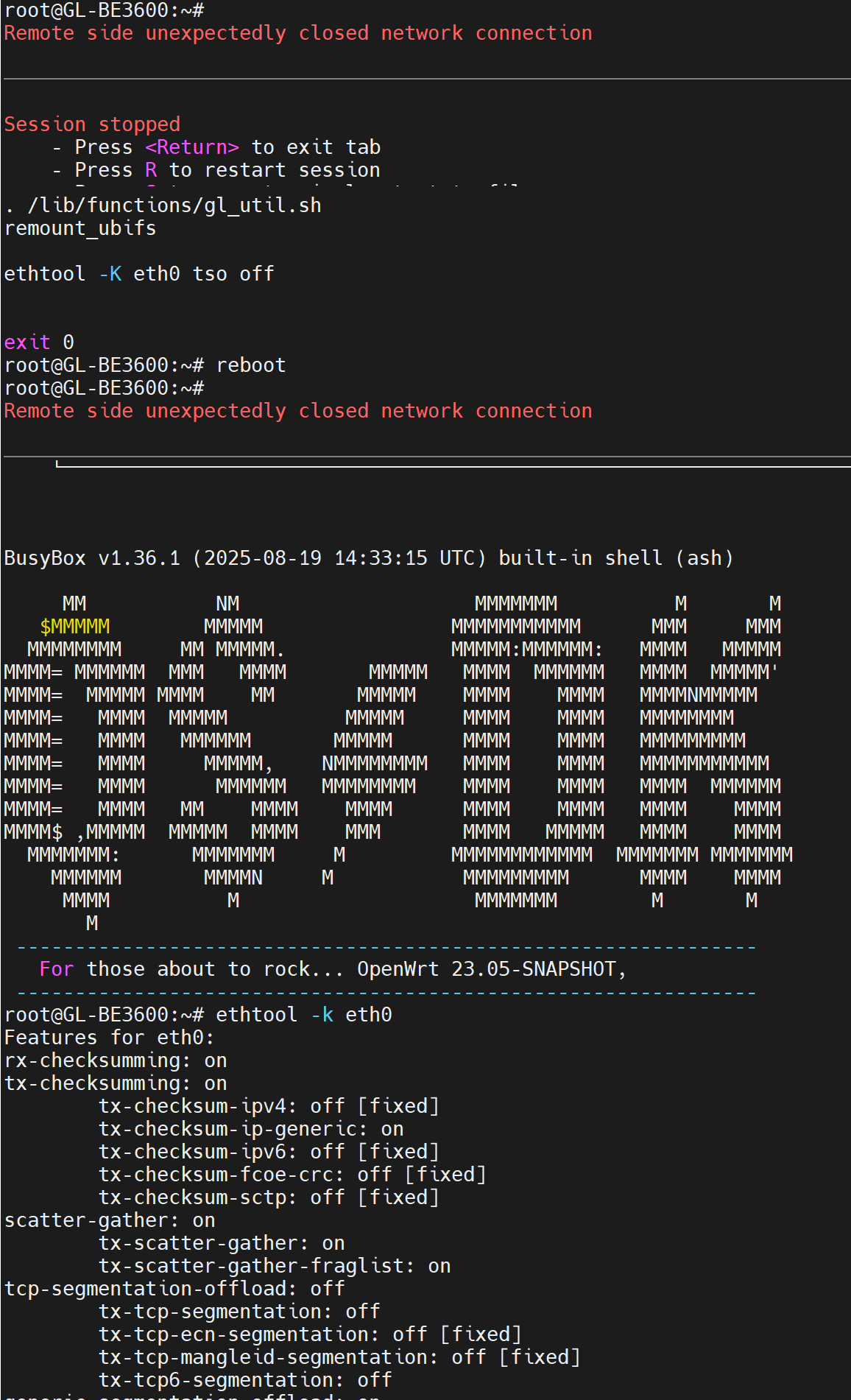
Hi there, i can confirm “ethtool -K eth0 tso off” fix the slowness issue I had. thanks.
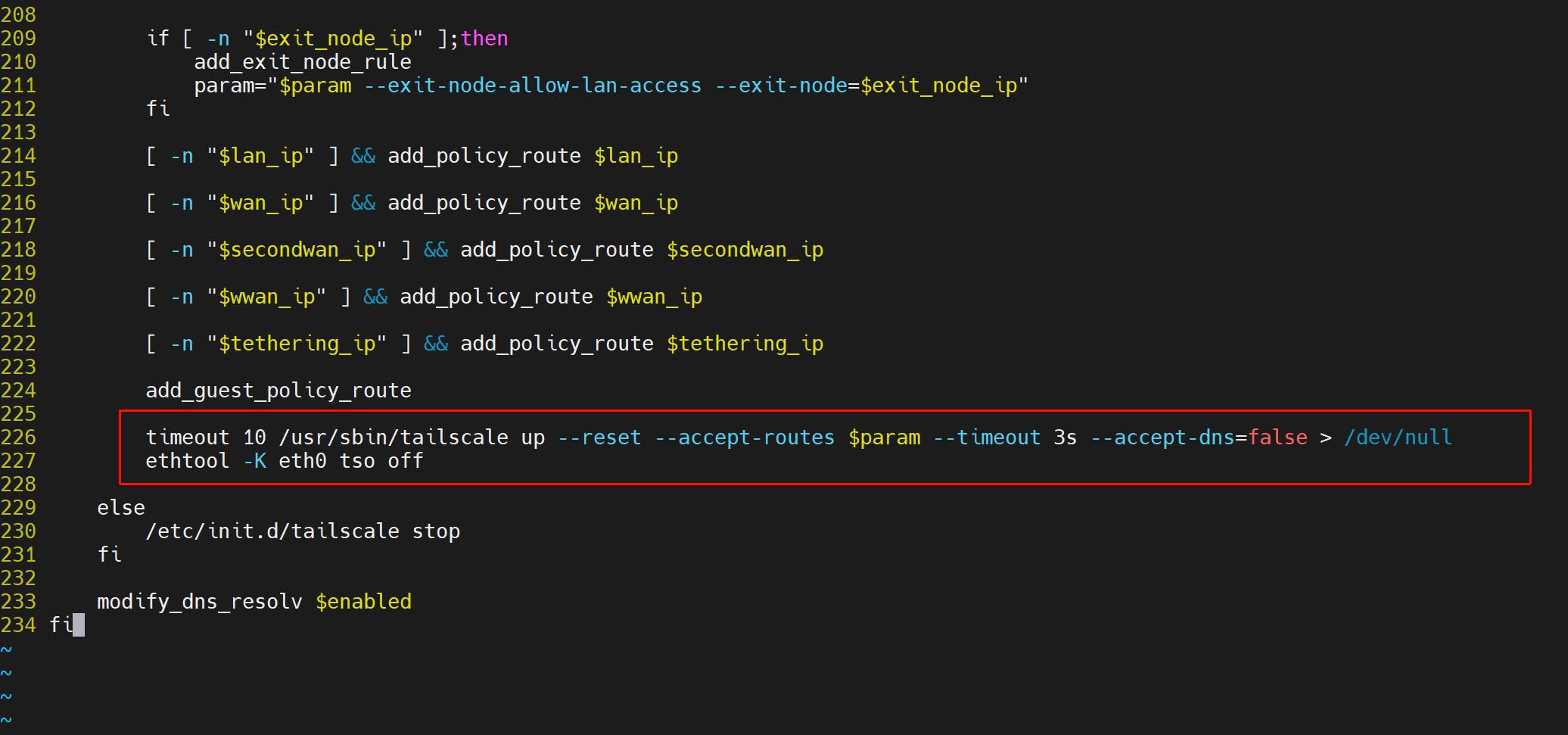
However, i added into /etc/rc.local and reboot, it does not work for some reason, atm i need to ssh and execute this command manually every time after reboot.
It is quite strange, as our local testing shows that it should be able to configure itself automatically after a reboot.
Could you please double-check if you added the commands before the exit 0 line in the /etc/rc.local file?