I use a GL.iNet Comet Pro (RM10) to remotely control my FEVM FAEX1, which is connected to an ultrawide monitor. I access the Comet Pro through its web interface over Tailscale. all good, very happy with it, reliable, stable.. (Happy owner of RM1, RM10, 2 x RMQ1 through Kickstarter)
The display scaling and zoom improvements help with readability (View Mode: Adaptive, Original Pixel)), but my main remaining difficulty is mouse management on touchscreens, especially when controlling the computer from my Android phone.
When using the web interface on a phone, it is difficult to position the mouse pointer accurately. Moving the pointer, panning around a zoomed screen, and interacting with the remote desktop can interfere with one another. This makes small buttons, window controls, menus, and other precise actions very difficult to use.
Could you add a virtual-cursor mode similar to Getscreen.me’s mobile cursor feature?
For reference:
The requested behavior would be:
- A visible virtual mouse cursor displayed over the remote desktop.
- The ability to move the cursor by dragging it directly with a finger, independently of the remote desktop’s pan and zoom controls.
- The cursor should remain at its selected position when the finger is released.
- A tap or dedicated on-screen button should perform a left-click at the cursor’s current position.
- A long press or dedicated button should perform a right-click.
- A clear way to perform click-and-drag, ideally by pressing and dragging the virtual cursor or using a dedicated drag-mode toggle.
- Separate controls or gestures for mouse movement and viewport panning, so moving the pointer does not accidentally move the visible portion of the screen.
- Optional two-finger scrolling and pinch-to-zoom, without changing the cursor position or generating unintended clicks.
- A toggle to switch between direct-touch mode and virtual-cursor mode.
The key improvement is to decouple cursor positioning from screen panning and zooming. This would allow precise control even when an ultrawide or high-resolution desktop is zoomed in on a small phone screen.
Ideally, this would work directly in the existing mobile web interface, without requiring a separate app. It would make the Comet Pro significantly more usable from phones and other touchscreen devices.
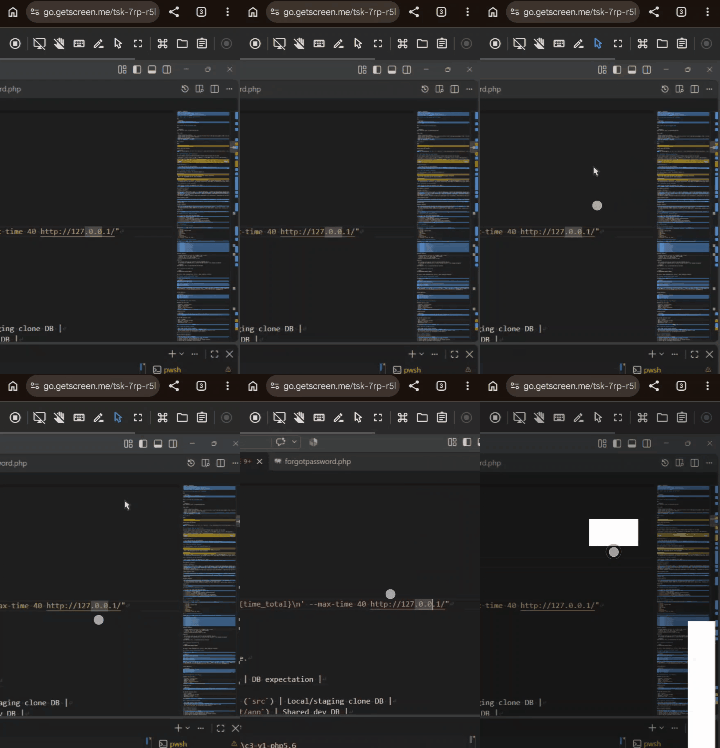
As an example, here a gif of the behavior of the "Cursor Mode" (blue is on) on getscreen when it is enabled and disabled.
You can see that it is much more usable with Cursor Mode on touch screen as the screen panning is based on the cursor location.
Thanks a lot and hoping you will consider this feature