As we continue to evolve our product lineup—specifically our Wi-Fi 7 platforms, DPI features, AmneziaWG and more. We are evaluating the native integration of Docker into our firmware environment.
While many users currently utilize OpenWrt’s dockerd manually, we are considering a more optimized, first-party approach. We would like to gather your technical requirements and expectations regarding containerization on GL.iNet hardware.
1. Primary Use Cases
If Docker support were officially prioritized, which specific services would you host on the gateway itself? We are particularly interested in:
IoT & Automation: Home Assistant Core, MQTT brokers (Mosquitto), or Zigbee2MQTT.
Monitoring & Security: Uptime Kuma, CrowdSec, or customized IDS/IPS containers.
Data & Sync: Lightweight instances of Syncthing or Nextcloud.
2. Technical Constraints & Preferences
Running a container runtime on a router involves significant trade-offs. We would value your input on the following:
Resource Orchestration: Would you prefer a native Portainer integration, or a proprietary GL.iNet GUI for basic lifecycle management (Start/Stop/Update)?
Networking: How critical is Macvlan/IPvlan support to your workflow versus standard Bridge networking?
Kernel Optimization: Are there specific kernel modules you consider essential for your deployment?
3. Hardware Alignment
Are there specific models in our current lineup (e.g., Flint3, Flint 2, Brume3, Brume2, etc.) where you feel Docker support is most critical, or are you looking forward to higher-spec future hardware designed specifically with virtualization in mind?
Your feedback will help us determine the viability of this feature and ensure our hardware abstraction layer (HAL) is built to handle the overhead.
Please share your thoughts or your current "hacky" Docker setups below.
This topic is purely for research and does not guarantee that Docker will be integrated into the router firmware in the future.
I think native support for portainer is a must, but maybe a simple downstripped ui for simple usage is good to, maybe you can do it like you are doing it with luci.
as you can see I'm also big fan of macvlans and segmentation and vpn routing, 10.244.244.0/24 is non vpn and 10.245.245.0/24 is vpn whereas 10.234.53.0/24 is my main ip I use this for things like a unifi controller (currently I have this stack disabled, still in migration phase).
Currently docker runs on a Proxmox VM, on a GMKtec M5 plus.
But do I think the hardware is currently good enough?, no, the issue is also cpu utilisation but also memory and especially space, I think having m.2 ssd ports is a must, for very basic things devices such as the brume2 or flint 2 are still okay but it will not satisfy heavy docker users.
I think fast ethernet ports make sense in such devices because local lancaching is nice, I can see people also try nas things on it.
If I would use it in my main gateway?
Well in my situation thats basicly what I do now, but I vlan encapisulate it from the proxmox device to my router as dhcp clients, which does the firewalling, and also ipset for certain things, also each service has its own lan domain name.
Docker would be cool, but the biggest issue - from my point of view - is that OpenWrt runs everything as 'root' by default. So if someone gets into your Docker container (and there are mount binds), it's likely that they get access to the router itself as well.
OpenWrt isn't suitable for hosting services incl. Docker, in my opinion.
I already using docker on Flint2 using luci, it has already nice interface for start, stop, remove .. container/images/volume/network.
My biggest issue with docker with openwrt is docker use VFS, as openwrt already use squashfs so docker not support overlay2. So my image even it have a size of 100MB, it was taking 1.8GB as many layer i have on my image. I was able to resolve this problem as it was my custom image and i can generate a new image with one layer, but i don’t knew for public standard image how VFS can impact disk usage.
# Use already built image from Dockerfile as base
ARG BASE_IMAGE=ORIGIN-IMAGE:latest

# Stage 1: Define base image using ARG
FROM ${BASE_IMAGE} AS base

# Stage 2: VFS Single Layer - copy entire filesystem to scratch for true single layer
FROM scratch

COPY --from=base / /

VOLUME ["/app/data"]
EXPOSE 9090

HEALTHCHECK --interval=30s --timeout=5s --start-period=10s --retries=3 \
    CMD wget --quiet --tries=1 --spider http://localhost:9090/health || exit 1

ENTRYPOINT ["/app/docker-entrypoint.sh"]
I suppose as a bit of a purist, I would not want docker running on my perimeter. I am a firm believer in not running your firewall on your virtualization and not running virtualization (or containerization) on your firewall. Surely folks who want to and have reason and skill to run a docker instance can already do so on a better suited device.
With security done properly and better hardware, it might be feasible. But I just neither want nor need the functionality. Hopefully, if it does get offered it will be something we can completely opt out of.
If you actually run that many containers in the router as shown in the screenshot, the router might crash.
A heavy reliance on Docker certainly requires a dedicated machine (server). Even devices like RPi, BPi, and similar low-power boards may not suffice—they’re still considered lightweight. The nanopi could be a middle ground. I think it can meet the needs of many people.
The Docker needs in the router, might be a lightweight (or moderately low) scenario.
I cannot agree more, for the OpenWRT single-role user group, I think it might not be suitable for some containers involving security to run on it, only simple ones like auto sign-in of APPs, MQTT broker, etc.
OpenWrt privileges are not ideal, and yes you can do it now, but it does open an otherwise closed can of worms, to the security side of the device.
Ideally Docker should be run from Behind the router and not on it, and it can be literally run on anything.
I would prefer not to give up security, and system optimisations, to have a custom docker / GL.iNet Docker that’s baked into the system, and would have to remove.
No, its a router, manage routes, device connects, dns, firewalls, vpns. etc…
Docker is an unneeded attack vector on a front facing device, and anyone doing this seriously will have some form of homelab setup from RiPi to Full rack to deploy any Docker they want safely.
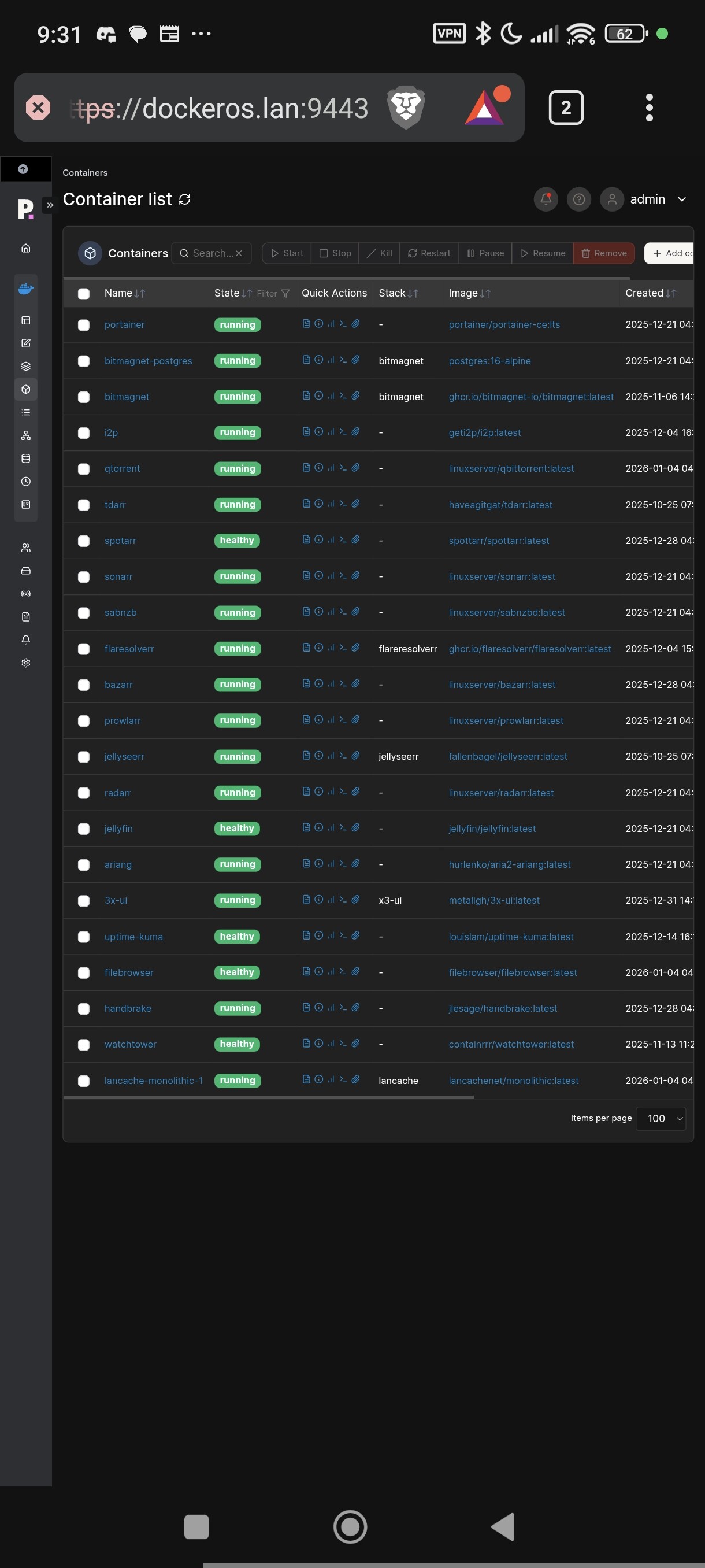
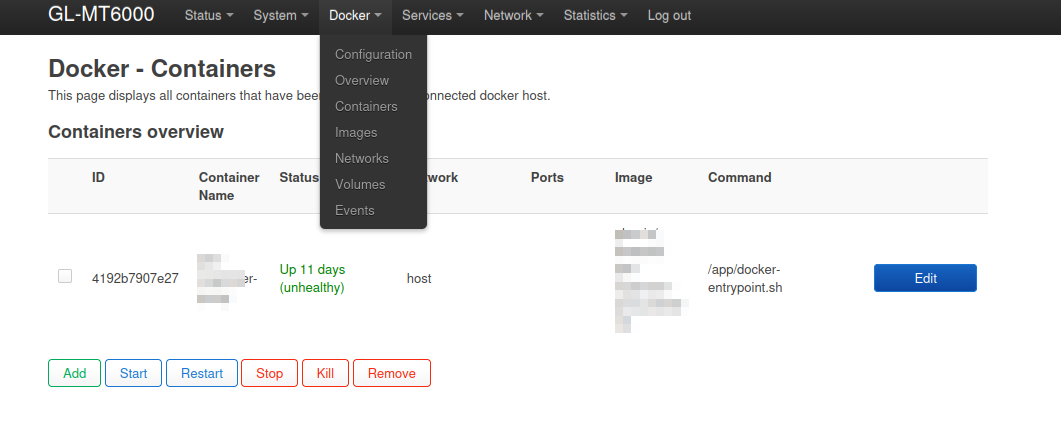
 If you actually run that many containers in the router as shown in the screenshot, the router might crash.

