Firmware 4.9.1 – Ethernet WAN remains connected without Internet and does not fail over to USB Tethering

Hello,

I am using a GL-MT6000 (Flint 2) with GL.iNet firmware 4.9.1, based on:

OpenWrt 21.02-SNAPSHOT

r15812+1092-46b6ee7ffc

I have configured three WAN interfaces:

  • Ethernet 1 – primary WAN

  • Ethernet 2 – secondary WAN

  • Tethering – USB tethering from an iPhone, intended as the backup connection

The problem occurs when Ethernet 1 remains physically connected but loses Internet access.

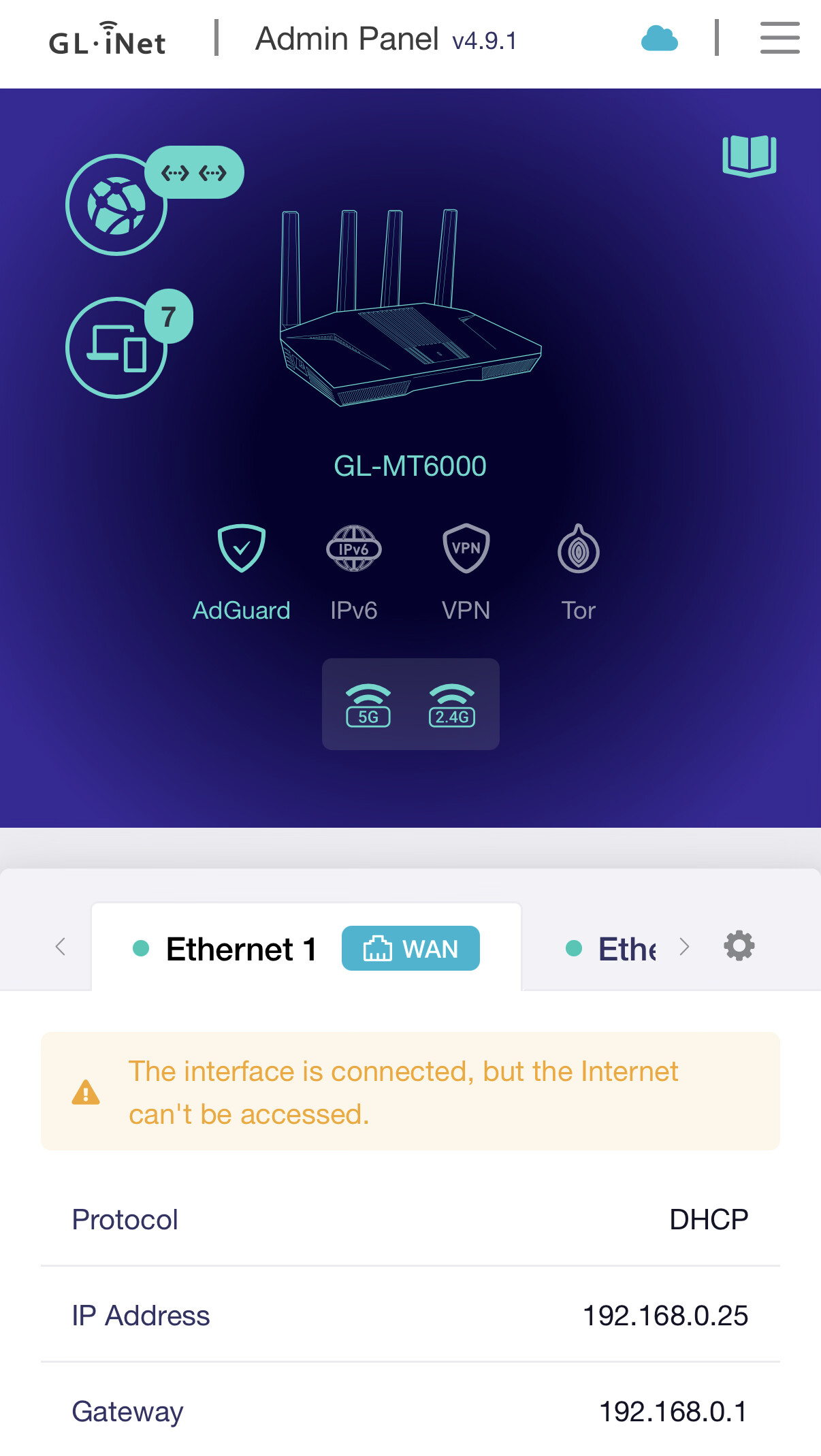
For example, Ethernet 1 is connected to equipment powered through an inverter. When the upstream Internet connection is unavailable, the physical Ethernet link remains active. The GL-MT6000 therefore detects Ethernet 1 as physically connected and shows the port with a green link indicator.

However, the router reports:

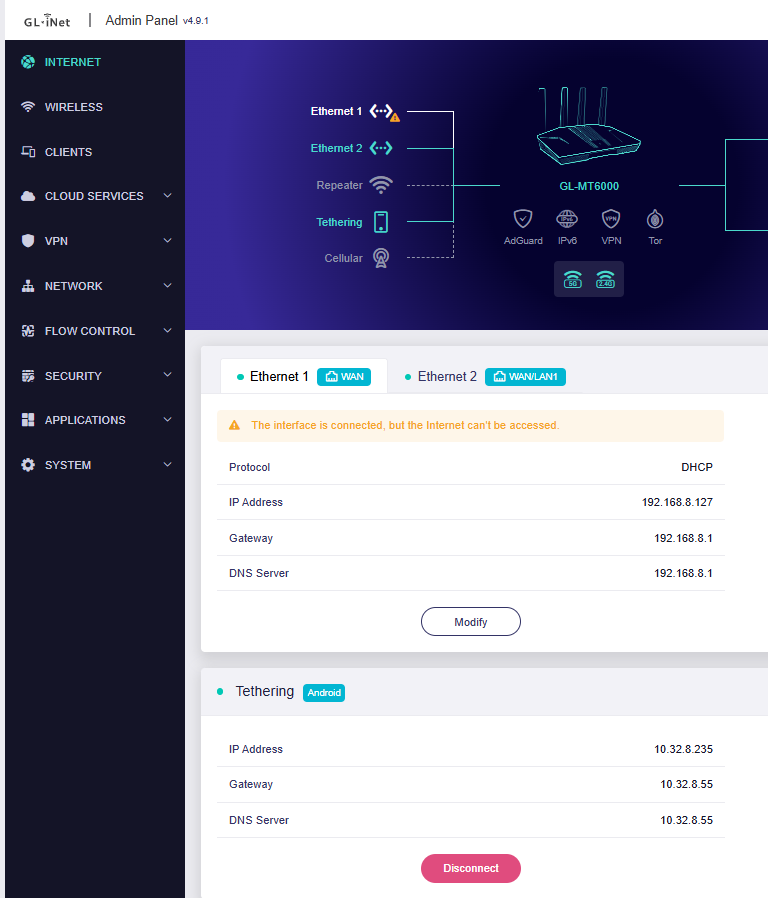
“The interface is connected, but the Internet can’t be accessed.”

Despite this, the router does not fail over to USB Tethering.

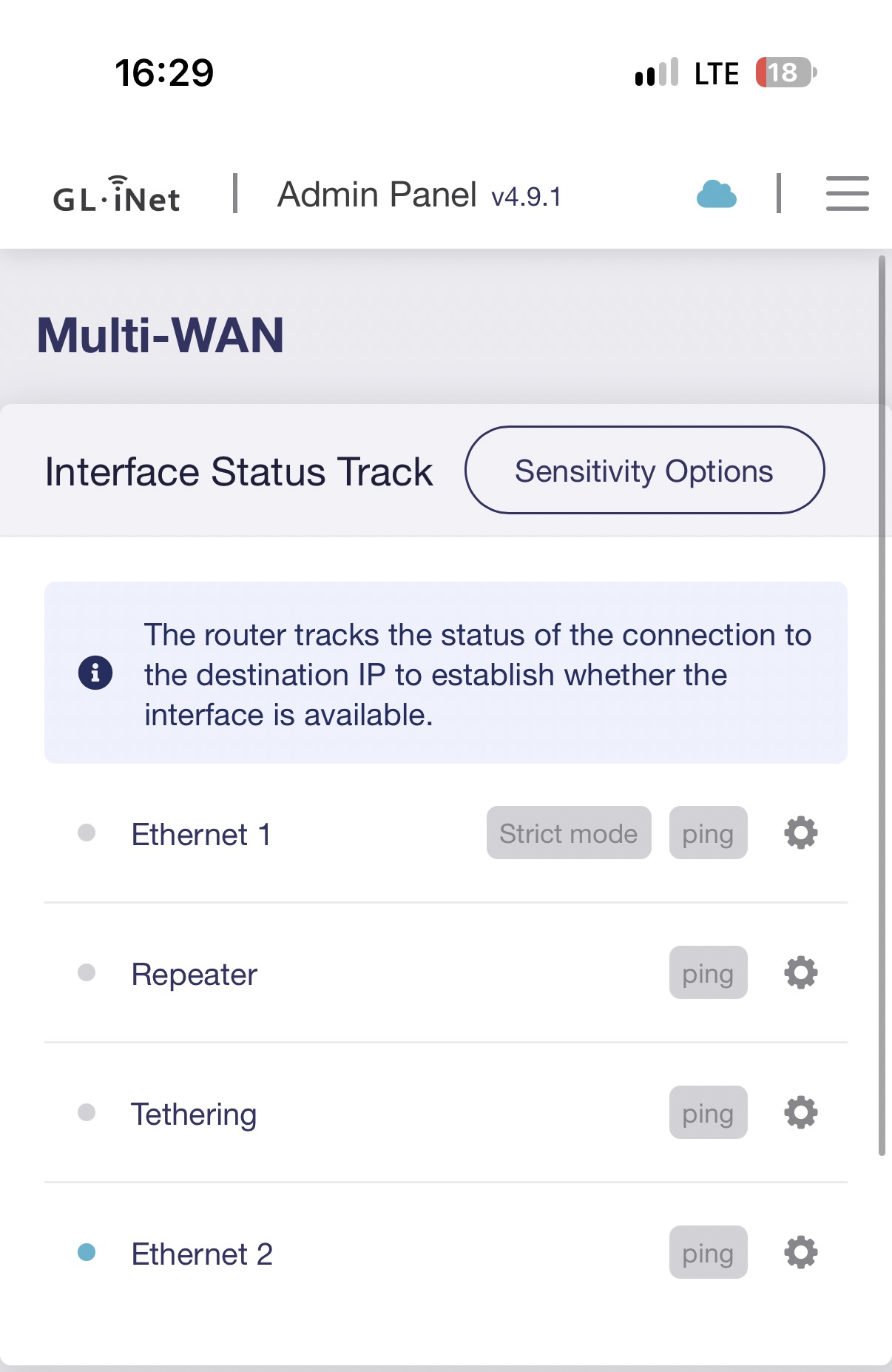
I am using kmwan in failover mode, with sensitivity configured to 3000. The logs show that kmwan is loaded and configured, for example:

kmwan: sensitivity and mode are set.

The WAN interfaces are also added to kmwan with Internet connectivity tracking/ping targets.

My questions are:

  1. When the Ethernet link remains physically up but all Internet tracking targets fail, should kmwan automatically mark that WAN as unavailable and initiate failover?

  2. Why would the GL-MT6000 continue using Ethernet 1 when the router itself reports “The interface is connected, but the Internet can’t be accessed”?

  3. Does track_mode (strict vs force) affect whether failover from Ethernet 1 to Tethering occurs?

  4. Is there a specific configuration required for Tethering to be used as a failover interface when the primary Ethernet interface has a valid physical link but no Internet connectivity?

  5. Is this a known limitation or issue in firmware 4.9.1 / kmwan?

  6. Is there an official command, API, /proc interface, or diagnostic method to see the runtime kmwan state of each interface and whether kmwan currently considers Ethernet 1 online or offline?

  7. Is there a way to verify from the router whether the kmwan tracking probes are actually being sent through the correct WAN interface when Ethernet 1 has no Internet access?

For reference, kmwan is not exposed as a normal CLI command or ubus object on this firmware:

# ubus call kmwan status

Command failed: Not found

# kmwan status

-ash: kmwan: not found

However, the kmwan components are present:

/etc/config/kmwan

/etc/init.d/kmwan

/lib/functions/kmwan.sh

/lib/modules/5.4.238/kmwan.ko

/proc/gl-kmwan

/usr/lib/lua/gl/kmwan.lua

/usr/lib/oui-httpd/rpc/kmwan

I can provide the complete /etc/config/kmwan, /proc/gl-kmwan, logread, ip route, ip rule, and interface status if required.

I would specifically like to know whether firmware 4.9.1 supports Internet-loss detection and automatic failover to USB Tethering while the primary Ethernet interface remains physically connected.

Thank you.
Hi,

Thank you for the detailed information.

We tested this locally on a GL-MT6000 running firmware 4.9.1 .

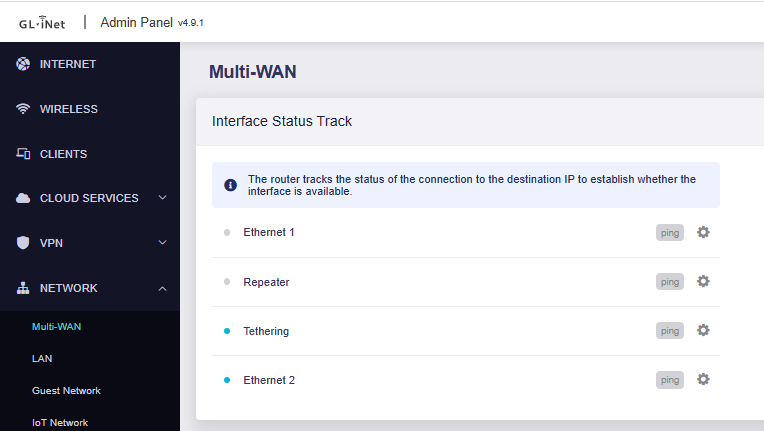
When the Ethernet physical link remained connected but the upstream Internet connection was unavailable, Interface Status Track was able to detect the Ethernet interface as unavailable , and Failover then switched to the next available interface according to the configured priority.


For the expected Multi-WAN behavior, including Interface Status Track , Detection Mode, and Failover priority, please first refer to our Multi-WAN documentation:

To further check the behavior on your router when the issue occurs, you can use the following two methods:

  1. Check the current kmwan runtime state:
cat /proc/gl-kmwan/config
  1. 若要验证 kmwan 探测包是否通过预期的 WAN 接口发送,请在复现该问题时运行以下命令:
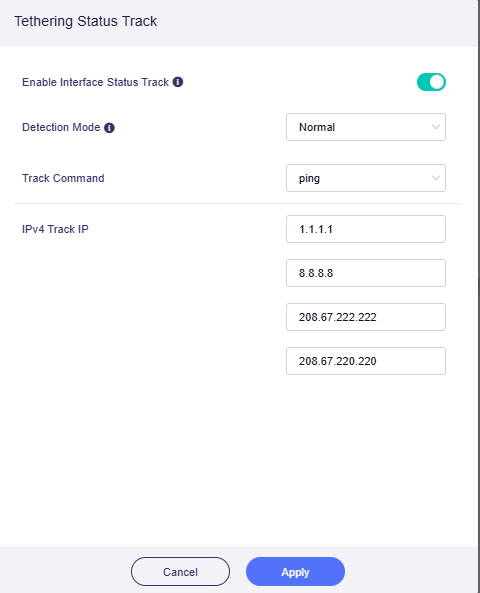
tcpdump -ni any 'icmp and (host 1.1.1.1 or host 8.8.8.8 or host 208.67.222.222 or host 208.67.220.220)'

If you have changed the Track IPs manually, please replace the IP addresses in the command with your configured Track IPs.

If the issue occurs again, please send us the Multi-WAN page screenshot , the output of /proc/gl-kmwan/config , and the relevant packet capture results.

Thank you again for your assistance with the testing.

Hi Charles,

The issue is still occurring under the same conditions.

When WAN is offline, the router does not switch to Second WAN automatically, even though kmwan reports:

secondwan:online
wan:offline

Current result:

root@GL-MT6000:~# cat /proc/gl-kmwan/config
secondwan:online
wan:offline

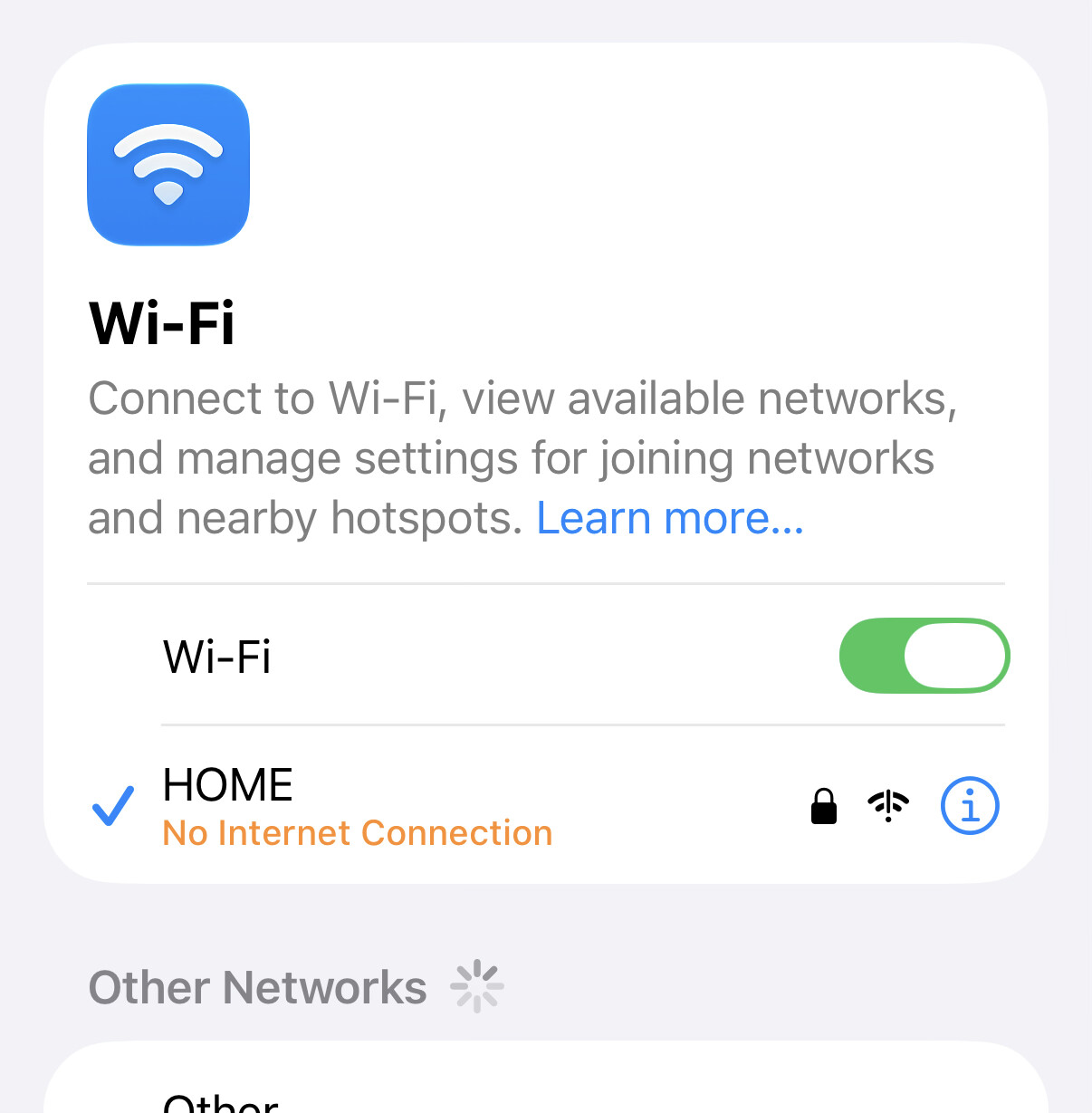
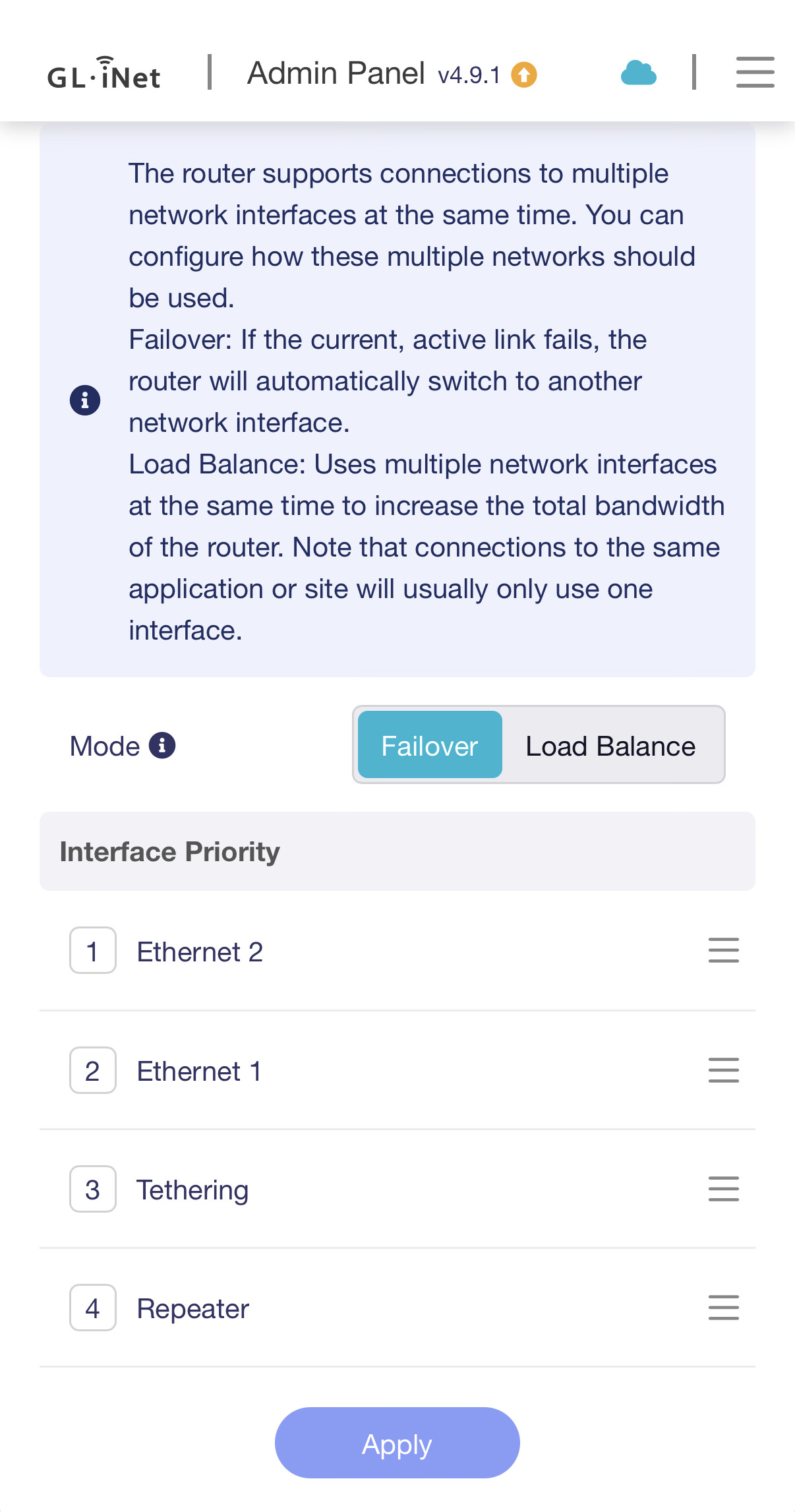
I am attaching screenshots showing the current Multi-WAN status and the behavior when the issue occurs.

I also tested the Second WAN manually as the priority connection in Multi-WAN. When I set Second WAN as the priority, the Internet works normally. This confirms that the Second WAN connection itself has working Internet access.

The problem therefore appears specifically with the automatic failover from WAN to Second WAN.

Firmware: GL.iNet official firmware 4.9.1
Device: GL-MT6000 (Flint 2)

Please let me know if you need any additional packet capture or other logs from the router.

The /proc/gl-kmwan/config result confirms that interface tracking is working: kmwan considers wan offline and secondwan online. The next step is to determine whether failover updates the routing policy and sends new traffic through secondwan.

While the fault is active before manually changing priority, please capture:

ip rule show
ip route show table all
tcpdump -ni any 'icmp and (host 1.1.1.1 or host 8.8.8.8 or host 208.67.222.222 or host 208.67.220.220)'

Run the capture while generating new Internet traffic from a LAN client, then share a short relevant excerpt showing the interface names and packet directions. Replace the IPs if you configured different tracking targets, and redact any public IP addresses. This will distinguish a probe-routing problem from a failure to apply the secondary WAN routing policy.

This reply was generated by AI. Please verify its accuracy.

GL.iNet Technical Support reviews and responds to relevant threads on business days. Please allow time for a staff response.